
Introduction
The Beeasy AW02 Digital Sports Watch is designed for both men and women, offering a blend of modern design and practical functionality. This ultra-thin and lightweight watch features a clear digital display with EL backlight, 50M water resistance, and multiple functions including alarm, stopwatch, and countdown timer. It is suitable for various activities such as swimming, running, and daily wear.

Image: Beeasy AW02 Digital Sports Watch in white, showcasing its sleek design.
Key Features
- Ultra-Thin Design: Only 7mm (0.27in) case thickness for comfortable wear.
- Lightweight: Weighs approximately 38g (0.08lb).
- 50M Water Resistance: Suitable for swimming in shallow water and cold showers. Avoid hot water and steam. Not suitable for diving.
- EL Backlight Display: Ensures clear readability in low-light conditions.
- Multi-Functionality: Includes 12/24-hour time format, date and day display, alarm, stopwatch, countdown timer, and dual time zone support.
- Durable Construction: Features a scratch-resistant screen and flexible textured band.
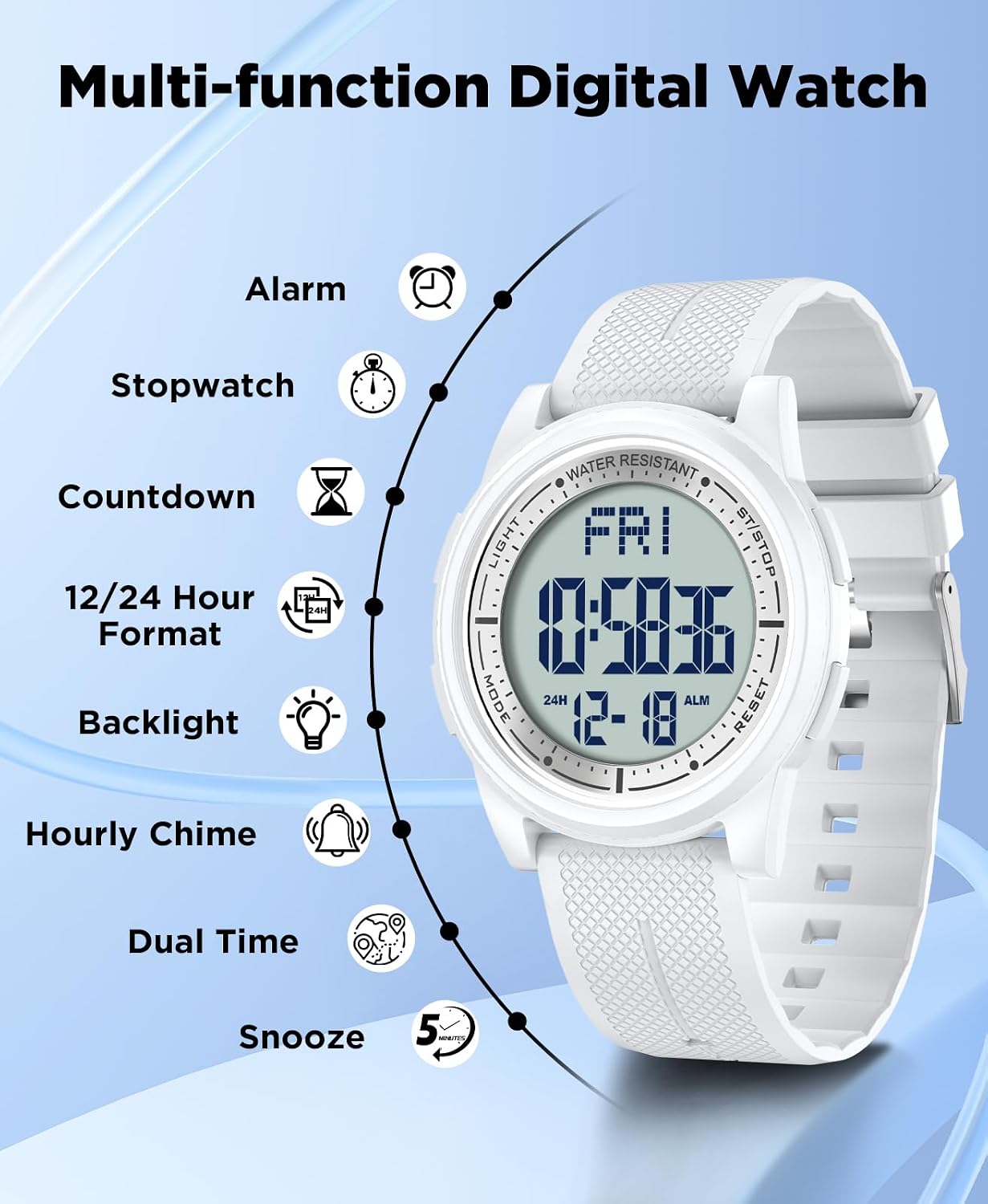
Image: Visual representation of the watch's multi-functional digital display, highlighting features such as alarm, stopwatch, countdown, and backlight.
Setup and Initial Configuration
Setting Time and Date
Follow these steps to set the time, date, and day of the week on your Beeasy AW02 watch:
- Enter Setting Mode: Press and hold the "RESET" button for 3 seconds. The display will indicate that you are in setting mode.
- Navigate to Year Setting: Press the "MODE" button 3 times to cycle through settings until the year display is blinking.
- Adjust Year: Press the "ST/STOP" button to set the correct year.
- Save Settings: Press the "RESET" button to save the year. The day of the week will automatically update.
- Continue Setting Time/Date: Use the "MODE" button to cycle through other settings (month, day, hour, minute, 12/24-hour format) and use the "ST/STOP" button to adjust values.
- Exit Setting Mode: Press the "RESET" button to save all changes and exit the setting mode.

Image: Step-by-step guide on how to set the day of the week on the watch.
Battery Information
The Beeasy AW02 watch requires 1 Lithium Metal battery. When the display dims or functions become unreliable, it may be time to replace the battery. Battery replacement should ideally be performed by a qualified technician to ensure water resistance is maintained.
Operating Instructions
Mode Selection
Press the "MODE" button to cycle through the different functions:
- Time Display (default)
- Alarm Mode
- Stopwatch Mode
- Countdown Timer Mode
- Dual Time Mode
Alarm Function
In Alarm Mode:
- Press "ST/STOP" to toggle the alarm ON/OFF.
- Press and hold "RESET" to enter alarm setting mode. Use "ST/STOP" to adjust hours/minutes and "MODE" to switch between hours and minutes.
- Press "RESET" to save and exit.
- The watch also supports an hourly chime.

Image: Visual guide to Dual Time, Alarm Mode, and Stopwatch/Countdown functions.
Stopwatch and Countdown Timer
In Stopwatch Mode:
- Press "ST/STOP" to start/stop the stopwatch.
- Press "RESET" to reset to zero.
- The stopwatch measures up to 23 hours, 59 minutes, and 59 seconds with 1/100 second precision.
In Countdown Timer Mode:
- Press and hold "RESET" to enter countdown setting mode. Use "ST/STOP" to adjust hours/minutes and "MODE" to switch between hours and minutes.
- Press "ST/STOP" to start/pause the countdown.
- Press "RESET" to reset the countdown.
- The countdown timer supports a maximum of 23 hours, 59 minutes, and 59 seconds.
EL Backlight
Press the "LIGHT" button to activate the EL backlight for clear visibility in dark environments. The backlight will illuminate for a few seconds.

Image: The watch display with its EL backlight activated for night visibility.
Water Resistance
The Beeasy AW02 watch is rated for 50M (5ATM) water resistance. This means it is suitable for:
- Daily use
- Splashes
- Rain
- Showering (cold water only)
- Swimming in shallow water
Important Precautions:
- DO NOT press any buttons while the watch is underwater.
- AVOID exposure to hot water, steam, or saunas, as this can compromise the watch's water seals.
- NOT SUITABLE for diving or prolonged underwater activities.
Video: Official Beeasy video demonstrating the watch's waterproof capabilities and features.
Maintenance and Care
- Clean the watch regularly with a soft, dry cloth. For stubborn dirt, use a slightly damp cloth and mild soap, then dry thoroughly.
- Avoid exposing the watch to extreme temperatures, direct sunlight for extended periods, or strong magnetic fields.
- Store the watch in a cool, dry place when not in use.
- If the watch comes into contact with saltwater, rinse it with fresh water and dry it immediately.
Troubleshooting
| Problem | Possible Cause / Solution |
|---|---|
| Display is blank or dim. | Battery may be low or depleted. Replace the Lithium Metal battery. |
| Buttons are unresponsive. | Ensure the watch is not in a locked mode (if applicable, refer to specific model features). Try a soft reset by pressing all buttons simultaneously for a few seconds. If problem persists, battery may be low. |
| Time is incorrect. | Re-enter time setting mode and adjust the time as per the "Setting Time and Date" instructions. Check 12/24-hour format setting. |
| Alarm does not sound. | Ensure the alarm is activated in Alarm Mode. Check alarm time settings. |
| Water inside the watch. | This indicates a breach in the water resistance. Avoid further water exposure and seek professional repair immediately. This is often caused by pressing buttons underwater or exposure to hot water/steam. |
Specifications
| Feature | Detail |
|---|---|
| Model Name | AW02 |
| Brand | Beeasy |
| Product Dimensions | 9.65 x 1.73 x 0.26 inches |
| Item Weight | 1.3 ounces (36.8 g) |
| Case Diameter | 44 millimeters |
| Case Thickness | 7 millimeters |
| Band Width | 22 millimeters |
| Band Length | 26 centimeters |
| Water Resistance Depth | 50 meters (5ATM) |
| Watch Movement Type | Japanese Quartz |
| Display Type | Digital |
| Battery | 1 Lithium Metal battery required |
| Case Material Type | Acrylonitrile Butadiene Styrene |
| Band Material Type | Resin |
| Crystal | Resin |

Image: Detailed parameters and dimensions of the Beeasy AW02 Digital Watch.
Warranty and Support
Warranty Information
Beeasy provides a 12-month guarantee for this product, covering manufacturing defects. Please retain your proof of purchase for warranty claims. The warranty does not cover damage caused by misuse, accidents, unauthorized repairs, or normal wear and tear.
Customer Support
For any questions, concerns, or assistance with your Beeasy AW02 Digital Sports Watch, please contact our customer service team. We aim to provide a satisfied solution within 24 hours.
- Assistance with setting the time.
- Questions about product quality.
- Delivery inquiries.
- Any other product-related issues.

Image: Beeasy customer service is available to assist with product inquiries.


