
1. Introduction
The WonVon ESS Dual+ Engine Sound Simulator is designed to bring a realistic engine sound experience to your RC vehicle. Featuring a dual opposed speaker design and advanced DNS/DCR algorithm, it accurately reproduces real engine sounds based on throttle input and movement speed. This module enhances the realism of your RC driving experience.
2. Package Contents
Verify that all items listed below are included in your package:
- ESS Dual+ Sound Module (Main Unit)
- Various Car Holders/Mounting Brackets (4 types for mainstream cars)
- Connection Cables (Y-line, S-link USB adapter)
- Mounting Hardware (screws, adhesive pads)

Figure 2.1: ESS Dual+ Sound Module and included accessories.
3. Key Features
- Dual Opposed Speakers: Provides balanced sound diffusion and improved sound field localization.
- Realistic Engine Sound: Utilizes advanced DNS/DCR algorithm for real-time sound calculation based on throttle input and engine speed.
- Auxiliary Channel Support: Simulate additional sounds like alarms and horns via a third channel on your transmitter.
- Dual Engine Sound Sets: Store and quickly switch between two different engine sounds with unique brake, turbo, and general settings.
- RC PLUS Software Integration: Access functional settings, sound purchasing from sound stores, and firmware updates.
- Firmware Updates: Continuous firmware and function upgrades ensure the latest features and improvements.

Figure 3.1: Special Dual Speakers Design for enhanced sound realism.
4. Setup & Installation
4.1 Physical Installation
The ESS Dual+ module comes with various car holders designed for easy installation in mainstream RC cars, including Axial SCX10, SCX10 II, WARITH, and Traxxas TRX4 models. Choose the appropriate holder for your vehicle and secure the module firmly to prevent movement during operation.

Figure 4.1: Brand New Design of 4 Types Car Holder for easy mounting.

Figure 4.2: Example of ESS Dual+ module installed in an RC car.
4.2 Wiring Diagram
Follow the diagram below for correct wiring connections. Ensure all connections are secure before powering on the system.

Figure 4.3: Wiring Diagram for ESS Dual+ System.
- Audio Power Amplifier: Connect the main power input.
- Connect to PC with S-link: Use the S-link USB adapter to connect the module to a PC for software configuration.
- Connect to RX-TH: Connect the throttle signal from the receiver.
- Connect to ESS-Dual+ (TH): Connect the throttle signal to the module's throttle input.
- Connect to ESC: Connect the Electronic Speed Controller.
- Connect to ESS-Dual+ (AUX): Connect the auxiliary channel from the receiver for additional sound control.
5. Operating Instructions
5.1 Basic Operation
The ESS Dual+ calculates sound output in real-time based on your throttle input and movement speed, combined with the current engine speed. This ensures a dynamic and realistic sound experience that is not merely proportional to throttle input.
5.2 Sound Customization with RC PLUS Software
The RC PLUS software, a product of Sense Innovation, allows for comprehensive functional settings and sound management. You can purchase and download new engine sounds, brake sounds, turbo sounds, and auxiliary sounds (like alarms and horns) from the integrated sound store. The software also enables players to install two different sounds with different break, turbo, and settings into the ESS Dual+ 2017 module, allowing for easy one-button switching between them.
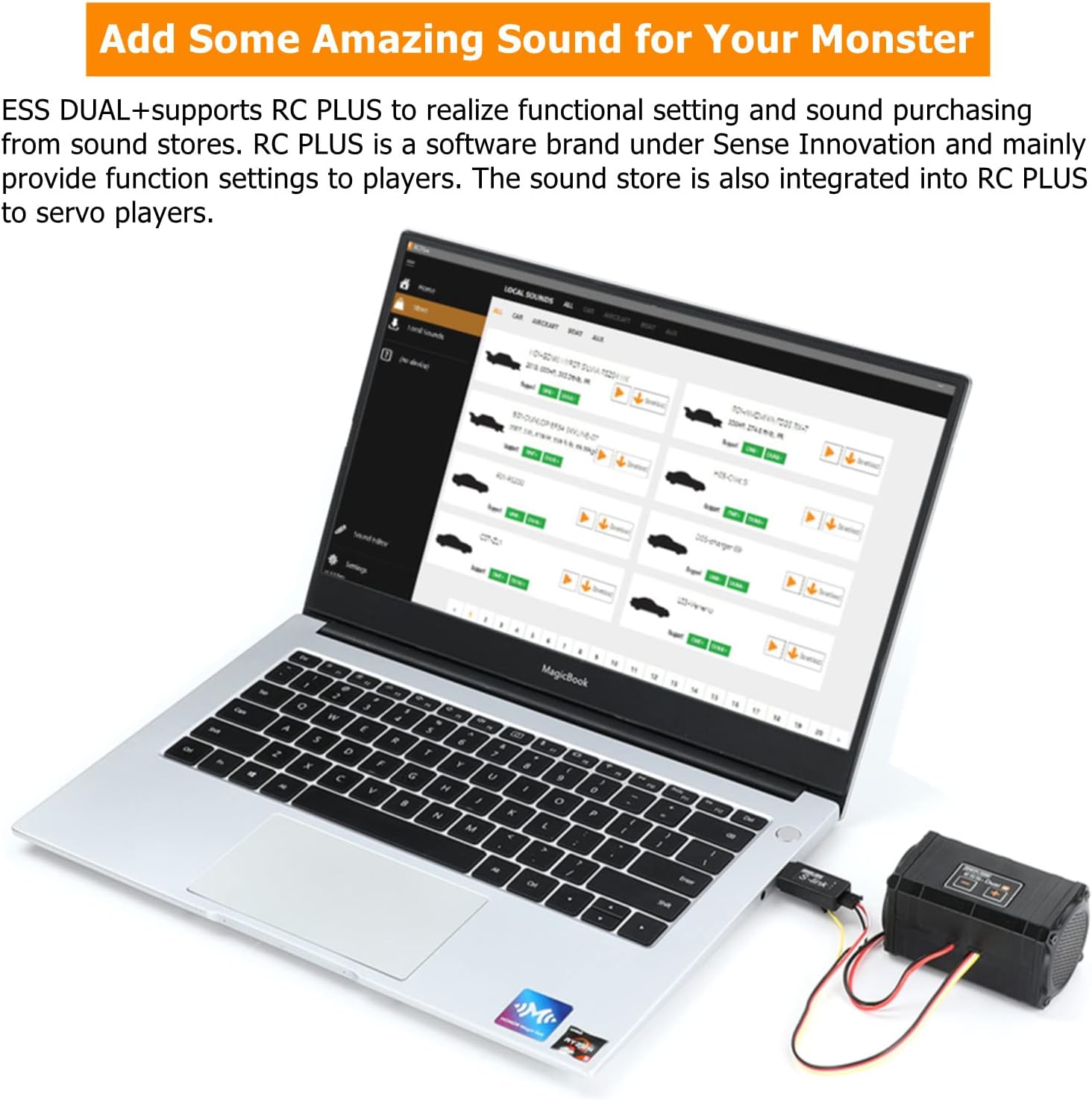
Figure 5.1: RC PLUS software for sound customization and management.
Video 5.1: Official demonstration of the ESS Dual Engine Sound Simulator System by Yunuodi.
6. Firmware Updates & Upgrades
Sense Innovation provides permanent firmware update services and software iteration for the ESS Dual+ module. Users can expect continuous updates to the RC PLUS software and ESS firmware, ensuring access to the best and latest features.
7. Troubleshooting
If the ESS Dual+ module is not producing sound or is experiencing unexpected behavior, consider the following:
- Power Source: Ensure the module is receiving adequate power. If using a modern ESC with telemetry, consider powering the receiver and sound module with a separate receiver battery pack to avoid signal interference.
- Signal Integrity: Verify that the throttle and auxiliary channel signals from your receiver are correctly connected and free from interference.
- Software Configuration: Connect the module to your PC using the S-link adapter and check the RC PLUS software settings. Ensure the correct engine sounds are loaded and enabled.
- Firmware: Check for and apply any available firmware updates via the RC PLUS software.
- Connections: Double-check all wiring connections as per the diagram in Section 4.2.
8. Specifications
| Attribute | Value |
|---|---|
| Package Dimensions | 4.5 x 2.9 x 2.3 inches |
| Item Weight | 8.4 ounces |
| Model Number | LDJ-US-1922025 |
| Manufacturer | WonVon |
9. Warranty & Support
WonVon, as the manufacturer, is committed to providing reliable and cost-effective solutions. The ESS Dual+ system benefits from permanent firmware update services and software iteration through the RC PLUS platform. This ensures continuous function upgrades and support to enhance your product experience. For any inquiries or support needs, please refer to the manufacturer's official support channels.