
LiNKFOR Tipo 2
LiNKFOR 192 KHz Bluetooth DAC Digital to Analog Audio Converter with Headphone Amplifier (Model Tipo 2)
User Manual
1. Introduction
This LiNKFOR 192 KHz Bluetooth DAC Digital to Analog Audio Converter with Headphone Amplifier is designed to convert digital audio signals (Optical, Coaxial, Bluetooth) into analog L/R RCA and 3.5mm headphone audio outputs. It features an integrated Bluetooth V5.0 receiver module for mobile device connectivity and a high-performance DAC chip supporting up to 192 KHz/24-bit sampling rates. This device is ideal for home or professional audio signal conversion and amplification.
Note: This device functions as a Bluetooth receiver only, not a Bluetooth transmitter. It cannot connect to Bluetooth headphones.
2. Key Features
- Converts Bluetooth, Toslink Digital Audio, or Coaxial signals to analog L/R RCA and 3.5mm Jack Audio.
- Integrated Bluetooth V5.0 receiver module for mobile device connection.
- High-performance DAC chip supports 192 KHz/24-bit sampling rate.
- Dedicated Bluetooth antenna for stable signal transmission (up to 15 meters).
- Supports Optical and Coaxial input interfaces.
- Supports RCA and 3.5mm audio output interfaces.
- Adjustable output volume control.
- 3.5mm headphone amplifier with gain switch, supporting 16-300Ω headphones.
- Ultra-low power consumption.
3. Package Contents
Please check the package contents upon opening to ensure all items are present and in good condition:
- 1 x LiNKFOR 192 KHz Bluetooth DAC Converter
- 1 x 1m Optical Cable
- 1 x 1m Coaxial Cable
- 1 x Power Adapter (USB cable included)
- 1 x User Manual

Image: Contents of the product package, showing the converter, cables, power adapter, and manual.
4. Product Overview
4.1 Front Panel

Image: Front panel of the converter, showing the input selector, signal indicators, 3.5mm headphone jack, gain switch, and volume control.
- Input Selector: Button to switch between Optical, Coaxial, and Bluetooth input sources.
- Input Signal Indicators (LEDs 1, 2, 3):
- LED 1: Bluetooth signal indicator.
- LED 2: Toslink (Optical) signal indicator.
- LED 3: Coaxial signal indicator.
- 3.5mm Headphone Jack: Connect headphones for audio output.
- Gain Switch (L/H): Adjusts the headphone amplifier gain for different headphone impedances.
- ON/OFF Selector and Volume Control: Rotary knob to power the device on/off and adjust the output volume.
4.2 Rear Panel
Image: Rear panel of the converter, showing the DC 5V power input, L/R analog stereo audio output, coaxial digital audio input, optical digital audio input, and Bluetooth antenna port.
- DC 5V (Micro-USB): Power input port.
- L/R Analog Stereo Audio Output: RCA output for connecting to amplifiers or active speakers.
- Coaxial Digital Audio Input Port: Connect coaxial digital audio sources.
- Optical Digital Audio Input Port: Connect optical (Toslink) digital audio sources.
- Bluetooth Antenna: Connect the included Bluetooth antenna for wireless reception.
5. Setup and Connection
Follow these steps to set up your LiNKFOR Bluetooth DAC converter:
- Connect the Bluetooth Antenna: Screw the provided Bluetooth antenna into the antenna port on the rear panel of the converter.
- Power Connection: Connect the Micro-USB power cable to the DC 5V input port on the converter and plug the power adapter into a standard wall outlet.
- Audio Output Connection:
- For RCA output: Connect RCA cables from the L/R Analog Stereo Audio Output ports on the converter to your amplifier or active speakers.
- For Headphone output: Plug your 3.5mm headphones into the 3.5mm Headphone Jack on the front panel.
- Audio Input Connection:
- For Optical Input: Connect an optical (Toslink) cable from your digital audio source (e.g., TV, game console) to the Optical Digital Audio Input Port on the converter.
- For Coaxial Input: Connect a coaxial cable from your digital audio source to the Coaxial Digital Audio Input Port on the converter.
- For Bluetooth Input: No physical cable connection is needed for Bluetooth.
- Power On: Rotate the ON/OFF selector/volume control knob clockwise to power on the device.
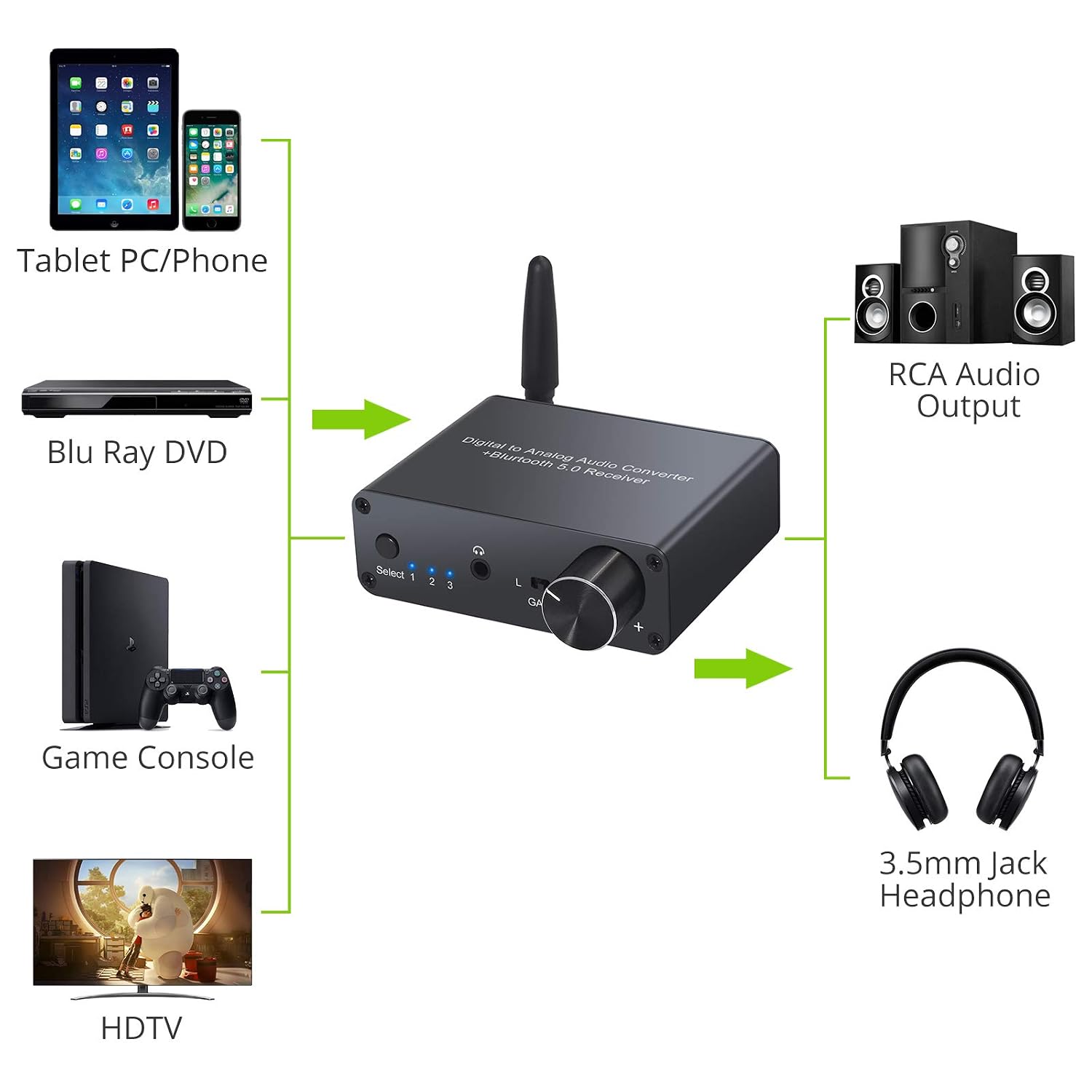
Image: Connection diagram illustrating how to connect various audio sources and output devices to the converter.
6. Operating Instructions
6.1 Selecting Input Source
Press the "Select" button on the front panel to cycle through the input sources: Bluetooth (LED 1), Optical (LED 2), and Coaxial (LED 3). The corresponding LED will illuminate to indicate the active input.
6.2 Bluetooth Pairing
- Select Bluetooth input using the "Select" button (LED 1 will light up).
- On your mobile device (smartphone, tablet), enable Bluetooth and search for available devices.
- Select "GV AUDIO" (or similar name) from the list of devices to pair.
- Once paired, the Bluetooth LED (LED 1) will remain solid. You can now stream audio wirelessly to the converter.
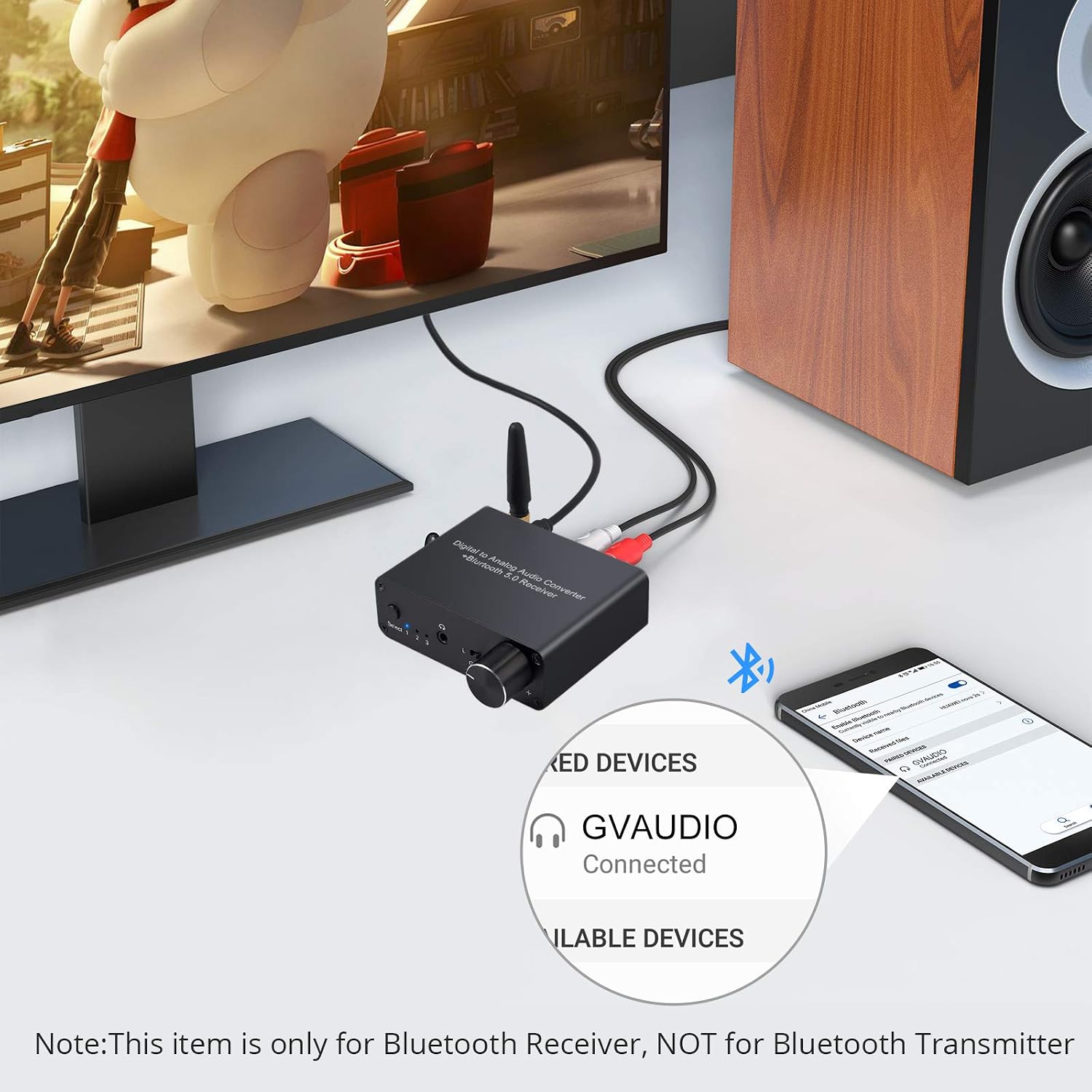
Image: Example of a smartphone successfully paired with the converter via Bluetooth.
Important: This device is a Bluetooth receiver only. It cannot transmit audio to Bluetooth headphones or speakers.
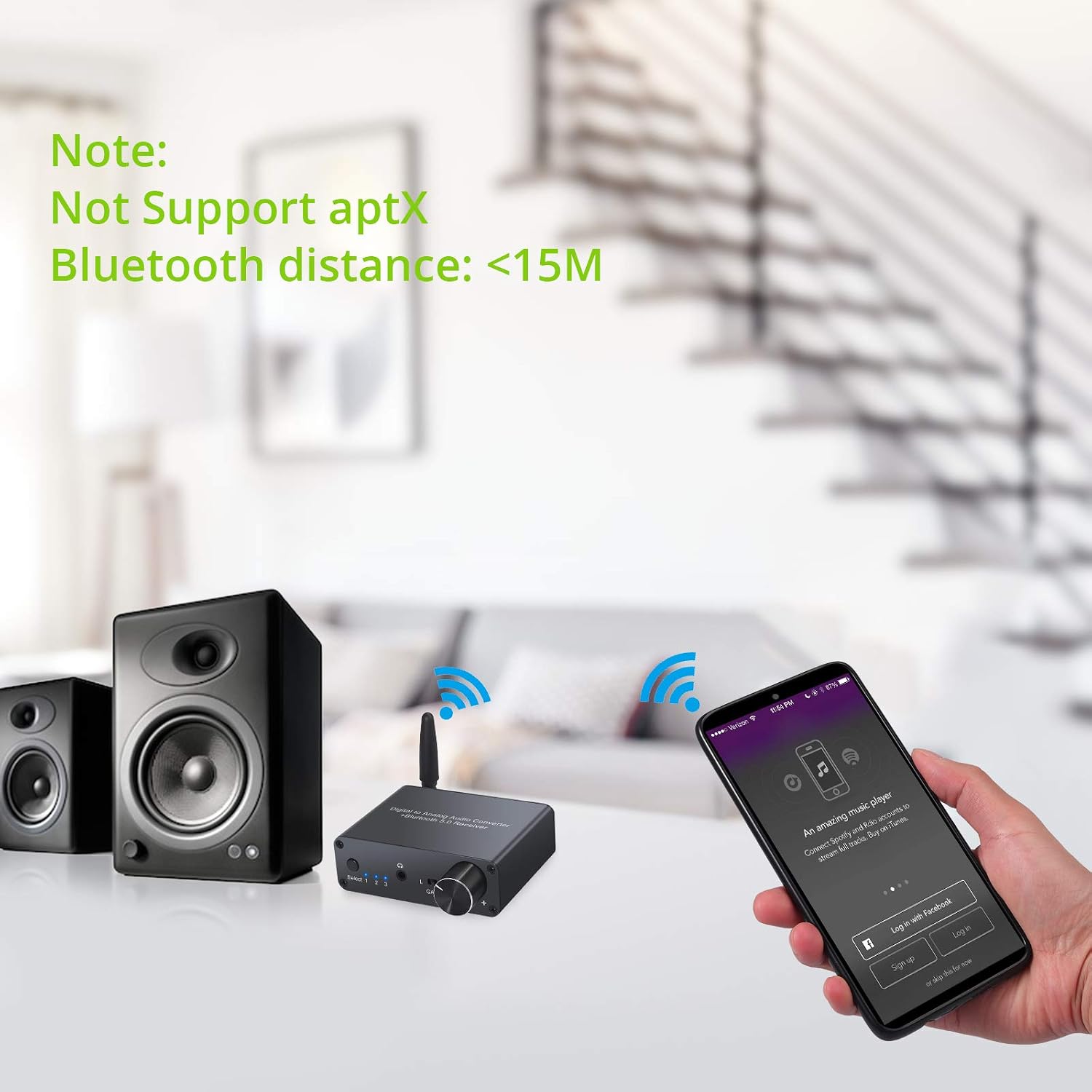
Image: Note regarding Bluetooth distance (less than 15 meters) and the absence of aptX support.
6.3 Adjusting Volume and Headphone Gain
- Volume Control: Rotate the large knob on the front panel to adjust the output volume for both RCA and 3.5mm headphone outputs.
- Headphone Gain: Use the "GAIN" switch (L/H) to select the appropriate gain level for your headphones.
- "L" (Low Gain): Suitable for low-impedance headphones.
- "H" (High Gain): Suitable for high-impedance headphones (16-300Ω recommended).

Image: Illustration of the headphone amplifier and volume control functionality.
7. Maintenance
- Keep the device in a cool, dry place, away from direct sunlight, high temperatures, and humidity.
- Clean the device with a soft, dry cloth. Do not use liquid or aerosol cleaners.
- Ensure proper ventilation around the device to prevent overheating.
- Avoid dropping or subjecting the device to strong impacts.
- Disconnect power when the device is not in use for extended periods.
8. Troubleshooting
| Problem | Possible Cause | Solution |
|---|---|---|
| No audio output. |
|
|
| Bluetooth connection issues. |
|
|
| Distorted or poor audio quality. |
|
|
9. Specifications
| Feature | Detail |
|---|---|
| Bluetooth Version | V5.0 |
| Bluetooth Distance | <15 meters |
| Optical/Coaxial Input Audio Format | PCM / LPCM |
| Optical/Coaxial Input Sampling Rate | 32, 44.1, 48, 96, 192 KHz |
| Headphone Amplifier Power | 125mW x2 @ 32Ω |
| Recommended Headphone Impedance | 16-300Ω |
| THD (Total Harmonic Distortion) | <0.0003% |
| Frequency Response | 20 Hz - 20 kHz |
| SN (Signal-to-Noise Ratio) | >120DB |
| Operating Temperature | 0℃ to 70℃ |
| Operating Humidity | 10% to 85% RH (non-condensing) |
| Storage Temperature | -10℃ to +80℃ |
| Storage Humidity | 5% to 90% RH (non-condensing) |
| Power Requirements | External power via USB cable (5V 1A adapter recommended) |
| Power Consumption | Max = 5W |
| Dimensions (L x W x H) | 85 x 100 x 28 mm |
| Net Weight | 119g |
| Model Number | Tipo 2 |
10. Warranty and Support
LiNKFOR products are designed for reliability and performance. For warranty information or technical support, please refer to the contact details provided with your purchase or visit the official LiNKFOR website. Keep your purchase receipt for warranty claims.
Ask a question about this manual
Ask about setup, troubleshooting, compatibility, parts, safety, or missing instructions. Manuals+ will review the question and use this page’s manual context to help answer it.