
1. Product Overview
The American Hunter WF 30-Gallon Nesting Hopper with XD-Pro Feeder (Model AH-225XDPRO) is a versatile and durable solution for wildlife feeding. Designed for ease of use and reliability, this feeder features a 30-gallon capacity nesting hopper and the advanced XD-Pro feeder mechanism. Its flexible, lightweight, and portable design makes it suitable for various outdoor environments.

Figure 1: The American Hunter WF 30-Gallon Nesting Hopper with XD-Pro Feeder, showcasing its compact design and tripod legs.
2. Safety Information
Always prioritize safety during the installation, operation, and maintenance of your wildlife feeder. Adhere to all local regulations concerning wildlife feeding. Ensure the feeder is stable and securely placed to prevent tipping or accidental injury. Keep all components clean and free from debris to ensure proper function.
3. Setup
3.1 Unpacking and Component Check
Carefully unpack all components. Verify that all parts listed in the packaging contents are present and undamaged. The main components include the 30-gallon nesting hopper, the XD-Pro feeder mechanism, and the tripod legs.
3.2 Assembly of Tripod Legs
Attach the tripod legs to the base of the hopper. Ensure each leg is securely fastened using the provided hardware. The legs are designed for stability and can be adjusted for uneven terrain. For optimal stability, ensure the legs are spread evenly and firmly planted.

Figure 2: Front view of the feeder, showing the attachment points for the tripod legs and the feeder mechanism.
3.3 Attaching the XD-Pro Feeder Mechanism
The XD-Pro feeder mechanism utilizes a twist-lock mounting system for easy attachment to the hopper. Align the mechanism with the opening at the bottom of the hopper and twist until it locks securely into place. This design allows for quick installation and removal without the need for additional tools.

Figure 3: Side view of the feeder, highlighting the XD-Pro feeder mechanism attached to the hopper.
3.4 Power Source Installation
The XD-Pro feeder is battery-powered. Install the required batteries into the designated compartment within the feeder mechanism. For extended operation and convenience, an optional 6V solar panel (sold separately) can be connected to the external power port to continuously charge the battery.
4. Operating Instructions
4.1 Programming the Feeder
The XD-Pro feeder features a digital timer for precise control over feeding schedules. Access the control panel (Figure 4) to set the current time and program up to six daily feed times. Each feed time can be set with durations ranging from 1 to 20 seconds, allowing you to customize the amount of feed dispensed.
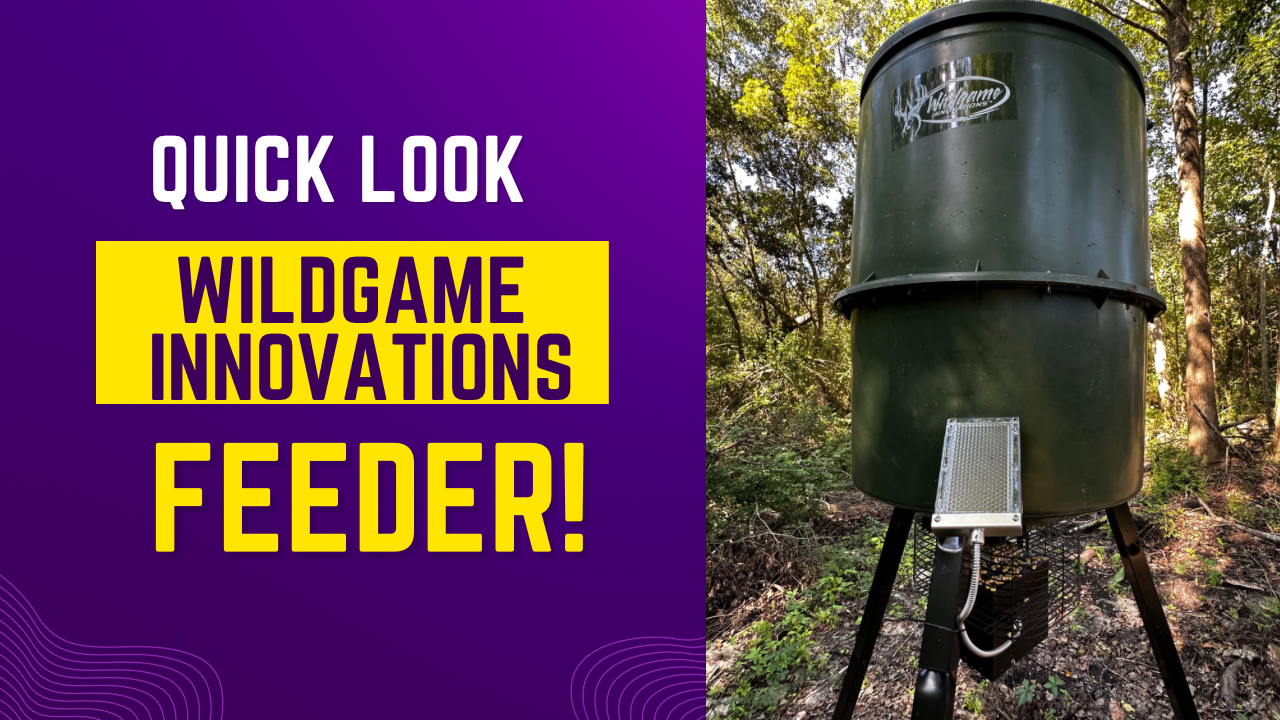
Figure 4: Close-up of the digital control panel for programming feed times and durations.
4.2 Filling the Hopper
To fill the hopper, remove the top lid. Carefully pour up to 30 gallons of feed (e.g., corn, grain) into the hopper. Ensure the lid is securely replaced after filling to protect the feed from weather and pests.
4.3 Adjusting Feed Flow (XD-Pro Spinner)
The XD-Pro mechanism is designed to cast feed in a controlled manner. The duration setting on the digital timer directly controls the amount of feed dispensed. Experiment with different durations to achieve the desired feed distribution for your specific needs.
5. Maintenance
5.1 Battery Care
Regularly check the battery level. If using a solar panel, ensure it is clean and positioned to receive maximum sunlight. If charging manually, use a compatible 6V charger. Fully charge the battery before initial use and after prolonged storage.
5.2 Cleaning
Periodically clean the hopper and feeder mechanism to prevent blockages and maintain hygiene. Remove any old or spoiled feed. Ensure the spinner plate and agitator are free from debris to ensure smooth operation.
5.3 Inspection
Inspect all components, including legs, hopper, and feeder mechanism, for any signs of wear, damage, or loose connections. Tighten any loose bolts or screws. Replace damaged parts immediately to ensure safe and effective operation.
6. Troubleshooting
- Feeder Not Dispensing: Check battery charge. Ensure the feeder mechanism is securely attached and free from blockages (e.g., clumped feed, debris). Verify timer settings are correct.
- Inconsistent Feed Amount: Adjust the feed duration settings on the digital timer. Ensure the feed type is compatible with the feeder mechanism.
- Battery Not Holding Charge: If using a solar panel, ensure it is clean and receiving direct sunlight. Check all electrical connections. The battery may need to be replaced if it is old or damaged.
- Feeder Instability: Ensure all tripod legs are fully extended and firmly planted on level ground. If on soft ground, consider using wider footpads or anchoring the legs.
7. Specifications
- Brand: AMERICAN HUNTER
- Model Number: AH-225XDPRO
- Capacity: 30 Gallons
- Power Source: Battery Powered (6V recommended, solar panel optional)
- Mounting Type: Twist-lock (for feeder mechanism)
- Material: Blend (Hopper), Metal/Plastic (Feeder Mechanism)
- Special Features: Flexible, Lightweight, Portable
- Item Weight: 20 Pounds
- Product Dimensions: 1"L x 1"W x 1"H (Note: These dimensions seem generic and might not reflect the actual assembled size of the feeder. Refer to product packaging for precise measurements.)
- UPC: 888151026106
- Manufacturer: GSM Outdoors
8. Warranty and Support
For warranty information, technical support, or replacement parts, please contact the manufacturer, GSM Outdoors. Refer to the product packaging or the official American Hunter website for the most current contact details and warranty policies.


