
Aokeo AK-60
Aokeo USB Condenser Microphone AK-60 User Manual
Brand: Aokeo | Model: AK-60
Introduction
This manual provides detailed instructions for the setup, operation, and maintenance of your Aokeo AK-60 USB Condenser Microphone. Designed for professional audio capture, this microphone kit offers high-resolution sound quality and versatile compatibility for various applications including recording, gaming, podcasting, and online meetings.
Package Contents
Please verify that all components listed below are included in your package:
- Condenser Microphone
- Suspension Scissor Arm Stand
- Metal Shock Mount
- Double-Layer Pop Filter
- Windshield (Foam cover)
- USB Cable
- Table Mounting Clamp

Image: Complete Aokeo AK-60 USB Condenser Microphone kit, including the microphone, boom arm, shock mount, pop filter, foam cover, and USB cable.

Image: An overhead view displaying all individual components of the Aokeo AK-60 microphone kit neatly laid out.
Setup Guide
- Attach the Table Mounting Clamp: Securely fasten the table mounting clamp to the edge of your desk or table. Ensure it is tightened sufficiently to provide a stable base for the boom arm.
- Insert the Suspension Scissor Arm Stand: Insert the black end of the boom arm stand into the hole on the table mounting clamp. Tighten the screw on the clamp to secure the arm in place.
- Attach the Shock Mount: Screw the metal shock mount onto the threaded end of the boom arm. Ensure it is firmly attached.
- Mount the Microphone: Gently pull the levers on the shock mount to open it. Carefully slide the condenser microphone into the shock mount. Release the levers to secure the microphone. The microphone should be placed with the Aokeo logo facing the user for optimal sound capture.
- Attach the Pop Filter: The double-layer pop filter connects directly to the base of the boom arm. Screw it into place and adjust its position so it is directly in front of the microphone, between your mouth and the microphone. This helps to filter out plosive sounds (like 'p' and 'b').
- Apply the Windshield: For additional noise reduction and protection, gently slide the foam windshield over the microphone. This provides a snug fit and helps to minimize ambient noise.
- Connect the USB Cable: Plug the smaller end of the USB cable into the port at the bottom of the microphone. Connect the standard USB-A end of the cable to an available USB port on your PC, computer, or laptop. No additional drivers are required for most Windows and Linux systems. For newer MacBooks, a USB adapter (not included) may be necessary.

Image: The adjustable boom arm stand clamped to a desk, with a monitor and keyboard visible. This illustrates the mounting position.

Image: Close-up view of the microphone's base, showing the earphone plug and USB plug connections.
Operating Instructions
The Aokeo AK-60 microphone is designed for ease of use and high-quality audio capture. Follow these guidelines for optimal performance:
- Cardioid Pickup Pattern: The microphone features a cardioid pickup pattern, which means it primarily captures sound from the front, minimizing background noise from the sides and rear. Position the microphone directly in front of the sound source (e.g., your mouth) for the clearest audio.
- High-Resolution Audio: With a 192kHz/24bit sampling rate, the microphone captures rich, full-bodied sound. This high resolution is ideal for singing, speech, voice-overs, and ensures high-quality sound reproduction for online platforms.
- Earphone Monitoring: The microphone includes a 3.5mm earphone jack for real-time monitoring of your audio. Plug your headphones into this port to hear your voice as it's being recorded, allowing for immediate adjustments to your speaking volume or microphone position.
- Plug and Play Compatibility: The AK-60 is compatible with PC, Computer, Laptop, Windows, and Linux operating systems without the need for additional driver installation. It is suitable for various applications such as chatting, gaming, recording, podcasting, YouTube, meetings, and Discord. Note: This microphone is not compatible with Xbox.

Image: Visual representation highlighting the 192kHz/24bit sample rate and the cardioid pickup pattern of the microphone, showing sound capture direction.

Image: A user interacting with the microphone set up on a desk with a computer, illustrating its plug-and-play functionality for streaming and gaming.
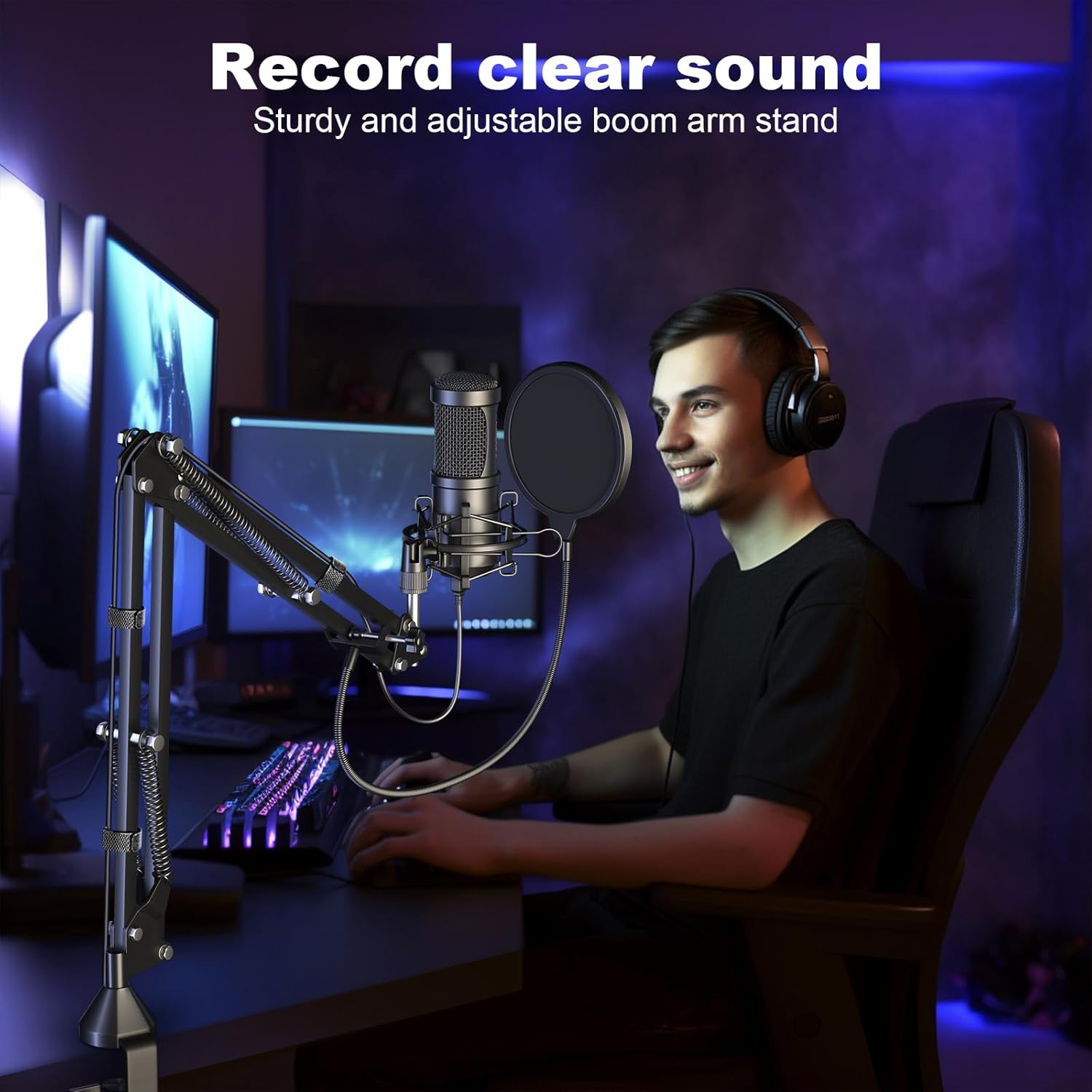
Image: A person using the Aokeo microphone for recording, demonstrating its use in a typical recording setup.
Maintenance
To ensure the longevity and optimal performance of your Aokeo AK-60 microphone, please follow these maintenance tips:
- Cleaning: Use a soft, dry cloth to wipe down the microphone and stand. Avoid using liquid cleaners or abrasive materials, as they may damage the components.
- Storage: When not in use, store the microphone in a clean, dry environment away from extreme temperatures and humidity.
- Handling: Handle the microphone and its components with care. Avoid dropping or subjecting them to strong impacts, which could affect internal circuitry or mechanical parts.
- Cable Care: Do not bend or crimp the USB cable excessively. Store it neatly to prevent tangles and damage.
Troubleshooting
| Problem | Possible Cause | Solution |
|---|---|---|
| No sound from microphone. |
|
|
| Poor audio quality / Background noise. |
|
|
| Microphone not recognized by Mac. |
|
|
Specifications
| Feature | Detail |
|---|---|
| Brand | Aokeo |
| Model Number | AK-60 |
| Connectivity Technology | USB |
| Microphone Form Factor | Table Array |
| Polar Pattern | Unidirectional (Cardioid) |
| Sampling Rate | 192kHz/24bit |
| Frequency Response | 30Hz-16kHz |
| Signal-to-Noise Ratio | 75 dB |
| Material | Metal, Foam |
| Item Weight | 2.7 Pounds |
| Product Dimensions (L x W x H) | 18 x 7 x 2 inches |
| Compatible Devices | PC, Computer, Laptop (Windows, Linux) |
| Special Feature | Volume Control |
Warranty and Support
For warranty information or technical support, please refer to the contact details provided with your product packaging or visit the official Aokeo website. Keep your purchase receipt for warranty claims.
Related documentsAK-60


Ask a question about this manual
Ask about setup, troubleshooting, compatibility, parts, safety, or missing instructions. Manuals+ will review the question and use this page’s manual context to help answer it.