
1. Introduction
Welcome to the world of Nerf Ultra! The Nerf Ultra One Motorised Blaster is engineered for extreme distance, accuracy, and speed, utilizing groundbreaking Nerf Ultra darts. This manual provides essential information for the safe and effective operation of your blaster. Please read all instructions and safety warnings carefully before use.
Recommended Age: 8 years and up.

Image: The Nerf Ultra One Motorised Blaster, showcasing its white, orange, and black design with the 'ULTRA' logo prominently displayed.
2. What's in the Box
Your Nerf Ultra One Motorised Blaster package includes:
- 1 x Nerf Ultra One Motorised Blaster
- 1 x 25-dart drum
- 25 x Nerf Ultra Darts
- Instruction Manual

Image: The retail packaging for the Nerf Ultra One Blaster, displaying the blaster and highlighting its features and dart count.
3. Important Safety Warnings
- CAUTION: Do not aim at eyes or face.
- TO AVOID INJURY: Use only with official NERF darts. Other darts may not meet safety standards. Do not modify darts or dart blaster.
- CHOKING HAZARD: Small parts may be generated. Not for children under 3 years.
- ADULT ASSEMBLY REQUIRED: Some initial setup may require adult assistance.
- Eyewear recommended (not included) for players and people within range.
4. Setup
4.1 Battery Installation
The Nerf Ultra One Motorised Blaster requires 4 C alkaline batteries (not included). To install the batteries:
- Locate the battery compartment on the blaster (typically on the side or bottom).
- Using a Phillips head screwdriver, unscrew the battery compartment cover.
- Insert 4 C alkaline batteries, ensuring correct polarity (+/-).
- Replace the battery compartment cover and secure it with the screw.
4.2 Loading Darts
The Nerf Ultra One blaster uses specialized Nerf Ultra darts. It features a high-capacity 25-dart drum and on-board storage for 5 additional darts.
- For the 25-dart drum: Insert the Nerf Ultra darts one by one into the slots of the drum until it is full. Ensure darts are fully seated.
- For on-board storage: Place up to 5 additional Nerf Ultra darts into the designated storage slots on the side of the blaster for quick access.

Image: The Nerf Ultra One Blaster shown with its 25-dart drum loaded with orange-tipped black Ultra darts, and additional darts stored on the side.
5. Operating Instructions
5.1 Powering On and Firing
- Ensure batteries are installed and darts are loaded.
- Hold the blaster firmly.
- Press and hold the acceleration button (usually a smaller button or trigger near the main trigger) to power up the motor. You will hear the motor whirring.
- While holding the acceleration button, pull the main trigger to fire a dart.
- Release the main trigger to stop firing. Release the acceleration button to power down the motor.
The Nerf Ultra One can send darts flying up to 36 meters (120 feet).

Image: A person holding the Nerf Ultra One Blaster, demonstrating a ready-to-fire stance.
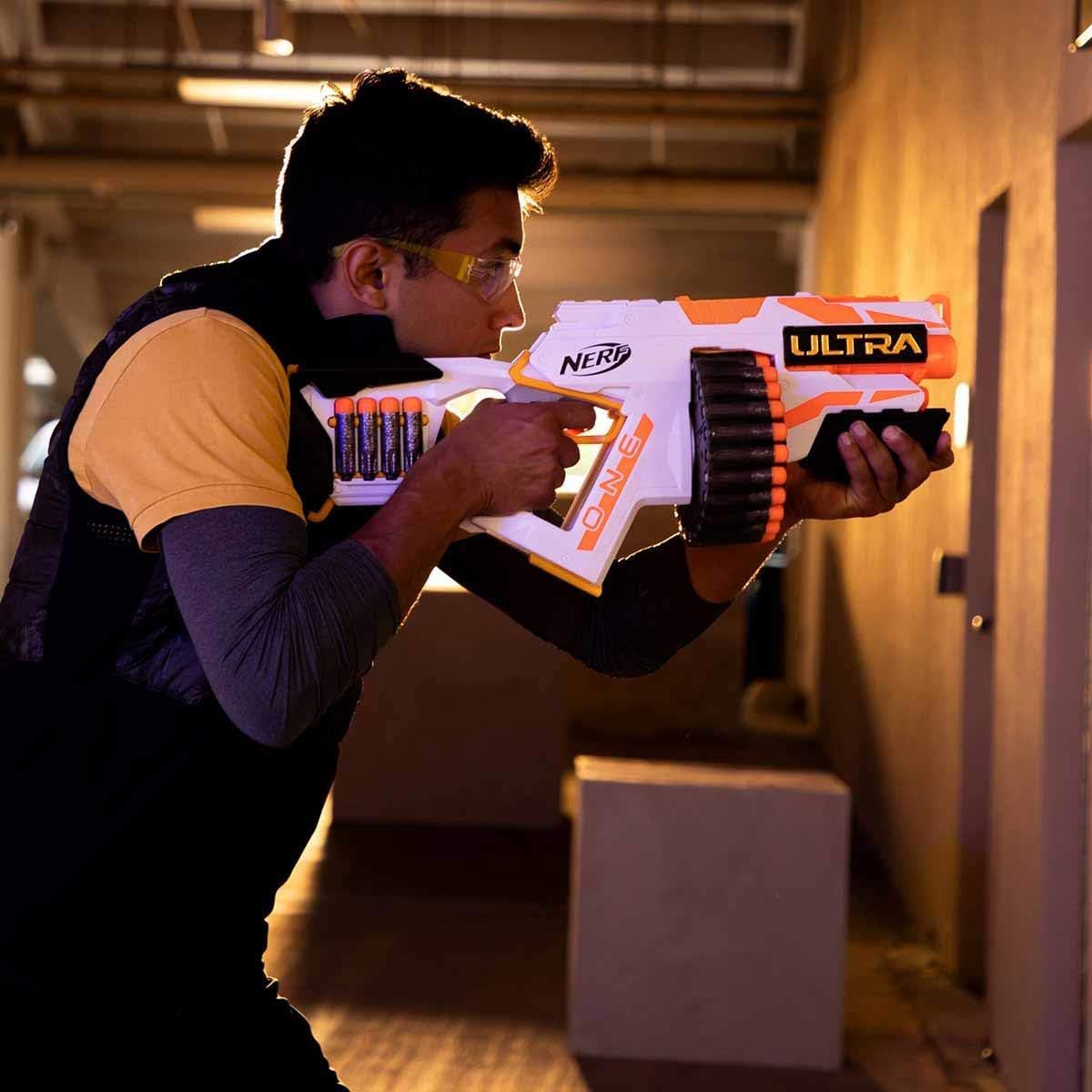
Image: A person aiming the Nerf Ultra One Blaster, focusing on a target.
5.2 Official Product Video
Video: An official product video demonstrating the features and firing capabilities of the Nerf Ultra One Motorised Blaster.
6. Maintenance
- Keep the blaster clean and free of dust and debris. Wipe with a dry cloth.
- Do not submerge the blaster in water or use harsh chemicals for cleaning.
- Store darts in a clean, dry place to maintain their integrity and performance.
- Remove batteries if the blaster will not be used for an extended period to prevent leakage.
7. Troubleshooting
7.1 Dart Jamming
If a dart jams during play:
- Immediately release the acceleration button and the main trigger.
- Locate the jam access door on the blaster (refer to diagrams in the printed manual if available).
- Open the jam access door and carefully remove any jammed darts. Do not force darts out.
- Close the jam access door securely before resuming play.
Ensure only official Nerf Ultra darts are used, as other darts may cause frequent jamming.
8. Specifications
- Brand: Nerf
- Model Number: E6596EU4
- Manufacturer: Hasbro
- Material Type: Plastic
- Color: Multi-color
- Item Weight: 17.28 Ounces
- Item Dimensions (L x W x H): 24.02 x 3.19 x 12.99 inches
- Capacity: 25 darts (drum) + 5 darts (on-board storage)
- Batteries Required: Yes (4 C batteries, not included)
- Maximum Range: 36 Meters
- Special Features: Advanced design and performance for extreme distance, accuracy, and speed; Ground-breaking Nerf Ultra darts.
9. Warranty and Support
For warranty information or product support, please refer to the contact details provided on the product packaging or visit the official Hasbro website. Keep your purchase receipt as proof of purchase.


