
Introduction
The KLEIN TOOLS IR1 is an infrared thermometer with a targeting laser. It has a wide measurement range of -4 to 752-Degree Fahrenheit (-20 to 400-Degree Celsius) and a 10:1 distance-to-spot ratio. The backlit display provides clear readings. This manual provides essential information for the safe and effective use of your IR1 thermometer.

Image: The KLEIN TOOLS IR1 Infrared Thermometer, a non-contact temperature measurement device.
Safety Information
WARNING:
- This device is NOT a medical device. Do not use on people or animals.
- Do not point the laser directly into eyes or at reflective surfaces.
- Always follow local safety regulations when using testing equipment.
Product Features

Image: Diagram of the KLEIN TOOLS IR1 Infrared Thermometer highlighting its key components: Targeting Laser, IR Temperature Sensor, Trigger, Battery Compartment, and LCD Display.
- Targeting Laser: For precise aiming at the measurement target.
- IR Temperature Sensor: Detects infrared energy to measure surface temperature.
- Trigger: Activates the measurement and laser.
- LCD Display: Backlit display for clear temperature readings.
- Battery Compartment: Located in the handle for easy battery access.
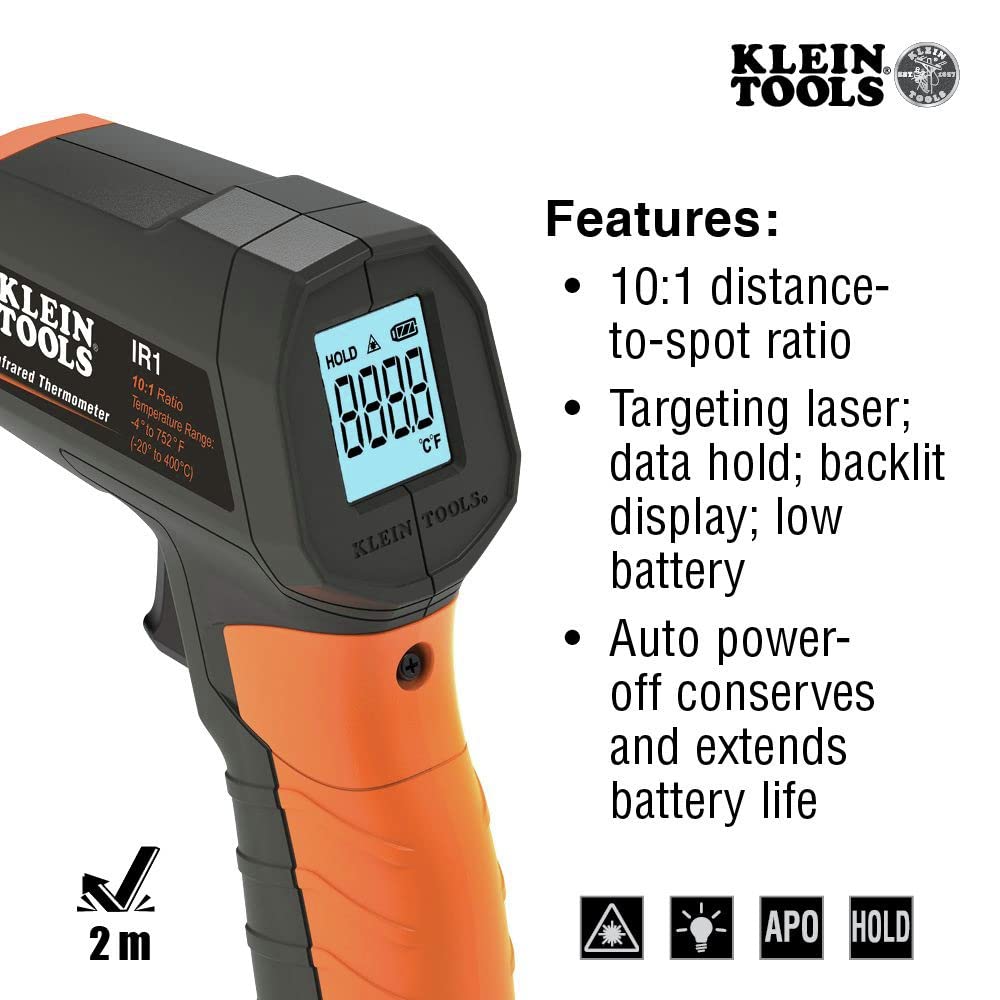
Image: A visual summary of the IR1's features, including 10:1 distance-to-spot ratio, targeting laser, data hold, backlit display, low battery indicator, and auto power-off.
- Optical Resolution: 10:1 distance-to-spot ratio for accurate readings from a distance.
- Temperature Range: Measures from -4°F to 752°F (-20°C to 400°C).
- Fixed Emissivity: A fixed emissivity value of 0.95 provides consistent readings across various surfaces.
- Auto Power Off: Conserves battery life by automatically shutting down after a period of inactivity.
- Durability: 6.6 ft. (2 m) drop protection.
Setup
Battery Installation
- Locate the Phillips head screw on the handle of the thermometer.
- Unscrew and remove the battery compartment cover.
- Insert the included 9V battery, ensuring correct polarity.
- Replace the battery compartment cover and secure it with the screw.
Operating Instructions
Taking a Measurement
- Point the IR1 thermometer at the target surface.
- Press and hold the trigger to activate the laser and begin measurement. The laser dot indicates the center of the measurement area.
- The temperature reading will appear on the backlit LCD display.
- Release the trigger to hold the last measured temperature on the display. The device will automatically power off after a short period of inactivity to conserve battery.
Understanding Distance-to-Spot Ratio (D:S)
The IR1 has a 10:1 distance-to-spot ratio. This means that at a distance of 10 inches, the measurement spot size will be 1 inch. To ensure accurate readings, position the thermometer at an appropriate distance from the target, considering the size of the area you wish to measure.
Temperature Unit Selection
The IR1 can display temperatures in Fahrenheit (°F) or Celsius (°C). Refer to the small switch or button located near the battery compartment (or as indicated in the detailed manual) to toggle between these units.

Image: The IR1 thermometer in use, measuring the temperature of components within an electrical panel, with the laser targeting a specific point.

Image: The IR1 thermometer being used to measure the temperature of an HVAC vent, demonstrating its application in environmental diagnostics.
Maintenance
Cleaning
To clean the thermometer, wipe it with a clean, dry cloth. Do not use abrasive cleaners or solvents. Ensure the lens of the IR sensor is kept clean for accurate readings.
Battery Replacement
When the low battery indicator appears on the display, replace the 9V battery as described in the "Battery Installation" section.
Troubleshooting
If the device does not power on or provides inconsistent readings, ensure the battery is correctly installed and has sufficient charge. For further issues, consult the official KLEIN TOOLS support resources.
Specifications
| Feature | Detail |
|---|---|
| Model Number | IR1 |
| Temperature Range | -4°F to 752°F (-20°C to 400°C) |
| Optical Resolution (D:S) | 10:1 |
| Emissivity | Fixed (0.95) |
| Display Type | Backlit Digital |
| Power Source | 1 x 9V Battery (included) |
| Drop Protection | 6.6 ft. (2 m) |
| Dimensions | 6.01 x 4.14 x 1.73 inches |
| Weight | 7.83 ounces |
| Outer Material | Plastic |
| Connectivity Technology | Infrared |
Warranty and Support
KLEIN TOOLS products are known for their quality and durability. For specific warranty information and customer support, please refer to the official KLEIN TOOLS website or contact their customer service directly. Keep your purchase receipt for warranty claims.
Official Brand Store: KLEIN TOOLS Store


