
1. Introduction
This manual provides detailed instructions for the safe and effective use of your Elecom LBT-TWS05BK True Wireless Bluetooth Earphones. Please read this manual thoroughly before using the product and retain it for future reference.
The Elecom LBT-TWS05BK earphones are designed for stable connectivity, superior comfort, and high usability, delivering rich audio performance. They feature an ergonomic design, advanced communication technology, and convenient smart features.
2. Safety Information
To ensure safe operation and prevent damage, please observe the following precautions:
- Do not expose the earphones or charging case to extreme temperatures, humidity, or liquids.
- Avoid dropping or subjecting the device to strong impacts.
- Do not attempt to disassemble or modify the product. This will void the warranty.
- Keep out of reach of children and pets.
- Listen at moderate volume levels to prevent hearing damage.
- Be aware of your surroundings when using the earphones, especially in traffic or dangerous situations.
3. Package Contents
Verify that all items are present in your product package:
- Elecom LBT-TWS05BK True Wireless Bluetooth Earphones (Left and Right)
- Charging Case
- USB Charging Cable (Type-A to Type-C)
- Ear Caps (XS, S, M, L sizes; M size pre-installed)
- Instruction Manual
4. Product Overview
Familiarize yourself with the components of your Elecom LBT-TWS05BK earphones.

Image: Close-up view of the Elecom LBT-TWS05BK true wireless earbuds, showcasing their sleek black design and the ELECOM branding.

Image: The Elecom LBT-TWS05BK earbuds placed inside their compact charging case, ready for storage or charging.
The earphones feature a compact design with a 6.0mm diameter external magnetic dynamic driver for clear sound. The charging case is designed for single-handed operation with a push-button lid.
5. Setup
5.1. Charging the Earphones and Case
- Connect the supplied USB Type-A to Type-C cable to the charging case's USB Type-C port and a USB power source.
- The LED indicators on the charging case will show the charging status. Four LEDs indicate a full charge.
- Place the earphones into the charging case. They will begin charging automatically.
- A 15-minute charge provides approximately 1 hour of music playback. A full charge of the earphones allows for about 5 hours of continuous music playback or 4.5 hours of talk time. The charging case can recharge the earphones up to 2.5 times, providing a total of about 17.5 hours of use.
5.2. Initial Pairing
The Elecom LBT-TWS05BK supports auto-pairing and Google Fast Pair for compatible Android devices.

Image: An illustration demonstrating the Google Fast Pair feature, where simply opening the charging case near a compatible smartphone prompts a pairing notification. Also shows the one-push open mechanism of the case.
- Ensure your smartphone's Bluetooth is enabled.
- Open the charging case. The earphones will automatically enter pairing mode.
- For Android devices with Google Fast Pair, a notification will appear on your screen. Tap to connect.
- For other devices, go to your device's Bluetooth settings and select "LBT-TWS05BK" from the list of available devices.
- Once paired, the earphones will automatically connect to the last paired device when removed from the case.
5.3. Fitting the Earbuds
The earphones feature an ergonomic design for optimal fit and stability.
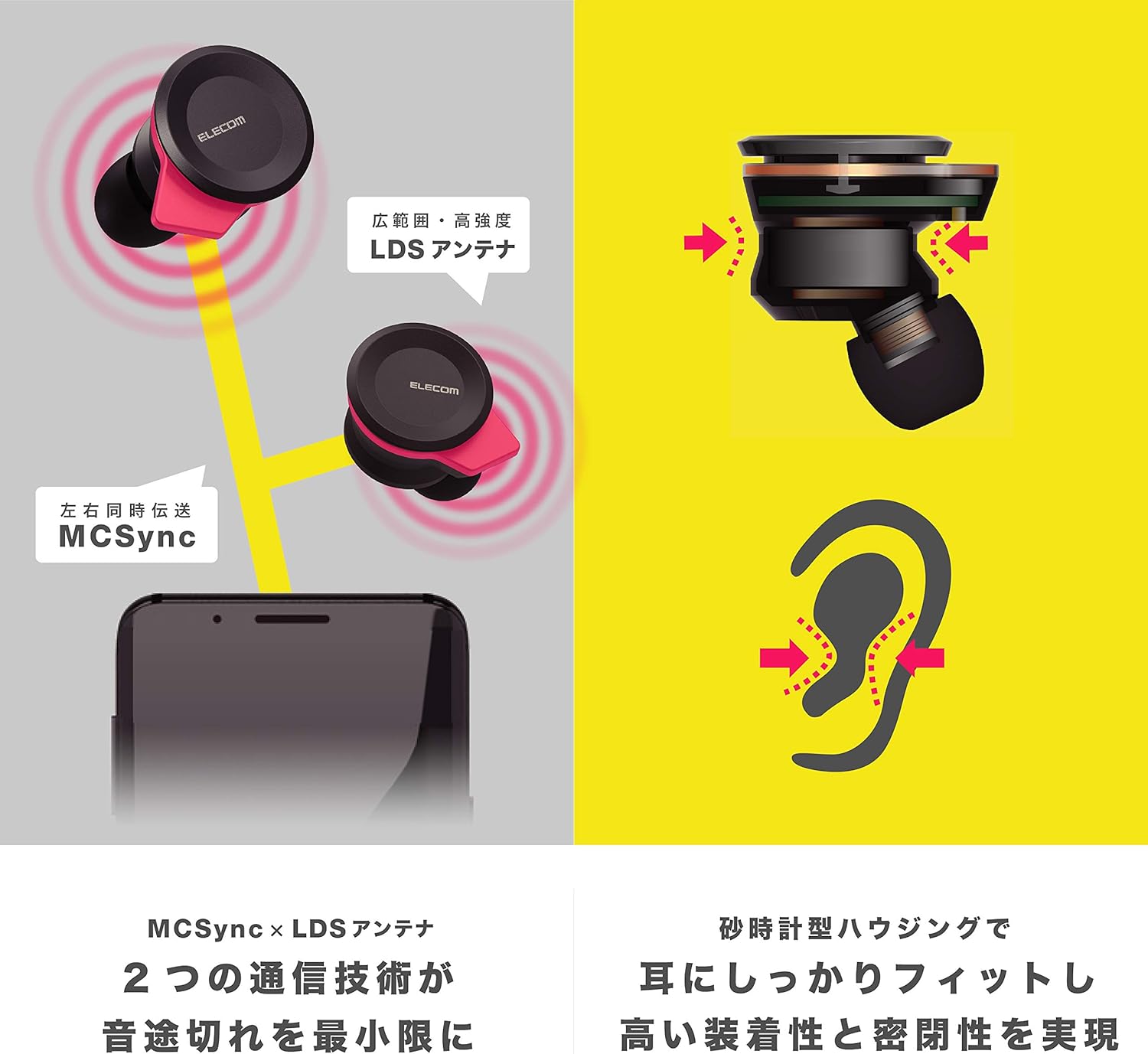
Image: An illustration showing the ergonomic hourglass shape of the earbud designed to fit securely in the ear, alongside a diagram explaining the MCSync and LDS antenna technologies for stable communication.
- Select the ear caps that provide the best seal and comfort from the four included sizes (XS, S, M, L). The M size is pre-installed.
- Gently insert the earbud into your ear canal.
- Adjust the earbud so that the hourglass shape is firmly seated between your ear tragus and anti-tragus for a stable fit.
6. Operating Instructions
The Elecom LBT-TWS05BK earphones offer various functions for audio playback, calls, and smart assistant interaction.
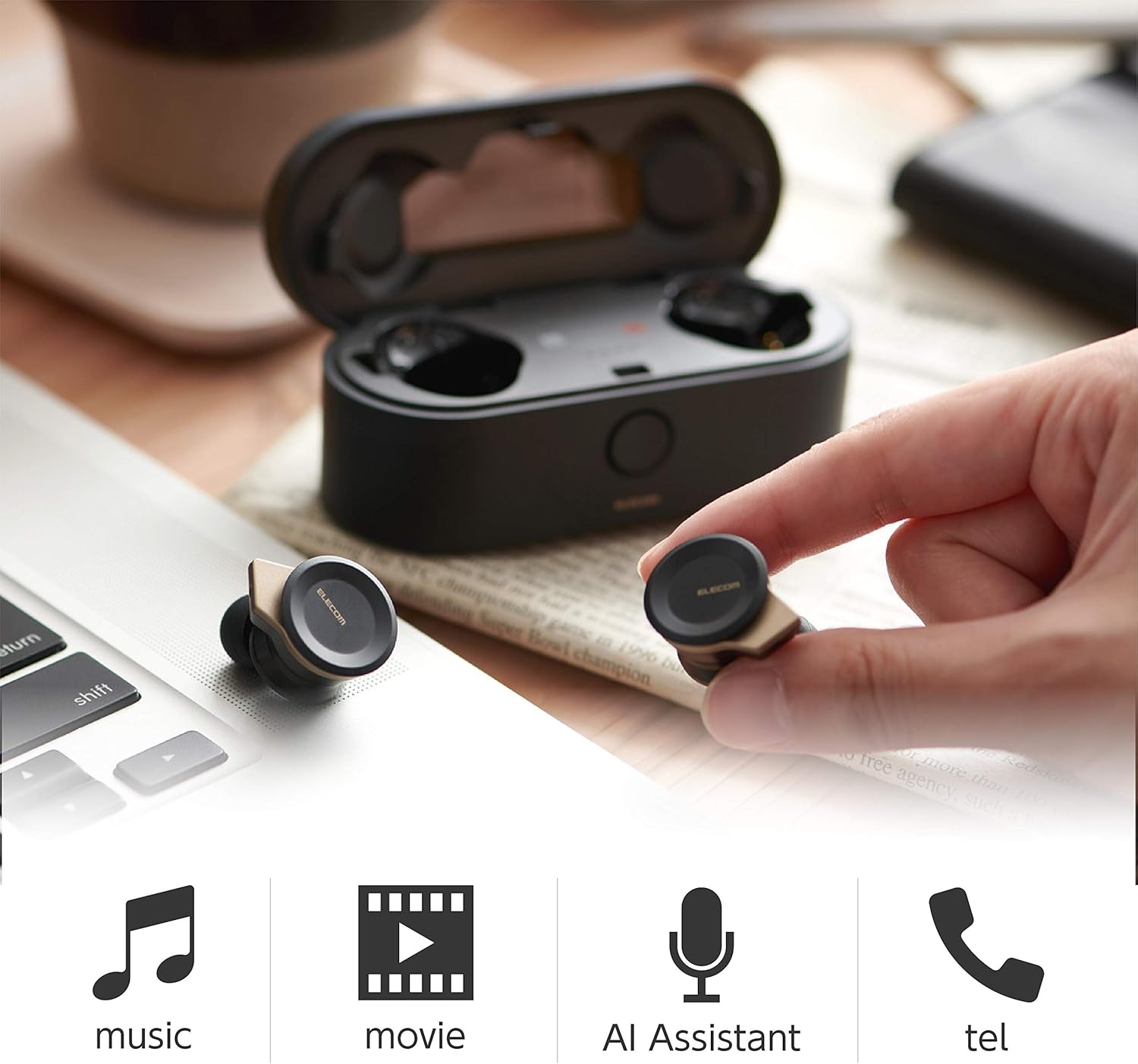
Image: The Elecom LBT-TWS05BK earbuds displayed with icons representing their versatile uses: music playback, movie watching, AI assistant activation, and phone calls.
6.1. Power On/Off
- Power On: Remove the earphones from the charging case. They will power on automatically.
- Power Off: Place the earphones back into the charging case. They will power off automatically.
6.2. Music Playback
Use the buttons on the earphones to control music playback (specific button functions may vary, refer to quick start guide for exact mapping):
- Play/Pause: Single press on either earbud.
- Next Track: Double press on the right earbud.
- Previous Track: Double press on the left earbud.
- Volume Control: Adjust via your connected device or voice assistant.
6.3. Call Handling
The right earbud supports calls and voice AI functions.
- Answer/End Call: Single press on the right earbud.
- Reject Call: Press and hold the right earbud for 2 seconds.
6.4. Voice AI Activation
Compatible with voice AI assistants like Siri and Google Assistant.
- Activate Voice AI: Triple press on the right earbud.
6.5. External Sound Capture Function
This function allows you to hear surrounding sounds while wearing the earphones.
- Activate/Deactivate: Press and hold the left earbud for 2 seconds.
7. Maintenance
Proper maintenance ensures the longevity and performance of your earphones.
- Cleaning: Use a soft, dry cloth to clean the earphones and charging case. Do not use abrasive cleaners or solvents.
- Ear Caps: Remove and clean ear caps regularly with water and mild soap. Ensure they are completely dry before reattaching.
- Storage: When not in use, store the earphones in their charging case to protect them from dust and damage.
- Battery Care: Avoid fully discharging the battery frequently. Charge regularly to maintain battery health.
8. Troubleshooting
If you encounter issues with your Elecom LBT-TWS05BK earphones, refer to the following common solutions:
- No Sound/Connection Issues:
- Ensure earphones are charged and powered on.
- Check if Bluetooth is enabled on your device.
- Try re-pairing the earphones with your device.
- Ensure earphones are within the 10m transmission distance.
- Earphones Not Charging:
- Verify the charging cable is securely connected to both the case and the power source.
- Check if the charging case has sufficient battery.
- Ensure the earphones are correctly seated in the charging case.
- Poor Sound Quality:
- Ensure ear caps provide a good seal in your ear.
- Clean any debris from the earbud nozzles.
- Move closer to your connected device to improve signal strength.
- Voice AI/Calls Not Working on Left Earbud:
- Note that calls and voice AI functions are only compatible with the right earbud.
9. Specifications
| Feature | Specification |
|---|---|
| Model Number | LBT-TWS05BK |
| Communication Method | Bluetooth Standard Version 5.0 |
| Output | Bluetooth Power Class 1 |
| Maximum Transmission Distance | Approx. 10m |
| Frequency Band | 2.4GHz |
| Modulation Method | FHSS (Frequency Hopping Spread Spectrum) |
| Supported Bluetooth Profiles | A2DP, AVRCP, HFP, HSP |
| A2DP Compatible Codec | SBC, AAC |
| A2DP Compatible Content Protection | SCMS-T |
| Maximum Registration Capacity | 8 devices |
| Multipoint (Simultaneous Standby) | Not compatible |
| Driver Type | 6.0mm diameter external magnetic dynamic driver (ETEMDriver) |
| Communication Technology | MCSync (MultiCast Synchronization), LDS Antenna |
| Microphone | High-quality MEMS microphone with HDVoice |
| Continuous Talk Time | Approx. 4.5 hours |
| Continuous Music Playback Time | Approx. 5 hours |
| Total Playback Time (with charging case) | Approx. 17.5 hours |
| Charging Port | USB Type-C |
| Fast Charge | 15 min charge for 1 hour playback |
| Weight | 61 Grams (total package weight) |
| Material | Plastic |
| Water Resistance Level | Water Resistant |
| Compatible Devices | Smartphones, Tablets, iOS Devices, Android Devices |
10. Warranty and Support
For warranty information and customer support, please refer to the official ELECOM website or contact your local retailer. Keep your proof of purchase for warranty claims.