
1. Introduction
This manual provides essential instructions for the safe assembly, operation, and maintenance of your Snapper XD 82V MAX Step Sense Cordless Electric 19-Inch Lawn Mower. Please read this manual thoroughly before using the product and retain it for future reference. Proper use and maintenance will ensure optimal performance and extend the life of your lawn mower.

Figure 1: Snapper XD 82V MAX Step Sense Cordless Electric 19-Inch Lawn Mower Kit.
2. Safety Information
Always observe basic safety precautions to reduce the risk of fire, electric shock, and personal injury. Failure to follow these instructions may result in serious injury or death.
General Safety Rules:
- Read all instructions carefully before operating the mower.
- Wear appropriate personal protective equipment (PPE), including eye protection, hearing protection, and sturdy footwear.
- Keep children and bystanders away from the operating area.
- Do not operate the mower in wet conditions or rain.
- Inspect the area to be mowed and remove any objects that could be thrown by the blade.
- Never operate the mower with damaged guards or without safety devices in place.
- Disconnect the battery before cleaning, servicing, or when the mower is unattended.
Battery Safety:
- Use only Snapper XD 82V MAX batteries and chargers specified for this product.
- Do not expose batteries to water or extreme temperatures.
- Do not short-circuit battery terminals.
- Store batteries in a cool, dry place.
3. Package Contents
Verify that all items are present in the package:
- Snapper XD 82V MAX 19-Inch Lawn Mower
- (2) Briggs & Stratton 82V Lithium-Ion 2.0 Batteries
- (1) Rapid Charger
- Grass Collection Bag
- Side Discharge Chute
- Mulching Plug
- Operator's Manual (this document)
4. Setup
4.1 Handle Assembly
Unfold the handle and secure it in the operating position using the quick-release levers. Ensure all cables are routed correctly and not pinched.
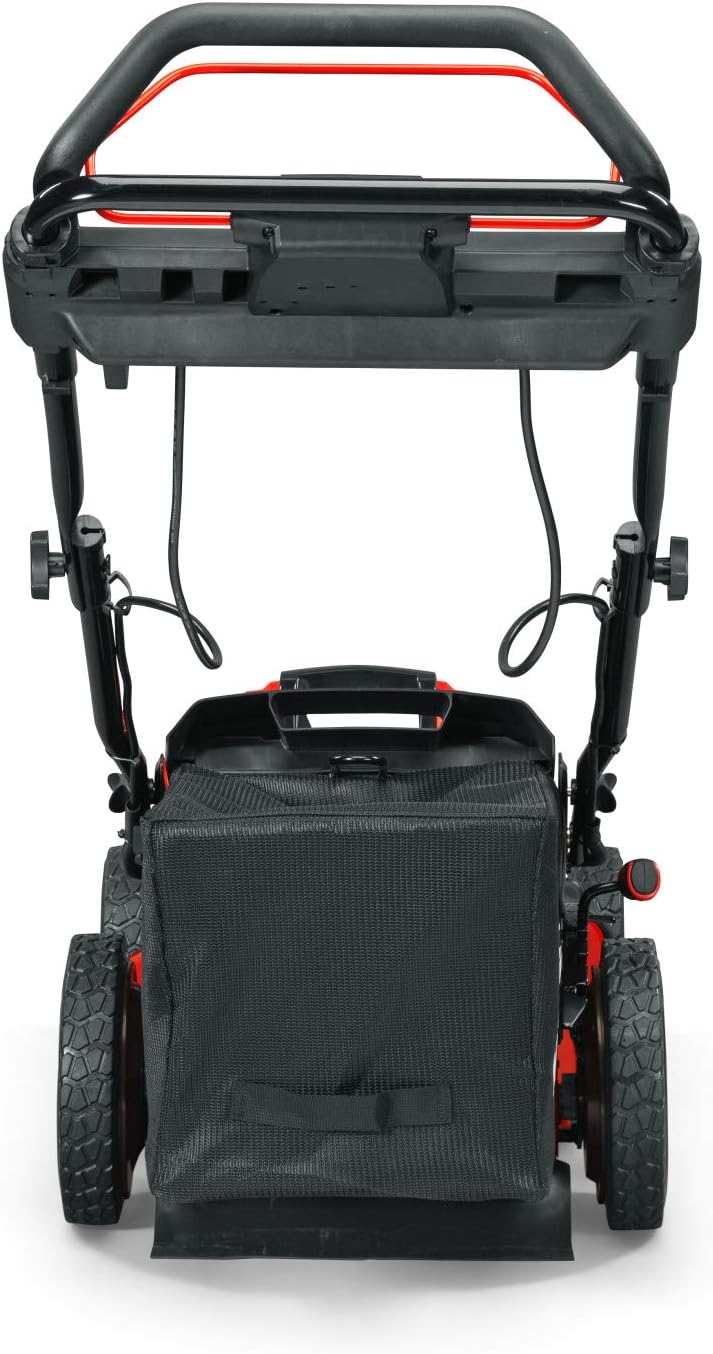
Figure 2: Rear view of the mower, showing the handle and grass bag.
4.2 Battery Charging and Installation
- Insert the 82V MAX battery into the rapid charger. The charger indicator lights will show the charging status.
- Allow the battery to fully charge before first use.
- Once charged, slide the battery into the battery compartment on the mower until it clicks into place. Ensure it is securely seated.
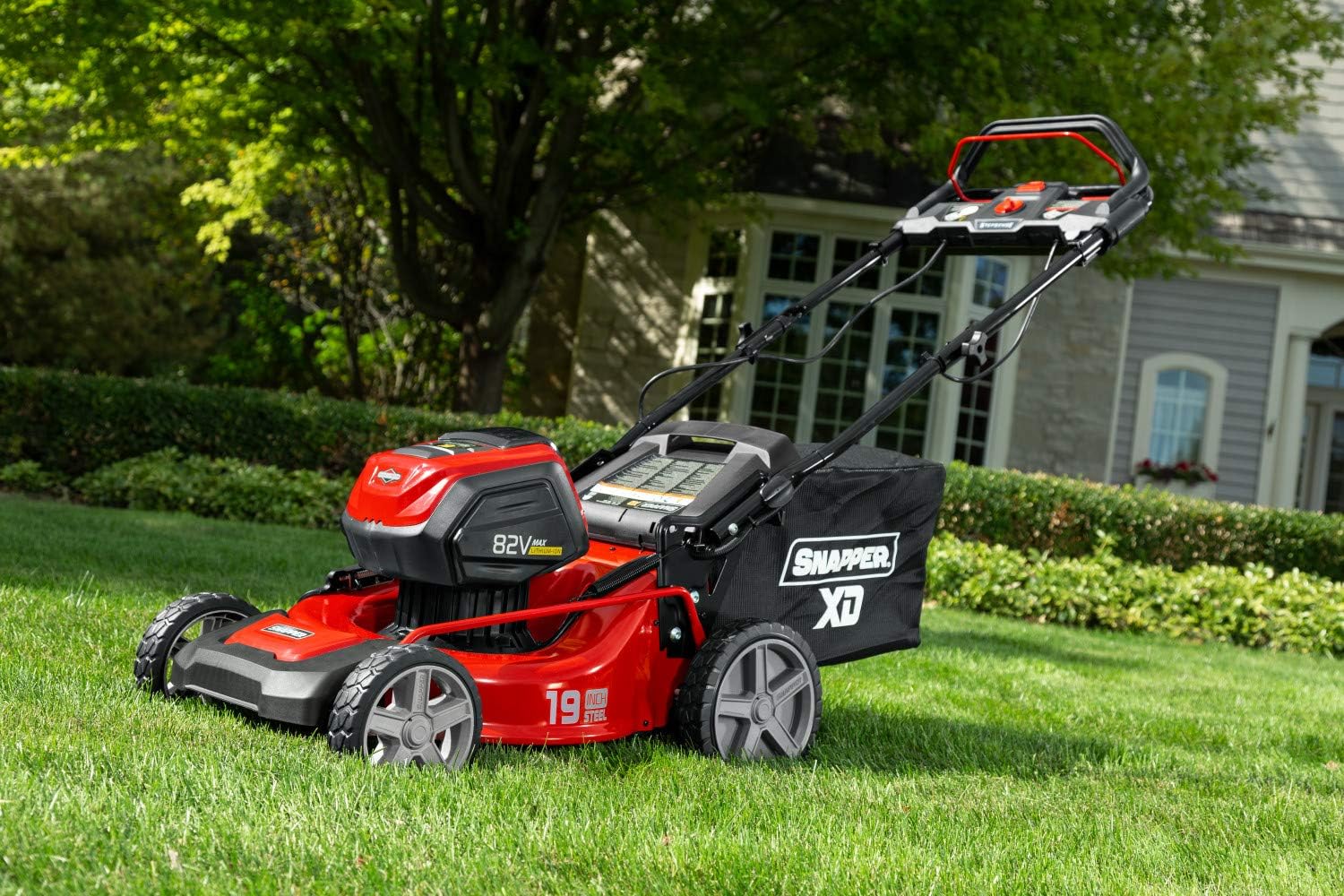
Figure 3: Side view of the mower, illustrating the battery compartment location.
5. Operating Instructions
5.1 Starting the Mower
- Ensure the battery is fully inserted and the safety key (if applicable) is in place.
- Press and hold the start button.
- While holding the start button, pull the bail lever towards the handle. The mower will start.
- Release the start button once the mower is running.
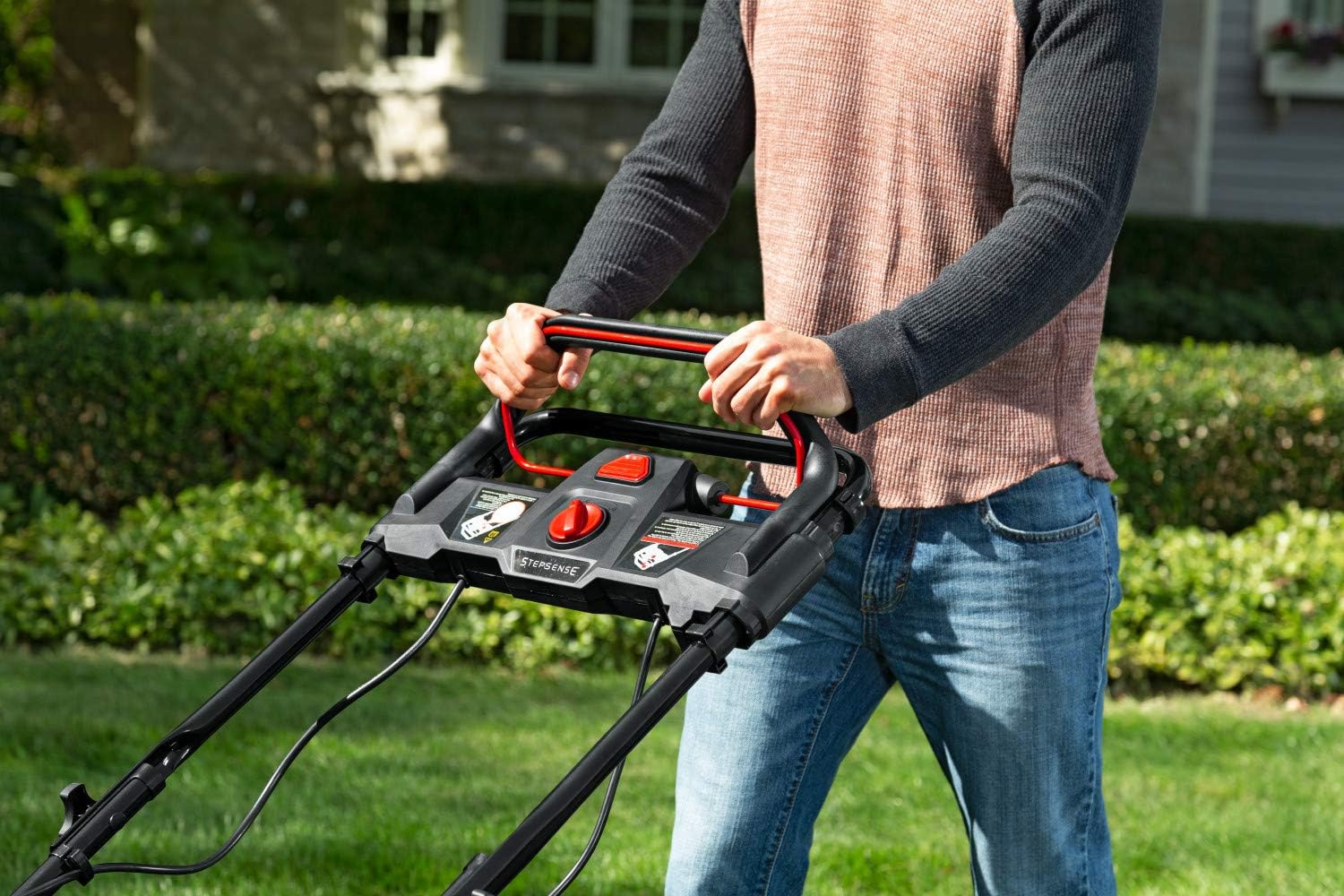
Figure 4: Handle controls for starting and operating the mower.
5.2 Adjusting Cutting Height
The mower features a single-lever height adjustment. Move the lever to select one of the 7 available cutting heights, ranging from 1 inch to 7 inches, to suit your lawn's needs.
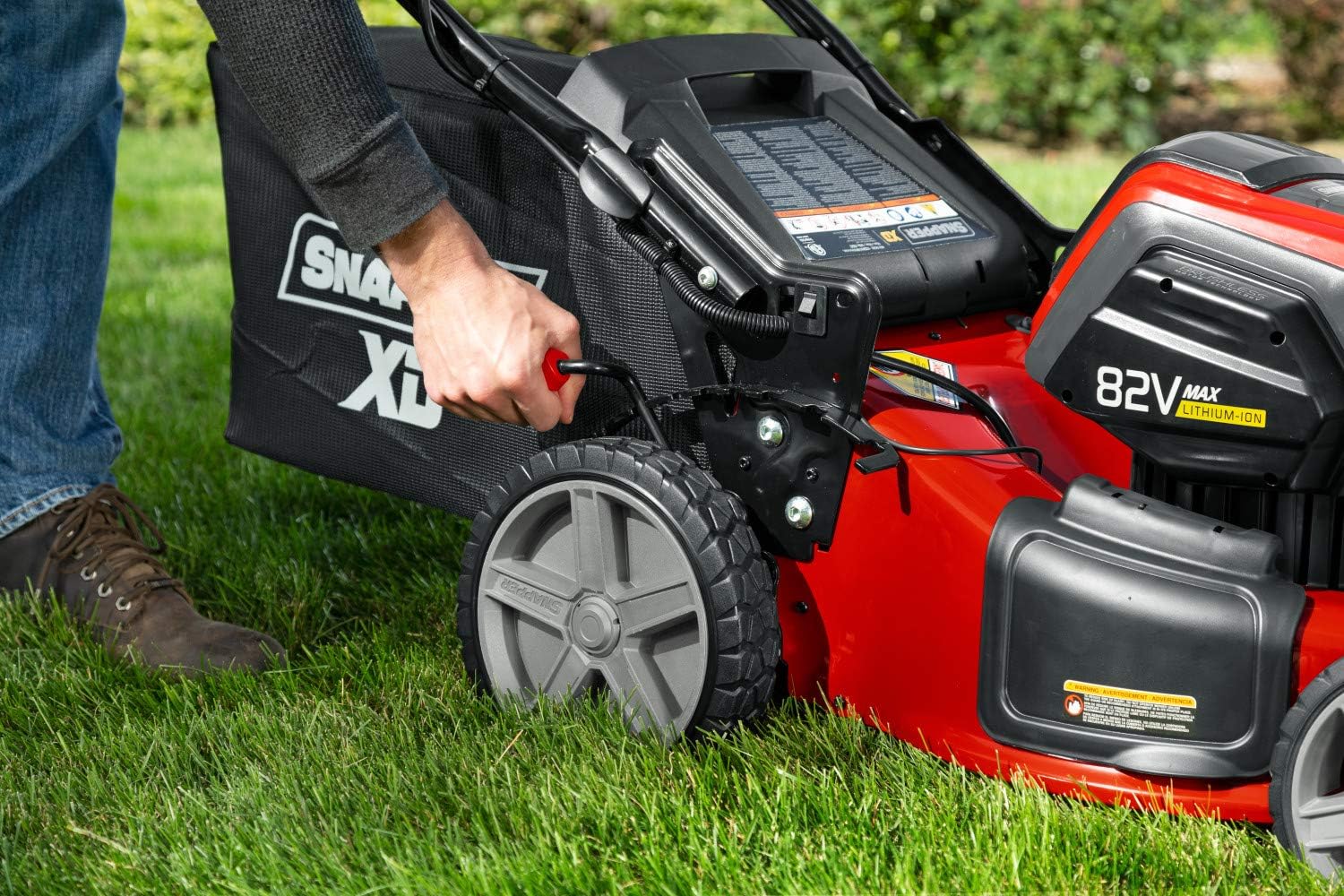
Figure 5: Adjusting the cutting height with the single lever.
5.3 Step Sense Technology
The Step Sense feature automatically adjusts the mower's speed to match your walking pace, providing a comfortable and efficient mowing experience. Simply engage the self-propel lever, and the mower will adapt to your speed.
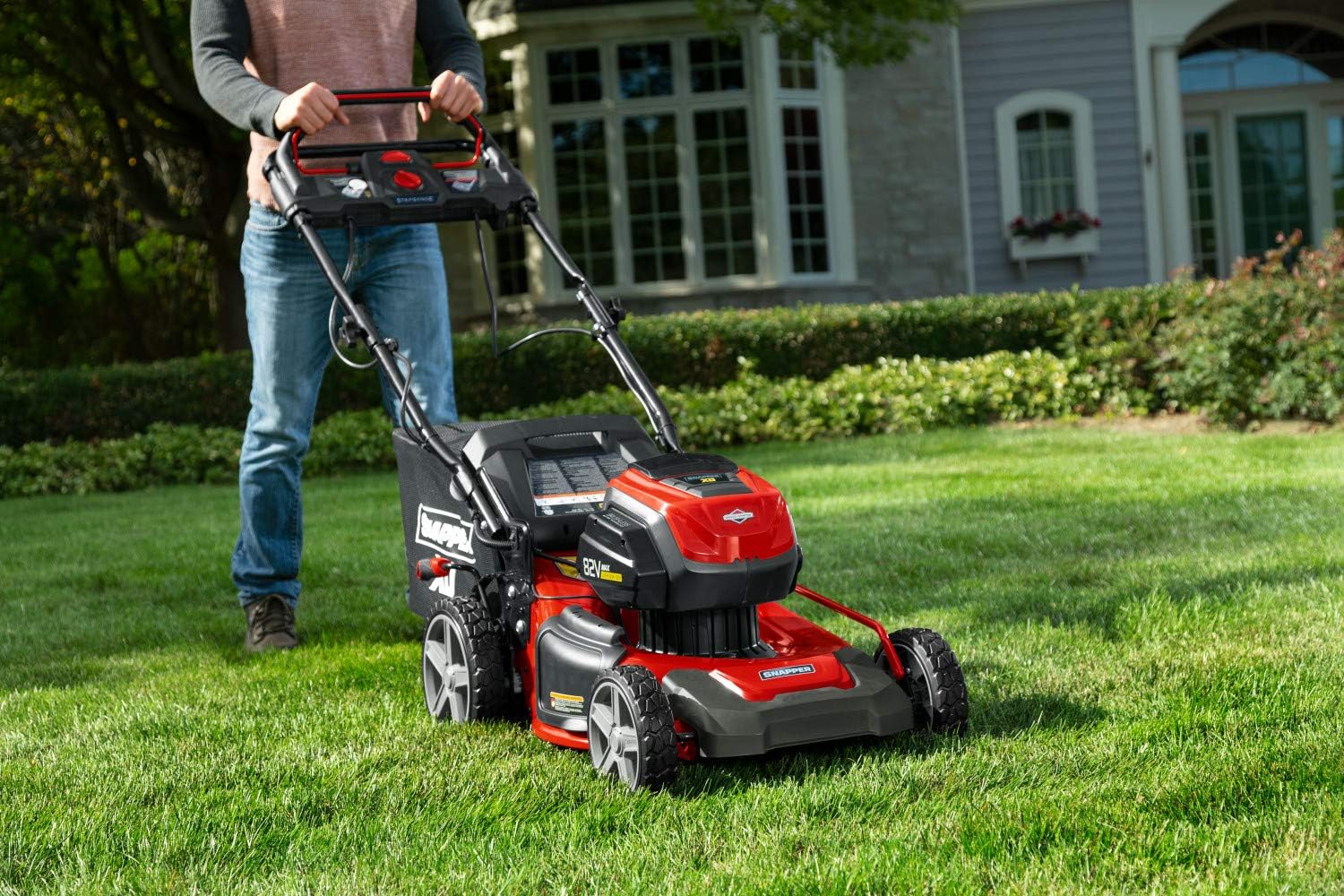
Figure 6: Operating the mower with Step Sense technology.
5.4 Mowing Modes: Mulching, Bagging, and Side Discharge
Your Snapper XD mower offers three cutting options:
- Mulching: Install the mulching plug to finely cut grass clippings and return them to the lawn as natural fertilizer.
- Bagging: Attach the grass collection bag to collect clippings for disposal.
- Side Discharge: Install the side discharge chute to eject clippings from the side of the mower.
6. Maintenance
Regular maintenance ensures the longevity and safe operation of your mower. Always disconnect the battery before performing any maintenance.
6.1 Cleaning
- After each use, clean the underside of the mower deck to prevent grass buildup.
- Wipe down the exterior with a damp cloth. Do not use a pressure washer or hose directly on electrical components.
6.2 Blade Care
- Inspect the blade regularly for sharpness and damage. A dull or damaged blade can affect cutting performance and mower efficiency.
- Replace the blade if it is bent, cracked, or excessively worn. Refer to the specifications for the correct replacement blade model.
6.3 Storage
- Store the mower in a dry, protected area away from direct sunlight and moisture.
- Remove the battery from the mower before storing for extended periods.
- Store batteries in a cool, dry place, partially charged.
7. Troubleshooting
| Problem | Possible Cause | Solution |
|---|---|---|
| Mower does not start. | Battery not charged or improperly installed. Safety key not inserted. Bail lever not engaged. | Charge battery. Ensure battery is fully seated. Insert safety key. Engage bail lever fully. |
| Mower stops during operation. | Battery depleted. Overload protection activated (e.g., very thick grass). | Replace with a charged battery. Reduce mowing speed or raise cutting height. |
| Uneven cut. | Dull or damaged blade. Uneven cutting height adjustment. | Inspect and replace blade if necessary. Ensure cutting height is set evenly on all wheels. |
8. Specifications
- Brand: Snapper
- Model: 1688050
- Power Source: 82V MAX Battery Powered
- Cutting Width: 19 Inches
- Cutting Height Adjustment: 7 Positions (1 to 7 Inches)
- Deck Material: Alloy Steel
- Operation Mode: Automatic (Step Sense)
- Item Weight: 84.8 pounds
- Product Dimensions: 33.07 x 21.85 x 17.12 inches
- UPC: 047282760079
9. Warranty and Support
For warranty information, service, or technical support, please refer to the warranty card included with your product or visit the official Snapper website. Keep your purchase receipt as proof of purchase for warranty claims.
Online Support: Visit the Snapper Store on Amazon

