
1. Safety Information
Please read and understand all safety instructions before operating the OMMO Metal Detector. Failure to follow these instructions may result in injury or damage to the device.
- Battery Replacement: Change the battery immediately if the low battery indicator on the LCD illuminates.
- Long-Term Storage: If the unit will not be used for a week or more, remove the batteries. Battery leakage can damage electronic components.
- Recommended Batteries: The included 9V Carbon Batteries have a shorter lifespan. For extended use, Alkaline or rechargeable 9V batteries are recommended.
- Water Resistance: The search coil is waterproof, allowing for underwater detection. However, the control box is not waterproof and must be kept dry.
2. Package Contents
Verify that all items listed below are included in your package:
- 1 × OMMO Metal Detector Unit
- 1 × Carrying Bag
- 2 × 9V Batteries
- 1 × Shovel
- 1 × Headphone

3. Setup and Assembly
The OMMO Metal Detector requires minimal assembly. Follow these steps to prepare your device for use:
- Attach the Control Box: Secure the control box to the upper stem. Ensure it is firmly attached using the provided fasteners.
- Assemble the Stem: Connect the middle and lower rods to the upper rod. The stem is adjustable from 30 to 43 inches to suit different user heights.
- Attach the Armrest: Secure the armrest to the upper part of the stem for comfortable operation.
- Connect the Search Coil: Attach the 10-inch waterproof search coil to the lower end of the stem. Route the coil cable securely along the stem to prevent tangling.
- Install Batteries: Open the battery compartment on the control box and insert the two 9V batteries, ensuring correct polarity. Close the compartment securely.
4. Operating Modes
The OMMO Metal Detector features four distinct operating modes to optimize your metal detection experience:
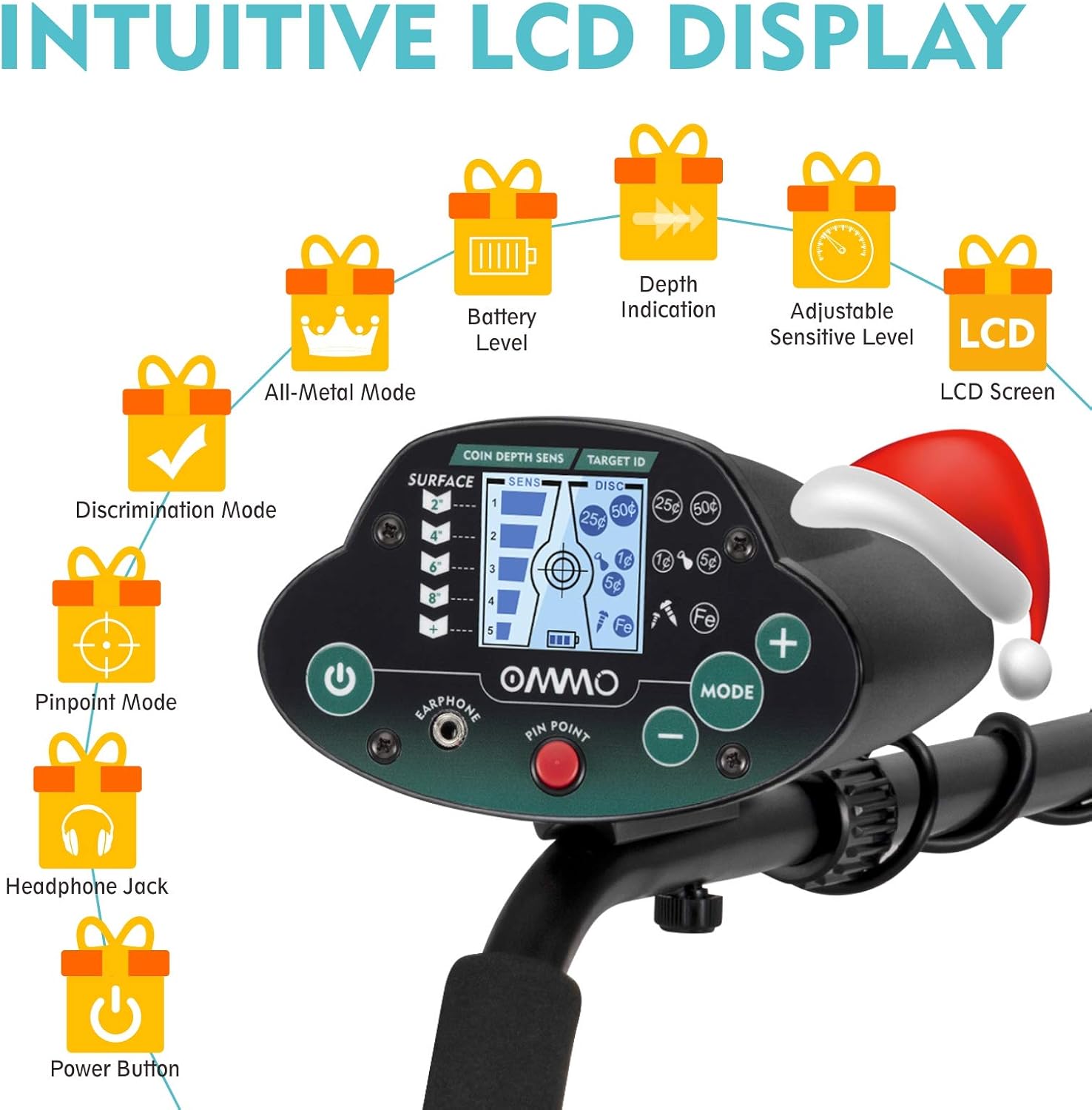
- DISCRIMINATION Mode: This mode allows you to exclude unwanted metal types. The unit automatically balances the ground in this mode.
- TONE Mode: The upgraded OM-C011 can differentiate metal types by emitting distinct high or low tones.
- PINPOINT Mode: Use this mode to accurately locate the exact position of a detected target by temporarily lowering the sensitivity.
- ALL METAL Mode: This mode is designed to search for all types of metal objects without discrimination.

5. Adjustments
- Sensitivity Adjustment: Rotate the SENS knob from 0 to 10 to gradually increase the sensitivity. Higher sensitivity allows for deeper detection but may also pick up more interference.
- Backlight Function: The LCD display includes a backlight for improved visibility in low-light conditions. The backlight is on by default. To turn it off, hold the MODE button for 2 seconds. Repeat the action to turn it back on.

6. Maintenance
Proper maintenance ensures the longevity and optimal performance of your metal detector:
- Cleaning: After each use, wipe down the search coil and stem with a damp cloth. Ensure the control box remains dry.
- Storage: Store the metal detector in a cool, dry place. If storing for an extended period, remove the batteries to prevent leakage.
- Battery Care: Always use fresh, high-quality batteries. Avoid mixing old and new batteries or different types of batteries.
7. Troubleshooting
If you encounter issues with your OMMO Metal Detector, refer to the following common solutions:
- No Power: Check if the batteries are correctly installed and fully charged. Replace if necessary.
- Erratic Signals: Reduce the sensitivity setting. Move away from sources of electromagnetic interference (e.g., power lines, other electronic devices). Ensure the search coil cable is tightly wound around the stem.
- No Detection: Ensure the detector is in the correct operating mode (e.g., ALL METAL). Check that the search coil is properly connected.
8. Specifications
| Brand | OMMO |
| Model Number | OM-C011 |
| Weight | 6.23 pounds |
| Adjustable Stem Length | 30-43 inches |
| Search Coil Size | 10-inch diameter |
| Waterproof Coil | Yes (Control box not waterproof) |
| Sensitivity (Coin-size targets) | Up to 8 inches deep |
| Operating Frequency | 7.69 KHz |
| Power Source | Battery Powered (2 x 9V DC batteries) |
| International Protection Rating | IP54 |
9. Warranty and Support
Your OMMO Metal Detector comes with a warranty. Please refer to the included OMMO Warranty & Promo Card for details on warranty coverage and how to register your product.
For any problems or technical assistance, please contact OMMO customer support. Contact information can typically be found on the warranty card or the official OMMO website.


