
RCB Z1+
RCB 6.5-inch Self-Balancing Hoverboard User Manual
Model: Z1+
1. Introduction
Thank you for choosing the RCB 6.5-inch Self-Balancing Hoverboard. This manual provides essential information for the safe and efficient operation of your new hoverboard. Please read it thoroughly before first use and keep it for future reference. This hoverboard is designed for recreational use, offering an exciting and engaging way to travel short distances.

This image displays the RCB Hoverboard in a sleek carbon black finish, featuring vibrant LED lights on the wheels and front. A smartphone is shown nearby, illustrating the hoverboard's Bluetooth connectivity for music playback.
2. Safety Information
Your safety is paramount. Always wear appropriate safety gear, including a helmet, knee pads, and elbow pads, when operating the hoverboard. Adhere to the maximum weight limit of 100 kg (220 lbs) and be aware that maximum speed and range can vary based on user weight, terrain, temperature, and riding style.
Multiple Protection System
The RCB Hoverboard is equipped with a comprehensive multiple protection system to ensure a safe riding experience:
- Low Battery Reminder: Alerts you when the battery level is critically low.
- Overspeed Reminder: Warns you if you exceed the safe operating speed.
- Battery Monitoring: Continuously monitors battery health and performance.
- Short Circuit Protection: Prevents damage from electrical short circuits.
- Intelligent Fault Detection: Identifies and signals potential malfunctions.
- Smart Gyro Sensor: Enhances stability and balance during operation.

This diagram outlines the comprehensive safety features of the hoverboard, referred to as the 'Multiple Protection System.' It includes indicators for low battery and overspeed, continuous battery monitoring, short circuit protection, intelligent fault detection, and a smart gyro sensor for stable operation. The image also provides the hoverboard's dimensions: approximately 58 cm in length and 18 cm in height.

A child wearing protective gear (helmet, knee pads, elbow pads) is shown next to the RCB 6.5-inch hoverboard, emphasizing safety during use. Below the hoverboard, icons illustrate key features: durable 6.5-inch rubber tires, an anti-fire shell for safety, non-slip pedals for secure footing, and an upgraded motorboard for enhanced performance.
3. What's Included
Upon unboxing your RCB Hoverboard, please ensure all the following items are present:
- 1 x RCB 6.5-inch Hoverboard
- 1 x User Manual
- 1 x Charger
4. Setup
Initial Charging
Before your first ride, fully charge the hoverboard's battery. Connect the charger to the hoverboard's charging port and then plug it into a standard wall outlet. The charging indicator light will change to signify a full charge. Charging typically takes 2 to 3 hours.
5. Operating Instructions
Powering On/Off
To power on the hoverboard, press the power button located on the device. The indicator lights will illuminate. To power off, press the power button again.
Riding the Hoverboard
The hoverboard is self-balancing. To move, gently lean your body in the desired direction. Lean forward to move forward, lean backward to move backward, and shift your weight to the left or right to turn. Practice in an open, safe area until you are comfortable with the controls.

This diagram visually explains the intuitive control mechanism of the hoverboard, which is based on the rider's center of gravity. It shows how leaning forward moves the hoverboard forward, leaning backward moves it backward, and shifting weight to the sides enables turns.
Bluetooth Connectivity
The hoverboard features an integrated Bluetooth speaker. To connect your device, turn on the hoverboard and enable Bluetooth on your smartphone or tablet. Search for available devices and select 'RCB Hoverboard' (or similar name). Once connected, you can play music through the hoverboard's speakers. It is compatible with both iOS and Android systems.

This image depicts the hoverboard's built-in Bluetooth speaker, allowing riders to enjoy music while operating the device. The visual elements suggest an immersive audio experience during rides.
6. Features
The RCB Hoverboard is designed with several features to enhance your riding experience:
- Powerful Motors: Equipped with two powerful motors for excellent performance and a maximum speed of 12-15 km/h.
- LED Lights System: Features vibrant LED lights on the wheels and front for enhanced visibility and a cool aesthetic, especially during night rides.
- Bluetooth Speaker: Integrated speaker allows for music playback via Bluetooth connection.
- Durable Construction: Made from ABS+PC material with an anti-fire shell for increased safety and longevity.
- Non-Slip Pedals: Provides secure footing for the rider.
- Upgraded Motorboard: Ensures reliable and efficient operation.

This image focuses on the hoverboard's dynamic LED lighting system, which enhances visibility and adds a stylish element. It details the front lights for illumination, LED fender lights, and the multi-colored LED lights integrated into the wheels.
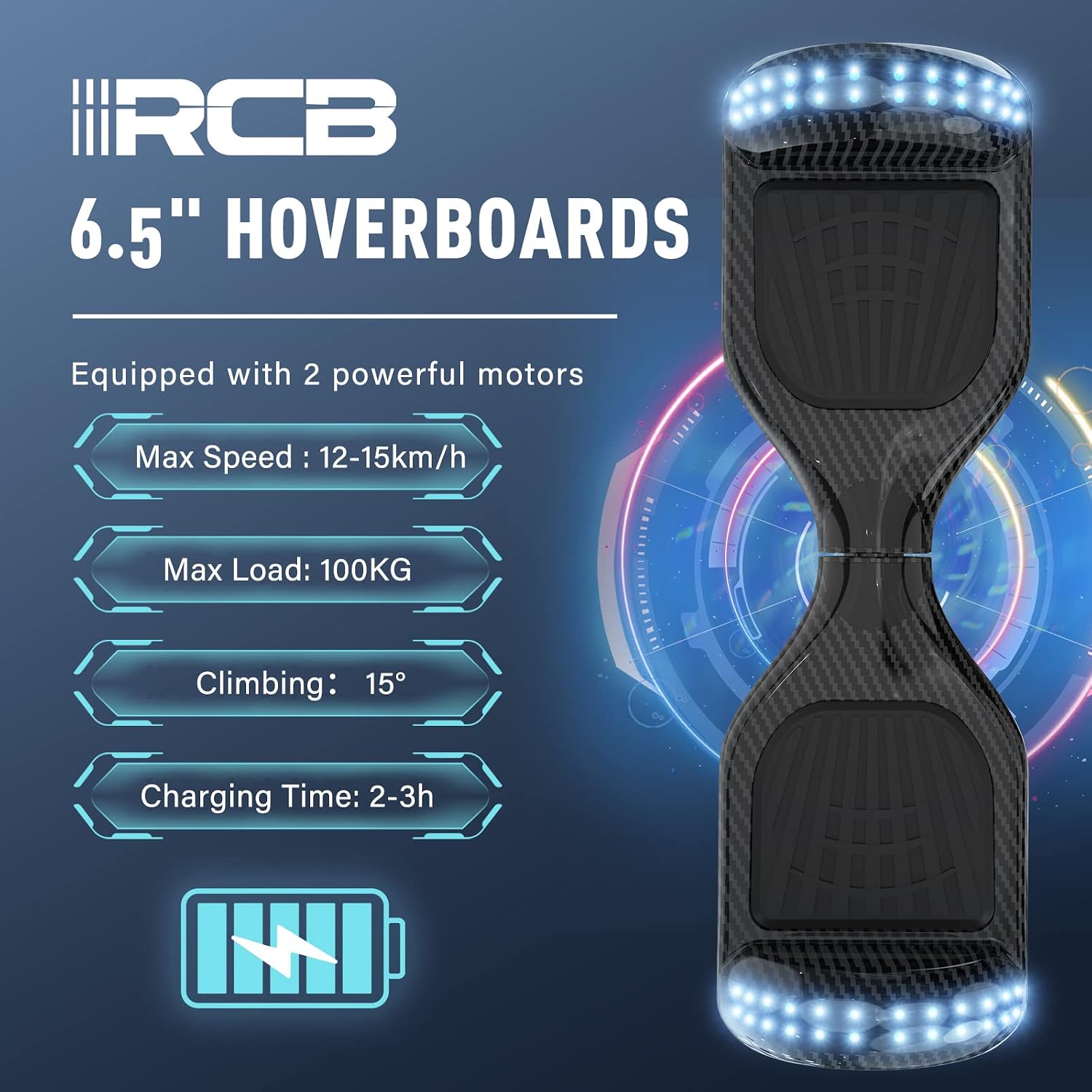
An infographic presenting the core performance capabilities of the RCB 6.5-inch hoverboard. It highlights a maximum speed of 12-15 km/h, a maximum load capacity of 100 kg, a climbing ability of up to 15 degrees, and a charging time of 2-3 hours.
7. Maintenance
Cleaning
Wipe the hoverboard with a damp cloth to remove dirt and dust. Do not use harsh chemicals or abrasive cleaners. Ensure the hoverboard is dry before charging or storing.
Battery Care
To prolong battery life, avoid completely draining the battery before recharging. If storing the hoverboard for an extended period, charge the battery to about 50% and recharge it every few months.
Tires
The hoverboard uses solid, non-inflatable tires, which require no air pressure maintenance.
8. Troubleshooting
If you encounter issues with your hoverboard, consider the following:
- Hoverboard not turning on: Ensure the battery is charged.
- Unresponsive controls: Recalibrate the hoverboard by turning it off, placing it on a flat surface, and turning it back on while holding the power button until it self-calibrates.
- Unusual sounds or vibrations: Stop using the hoverboard immediately and contact customer service.
- Indicator lights flashing: Refer to the safety information section for common warnings like low battery or overspeed.
9. Specifications
| Specification | Value |
|---|---|
| Brand | RCB |
| Model Number | Z1+ |
| Net Weight | 8.2 KG (18.08 lbs) |
| Battery | Certified Lithium Battery |
| Material | ABS+PC |
| Maximum Load | 20-100 KGS (44-220 lbs) |
| Maximum Speed | 12-15 KM/H (7.5-9.3 MPH) |
| Tire Size | 6.5 inches |
| Charging Time | 2 to 3 hours |
| Tire Model | Solid Non-Inflatable Tires |
| Product Dimensions (L x W x H) | 58.4 x 18.6 x 17.8 cm (23 x 7.3 x 7 inches) |
| Color | Carbon Black |
| Age Range (Description) | Adult (suitable for children and teens under supervision) |
Note: Maximum range and maximum speed vary depending on different factors: user weight, battery and terrain conditions, temperature, wind speed, and operating behavior.
10. Warranty and Support
All products purchased from our store come with a warranty. Our customers can benefit from our impeccable and professional customer service. Please read the user manual carefully before use. For any inquiries or support, please contact our customer service team through your purchase platform.
Related documentsZ1+


Ask a question about this manual
Ask about setup, troubleshooting, compatibility, parts, safety, or missing instructions. Manuals+ will review the question and use this page’s manual context to help answer it.