
1. Introduction
This manual provides detailed instructions for the installation, operation, and maintenance of your Minka-Aire Concept III 54-inch Hugger LED Ceiling Fan, Model F467L. This low-profile fan is designed for contemporary indoor spaces, featuring a 54-inch blade span, an integrated LED light kit, and smart control capabilities. Please read all instructions carefully before beginning installation or operation to ensure safe and efficient use.
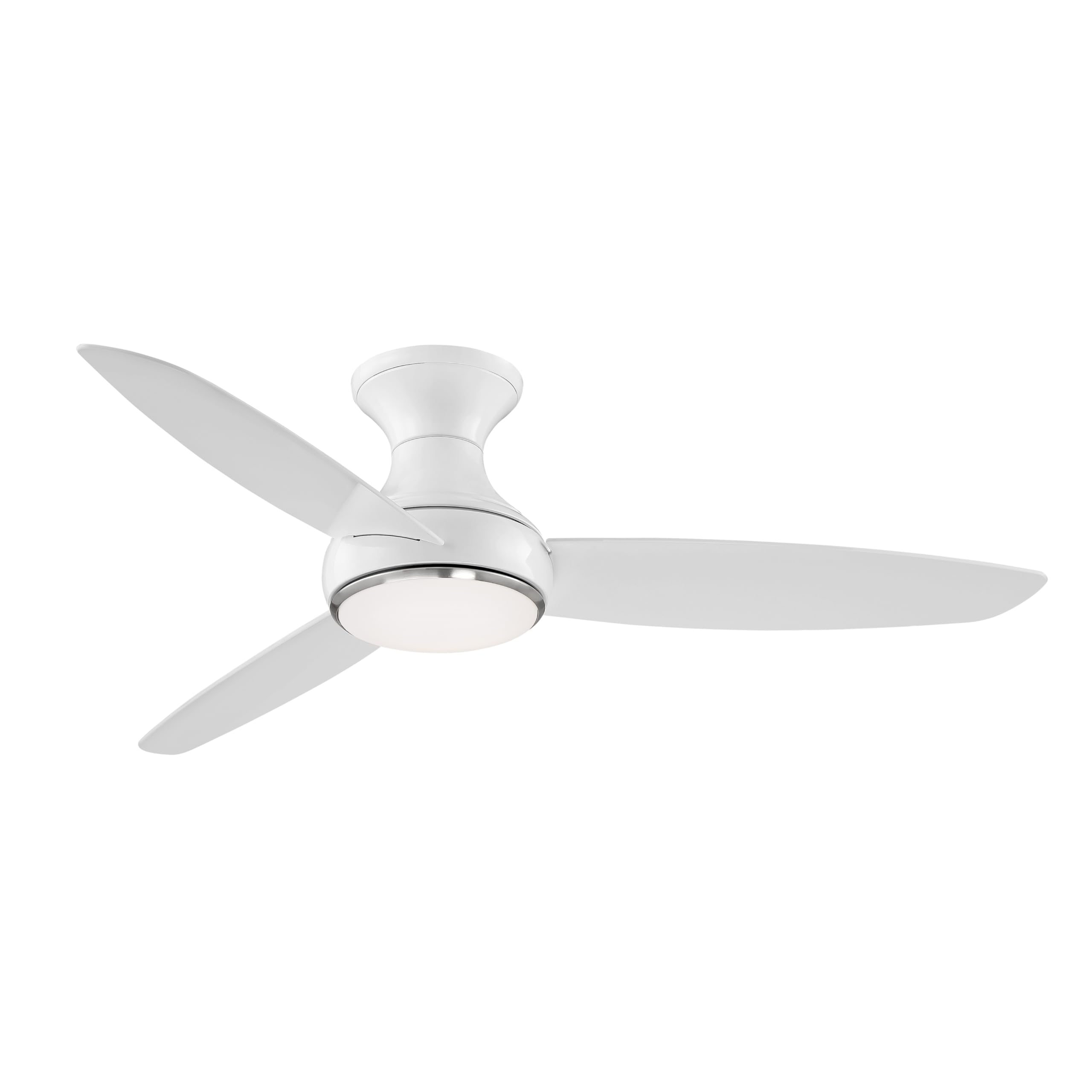
Image 1.1: The Minka-Aire Concept III 54-inch Hugger LED Ceiling Fan.
2. Safety Information
Always disconnect power at the circuit breaker before installing or servicing the fan. Ensure all electrical connections comply with local codes and ordinances. If you are unfamiliar with electrical wiring, consult a qualified electrician. This product contains chemicals known to the State of California to cause cancer and birth defects or other reproductive harm. Please check your local laws before purchasing this product.
- Do not install the fan if any parts are damaged.
- Ensure the mounting structure can support the fan's weight (approximately 8.58 kg / 18.9 lbs).
- Keep hands and objects clear of the fan blades during operation.
- Use only replacement parts specified by the manufacturer.
3. Package Contents
Verify that all components are present before beginning installation:
- Fan Motor Assembly
- Fan Blades (3)
- Integrated LED Light Kit with Etched Opal Glass
- RC1000 Six-speed Hand-held Remote Control
- 6-Inch Downrod
- Mounting Hardware and Brackets
- Installation Manual
4. Setup and Installation
Professional installation is recommended for optimal safety and performance. The fan measures 12.25 inches from the ceiling to its lowest point. Ensure your ceiling mount can securely hold at least 20 lbs.
4.1 Mounting the Fan
- Turn off power at the circuit breaker.
- Install the mounting bracket to the ceiling junction box, ensuring it is securely fastened and can support the fan's weight.
- Hang the fan motor assembly onto the mounting bracket.
4.2 Wiring Connections
- Connect the fan's electrical wires to the household wiring according to the wiring diagram in the included installation manual.
- Ensure all connections are secure and insulated with wire nuts.
4.3 Blade and Light Kit Installation
- Attach the three fan blades to the motor housing using the provided screws.
- Install the integrated LED light kit, ensuring the electrical connections are properly made.
- Secure the etched opal glass shade to the light kit.
5. Operating Instructions
Your Minka-Aire Concept III fan is controlled by the included RC1000 remote control and can be integrated with smart home systems.

Image 5.1: The RC1000 Hand-held Remote Control.
5.1 Remote Control Functions (RC1000)
- Fan Speed Control: Select from 6 fan speeds to adjust airflow.
- Light Control: Turn the integrated LED light on/off and dim it to your desired brightness. The light offers full-range dimming.
- Reverse Function: Change the direction of blade rotation for seasonal use. In summer, blades should rotate counter-clockwise to create a downdraft. In winter, blades should rotate clockwise at a low speed to create an updraft, circulating warm air.
5.2 Smart Home Integration (Bond Technology)
This fan is compatible with Smart by Bond technology for enhanced control. The Bond BD-1000 device is required and sold separately.

Image 5.2: Wi-Fi Cloud enabled for unlimited control over any distance.
- Purchase the Bond BD-1000 device.
- Download the Bond Home App from the App Store (iOS) or Google Play (Android).
- Follow the in-app instructions to connect your Bond device to your home Wi-Fi network and pair it with your Minka-Aire fan.
- Once connected, you can control your fan via the Bond Home App or integrate it with smart home systems like Amazon Alexa, Google Home, SmartThings, Control4, ELAN, and Hubitat.
6. Maintenance
Regular maintenance ensures the longevity and optimal performance of your ceiling fan.
- Cleaning: Dust the fan blades and motor housing periodically with a soft, damp cloth. Avoid using abrasive cleaners that may damage the finish.
- Blade Screws: Check and tighten all blade screws annually to prevent wobbling and noise.
- Light Kit: The fan features an integrated 30W LED light kit. The LED light source is not user-replaceable. If the light fails, contact customer support. The light emits a warm color.
7. Troubleshooting
If you encounter issues with your fan, refer to the following common problems and solutions:
| Problem | Possible Cause | Solution |
|---|---|---|
| Fan does not start | No power to the fan; Remote control battery is dead; Incorrect wiring. | Check circuit breaker; Replace remote battery; Verify wiring connections. |
| Light does not work | No power to the light; Light dimming set to minimum; Faulty LED driver. | Check power; Increase brightness with remote; Contact customer support for LED driver issues. |
| Fan is noisy (tapping/clicking) | Loose fan blades or mounting hardware; Internal component issue at high speeds. | Tighten all screws on blades and mounting bracket. If noise persists, especially at higher speeds (5-6), contact customer support. |
| Fan wobbles | Loose blades; Unbalanced blades; Loose mounting bracket. | Ensure all blade screws are tight; Use a balancing kit (not included) if necessary; Verify mounting bracket is secure. |
| Smart control not connecting | Bond device not powered; Wi-Fi issues; Incorrect app setup. | Check Bond device power; Verify home Wi-Fi connection; Re-follow Bond app setup instructions. |
8. Specifications

Image 8.1: Performance data for the Minka-Aire Concept III 54-inch fan.
| Feature | Detail |
|---|---|
| Brand | MINKA-AIRE |
| Model Number | F467L-WH |
| Dimensions (D x W x H) | 54"D x 54"W x 12.24"H |
| Blade Length | 54 inches |
| Number of Blades | 3 |
| Motor Type | DC Motor, 6-speed |
| Light Type | 30W Integrated LED, Dimmable |
| Air Flow Capacity (High) | 6056 cfm |
| Power Use (High) | 29.70 watts |
| Voltage | 120 volts |
| Indoor/Outdoor Usage | Indoor |
| Controller Type | Remote Control (RC1000) |
| Materials | Acrylonitrile Butadiene Styrene, Alloy Steel, Glass (Blades: Plastic) |
| Certification | UL Listed |
9. Warranty and Support
Your Minka-Aire Concept III ceiling fan is covered by a manufacturer's warranty and replacement parts policy.
- Replacement Parts Policy: All products purchased have a 30-day replacement parts policy to ensure a fully working item.
- Product Warranty: All products are covered under a 1-Year warranty when purchased on Amazon. The warranty period begins on the day the product is originally shipped.
- Coverage: The warranty covers all items and conditions identified in the original manufacturer's warranty.
- Exclusions: The warranty specifically does not cover loss and theft, water damage, customer abuse, and finish deterioration due to UV or coastal exposure.
For warranty claims, technical support, or replacement parts, please contact Minka-Aire customer service. Refer to the contact information provided in your product packaging or on the official Minka-Aire website.


