
1. Introduction
The Urbanears Luma True Wireless Earbuds offer a seamless audio experience with intuitive controls and a portable charging case. This manual will guide you through setup, operation, maintenance, and troubleshooting to ensure optimal use of your device.
What's in the Box
- True Wireless Earbuds
- Wireless Charging Case
- USB-C Charging Cable
- Quick Start Guide (Refer to this manual for detailed instructions)
- Legal and Safety Manual

Image description: The Urbanears Luma True Wireless Earbuds in their Ultra Violet color, neatly placed inside their matching charging case, which is closed. The case features the 'URBANEARS' logo.
2. Setup
2.1. Charging the Earbuds and Case
Before first use, fully charge your Urbanears Luma earbuds and charging case.
- Place the earbuds into the charging case. Ensure they are seated correctly.
- Connect the USB-C charging cable to the charging port on the case and to a power source.
- Alternatively, place the charging case on a compatible wireless charging pad.
- The LED indicator on the case will show charging status. A full charge provides up to 25 hours of total playtime (5 hours in earbuds + 4 additional charges from case).
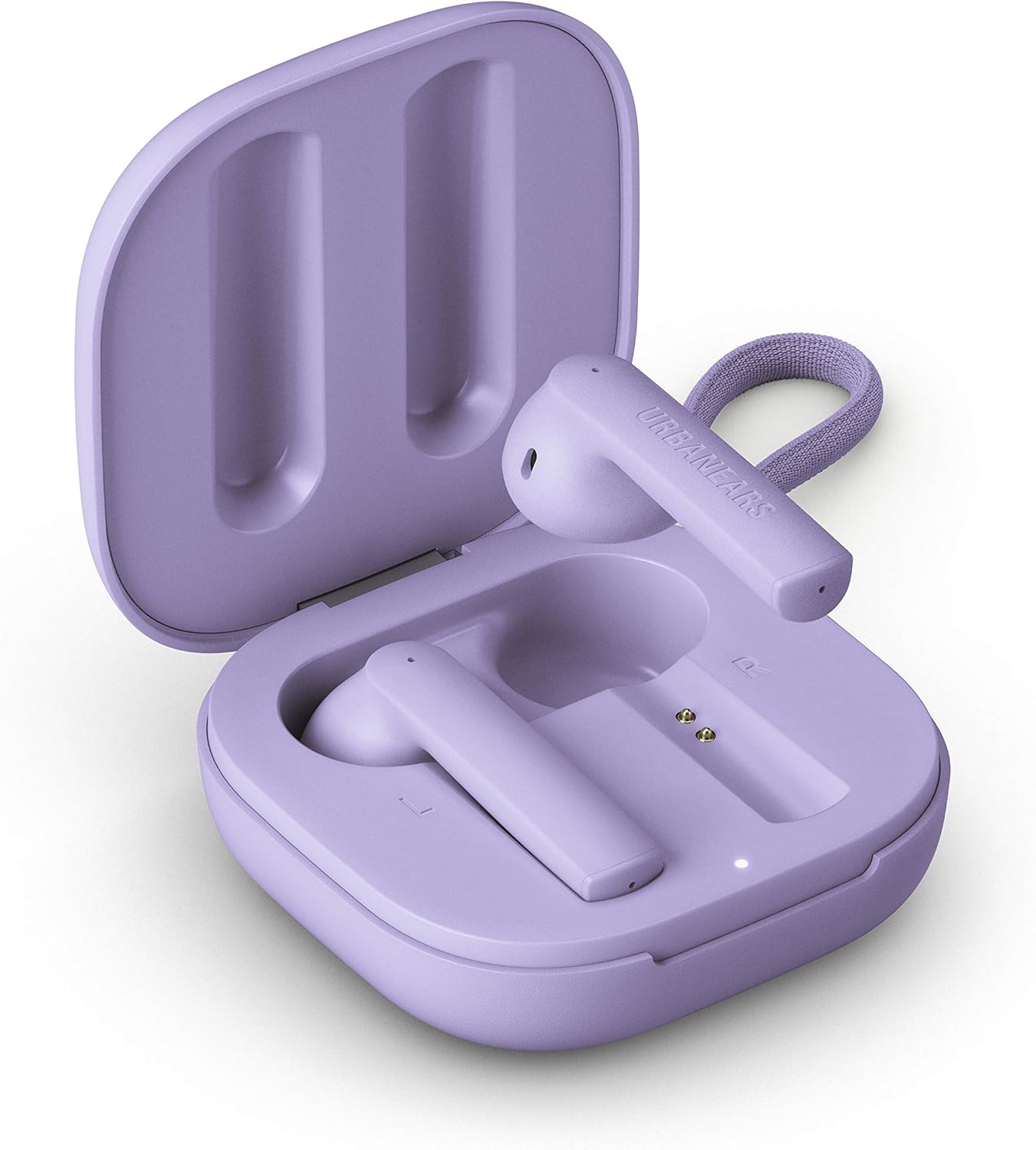
Image description: The Urbanears Luma charging case in Ultra Violet, shown open with both earbuds inside. The charging contacts and an LED indicator are visible.
2.2. Initial Pairing
- Ensure the earbuds are charged.
- Open the charging case. The earbuds will automatically enter pairing mode.
- On your device (smartphone, tablet, computer), go to Bluetooth settings.
- Select "Urbanears Luma" from the list of available devices.
- Once connected, you will hear an audio confirmation.

Image description: A side view of the two Urbanears Luma True Wireless Earbuds in Ultra Violet, positioned next to each other, ready for use or pairing.
3. Operating
3.1. Touch Controls
The Urbanears Luma earbuds feature intuitive touch controls on each earbud.
- Play/Pause: Tap either earbud once.
- Next Track: Double-tap the right earbud.
- Previous Track: Double-tap the left earbud.
- Answer/End Call: Tap either earbud once.
- Reject Call: Press and hold either earbud for 2 seconds.
- Activate Voice Assistant: Triple-tap either earbud.
The earbuds also feature wear-detect sensors that automatically pause music when removed and resume when re-inserted.

Image description: A close-up of a person wearing an Urbanears Luma earbud in Ultra Violet, demonstrating its in-ear fit and discreet design.
3.2. Making and Receiving Calls
The Luma earbuds are equipped with noise-filtering dual microphones for clear call quality.
- To answer an incoming call, tap either earbud once.
- To end an active call, tap either earbud once.
- To reject an incoming call, press and hold either earbud for 2 seconds.
4. Maintenance
4.1. Cleaning
To maintain optimal performance and hygiene:
- Gently wipe the earbuds and charging case with a soft, dry, lint-free cloth.
- Do not use harsh chemicals, cleaning solvents, or strong detergents.
- Ensure charging contacts on both earbuds and case are clean and free of debris.
4.2. Water Resistance
The Urbanears Luma earbuds have an IPX4 water-splash resistant design. This means they are protected from splashing water from any direction.
- Do not submerge the earbuds in water.
- Do not expose them to pressurized water or high-velocity water, such as during showering or swimming.
- The charging case is not water-resistant.
- If earbuds get wet, dry them thoroughly before placing them back in the charging case.
5. Troubleshooting
If you encounter issues with your Urbanears Luma earbuds, refer to the following common solutions:
5.1. Earbuds Not Pairing
- Ensure both earbuds are charged and placed correctly in the charging case.
- Close the case, wait a few seconds, then open it again to re-enter pairing mode.
- On your device, forget "Urbanears Luma" from your Bluetooth settings and attempt to pair again.
- Try restarting your device's Bluetooth function or the device itself.
5.2. Only One Earbud Working
- Place both earbuds back into the charging case and close the lid.
- Open the lid and check if both earbuds connect.
- Ensure both earbuds are sufficiently charged.
- If the issue persists, try resetting the earbuds (refer to the full user guide if available for specific reset instructions).
5.3. Low Volume or Poor Sound Quality
- Ensure the earbuds are properly seated in your ears.
- Check the volume level on both your connected device and the earbuds.
- Clean any debris from the earbud speakers.
- Try disconnecting and reconnecting the earbuds to your device.
5.4. Charging Issues
- Verify the USB-C cable is securely connected to both the case and the power source.
- Try a different USB-C cable or power adapter.
- Ensure the charging contacts on the earbuds and inside the case are clean.
- If using wireless charging, ensure the case is correctly positioned on a compatible charger.
6. Specifications
| Feature | Detail |
|---|---|
| Model Name | Luma |
| Connectivity | Bluetooth |
| Wireless Communication | Bluetooth |
| Earbud Battery Life | 5 Hours |
| Total Playtime (with case) | 25 Hours |
| Charging Time | 5 Hours (for case, approximate) |
| Water Resistance | IPX4 (Water-splash resistant) |
| Control Method | Touch |
| Microphones | Dual, noise-filtering |
| Item Weight | 18 Grams (0.635 ounces) |
| Product Dimensions | 0.79 x 1.97 x 1.97 inches |
| Manufacturer | Zound Industries |
| Batteries | 3 Lithium Ion batteries (included) |
7. Warranty and Support
For detailed warranty information, please refer to the official warranty document provided with your product or accessible online.
- Warranty Information (PDF)
- For further assistance or support, please visit the Urbanears official website or contact customer service.


