
FAN 6189239522973
FAN Bladeless Ultra-Quiet Personal Tabletop and Wall Mount Fan Instruction Manual
Model: 6189239522973
Introduction
Thank you for purchasing the FAN Bladeless Ultra-Quiet Personal Fan. This manual provides important information regarding the safe operation, installation, maintenance, and troubleshooting of your new fan. Please read this manual thoroughly before use and retain it for future reference.
Important Safety Instructions
To reduce the risk of fire, electric shock, or injury, always follow these basic safety precautions:
- Read all instructions before using this fan.
- Ensure the power source matches the voltage specified on the fan's rating label.
- Do not operate any fan with a damaged cord or plug. Discard the fan or return to an authorized service facility for examination and/or repair.
- Do not run cord under carpeting. Do not cover cord with throw rugs, runners, or similar coverings. Arrange cord away from traffic area and where it will not be tripped over.
- To disconnect the fan, turn controls to OFF, then remove the plug from the outlet.
- Do not insert fingers or foreign objects into any openings.
- Do not use outdoors. This fan is designed for indoor use only.
- Unplug the fan from the outlet when not in use, before cleaning, or before performing any maintenance.
- Do not immerse the fan in water or other liquids.
- Close supervision is necessary when any appliance is used by or near children.
- This appliance has a polarized plug (one blade is wider than the other). To reduce the risk of electric shock, this plug is intended to fit in a polarized outlet only one way. If the plug does not fit fully in the outlet, reverse the plug. If it still does not fit, contact a qualified electrician. Do not attempt to defeat this safety feature.
Product Overview
The FAN Bladeless Ultra-Quiet Personal Fan offers a sleek design with advanced features for personal cooling. It can be used as a tabletop fan or mounted on a wall.
Package Contents:
- Bladeless Fan Unit
- Remote Control
- User Manual
- Wall Mounting Hardware (if applicable)
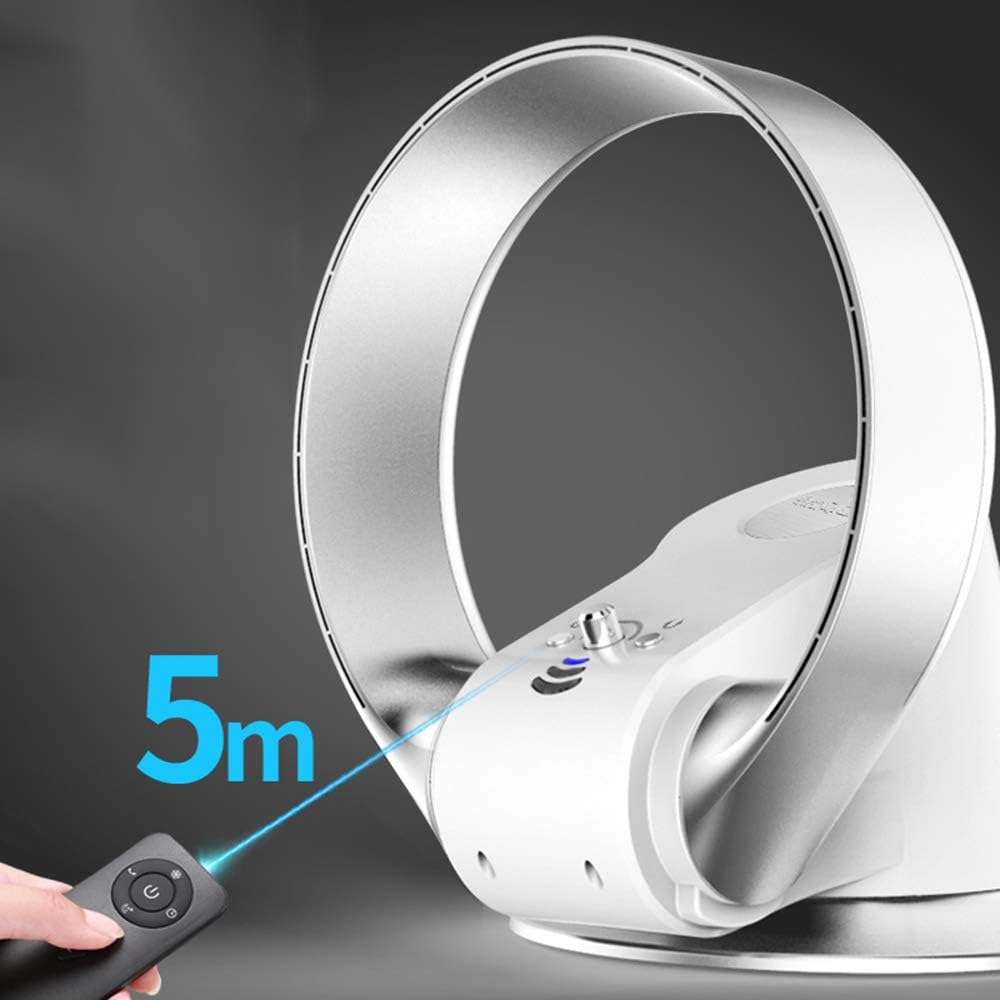
Figure 1: Side view of the FAN Bladeless Ultra-Quiet Personal Fan, highlighting its sleek, bladeless design.

Figure 2: Back view of the fan, showing the air intake grille.

Figure 3: Diagram illustrating the internal components of the bladeless fan, including the spiral fan, expansion air groove, high power motor, shunt, and air export.
Setup Instructions
Tabletop Placement:
- Place the fan on a stable, flat surface.
- Ensure there is adequate space around the fan for proper airflow.
- Plug the power cord into a standard electrical outlet.

Figure 4: The bladeless fan positioned on a tabletop, ready for use.
Wall Mounting:
The fan can also be mounted on a wall for space-saving and optimal air circulation.
- Choose a suitable wall location, ensuring it is sturdy enough to support the fan's weight and near a power outlet.
- Use the provided wall mounting hardware (screws, anchors) to securely attach the fan to the wall. Refer to the mounting template (if included) for precise hole placement.
- Ensure the fan is firmly attached before plugging it in.
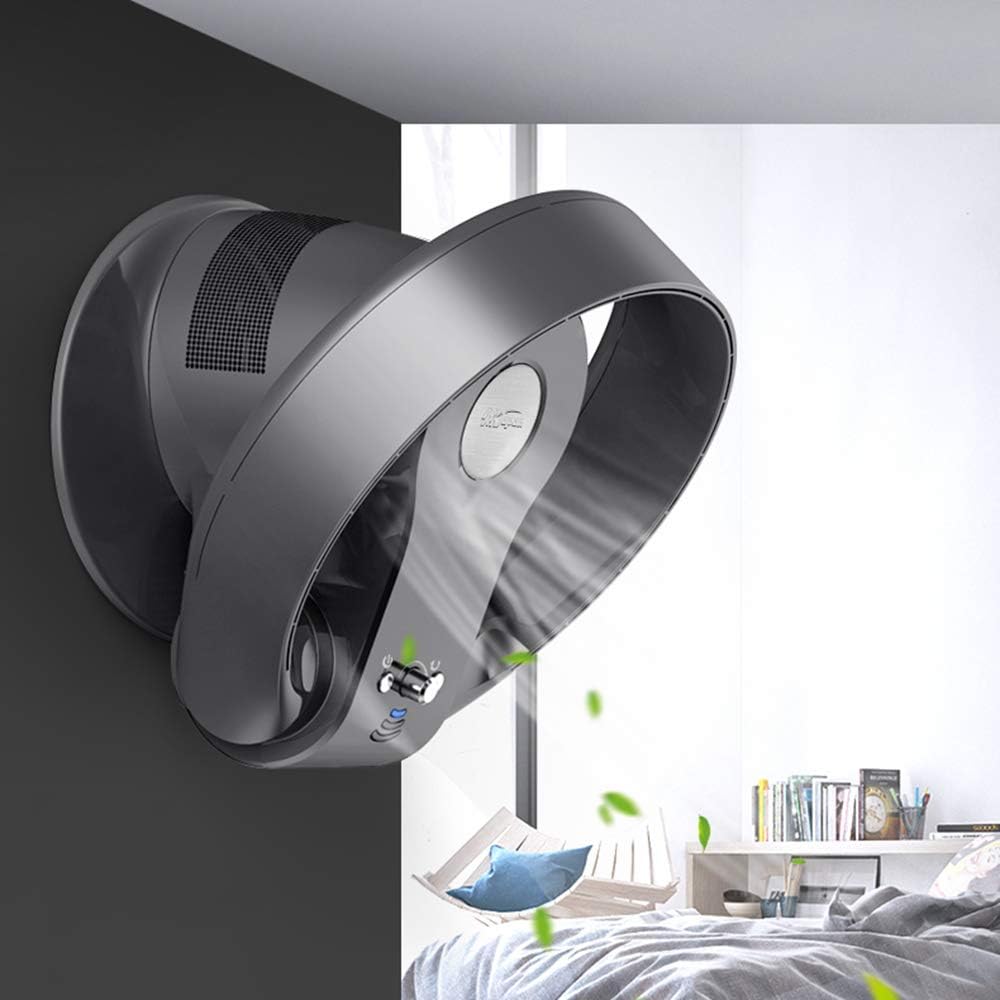
Figure 5: The bladeless fan securely mounted on a wall, demonstrating its versatility.
Operating Instructions
Your fan can be operated using the control panel on the unit or the included remote control.
Remote Control Operation:
The remote control allows convenient operation from a distance of up to 5 meters.
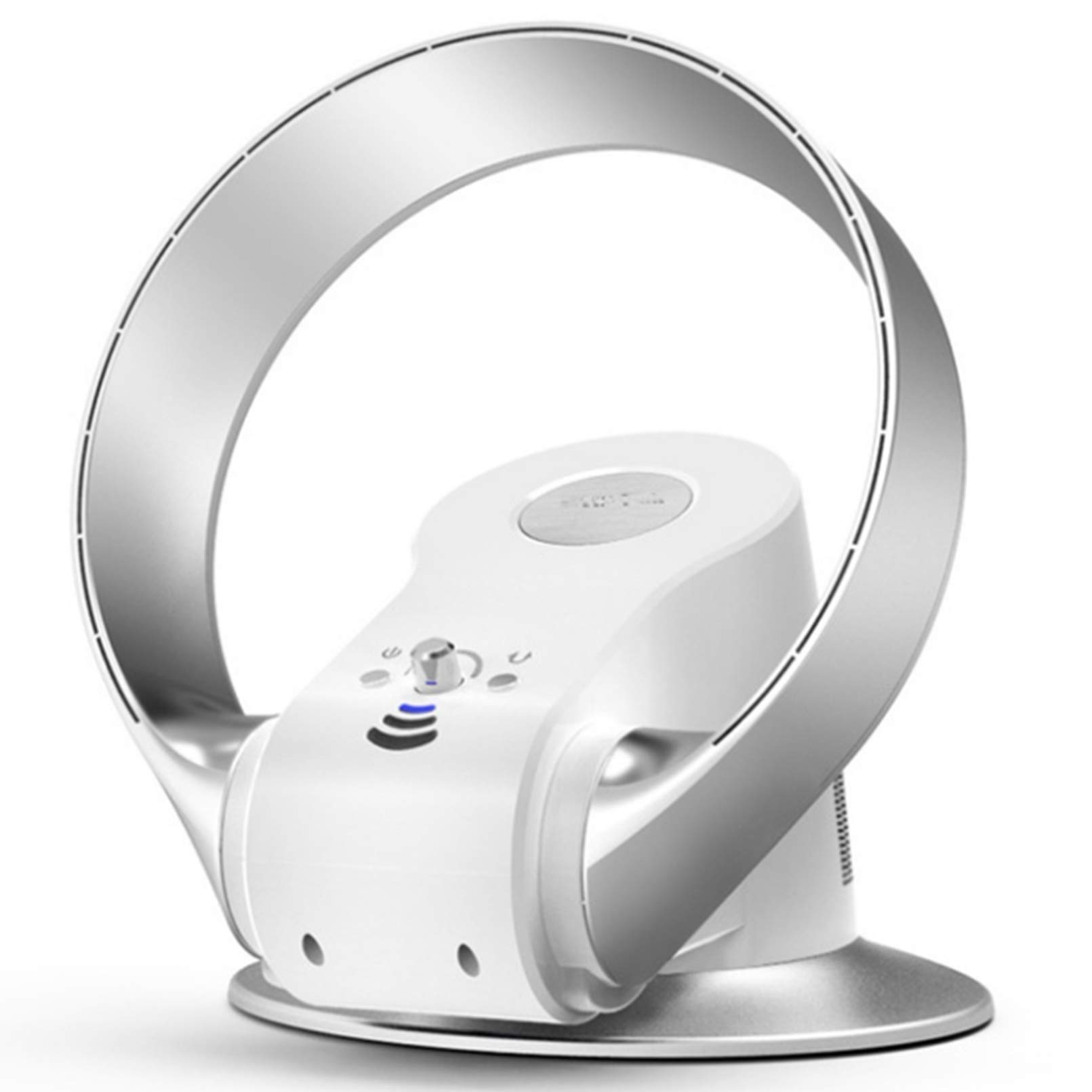
Figure 6: Operating the fan with the remote control, effective up to 5 meters.
- Power Button: Press to turn the fan ON or OFF.
- Speed Control: Adjusts between 7 speed settings. Press repeatedly to cycle through speeds.
- Timer Button: Sets the operating timer (e.g., 1-8 hours).
- Oscillation Button: Activates or deactivates the oscillation function.
Speed Settings:
The fan features 7 distinct speed settings, from ultra-quiet low speed to powerful high speed.

Figure 7: Visual representation of the fan's speed settings: Low, Medium, and High.
Adjusting Airflow Direction:
The fan head can be manually tilted to direct airflow vertically, and it features an oscillation function for horizontal air distribution.

Figure 8: The fan offers 180-degree horizontal oscillation and 90-degree vertical tilt for comprehensive air coverage.
Maintenance and Cleaning
Regular cleaning will help maintain your fan's performance and extend its lifespan.
- Always unplug the fan before cleaning.
- Use a soft, damp cloth to wipe the exterior surfaces of the fan. Do not use abrasive cleaners or solvents.
- For the air intake grille (at the back of the fan), use a soft brush or vacuum cleaner with a brush attachment to remove dust and debris.
- Do not allow water to drip into the interior of the fan.
- Store the fan in a cool, dry place when not in use for extended periods.
Troubleshooting
If you experience issues with your fan, please refer to the following common problems and solutions:
| Problem | Possible Cause | Solution |
|---|---|---|
| Fan does not turn on. | No power supply. Power cord not securely plugged in. | Check if the power outlet is working. Ensure the power cord is firmly plugged into the outlet and the fan. |
| Weak airflow. | Air intake or outlet blocked. Fan speed set too low. | Clean any dust or obstructions from the air intake grille. Increase the fan speed setting. |
| Remote control not working. | Batteries are dead or incorrectly inserted. Obstruction between remote and fan. | Replace batteries with new ones, ensuring correct polarity. Remove any objects blocking the signal path. |
| Fan makes unusual noise. | Dust or foreign object inside. Fan not on a stable surface. | Unplug and carefully inspect for obstructions. Clean as per maintenance instructions. Place the fan on a flat, stable surface. |
If the problem persists after trying these solutions, please contact customer support.
Specifications
| Feature | Detail |
|---|---|
| Brand | FAN |
| Model Name | Base (Model No. 6189239522973) |
| Electric Fan Design | Table Fan / Wall Mount Fan |
| Power Source | Corded Electric |
| Wattage | 26 watts |
| Special Feature | Bladeless, Ultra-Quiet, Remote Control, Timer |
| Number of Power Levels | 7 Speed Settings |
| Control Method | Remote Control |
| Motor Type | Brushless |
| Installation Type | Wall Mount, Tabletop |
| Material | Plastic |
| Indoor/Outdoor Usage | Indoor Only |
Warranty and Customer Support
Warranty Information:
This product comes with a standard manufacturer's warranty. Please refer to the warranty card included in your package for specific terms and conditions, including warranty duration and coverage details. Keep your purchase receipt as proof of purchase for warranty claims.
Customer Support:
For technical assistance, troubleshooting beyond this manual, or warranty inquiries, please contact our customer support team. Contact information can typically be found on the product packaging or our official website.
When contacting support, please have your product model number (6189239522973) and purchase date available.
Related documents6189239522973


Ask a question about this manual
Ask about setup, troubleshooting, compatibility, parts, safety, or missing instructions. Manuals+ will review the question and use this page’s manual context to help answer it.