
Introduction
This manual provides instructions for the safe and efficient use of your Kastar FNP-120 Battery and LCD AC Charger kit. This kit includes multiple FNP-120 compatible batteries and one LCD AC charger, designed for various digital cameras including FUJIFILM NP-120, NP-120B, Minolta MN80NV 1080P, CONTAX BP-1500S, KYOCER BP-1500S, and CONTAX Tvs Digital Camera models. Please read this manual thoroughly before use and retain it for future reference.
Package Contents
Verify that all items are present in your package:
- Kastar FNP-120 Compatible Batteries (Quantity: 4)
- Kastar LCD AC Charger (Quantity: 1)

Image: Packaging for Kastar FNP-120 Batteries.

Image: Packaging for Kastar LCD AC Charger.
Setup
Charging the Batteries
- Connect the LCD AC Charger to a standard AC power outlet (100-240V, 50-60Hz).
- Insert one Kastar FNP-120 battery into the charger slot, ensuring correct polarity.
- The LCD screen on the charger will display the charging status and battery capacity percentage.
- Once the battery is fully charged, the LCD indicator will show 100%. Remove the battery from the charger.

Image: Kastar LCD AC Charger with its input/output specifications and warnings.
Inserting Batteries into Your Device
Refer to your camera or device's instruction manual for specific battery insertion procedures. Ensure the battery is inserted with the correct orientation and securely latched into place.
Operating Instructions
Using the Charger
- The charger's input is AC 100-240V, 50-60Hz. The output is DC 4.2V, 800mA.
- The foldable flat pin allows for easy storage and portability.
Verifying Battery Status
When the charger is not connected to AC power, you can insert a battery to check its current charge status on the LCD display. This allows for quick verification of battery capacity before use.

Image: Kastar charger with a battery inserted, showing the LCD display indicating battery status.
Battery Usage
The FNP-120 compatible batteries are Lithium-Ion with a voltage of 3.7V and a capacity of 2300mAh. Use these batteries with compatible digital cameras and devices as specified.
Maintenance
Battery Care and Safety
- DO NOT disassemble the battery.
- DO NOT dispose of the battery in fire.
- DO NOT store the battery in temperatures over 60°C (140°F).
- Charge batteries only with the specified Kastar charger.
- Store batteries in a cool, dry place when not in use.
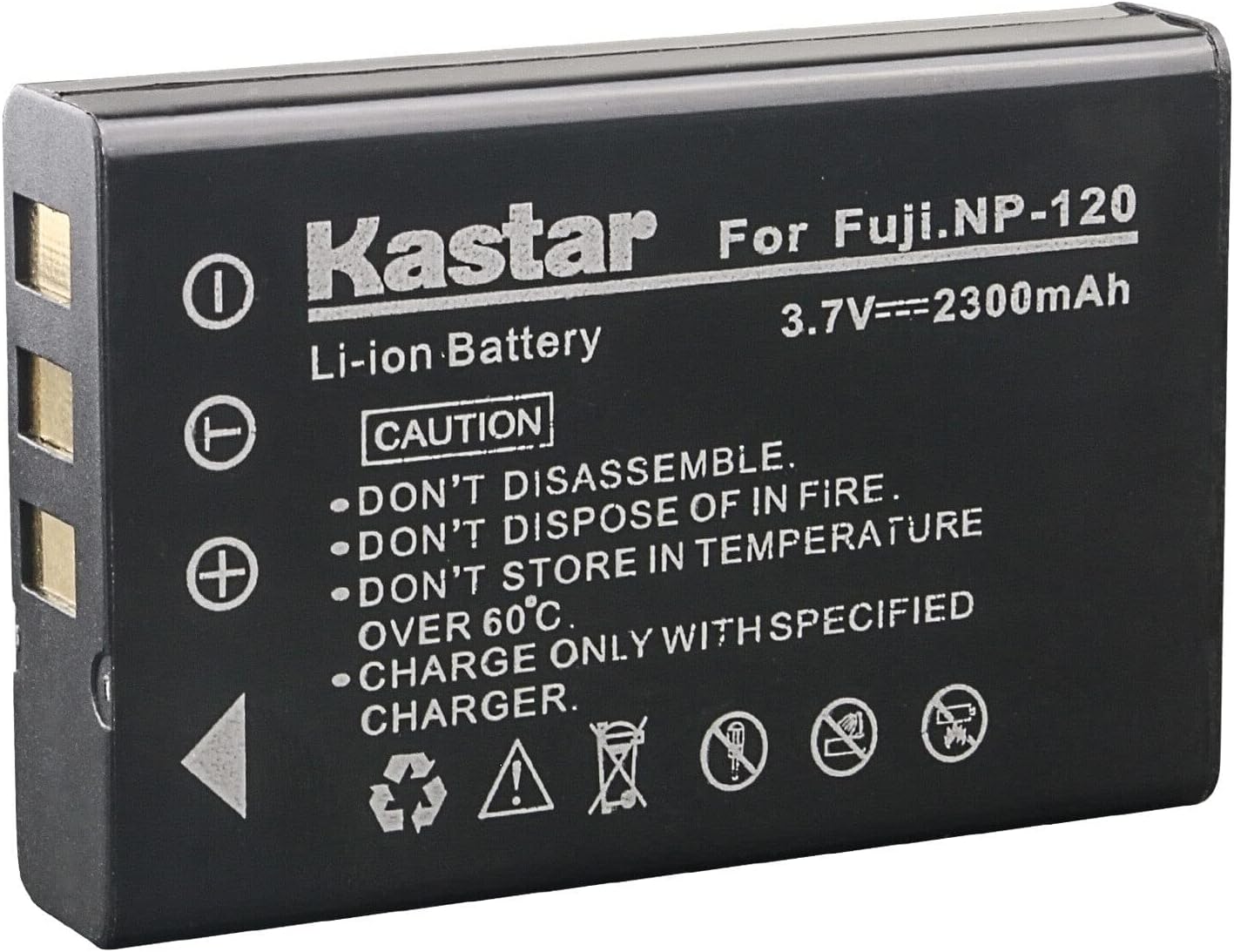
Image: Kastar FNP-120 Battery showing caution labels regarding disassembly, fire, temperature, and charging.
Charger Care
- Use the charger in a dry location only.
- To prevent fire or moisture, do not expose the charger to water or high humidity.
- Do not remove the cover or back plate. There are no user-serviceable parts inside. Refer servicing to qualified service personnel.
- Clean the charger with a dry, soft cloth. Avoid using harsh chemicals.
Troubleshooting
- Battery not charging: Ensure the charger is properly plugged into a working power outlet. Verify the battery is correctly inserted into the charger. Check for any visible damage to the charger or battery contacts.
- Battery not fitting in camera: Some camera models may have slight variations. If a battery does not fit, do not force it. Verify your camera model is listed as compatible. For certain Minolta MN35Z models, users have reported needing to slightly file the corners and center of the battery for a proper fit. However, modifying the battery or camera may void warranties.
- Battery not powering device: Ensure the battery is fully charged. Check that the battery is correctly inserted into the device. Verify that the device itself is functioning correctly with other known good batteries.
- Charger or battery appears damaged: Discontinue use immediately. Do not attempt to repair. Contact Kastar customer support for assistance.
Specifications
| Feature | Specification |
|---|---|
| Battery Type | Lithium-Ion |
| Battery Voltage | 3.7V |
| Battery Capacity | 2300mAh |
| Charger Input | AC 100~240V 50~60Hz |
| Charger Output | DC 4.2V 800mA |
| Product Dimensions | 3 x 3 x 4 inches |
| Item Weight | 7 ounces |
| Model Number | CHL-4B-FNP120-U |
| Certifications | CE, FCC, RoHS |
Warranty and Support
Kastar products typically come with an 18-month warranty. For specific warranty details, claims, or technical support, please contact Kastar customer service directly. Keep your purchase receipt as proof of purchase.
You can often find support contact information on the Kastar official website or through the retailer where you purchased the product.