
Ajazz DKM150
Ajazz DKM150 Mechanical Gaming Keyboard User Manual
Model: DKM150
1. Introduction
This manual provides detailed instructions for the setup, operation, maintenance, and troubleshooting of your Ajazz DKM150 Mechanical Gaming Keyboard. Please read this manual thoroughly to ensure proper use and to maximize your keyboard's performance and lifespan.
The Ajazz DKM150 is a 104-key mechanical gaming keyboard featuring custom brown switches, white backlighting, and a unique magnetic suction panel for customizable aesthetics. It is designed for durability and responsive performance in both gaming and general use.
2. Package Contents
Please verify that all items are present in your package:
- Ajazz DKM150 Mechanical Gaming Keyboard (Orange)
- USB Cable (Attached)
- User Manual (This document)
3. Setup
The Ajazz DKM150 keyboard is designed for plug-and-play functionality, requiring no additional driver installation for basic operation.
- Connect the Keyboard: Locate an available USB port on your computer. Insert the USB connector of the keyboard's cable into the USB port.
- System Recognition: Your operating system will automatically detect and install the necessary generic drivers. This process may take a few moments.
- Functionality Test: Once recognized, the keyboard's backlight should illuminate. Open a text editor or web browser and type to confirm key input.
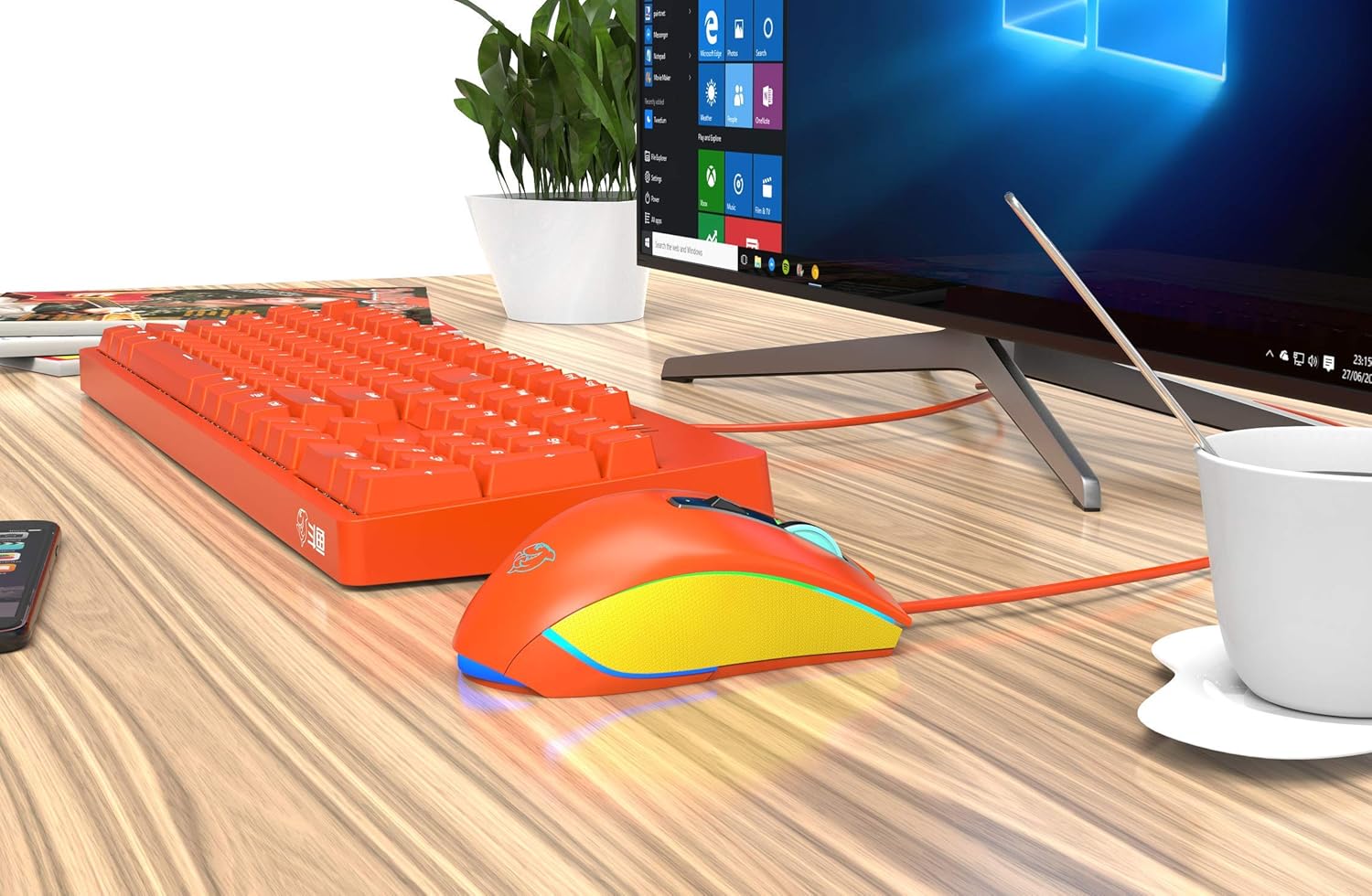
Image: The Ajazz DKM150 keyboard connected to a desktop computer, illustrating a typical setup environment.
4. Operating Instructions
4.1 Key Layout and Basic Functions
The DKM150 features a standard 104-key layout. All keys perform their standard functions as labeled. The keyboard includes a numeric keypad and dedicated function keys (F1-F12).

Image: A clear top-down view of the Ajazz DKM150 keyboard, showing the full 104-key layout.
4.2 Magnetic Suction Panel
The keyboard features a magnetic suction panel that can be easily removed or attached to customize the keyboard's appearance. This allows users to choose between a suspended keycap look or a more traditional framed design.
- To Remove: Gently press on both sides of the panel and lift upwards.
- To Attach: Align the panel with the keyboard's edges and gently press down until the magnets secure it in place.
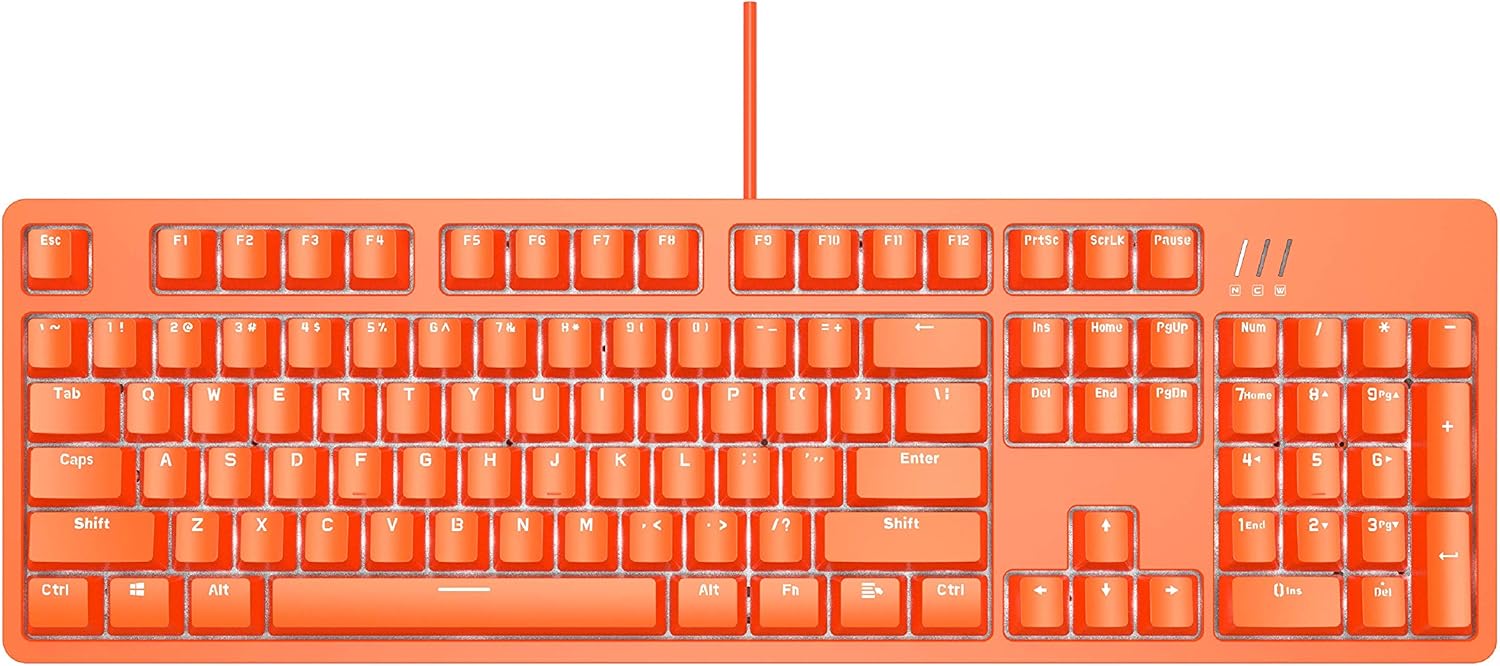
Image: The Ajazz DKM150 keyboard with its orange magnetic top panel separated, revealing the white base and key switches.
4.3 White Backlight Control
The DKM150 is equipped with a white backlight. While specific key combinations are not detailed, most backlit keyboards use the 'Fn' key in combination with other keys (e.g., arrow keys, 'Ins', 'Del', 'Home', 'End', 'PgUp', 'PgDn') to adjust brightness or switch between lighting modes. Experiment with these combinations to find the desired effect.

Image: An angled view of the Ajazz DKM150 keyboard, showcasing its white backlighting illuminating the orange keycaps.
4.4 Custom Brown Switches
The keyboard utilizes custom brown mechanical switches, designed to provide a tactile bump without an audible click. These switches offer a balanced experience suitable for both typing and gaming, with a lifespan of up to 60 million keystrokes.
4.5 Advanced Features (Software Dependent)
The DKM150 supports advanced features such as N-key rollover, macro editing, and adjustable USB report rates (125/250/500/1000Hz). These functionalities typically require dedicated software, which may be available from the manufacturer's website. Please refer to the software's documentation for detailed instructions on configuration.
5. Maintenance
Proper maintenance ensures the longevity and performance of your keyboard.
- Cleaning: Regularly clean the keyboard to prevent dust and debris buildup. Use a soft brush or compressed air to remove particles between keycaps. For surface cleaning, use a slightly damp, lint-free cloth. Avoid harsh chemicals or abrasive materials.
- Keycap Removal: If necessary, keycaps can be carefully removed using a keycap puller (not included) for deeper cleaning. Ensure the keyboard is unplugged before removing keycaps.
- Storage: When not in use for extended periods, store the keyboard in a dry, dust-free environment.
6. Troubleshooting
If you encounter issues with your Ajazz DKM150 keyboard, please refer to the following common solutions:
- Keyboard Not Responding:
- Ensure the USB cable is securely connected to both the keyboard and the computer.
- Try connecting the keyboard to a different USB port on your computer.
- Test the keyboard on another computer to rule out a system-specific issue.
- Backlight Not Working:
- Check if the backlight has been turned off or dimmed using the keyboard's function keys (e.g., Fn + arrow keys).
- Ensure the keyboard is properly connected and receiving power.
- Specific Keys Not Registering:
- Carefully remove the problematic keycap and inspect the switch for any obstructions or damage.
- Clean around the switch using compressed air.
- If the issue persists, it may indicate a hardware fault.
- Intermittent Key Input (e.g., Spacebar):
- This can sometimes be caused by debris under the keycap or a faulty switch. Follow the steps for 'Specific Keys Not Registering'.
- Ensure the keycap is seated correctly and not binding.
If these steps do not resolve your issue, please contact customer support.
7. Specifications
| Brand | Ajazz (FIRSTBLOOD ONLY GAME.) |
| Model | DKM150 |
| Connectivity | USB Wired |
| Switch Type | Custom Brown Mechanical Switches |
| Backlight | White Backlit |
| Key Count | 104 Keys |
| Special Features | Magnetic Suction Panel, N-key Rollover, Macro Editing (via software), Ergonomic |
| Material | Aluminum and ABS Construction |
| Dimensions (L x W x H) | 43.38 x 12.88 x 3.86 cm (approx. 17.08 x 5.07 x 1.52 inches) |
| Weight | 1.36 kg (approx. 3 lbs) |
| Compatibility | Windows 10/8/7 XP Vista, Mac, Linux (Note: No dedicated software for Mac OS) |
8. Warranty and Support
Your Ajazz DKM150 Mechanical Gaming Keyboard comes with a 1-Year Manufacturer's Warranty. Additionally, an Unconditional 30-Day Money-Back Guarantee is provided from the date of purchase.
For warranty claims, technical support, or any product-related inquiries, please contact your retailer or the manufacturer's official support channels. Keep your proof of purchase for warranty validation.
Related documentsDKM150


Ask a question about this manual
Ask about setup, troubleshooting, compatibility, parts, safety, or missing instructions. Manuals+ will review the question and use this page’s manual context to help answer it.