
MMK SB-211
MMK Wireless Bluetooth/2.4GHz Rechargeable Mouse (Model SB-211) Instruction Manual
Your comprehensive guide to setup, operation, and maintenance.
Introduction
Thank you for purchasing the MMK Wireless Bluetooth/2.4GHz Rechargeable Mouse. This manual provides detailed instructions to help you set up, operate, and maintain your new mouse. Please read this manual thoroughly before use and keep it for future reference.

Image: The MMK Wireless Mouse featuring its sleek design and vibrant 7-color LED lighting.
Setup
1. Charging the Mouse
Before first use, fully charge the mouse. Connect the included USB charging cable to the mouse's charging port and a USB power source. A full charge typically takes 2-4 hours and provides 3-4 weeks or more of continuous use.
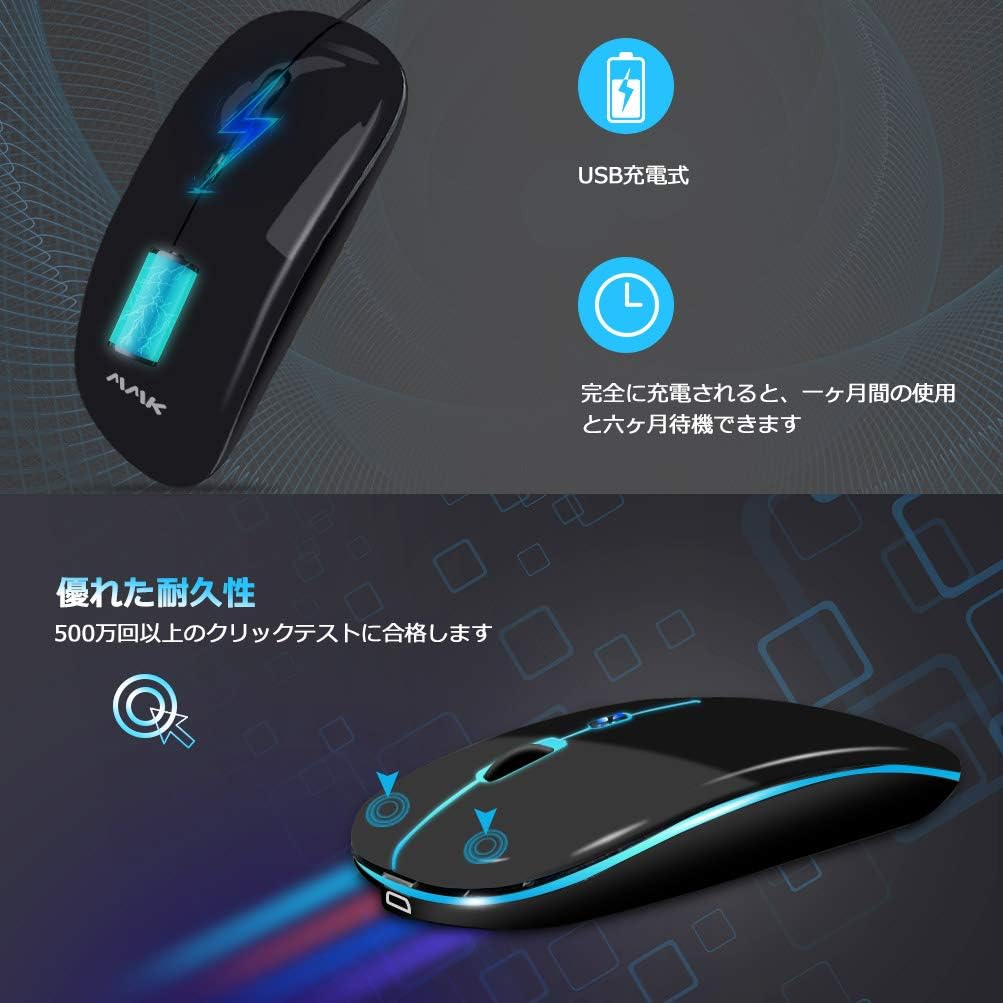
Image: The mouse connected to a USB charging cable, indicating its rechargeable nature.
2. Connection Methods
The MMK mouse supports two connection modes: 2.4GHz Wireless and Bluetooth 5.1.
2.1. 2.4GHz Wireless Connection
- Locate the USB receiver stored in the mouse's bottom compartment.
- Plug the USB receiver into an available USB port on your computer.
- Turn on the mouse using the power switch on the bottom. The mouse will automatically connect. No driver installation is required.
2.2. Bluetooth 5.1 Connection
- Turn on the mouse using the power switch on the bottom.
- Switch the mode to Bluetooth by pressing the mode switch button on the bottom of the mouse. The LED indicator will show Bluetooth mode.
- On your device (computer, tablet, smartphone), go to Bluetooth settings and search for new devices.
- Select "MMK Mouse" (or similar name) from the list of available devices to pair.
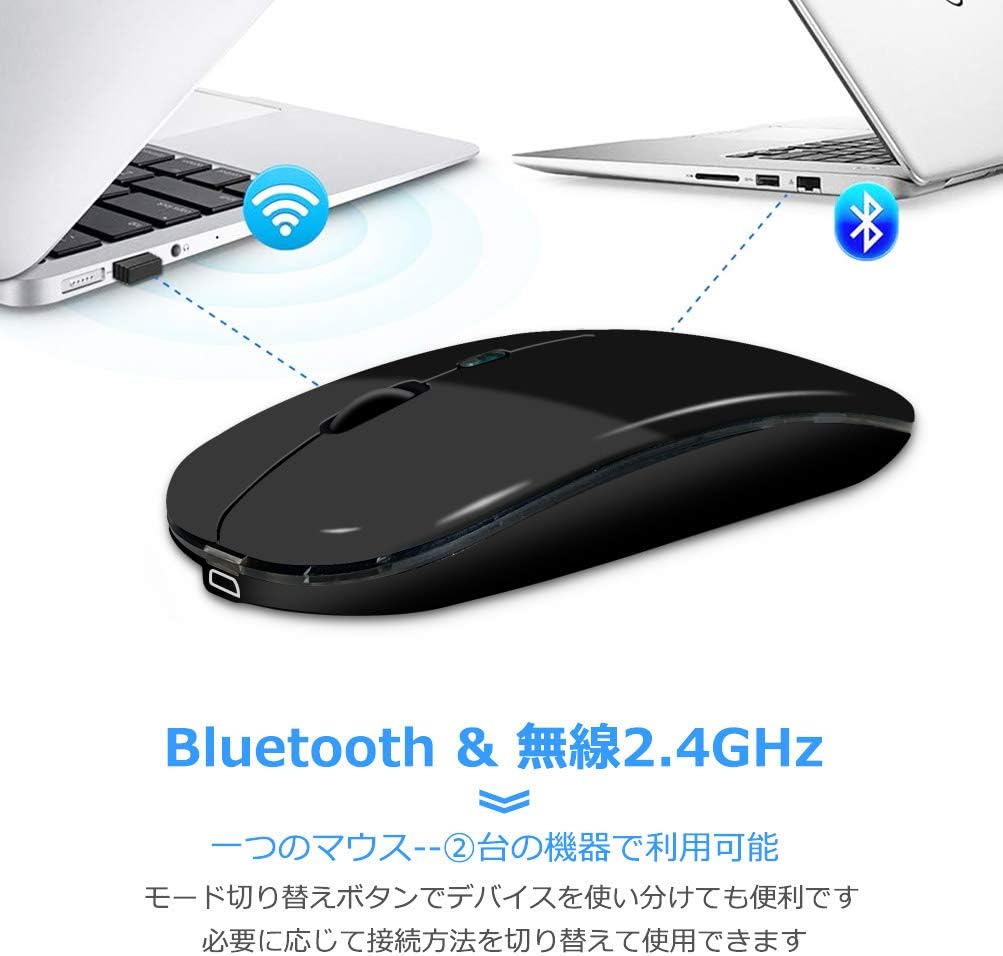
Image: Illustration showing the mouse connecting to a laptop via a 2.4GHz USB receiver and to another laptop via Bluetooth.
3. Compatibility
The MMK Wireless Mouse is compatible with a wide range of operating systems and devices:
- Bluetooth Function: Compatible with Windows 8, Windows 10, Android 5.0 or later, iOS 13 or later, and macOS X 10.10 or later.
- 2.4GHz Wireless: Usable with all devices that support a USB socket.
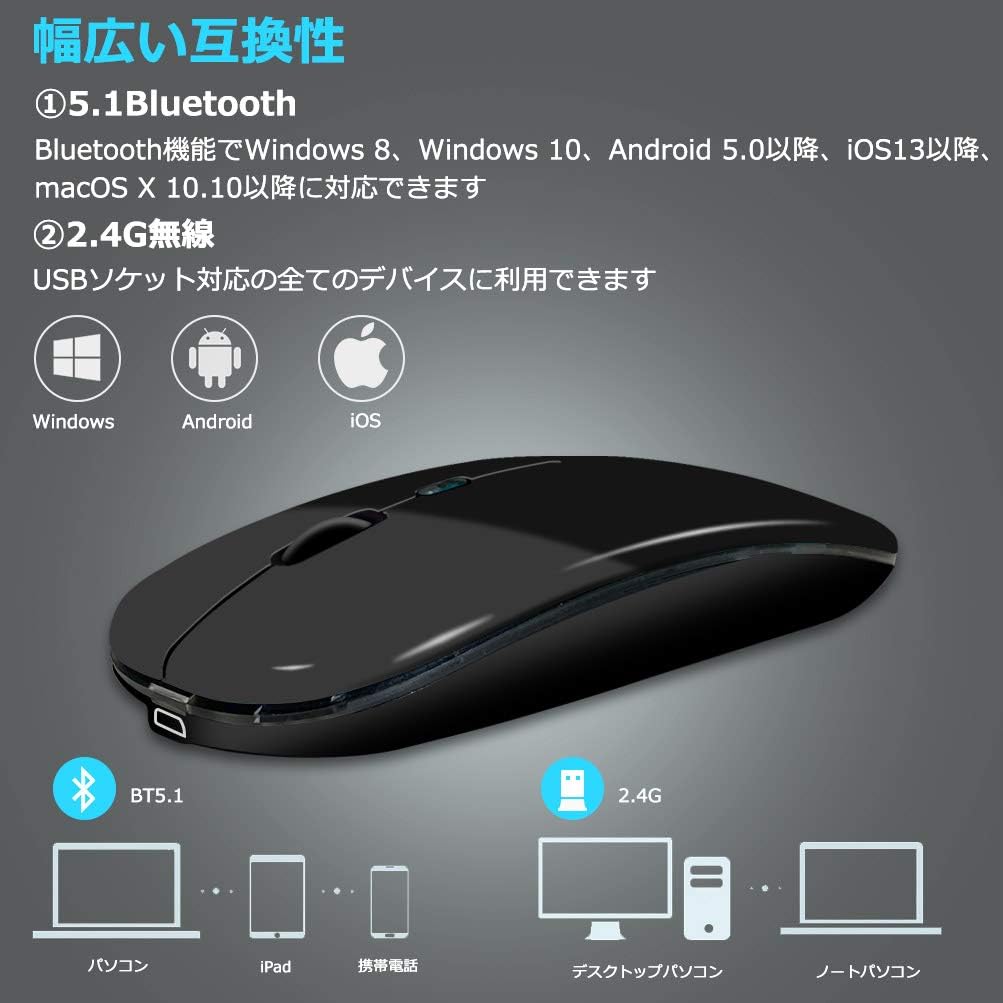
Image: A visual representation of the mouse's broad compatibility with various operating systems and device types, including PCs, iPads, smartphones, desktop computers, and laptops.
Operating Instructions
1. DPI Adjustment
The mouse features three adjustable DPI (Dots Per Inch) settings to control cursor speed and precision. Press the DPI adjustment button (located on the top of the mouse, usually near the scroll wheel) to cycle through the settings:
- 800 DPI: Ideal for precise tasks like editing and graphic design.
- 1200 DPI: Suitable for general use and entertainment.
- 1600 DPI: Best for fast-paced activities such as gaming (FPS) and detailed illustrations.

Image: A diagram illustrating the three DPI settings (800, 1200, 1600) and their recommended uses for work, study, gaming, and image processing.
2. Silent Click Feature
The MMK mouse is designed with silent click buttons, reducing click noise by 90% compared to conventional models. This feature allows for quiet operation in environments such as libraries, cafes, or during late-night use, minimizing disturbance to others.
3. 7-Color LED Backlight
The mouse incorporates a vibrant 7-color RGB LED backlight that changes automatically, enhancing the visual experience and atmosphere, especially during gaming or in low-light conditions.
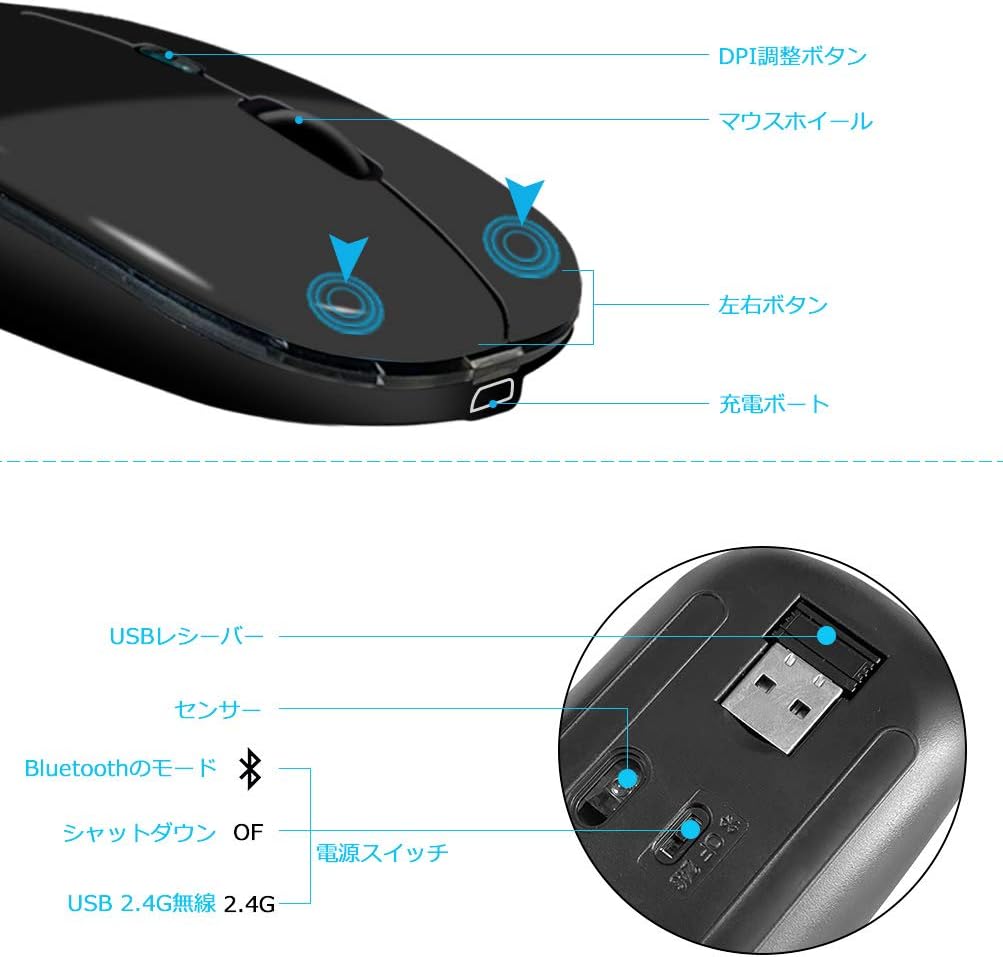
Image: The mouse showcasing its dynamic 7-color LED lighting and highlighting the silent click buttons and overall durability.
4. Power Saving Mode
The mouse is equipped with a smart sleep mode. If left inactive for a prolonged period, it will automatically enter a power-saving sleep state. To reactivate the mouse, simply press any button.
5. Button Layout

Image: A detailed diagram indicating the location of the DPI adjustment button, scroll wheel, left and right buttons, charging port, USB receiver storage, sensor, and power/mode switch on the MMK Wireless Mouse.
Maintenance
To ensure the longevity and optimal performance of your MMK Wireless Mouse, follow these maintenance guidelines:
- Cleaning: Use a soft, dry cloth to wipe the mouse surface. For stubborn dirt, slightly dampen the cloth with water or a mild cleaning solution. Avoid harsh chemicals or abrasive materials.
- Storage: When not in use, store the mouse in a clean, dry place away from direct sunlight and extreme temperatures.
- Avoid Drops: While durable, avoid dropping the mouse to prevent internal damage.
- Charging: Use only the provided USB charging cable or a compatible cable to charge the mouse.
- Special Coating: The mouse features a special coating that is sweat-resistant, anti-slip, and anti-fingerprint. Regular cleaning will help maintain these properties.
Troubleshooting
If you encounter any issues with your MMK Wireless Mouse, please refer to the following common solutions:
- Mouse not responding:
- Ensure the mouse is powered on.
- Check the battery level and charge the mouse if necessary.
- For 2.4GHz connection, ensure the USB receiver is securely plugged into a working USB port. Try a different USB port.
- For Bluetooth connection, ensure Bluetooth is enabled on your device and the mouse is paired correctly. Try unpairing and re-pairing the mouse.
- Try restarting your computer or device.
- Cursor movement is erratic or slow:
- Clean the optical sensor on the bottom of the mouse.
- Ensure you are using the mouse on a suitable surface (not highly reflective or transparent).
- Adjust the DPI setting to a higher value if the cursor is too slow.
- LED lights are not working:
- Ensure the mouse is powered on.
- The LED lights may turn off in power-saving mode. Move the mouse or click a button to wake it up.
- Mouse not charging:
- Ensure the charging cable is securely connected to both the mouse and the power source.
- Try a different USB port or power adapter.
- Ensure the charging cable is not damaged.
Specifications
| Feature | Detail |
|---|---|
| Brand | MMK |
| Model Number | SB-211 |
| Color | Black |
| Connectivity Technology | 2.4GHz Wireless, Bluetooth 5.1 |
| Movement Detection Technology | Optical |
| DPI Settings | 800 / 1200 / 1600 DPI (Adjustable) |
| Special Features | Rechargeable, Wireless, Silent Click, 7-Color LED Backlight, Power Saving Mode |
| Battery | Built-in Rechargeable Battery (USB Rechargeable) |
| Battery Life | Approx. 3-4 weeks on a full charge |
| Wireless Range | Up to 10 meters |
| Product Dimensions | 11.5 x 5.7 x 2.2 cm |
| Item Weight | 80 grams |
| Compatible OS | Windows 8/10, Android 5.0+, iOS 13+, macOS X 10.10+ |

Image: The ultra-compact design of the MMK Wireless Mouse, highlighting its dimensions (110mm length, 57mm width, 22mm height) and portability next to a laptop and tablet.
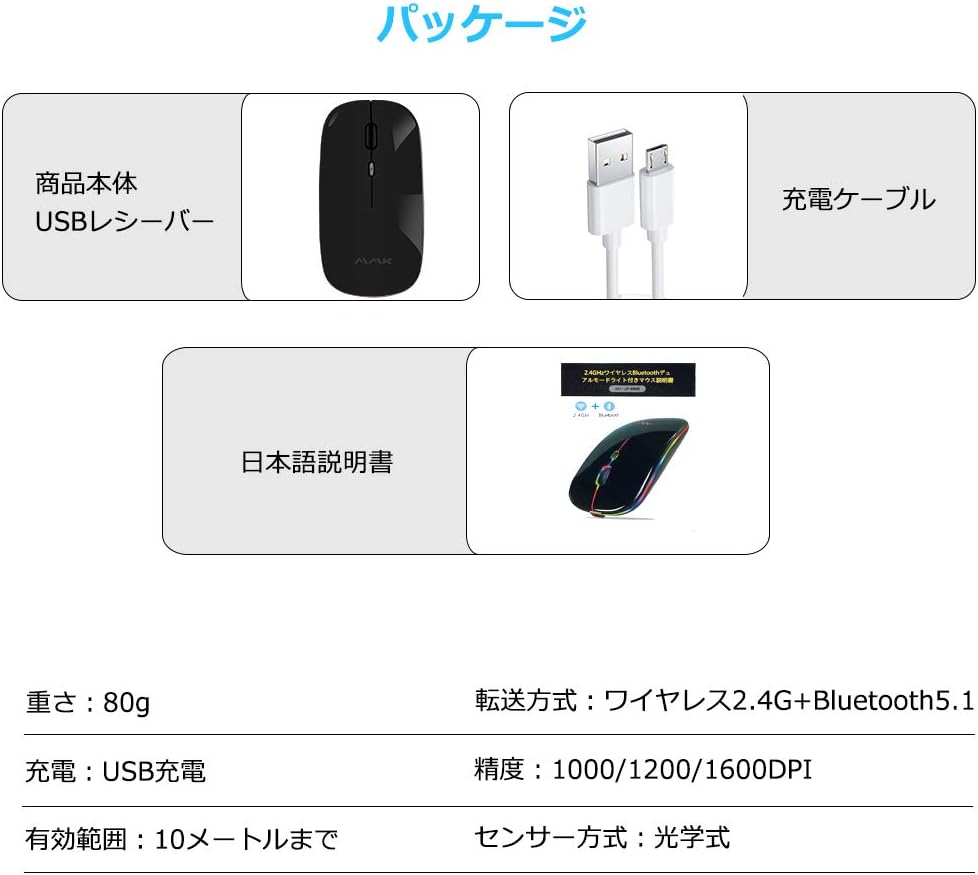
Image: The package contents including the mouse, USB receiver, charging cable, and instruction manual, along with a summary of key specifications.
Warranty and Support
MMK provides a reliable warranty for this product. In the unlikely event of any quality issues with the main unit, please contact us directly for support. You can reach us through your order history by selecting "Contact Seller" or by using the "Ask a Question" option on the product page.
Related documentsSB-211


Ask a question about this manual
Ask about setup, troubleshooting, compatibility, parts, safety, or missing instructions. Manuals+ will review the question and use this page’s manual context to help answer it.