
1. Introduction
Welcome to your new Greenworks 40V 21" Cordless Brushless Push Mower. This manual provides essential information for safe operation, assembly, maintenance, and troubleshooting. Please read it thoroughly before first use to ensure proper function and longevity of your equipment.

2. Important Safety Instructions
Always follow basic safety precautions when using electrical appliances to reduce the risk of fire, electric shock, and personal injury.
General Mower Safety
- Read all instructions before operating the mower.
- Keep children and bystanders away from the operating area.
- Wear appropriate personal protective equipment, including eye protection and sturdy footwear.
- Inspect the area to be mowed and remove any objects that could be thrown by the blade.
- Never operate the mower in wet grass or rain.
- Turn off the mower and remove the battery pack before performing any adjustments, cleaning, or maintenance.
Battery and Charger Safety
- Use only Greenworks specified battery packs and chargers.
- Do not charge battery packs in damp or wet locations.
- Do not incinerate the battery pack, even if it is severely damaged or completely dead.
- Do not open or disassemble the battery pack.
- Store battery packs in a cool, dry place away from direct sunlight and extreme temperatures.
3. Product Components
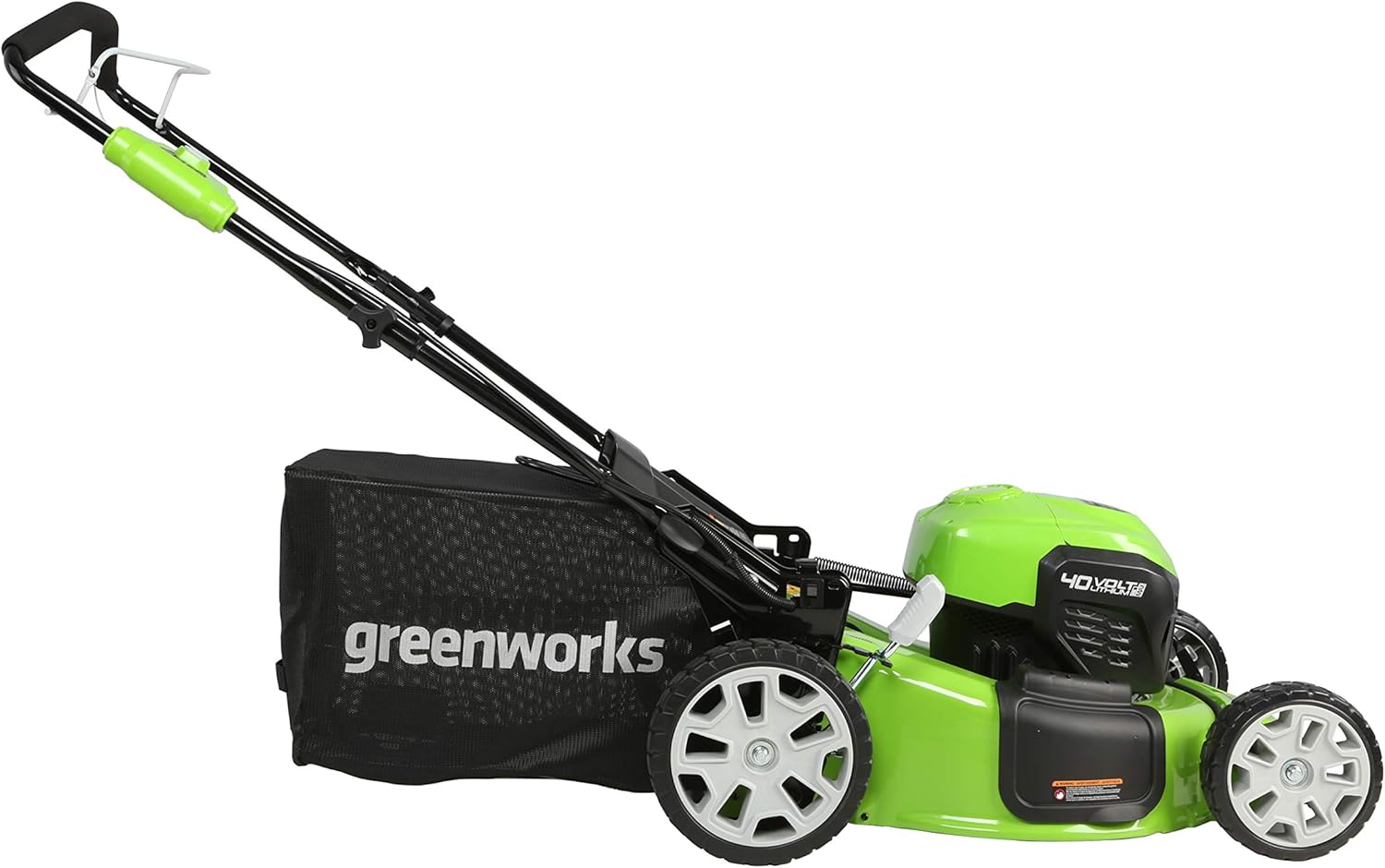
Familiarize yourself with the main parts of your Greenworks lawn mower for easier assembly and operation.

Key components include the main handle, motor housing, 21-inch cutting deck, front and rear wheels, grass collection bag, and the dual battery compartment.
4. Setup and Assembly
4.1 Unpacking
Carefully remove all components from the packaging. Ensure all parts listed in the packing list are present and undamaged. Retain packaging materials for future storage or transport.
4.2 Handle Assembly
- Unfold the lower handle and secure it with the provided knobs.
- Attach the upper handle to the lower handle, ensuring the quick-release clamps are securely fastened.
- Adjust the handle height to a comfortable operating position, if applicable.
4.3 Battery Charging and Installation
Your mower comes with a 4.0Ah battery and a 2.0Ah USB battery. Both must be charged before first use.
- Connect the charger to a standard power outlet.
- Insert the battery into the charger. The indicator light will show charging status.
- Once fully charged, remove the battery from the charger.
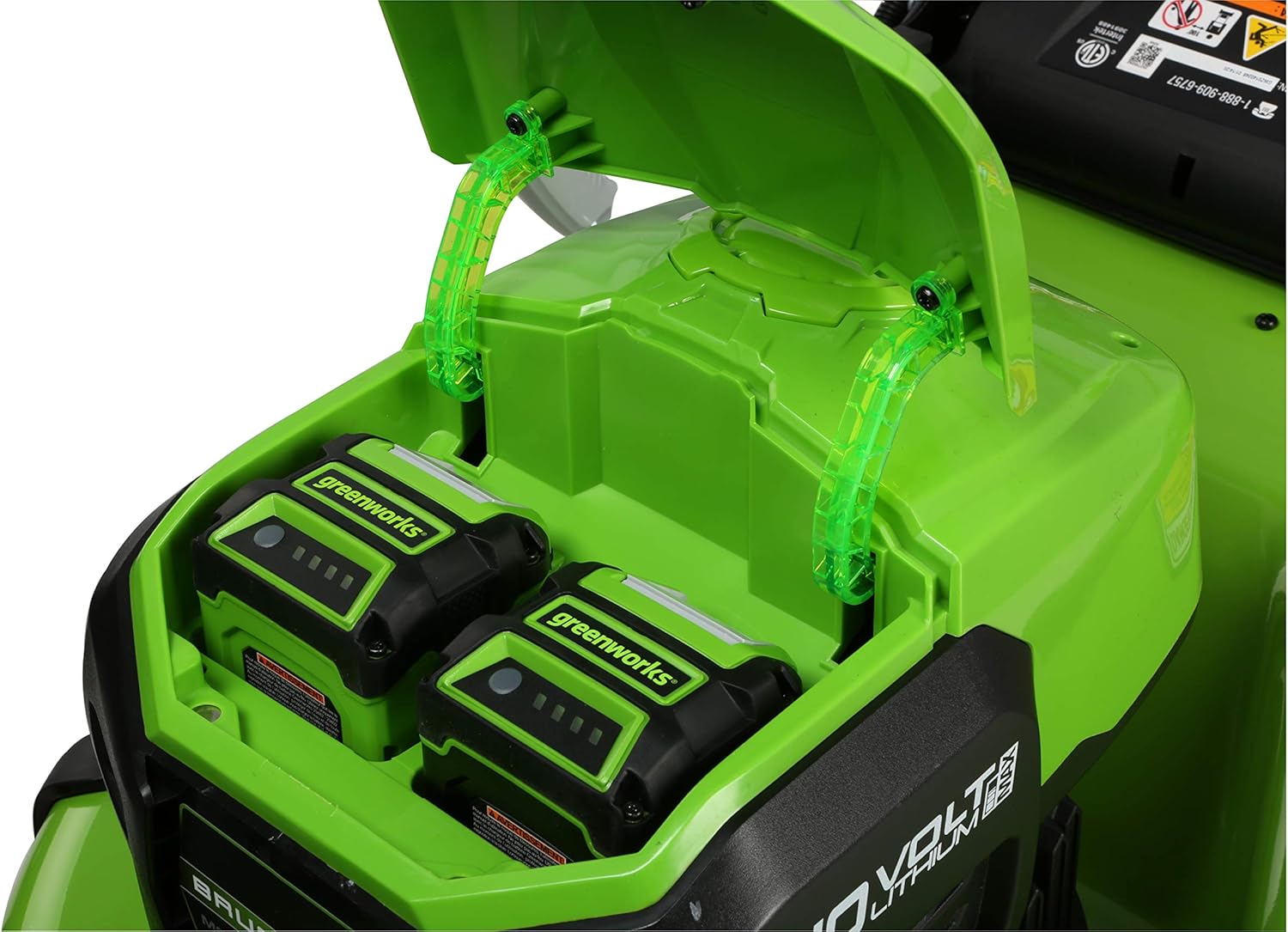
- Open the battery compartment cover on the mower.
- Slide both charged batteries into the designated battery ports until they click into place.
- Close the battery compartment cover securely.

5. Operating Instructions
5.1 Starting and Stopping the Mower
- Ensure batteries are installed and the battery compartment is closed.
- Press and hold the safety button on the handle.
- While holding the safety button, pull the bail switch lever towards the handle. The mower will start.
- To stop the mower, release the bail switch lever.
5.2 Adjusting Cutting Height
The mower features a single lever 7-position height adjustment, allowing cutting heights from 1-3/8 inches to 3-3/4 inches.
- Ensure the mower is off and the battery is removed for safety.
- Locate the height adjustment lever on the side of the mower deck.
- Pull the lever outwards and move it to the desired height setting.
- Release the lever to lock it into position. Ensure all wheels are at the same height.
5.3 Mowing Modes (4-in-1 Function)
Your mower supports mulching, bagging, side discharge, and rear discharge.
- Mulching: For returning fine grass clippings to the lawn as fertilizer. Ensure the side discharge chute and rear bag are removed, and the mulching plug is installed.
- Bagging: For collecting grass clippings. Attach the grass collection bag to the rear discharge opening.
- Side Discharge: For discharging clippings out the side. Attach the side discharge chute and ensure the mulching plug is removed and the rear bag is not attached.
- Rear Discharge: For discharging clippings out the rear. Ensure the mulching plug is removed and the rear bag is not attached.

5.4 Dual Battery System
The mower features dual battery ports with automatic switch-over. When one battery depletes, the mower's power supply is automatically switched to the second battery, providing longer, uninterrupted run-times.
5.5 Turbo Button
Use the turbo button for an extra boost of power when mowing through thick or dense grass. This feature temporarily increases blade speed for improved cutting performance.
5.6 USB Port
The 2.0Ah battery includes a USB port, allowing you to charge portable electronic devices such as phones and tablets.
5.7 Instructional Videos
Video 1: Overview of the Greenworks 40V family of tools, including the mower.
Video 2: Detailed look at the Greenworks 40V 21" Brushless Lawn Mower features and operation.
6. Maintenance
Regular maintenance ensures optimal performance and extends the life of your mower.
6.1 Cleaning
- After each use, disconnect the battery and clean the mower deck and exterior with a damp cloth.
- Remove any grass clippings or debris from the underside of the deck to prevent buildup and ensure efficient cutting.
- Do not use water hoses or high-pressure washers directly on the mower.
6.2 Blade Care
- Regularly inspect the blade for sharpness and damage. A dull blade can tear grass, leading to an unhealthy lawn.
- If the blade is dull, it can be sharpened by a qualified service technician or replaced with a genuine Greenworks replacement blade. Note that the blade is curved and requires specific sharpening techniques.
- Always wear heavy-duty gloves when handling the blade.
6.3 Storage
- Before storing, ensure the mower is clean and dry, and the batteries are removed.
- Store the mower in a cool, dry, and well-ventilated area, away from direct sunlight and moisture.
- The mower can be stored vertically to save space.


7. Troubleshooting
This section addresses common issues you might encounter and provides solutions.
| Problem | Possible Cause | Solution |
|---|---|---|
| Mower does not start | Battery not charged or improperly installed; Safety button/bail switch not engaged. | Ensure batteries are fully charged and correctly inserted. Engage safety button and pull bail switch. |
| Poor cutting performance | Dull or damaged blade; Mowing too fast; Grass too tall or wet. | Sharpen or replace blade. Mow at a slower pace. Avoid mowing wet or excessively tall grass. Adjust cutting height. |
| Short run time | Batteries not fully charged; Old or worn batteries; Mowing thick grass frequently. | Ensure batteries are fully charged. Consider replacing old batteries. Avoid consistently using the turbo function in light grass. |
| Excessive vibration | Bent or unbalanced blade; Loose components. | Inspect blade for damage and balance. Tighten any loose fasteners. If vibration persists, seek professional service. |
8. Technical Specifications
Detailed specifications for the Greenworks 40V 21" Cordless Brushless Push Mower.
| Feature | Specification |
|---|---|
| Brand | Greenworks |
| Model Number | MO40L4210 |
| Power Source | Battery Powered (40V) |
| Motor Type | Brushless |
| Cutting Width | 21 inches |
| Cutting Height Adjustment | 7 positions (1-3/8" to 3-3/4") |
| Operation Mode | Automatic |
| Item Weight | 57.8 pounds |
| Product Dimensions (D x W x H) | 62.25" x 21.5" x 23.22" |
| Wheel Size | 10 inches (rear), 8 inches (front) |
| Battery Average Life | Up to 70 minutes (with 4Ah and 2Ah batteries) |
| Material | Plastic, Stainless Steel |
| UPC | 841821072155 |

9. Warranty Information
The Greenworks 40V 21" Cordless Brushless Push Mower (Model MO40L4210) is covered by a 3-year warranty. This warranty typically covers defects in materials and workmanship under normal use. For complete details regarding coverage, limitations, and how to make a claim, please refer to the warranty documentation included with your purchase or visit the official Greenworks website.
10. Customer Support
For technical assistance, replacement parts, or warranty claims, please contact Greenworks customer service. Have your model number (MO40L4210) and UPC (841821072155) ready when contacting support.
You can find additional resources and contact information by visiting the official Greenworks store:


