
1. Introduction
This manual provides detailed instructions for the safe operation and maintenance of your DEERC DE35 RC Stunt Car. Please read this manual thoroughly before use and retain it for future reference. This remote control car features 4-wheel drive, 360-degree rotation, double-sided driving, and LED lights, operating on a 2.4GHz frequency for stable control.
2. Package Contents
- 1 x DEERC DE35 RC Stunt Car
- 1 x 2.4GHz Remote Controller
- 2 x 3.7V 400mAh Rechargeable Batteries (for car)
- 1 x USB Charging Cable
- 1 x Screwdriver
- 1 x Instruction Manual
3. Safety Precautions
- Age Recommendation: This product is recommended for ages 6 and up. Adult supervision is required for children under 6 years old.
- Battery Safety: Do not mix old and new batteries. Do not mix alkaline, standard (carbon-zinc), or rechargeable (nickel-cadmium) batteries. Always remove batteries when the product is not in use for extended periods.
- Charging: Use only the provided USB charging cable. Do not overcharge batteries.
- Environment: Avoid operating the car in wet conditions, near water, or on public roads.
- Modifications: Do not attempt to modify or disassemble the product, as this may cause damage or injury and will void the warranty.
- Moving Parts: Keep fingers, hair, and loose clothing away from the wheels and other moving parts during operation.
4. Product Overview
The DEERC DE35 RC Stunt Car is designed for dynamic play with its unique features. Below are key aspects of the car and its remote control.
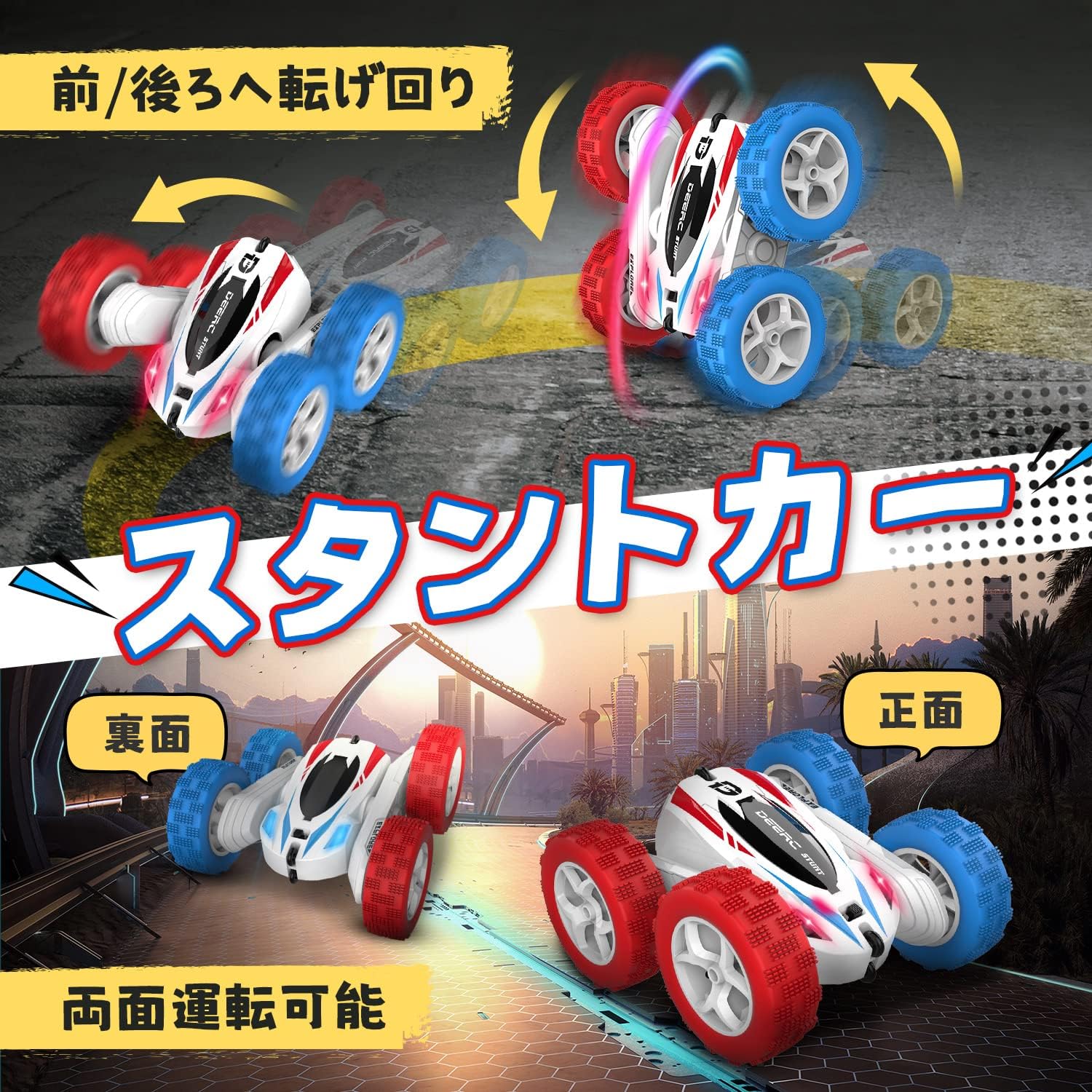
Image 1: The DEERC DE35 RC Stunt Car showcasing its ability to drive on both sides and perform 360-degree flips and rotations. The car is white with red and blue wheels.

Image 2: The 4-wheel drive system allows the DE35 stunt car to navigate diverse terrains such as grass, sand, and rocky surfaces with ease. The image shows the car in different outdoor settings.
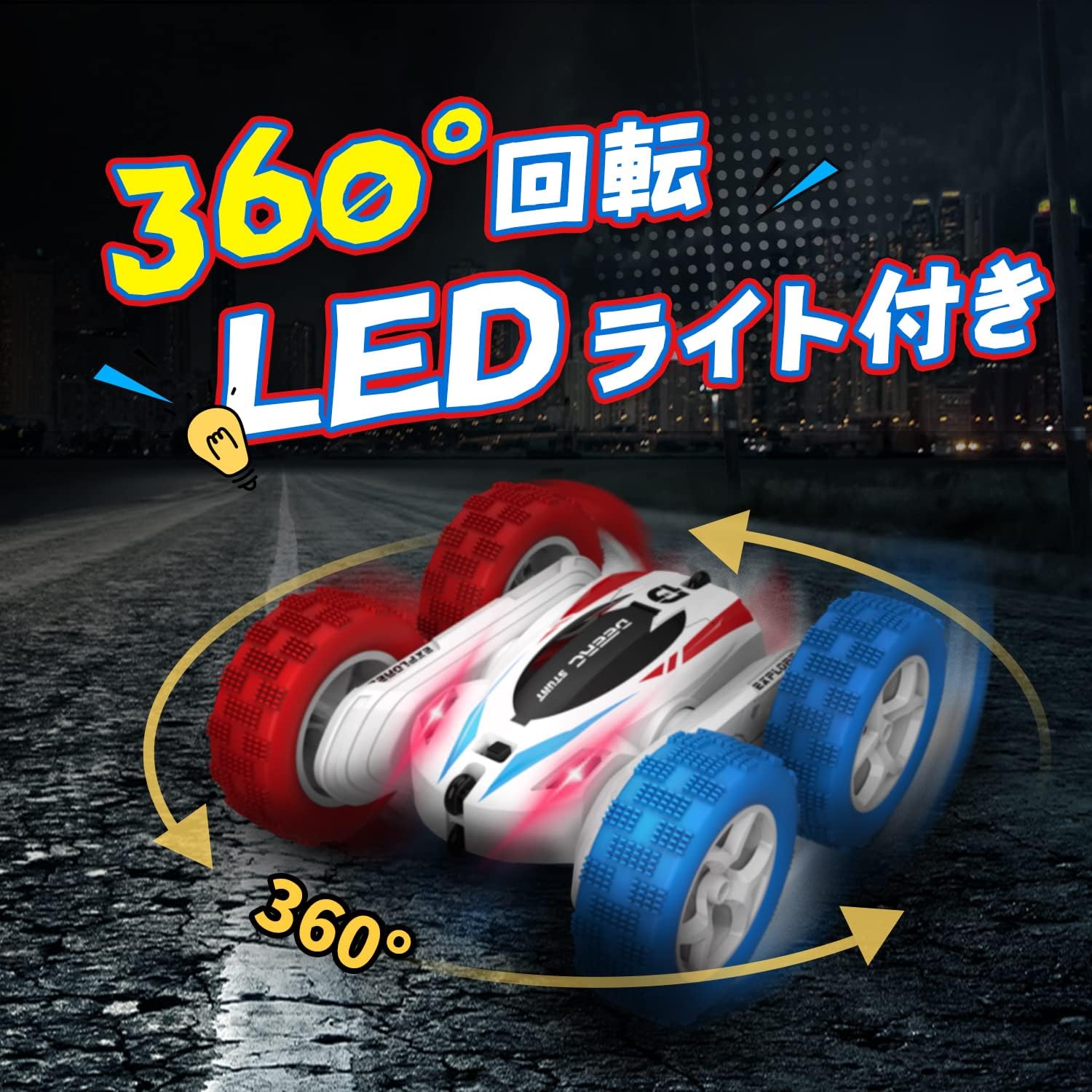
Image 3: The car features vibrant LED lights and can execute impressive 360-degree spins, enhancing the play experience, especially in low-light conditions.

Image 4: The remote controller for the DEERC DE35. It features a power indicator lamp, power switch, and joysticks for controlling the left and right wheels for forward/backward movement and turning.

Image 5: The 2.4GHz remote control system allows multiple DEERC DE35 cars to be operated at the same time without signal interference, perfect for multi-player fun.

Image 6: The compact dimensions of the DEERC DE35 RC Stunt Car are approximately 16 cm in length, 15.5 cm in width, and 5 cm in height, making it suitable for indoor and outdoor play.
5. Setup
5.1 Charging the Car Battery
- Connect the USB charging cable to the car battery.
- Plug the USB cable into a USB power adapter (not included) or a computer USB port.
- The indicator light on the USB cable will show the charging status. Refer to the cable's instructions for specific light indications.
- Charging typically takes approximately 3 hours for a full charge. Each battery provides about 20 minutes of play time.
5.2 Installing Car Batteries
- Using the provided screwdriver, open the battery compartment cover on the bottom of the car.
- Connect the fully charged 3.7V 400mAh battery to the car's power connector.
- Carefully place the battery inside the compartment and close the cover. Secure it with the screw.
5.3 Installing Remote Controller Batteries
- Open the battery compartment cover on the back of the remote controller.
- Insert 2 x AA batteries (not included) into the compartment, ensuring correct polarity (+/-).
- Close the battery compartment cover.
6. Operating Instructions
6.1 Pairing the Remote Controller
- Turn on the RC car using the switch on its underside. The car's LED lights will flash.
- Turn on the remote controller. The remote's indicator light will flash.
- Push the left joystick up and then down. The indicator lights on both the car and remote will become solid, indicating successful pairing.
6.2 Basic Controls
- Forward: Push both joysticks forward.
- Backward: Pull both joysticks backward.
- Turn Left: Push the right joystick forward and the left joystick backward.
- Turn Right: Push the left joystick forward and the right joystick backward.
6.3 Stunt Functions
- 360-Degree Rotation: Push one joystick forward and the other backward simultaneously to make the car spin in place.
- Double-Sided Driving: The car is designed to drive on both its top and bottom surfaces. If it flips over, simply continue driving.
7. Maintenance
- Cleaning: Wipe the car and remote controller with a soft, dry cloth. Do not use water or chemical cleaners.
- Storage: Store the product in a cool, dry place away from direct sunlight. Remove all batteries if storing for an extended period.
- Battery Care: Fully charge batteries before storage and recharge them every 3 months to maintain battery health.
8. Troubleshooting
| Problem | Possible Cause | Solution |
|---|---|---|
| Car does not respond to remote. | Low battery in car or remote; Not paired; Out of range. | Charge car battery; Replace remote batteries; Re-pair the car and remote; Operate within 40m range. |
| Short play time. | Battery not fully charged; Old battery; Aggressive driving. | Ensure battery is fully charged (approx. 3 hours); Consider replacing old batteries; Driving style affects battery life. |
| Interference during operation. | Other 2.4GHz devices nearby. | Move to an area with less wireless interference. The 2.4GHz system is designed to minimize interference, but extreme cases may occur. |
| Car moves slowly or inconsistently. | Low battery; Obstruction in wheels. | Charge car battery; Check wheels for debris and clear any obstructions. |
9. Specifications
- Model Number: JP-DE35
- Main Material: Acrylonitrile Butadiene Styrene (ABS)
- Product Dimensions: 16 x 15.5 x 5 cm
- Product Weight: 518 g
- Recommended Age: 6 years and up
- Car Battery: 3.7V 400mAh rechargeable Li-ion (2 included)
- Remote Controller Battery: 2 x AA batteries (not included)
- Operating Frequency: 2.4GHz
- Maximum Speed: Approximately 6 km/h
- Operating Time: Approximately 20 minutes per battery (40 minutes total with 2 batteries)
- Control Range: Approximately 40 meters
10. Warranty and Support
DEERC Toys is committed to providing high-level customer service. If you have any questions or encounter any issues with your DEERC DE35 RC Stunt Car, please do not hesitate to contact us. We strive to offer products that bring joy and enhance your hobbies.
For support, please refer to the contact information provided on the product packaging or the official DEERC website.


