
1. Introduction
Thank you for purchasing the Kaiser MSA-7908RSL 8-inch Wireless Bluetooth Speaker. This manual provides essential information for the safe and efficient operation of your device. Please read it thoroughly before use and retain it for future reference.
2. Safety Information
- Electrical Shock Hazard: Do not open the speaker casing. There are no user-serviceable parts inside. Refer all servicing to qualified personnel.
- Water and Moisture: Do not expose the speaker to rain, moisture, or any liquids. This product is not waterproof.
- Heat Sources: Keep the speaker away from heat sources such as radiators, heat registers, stoves, or other apparatus (including amplifiers) that produce heat.
- Ventilation: Ensure proper ventilation. Do not block any ventilation openings.
- Cleaning: Unplug the speaker from the power source before cleaning. Use a dry cloth only.
- Power Supply: Use only the power adapter supplied with the unit.
Warning: The back panel of the speaker indicates "PELIGRO RIESGO DE CHOQUE ELÉCTRICO NO ABRIR" (DANGER RISK OF ELECTRIC SHOCK DO NOT OPEN). Adhere strictly to this warning.
3. Package Contents
Verify that all items are present in the package:
- Kaiser MSA-7908RSL Wireless Bluetooth Speaker
- Wired Microphone
- Remote Control
- Power Adapter (not explicitly listed in product data, but implied for battery charging)
4. Product Overview
Familiarize yourself with the speaker's components and controls.
4.1 Front View
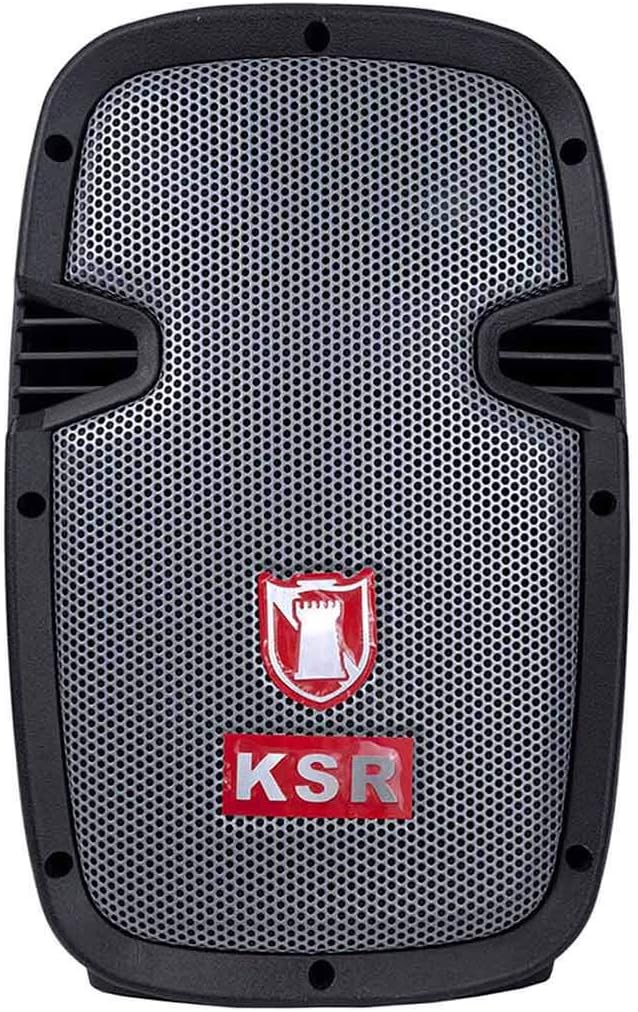
Image: Front view of the Kaiser MSA-7908RSL wireless speaker, showing the speaker grille and KSR logo.
4.2 Side View
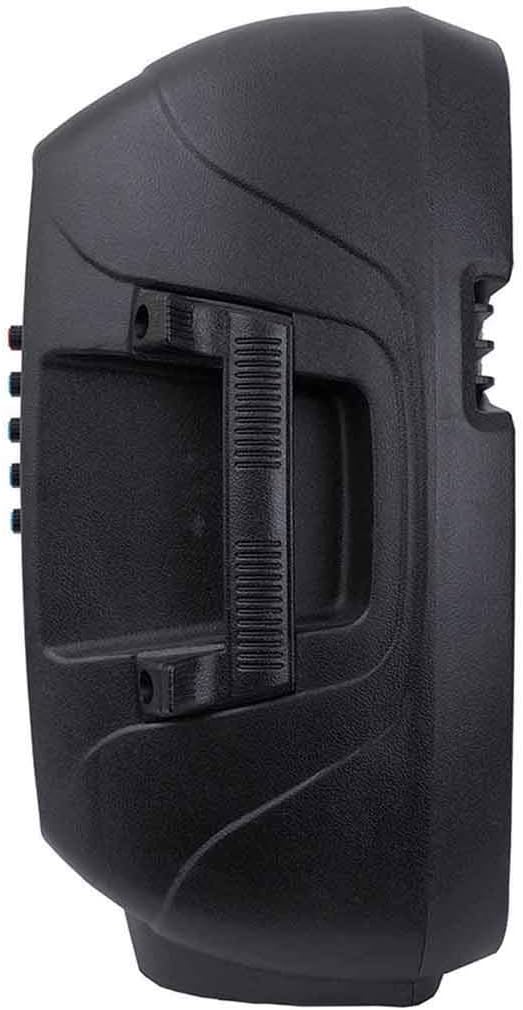
Image: Side view of the Kaiser MSA-7908RSL speaker, highlighting the integrated carrying handle for portability.
4.3 Back Panel Controls and Ports

Image: Detailed view of the back panel of the Kaiser MSA-7908RSL speaker, showing various inputs, outputs, and control knobs.
- MP3/FM/USB/SD/MMC Card Player: Digital media playback and FM radio controls.
- VOL- / SCAN / VOL+: Buttons for volume adjustment, track navigation, and FM scanning.
- MODE: Button to switch between input modes (Bluetooth, AUX, USB/SD, FM).
- AUX Input (L/R): RCA jacks for connecting external audio devices.
- MIC 1 Input: 6.3mm jack for microphone connection.
- MIC 2 Input: 6.3mm jack for a second microphone connection.
- VOLUMEN (Master Volume): Rotary knob to adjust the overall speaker volume.
- GRAVES (Bass): Rotary knob to adjust the bass level.
- AGUDOS (Treble): Rotary knob to adjust the treble level.
- ECO MIC (Microphone Echo): Rotary knob to adjust the echo effect for microphones.
- VOL MIC (Microphone Volume): Rotary knob to adjust the volume of the connected microphones.
- LED CARGA (Charge LED): Indicator light for battery charging status.
- ON/OFF (Power Switch): Main power switch for the speaker.
- ENTRADA 15V (DC 15V Input): Power input for charging the speaker's internal battery.
4.4 Included Accessories

Image: The wired microphone accessory, featuring an ON/OFF switch and a 6.3mm jack connector.
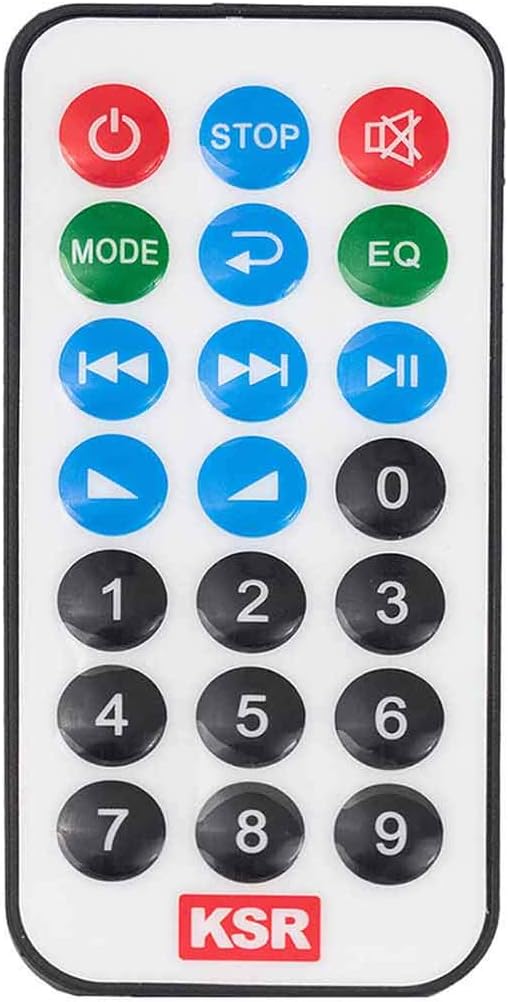
Image: The remote control for the Kaiser MSA-7908RSL speaker, showing various buttons for power, mode, playback, volume, and EQ.
5. Setup
5.1 Charging the Speaker
- Connect the provided power adapter to the ENTRADA 15V port on the back panel of the speaker.
- Plug the adapter into a suitable power outlet.
- The LED CARGA indicator will illuminate to show that the battery is charging.
- Allow the speaker to charge fully before first use for optimal battery life.
5.2 Initial Power On
Flip the ON/OFF switch on the back panel to the 'ON' position. The speaker will power on and typically enter Bluetooth pairing mode by default.
6. Operating Instructions
6.1 Mode Selection
Press the MODE button on the back panel or remote control to cycle through available input modes: Bluetooth, AUX, USB/SD, and FM Radio.
6.2 Bluetooth Connection
- Ensure the speaker is powered on and in Bluetooth mode (the display will show 'BLUE' or a similar indicator).
- Enable Bluetooth on your smartphone, tablet, or other compatible device.
- Search for available devices and select "MSA-7908RSL" from the list.
- Once connected, the speaker will emit a confirmation sound.
LINK Technology (TWS)
The MSA-7908RSL features LINK technology, allowing you to connect two MSA-7908RSL speakers wirelessly for a stereo sound experience. To use this feature:
- Ensure both speakers are powered on and in Bluetooth mode, but not yet connected to any device.
- On one of the speakers, press and hold the 'MODE' button for a few seconds until you hear a pairing sound. The two speakers will automatically connect to each other.
- Once linked, connect your Bluetooth device to one of the speakers as described above. Audio will now play through both speakers in stereo.
6.3 AUX Input
To play audio from devices without Bluetooth:
- Connect an audio cable (not included) from your external device's audio output to the AUX Input (L/R) jacks on the speaker's back panel.
- Press the MODE button until 'AUX' is displayed.
- Control playback and volume from your connected device and the speaker's VOLUMEN knob.
6.4 USB/SD Card Playback
To play music directly from a USB drive or SD/MMC card:
- Insert a USB flash drive into the USB port or an SD/MMC card into the card slot on the MP3 player section.
- Press the MODE button until the display shows 'USB' or 'SD'.
- The speaker will automatically begin playing audio files. Use the VOL- / SCAN / VOL+ buttons to navigate tracks and adjust volume.
6.5 FM Radio Operation
To use the built-in FM radio:
- Press the MODE button until 'FM' is displayed.
- Press and hold the SCAN button (usually the play/pause button) to automatically scan and save available FM stations.
- Use the VOL- / VOL+ buttons to navigate between saved stations.
6.6 Microphone Use
Connect the wired microphone to either the MIC 1 or MIC 2 input jack.
- Adjust the microphone volume using the VOL MIC knob.
- Add an echo effect using the ECO MIC knob.
- Ensure the microphone's ON/OFF switch is in the 'ON' position.
6.7 Remote Control Functions
The remote control provides convenient access to various functions:
- Power Button: Turns the speaker on or off.
- MODE: Switches input modes.
- Play/Pause: Controls media playback.
- Previous/Next: Navigates tracks or FM stations.
- Volume Up/Down: Adjusts master volume.
- EQ: Cycles through equalizer presets.
- Number Buttons: For direct track selection or FM station input (if supported).
7. Maintenance
- Cleaning: Use a soft, dry cloth to clean the exterior of the speaker. Do not use abrasive cleaners, waxes, or solvents.
- Storage: When not in use for extended periods, store the speaker in a cool, dry place, away from direct sunlight and extreme temperatures.
- Battery Care: To prolong battery life, avoid fully discharging the battery frequently. Charge the speaker regularly, even if not in use, to maintain battery health.
8. Troubleshooting
| Problem | Possible Cause | Solution |
|---|---|---|
| Speaker does not power on. | Battery is depleted. Power switch is off. | Connect the speaker to power and charge the battery. Ensure the ON/OFF switch is in the 'ON' position. |
| No sound from the speaker. | Volume is too low. Incorrect input mode selected. Device not connected properly. | Increase the VOLUMEN knob. Press MODE to select the correct input. Reconnect your audio source. |
| Bluetooth device cannot connect. | Speaker not in Bluetooth mode. Device too far. Interference. | Ensure speaker is in Bluetooth mode. Move device closer to speaker. Turn off other Bluetooth devices. |
| Microphone not working. | Microphone switch is off. VOL MIC is too low. Microphone not fully inserted. | Ensure microphone's ON/OFF switch is 'ON'. Increase VOL MIC. Ensure microphone cable is fully inserted into the jack. |
9. Specifications
| Feature | Specification |
|---|---|
| Model Name | MSA-7908RSL |
| Speaker Type | Woofer |
| Subwoofer Diameter | 8 Inches |
| Max Speaker Output Power | 3200 Watts (PMPO) |
| Connectivity Technology | Bluetooth |
| Wireless Communication Technology | Bluetooth |
| Control Method | Tactile |
| Power Source | Battery |
| Speaker Amplification Type | Active |
| Audio Output Mode | Mono |
| Compatible Devices | Laptop, Smartphone, Tablet, Television |
| Recommended Use | For music players |
| Is Waterproof | No |
| Package Dimensions | 60 x 39 x 33 cm |
| Item Weight | 6.05 kg |
10. Warranty and Support
Kaiser products are manufactured to high-quality standards. For warranty information, technical support, or service inquiries, please refer to the warranty card included with your purchase or visit the official Kaiser website. Keep your proof of purchase for warranty claims.


