
1. Important Safeguards
When using electrical appliances, basic precautions should always be followed to reduce the risk of fire, electric shock, and injury to persons, including the following:
- Read all instructions before using this fan.
- Use this fan only as described in this manual. Other uses not recommended may cause fire, electric shock, or injury to persons.
- To reduce the risk of fire or electric shock, do not expose this fan to water or rain.
- This fan is intended for household use only and not for commercial or industrial use.
- Do not operate any fan with a damaged cord or plug. Discard fan or return to an authorized service facility for examination and/or repair.
- Do not run cord under carpeting. Do not cover cord with throw rugs, runners, or similar coverings. Arrange cord away from traffic area where it will not be tripped over.
- Always unplug the fan when not in use, when moving from place to place, or before cleaning.
- Do not insert or allow fingers or foreign objects to enter any ventilation or exhaust opening as it may cause an electric shock or fire, or damage the fan.
- Do not block air intakes or exhaust in any manner.
- Do not place the fan on a soft surface, like a bed, where openings may become blocked.
- This fan is not intended for use in wet or damp locations.
- Always place the fan on a stable, flat, level surface during operation to avoid the chance of the fan overturning.
- Do not hang or mount the fan on a wall or ceiling.
- This fan is equipped with a polarized plug (one blade is wider than the other). To reduce the risk of electric shock, this plug is intended to fit in a polarized outlet only one way. If the plug does not fit fully in the outlet, reverse the plug. If it still does not fit, contact a qualified electrician. Do not attempt to defeat this safety feature.
2. Product Overview
The PELONIS 40'' Oscillating Tower Fan is designed to provide efficient and quiet cooling for your home or office. It features multiple speed settings, operating modes, and a convenient timer function.
Components
- Tower Fan Unit
- Base (two parts)
- Remote Control
- User Manual
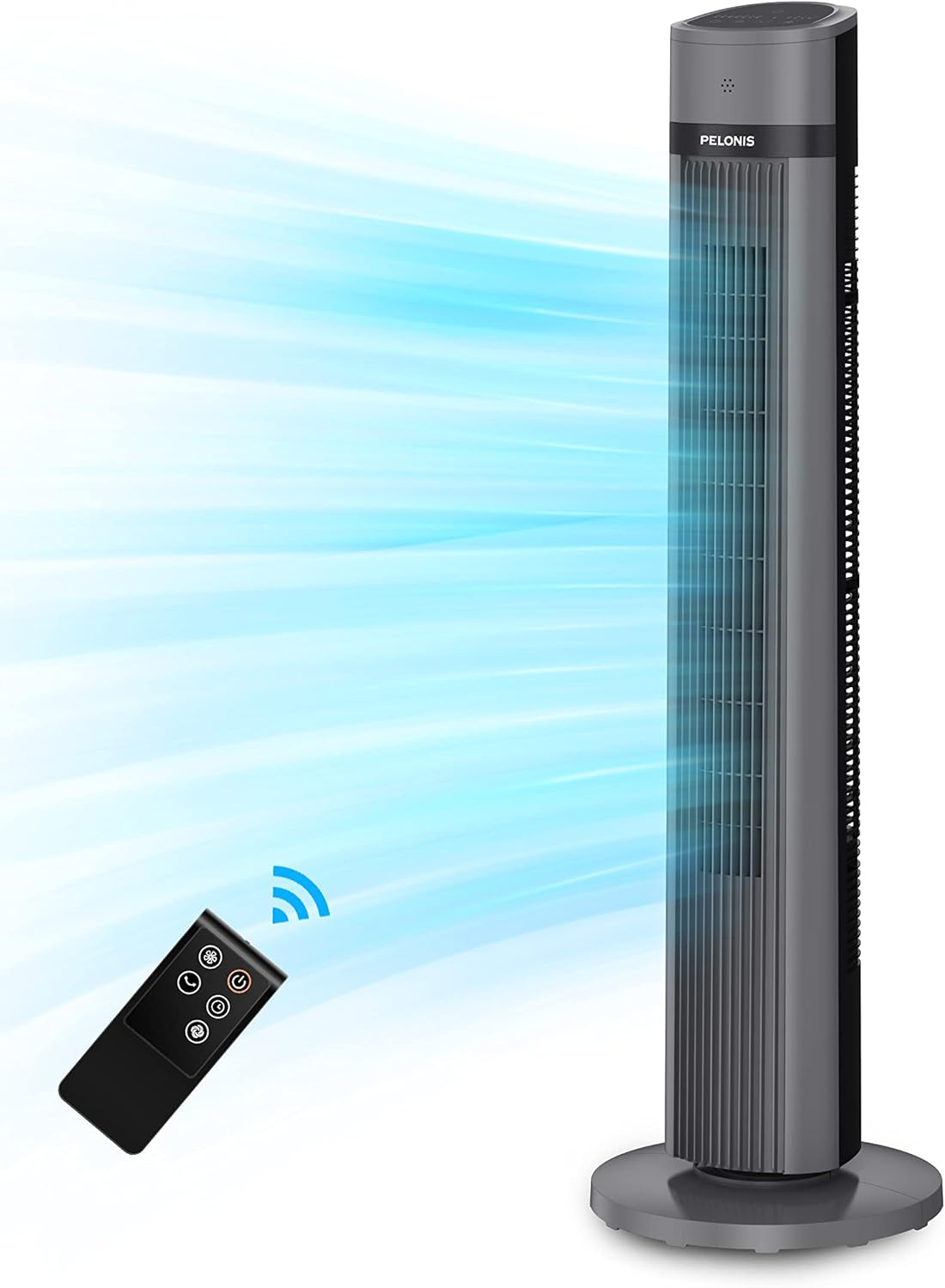
Image: PELONIS 40-inch Tower Fan with Remote Control. This image shows the full tower fan unit with its remote control, illustrating its sleek design and the airflow it generates.

Image: PELONIS 40-inch Tower Fan with remote control. A visual representation of the tower fan and its remote, highlighting the convenience of remote operation.

Image: Compact and Portable Tower Fan. This image demonstrates the fan's portability, showing a person easily moving it, emphasizing its lightweight design and integrated handle.
3. Setup
Follow these steps to assemble your PELONIS Tower Fan:
- Carefully remove all components from the packaging.
- Assemble the two parts of the base by aligning the slots and snapping them together.
- Place the tower fan unit onto the assembled base, ensuring it is securely seated.
- Tighten the locking nut (if applicable) from the bottom of the base to firmly secure the fan unit.
- Place the fan on a firm, level surface.
- Plug the power cord into a standard 110V AC electrical outlet.
4. Operating Instructions
Your PELONIS Tower Fan can be operated using the control panel on top of the unit or the included remote control.
Control Panel and LED Display

Image: PELONIS Tower Fan Control Panel. This image provides a close-up view of the fan's top-mounted control panel with its LED indicators, showing buttons for power, speed, oscillation, modes, and timer.
- Power Button ($): Press to turn the fan ON or OFF.
- Speed Settings (ECO, 1, 2, 3): Cycle through different fan speeds: ECO (energy-saving), Low (1), Medium (2), High (3).
- Oscillation Button (%): Activates or deactivates the 90° oscillation feature, allowing the fan to sweep air across a wider area.
- Mode Button (&): Selects between Normal, Natural, and Sleep modes.
- Normal Mode: Constant airflow at the selected speed.
- Natural Mode: Simulates a natural breeze by varying fan speed.
- Sleep Mode: Gradually decreases fan speed and dims LED lights for undisturbed sleep.
- Timer Button ('): Sets the automatic shut-off timer for 1, 2, 4, or 8 hours, up to a maximum of 15 hours.
Remote Control
The remote control duplicates all functions available on the control panel, offering convenient operation from a distance of up to 16 feet.

Image: Easy to Control Tower Fan with Remote. This image highlights the ease of use with both the remote control and the integrated handle for portability.
Airflow and Coverage

Image: 26ft Airflow Distance. This image illustrates the fan's powerful airflow, capable of reaching up to 26 feet, ensuring effective cooling across a room.

Image: Wider Cooling Coverage with 90° oscillation. This image visually explains how the 90-degree oscillation feature provides widespread cooling throughout a living space.

Image: Quiet Breeze All Night with 15-Hour Time Setting. This image highlights the fan's quiet operation and programmable timer, ideal for nighttime use and energy saving.

Image: Natural Wind with ECO Mode. This image emphasizes the fan's ECO mode for energy efficiency and comfortable temperature maintenance.

Image: Customize Your Comfort with 3 modes. This image illustrates the three distinct modes (Normal, Natural, Slumberous) available for customized airflow and comfort.
5. Maintenance and Cleaning
Regular cleaning and maintenance will ensure optimal performance and longevity of your fan.
- Always unplug the fan from the power outlet before cleaning.
- Use a soft, damp cloth to wipe the exterior surfaces of the fan. Do not use abrasive cleaners or solvents.
- To clean the air intake and exhaust grilles, use a vacuum cleaner with a brush attachment to remove dust and debris.
- Do not immerse the fan in water or allow water to drip into the motor housing.
- Store the fan in a cool, dry place when not in use, preferably in its original packaging.
6. Troubleshooting
If your fan is not operating correctly, please refer to the following common issues and solutions:
| Problem | Possible Cause | Solution |
|---|---|---|
| Fan does not operate | No power supply. | Ensure the power cord is securely plugged into a working electrical outlet. Check the household fuse/circuit breaker. |
| Reduced airflow | Air intakes/exhaust are blocked. | Clear any obstructions from the air grilles. Clean dust from the grilles. |
| Fan is noisy | Fan is not on a level surface. | Place the fan on a flat, stable surface. |
| Remote control not working | Batteries are dead or incorrectly inserted. | Replace batteries in the remote control. Ensure batteries are inserted with correct polarity. |
7. Specifications
- Model: PFT40A4AGB
- Dimensions: 11.8"D x 11.8"W x 39.88"H
- Weight: 8.16 lbs
- Power Source: Corded Electric
- Voltage: 110V
- Wattage: 50 watts
- Noise Level: 48 dB
- Oscillation: 90°
- Timer: Up to 15 hours
- Control Method: Remote, Push Button
- Safety Certification: ETL
8. Warranty and Support
PELONIS offers a 1-year manufacturer warranty with the purchase of this product.
For further assistance or warranty claims, please visit the official PELONIS store or contact customer support through the details provided in your product packaging.

Image: PELONIS Brand Information. This image provides details about the PELONIS brand, highlighting its 30 years of providing safe and reliable home environment appliances.
You can also find more information and support on the Official PELONIS Store on Amazon.


