
Amplim DT-8836M
Amplim Digital Forehead Thermometer User Manual
Model: DT-8836M
Welcome
Thank you for choosing the Amplim Digital Forehead Thermometer. This manual provides essential information for the safe and effective use of your device. Please read it thoroughly before operation and keep it for future reference.
Important Safety Information
- Use of this thermometer is not intended as a substitute for consultation with your physician.
- Ensure correct battery polarity during installation.
- Keep the device clean and dry.
- Do not immerse the thermometer in water or other liquids.
- Avoid dropping the device or subjecting it to strong impacts.
- Store in a cool, dry place away from direct sunlight.
- This device meets CE and FDA standards and regulations.
Product Overview
Components
- Infrared Thermometer
- 2 AAA Batteries
- User Manual
- 1-year Warranty Card
- Certificate
Product Features
- Accurate Readings: Advanced infrared technology for quick 1-second rapid home tests without skin contact.
- Touchless Design: Hygienic and convenient for all ages.
- Medical Grade: Hospital-approved professional-grade results.
- Fever Indicator: Alerts to high temperatures with color-coded display.
- Memory Function: Stores previous readings.
- Buzzer ON/OFF: Adjustable audio alerts.
- Fahrenheit/Celsius: Switchable temperature units.

Figure 1: Amplim Digital Forehead Thermometer, showing its ergonomic design and digital display.

Figure 2: Detailed view of the Amplim thermometer with labels pointing to its sensor, ON/SCAN button, Up/Memory button, Down/Memory button, Backlight button, MODE button, Body, and Battery Lid.
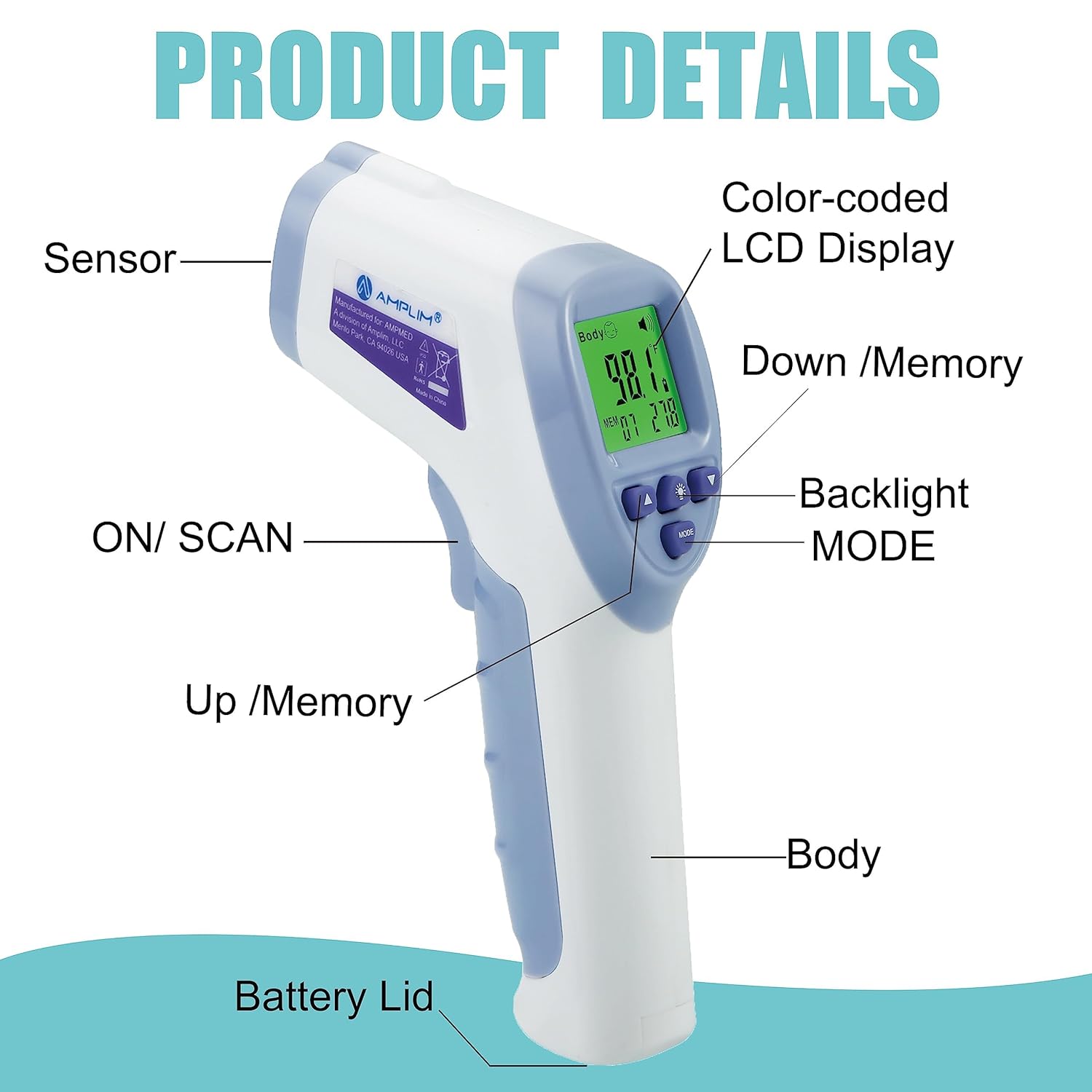
Figure 3: An image highlighting key features of the Amplim thermometer, including color-coded display, battery operation, forehead mode, surface mode, fever alarm, LCD display, accuracy, 32X memory, ultra-fast readings, buzzer ON/OFF, Fahrenheit or Celsius units, no mercury, and 30-second auto power off.
Setup
Battery Installation
- Open the battery compartment lid located at the bottom of the handle.
- Insert two AAA batteries, ensuring the correct polarity (+ and -) as indicated inside the compartment.
- Close the battery compartment lid securely.
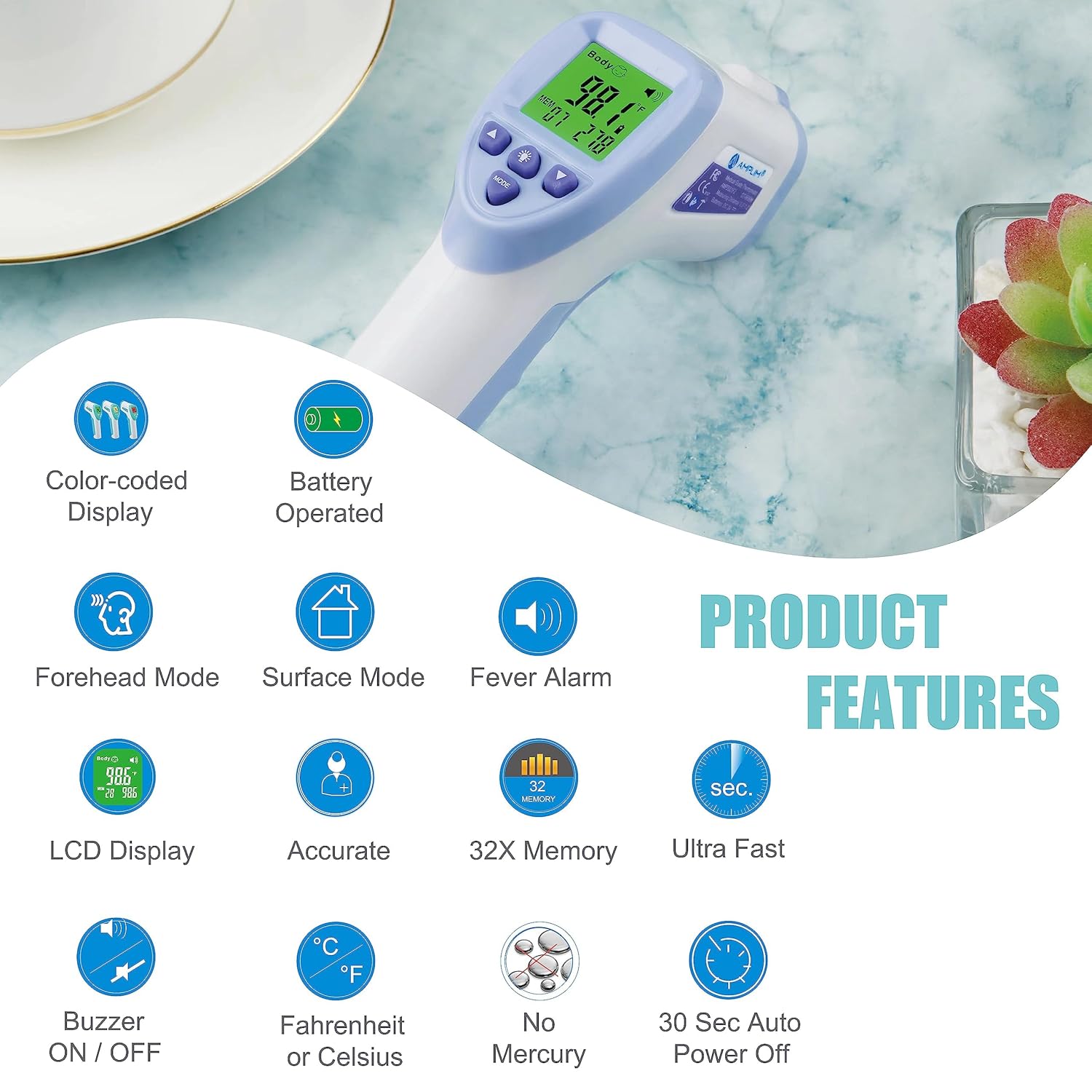
Figure 4: The Amplim thermometer with its battery compartment open, showing two AAA batteries being inserted.
Video 1: This video demonstrates the correct battery installation for the Amplim No-Touch Forehead Thermometer, ensuring proper polarity for optimal function. It also shows how to power on the device.
Operating Instructions
Taking a Forehead Temperature
- Ensure the thermometer is in Forehead Mode (usually indicated by a body icon on the display).
- Position the thermometer probe 0.3"-1.2" (1-3 cm) from the center of the forehead. Ensure there is no hair or perspiration on the forehead.
- Press and release the ON/SCAN button.
- The temperature reading will appear on the display within 1 second.
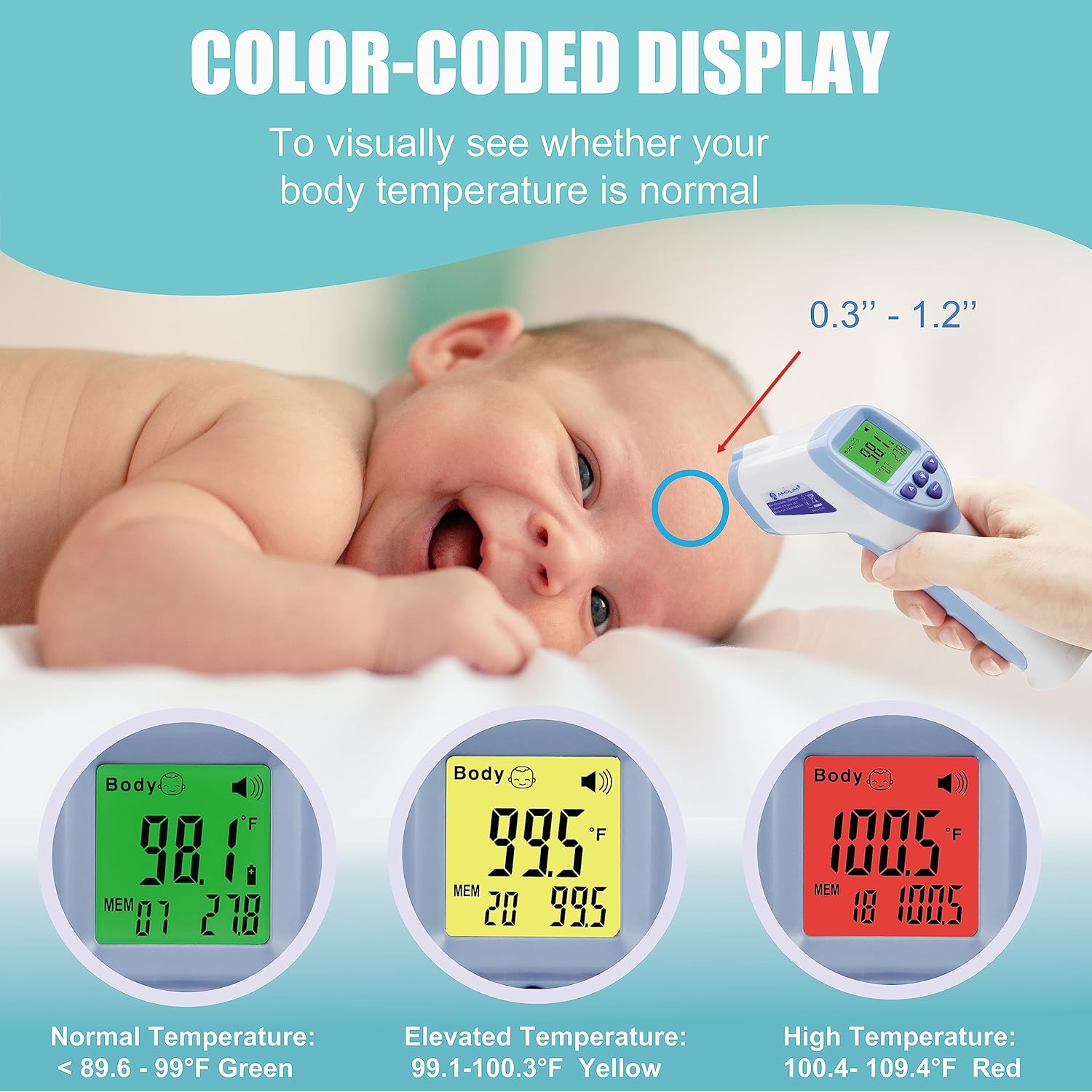
Figure 5: An adult using the Amplim thermometer to take the temperature of a sleeping baby's forehead, demonstrating the non-contact measurement.
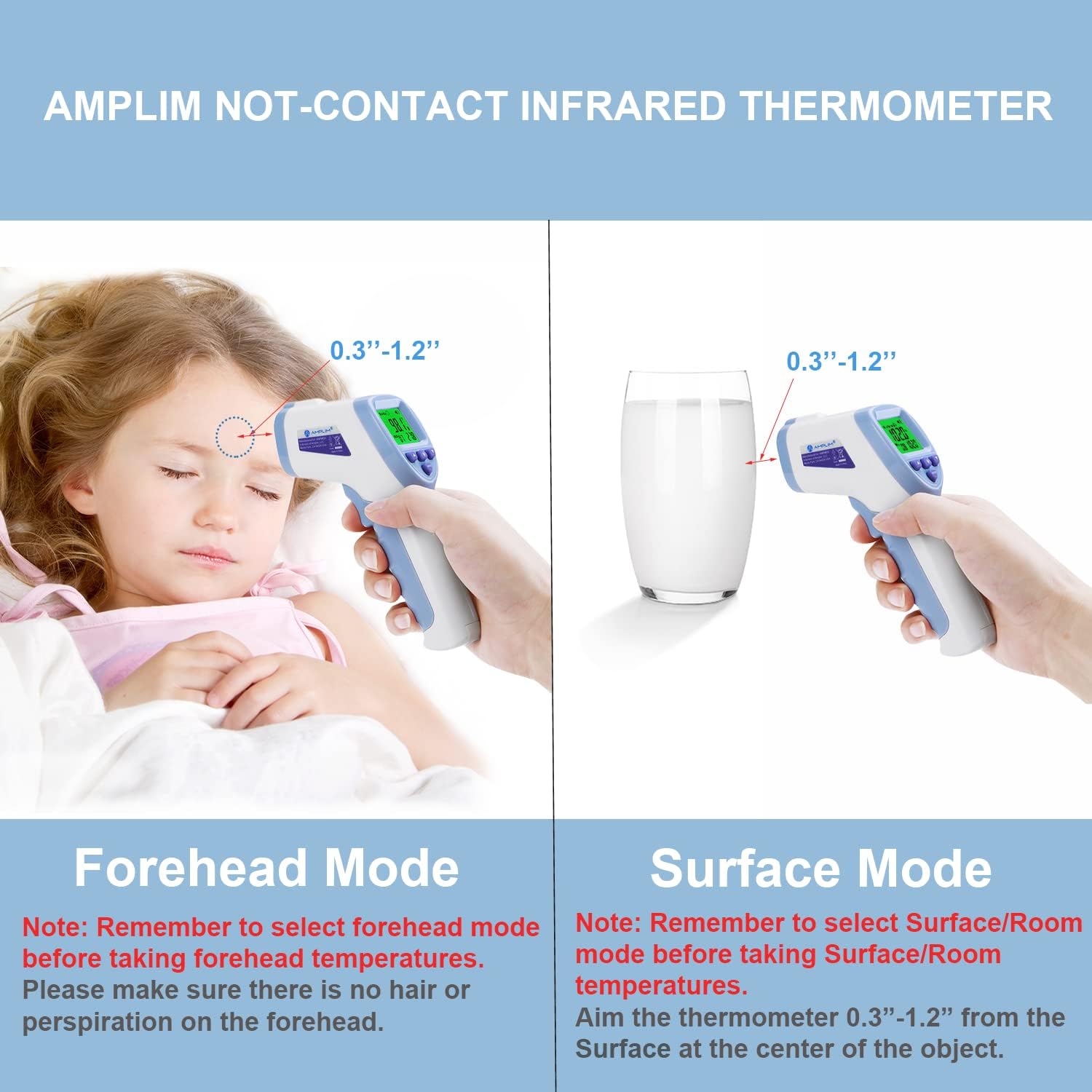
Figure 6: An illustration showing the Amplim thermometer being used in Forehead Mode on a child's forehead and in Surface Mode on a glass of milk, indicating the 0.3"-1.2" measurement distance for both.
Video 2: This video provides a comprehensive overview of using the Amplim non-contact forehead thermometer, demonstrating how to take an accurate temperature reading from the forehead.
Understanding the Display (Color-coded)
The thermometer's display changes color to provide a quick visual indication of the temperature reading:
- Green: Normal temperature (typically below 99.0°F / 37.2°C).
- Yellow: Elevated temperature (typically 99.1-100.3°F / 37.3-37.9°C).
- Red: High temperature / Fever (typically 100.4-109.4°F / 38.0-43.0°C).
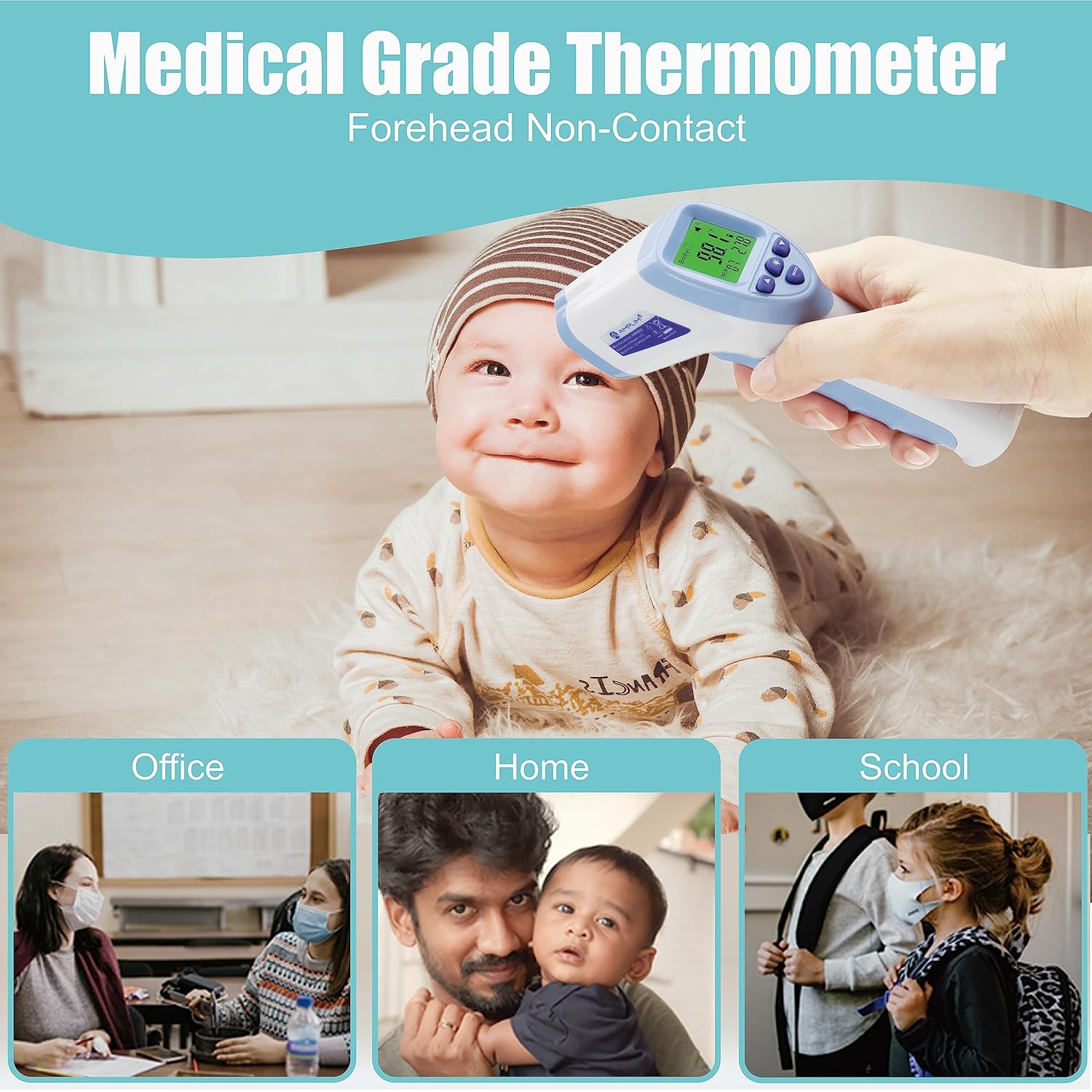
Figure 7: Amplim Thermometer color-coded display for temperature ranges: green for normal, yellow for elevated, and red for high temperature.
Video 3: This video illustrates the color-coded display of the Amplim thermometer, showing how the screen changes color (green, yellow, red) to indicate different temperature ranges.
Backlight ON/OFF
To toggle the display backlight on or off, press the Backlight button (light bulb icon) on the thermometer's control panel.
Video 4: A short video demonstrating how to toggle the backlight feature on the Amplim thermometer, showing the display illuminating and turning off.
Recalling Memories
The thermometer stores previous temperature readings. To view them:
- When the thermometer is powered on, press the Up or Down arrow buttons to scroll through the stored memory records.
- To clear all memories, hold the Up and Down buttons simultaneously for 3 seconds.
Video 5: This video demonstrates how to access and recall previous temperature readings stored in the Amplim thermometer's memory.
Setting Temperature Unit (°F/°C)
To switch between Fahrenheit (°F) and Celsius (°C):
- With the thermometer powered on, press and hold the MODE button for a few seconds until the unit changes.
- Release the button when your desired unit is displayed.
Video 6: A detailed video demonstrating how to switch between Fahrenheit and Celsius temperature units on the Amplim forehead and ear infrared thermometer.
Maintenance
Cleaning and Care
- Wipe the thermometer clean with a soft, dry cloth after each use.
- For disinfection, use an alcohol swab (70% isopropyl alcohol) to gently wipe the probe and the body of the thermometer.
- Do not use abrasive cleaners or immerse the device in water.
Storage
- Store the thermometer in its original packaging or a protective pouch when not in use.
- Keep it in a cool, dry place, away from direct sunlight, extreme temperatures, and humidity.
- Remove batteries if the device will not be used for an extended period to prevent leakage.
Troubleshooting
| Problem | Possible Cause | Solution |
|---|---|---|
| Display shows "HI" | Temperature is higher than 109.4°F (43.0°C) or measurement distance is too far. | Ensure proper measurement distance (0.3"-1.2" from forehead). If temperature is genuinely high, seek medical advice. |
| Display shows "LO" | Temperature is lower than 89.6°F (32.0°C) or measurement distance is too far. | Ensure proper measurement distance. If body temperature is too low, seek medical advice. |
| No display/Device won't turn on | Batteries are dead or incorrectly installed. | Replace batteries with new AAA batteries, ensuring correct polarity. |
| Inconsistent readings | Improper measurement technique, environmental factors, or device malfunction. | Review operating instructions for correct technique. Ensure stable environment. If issues persist, contact customer support. |
Video 7: A brief demonstration of the Amplim non-contact thermometer in use, including a visual of the 'HI' error message that appears when the temperature exceeds the measurement range.
Specifications
| Feature | Detail |
|---|---|
| Model Number | DT-8836M |
| Product Dimensions | 0.01 x 0.01 x 0.01 inches |
| Weight | 2.88 ounces |
| Batteries | 2 AAA batteries (included) |
| Display Type | LCD |
| Connectivity Technology | Infrared |
| Measurement Range | 89.6°F - 109.4°F (32.0°C - 43.0°C) |
| Measurement Distance | 0.3"-1.2" (1-3 cm) |
| Material | Plastic |
| Certifications | CE, FDA |
Warranty & Support
Warranty Information
This Amplim Digital Forehead Thermometer comes with a 1-year Warranty Card. Please refer to the card included in your package for specific terms and conditions.
Customer Support
For any product issues, questions, or support needs, please contact Amplim customer support at: customersupport@amplim.com. We are committed to providing assistance.
Ask a question about this manual
Ask about setup, troubleshooting, compatibility, parts, safety, or missing instructions. Manuals+ will review the question and use this page’s manual context to help answer it.