
Introduction
This instruction manual provides essential information for the proper use and maintenance of your Dyson Soft Roller Cleaner Head. This attachment is designed to effectively clean hard floors and delicate surfaces, capturing both large debris and fine dust without scratching. It is compatible with Dyson V8 vacuum cleaner models.

Image: Front view of the Dyson Soft Roller Cleaner Head, highlighting the soft brush bar designed for hard floors.
Setup and Installation
Follow these steps to correctly attach the Soft Roller Cleaner Head to your Dyson V8 vacuum cleaner:
- Ensure your Dyson V8 vacuum is turned off and disconnected from the charger.
- Align the connector end of the Soft Roller Cleaner Head with the main wand or directly with the handheld unit of your Dyson V8 vacuum.
- Push the cleaner head firmly onto the wand/unit until it clicks securely into place. A distinct click indicates a proper connection.
- To remove, press the red release button located on the connection point and pull the cleaner head away.
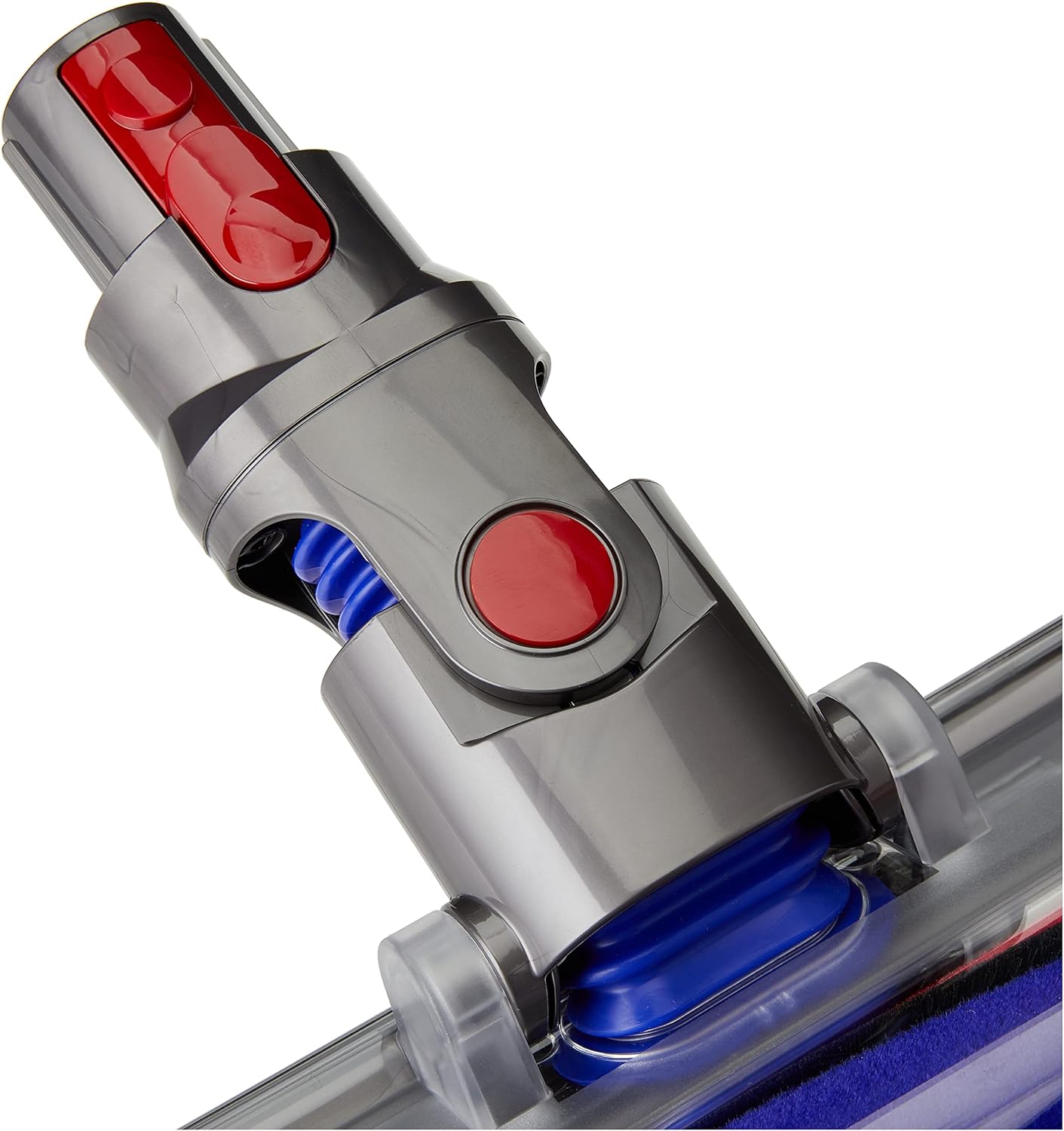
Image: Close-up of the cleaner head's connection mechanism, featuring the red release button for easy attachment and detachment.
Operating Instructions
The Soft Roller Cleaner Head is specifically engineered for optimal performance on hard floor surfaces. Its soft, anti-static carbon fiber filaments gently remove fine dust, while larger debris is captured by the soft woven nylon.
- Recommended Surfaces: Use primarily on hard floors such as wood, laminate, tile, and vinyl. It is also effective on smooth, delicate surfaces.
- Avoid Carpets: This cleaner head is not designed for deep pile carpets or rugs. For carpets, use a cleaner head with stiffer bristles or a direct-drive motorhead.
- Power Settings: Adjust your vacuum's power setting as needed. Lower power settings are often sufficient for light dust and debris on hard floors, conserving battery life.
Maintenance and Cleaning
Regular maintenance ensures optimal performance and extends the life of your Soft Roller Cleaner Head. It is recommended to inspect and clean the brush bar periodically.
- Remove the Brush Bar:
- Turn the cleaner head upside down.
- Locate the red fastener on the side of the cleaner head. Use a coin or a flat tool to unlock it by turning it counter-clockwise.
- Slide the brush bar out of the cleaner head casing.
- Clean the Brush Bar:
- Remove any hair, threads, or debris wrapped around the brush bar. You may use scissors to cut through tangled hair carefully.
- The soft roller can be washed under cold tap water. Do not wash the end cap or the motor housing.
- Allow the brush bar to dry completely for at least 24 hours before reinserting it. Ensure it is thoroughly dry to prevent damage to the vacuum motor.
- Reassemble:
- Slide the dry brush bar back into the cleaner head.
- Secure the red fastener by turning it clockwise until it clicks into the locked position.

Image: Detailed view of the soft roller brush bar, showing the Dyson branding and the texture of the cleaning material.
Troubleshooting
If you encounter issues with your Soft Roller Cleaner Head, refer to the following common solutions:
| Problem | Possible Cause | Solution |
|---|---|---|
| Brush bar not spinning | Obstruction (hair, debris) or improper reassembly. | Remove the brush bar and clear any obstructions. Ensure it is reinserted correctly and the fastener is locked. |
| Reduced suction | Blockage in the cleaner head or vacuum. | Check the cleaner head's airway for blockages. Also, check the vacuum's filter and bin. |
| Cleaner head detaches easily | Not securely attached. | Ensure the cleaner head is pushed firmly onto the wand/unit until it clicks into place. |
Specifications
- Part Numbers: 966489-04, 966489-11
- Compatibility: Dyson V8 models
- Dimensions (Package): 12.64 x 11.1 x 3.9 inches (32.1 x 28.2 x 9.9 cm)
- Item Weight: 2.44 pounds (1.11 kg)
- Manufacturer: Dyson
- Batteries Required: No
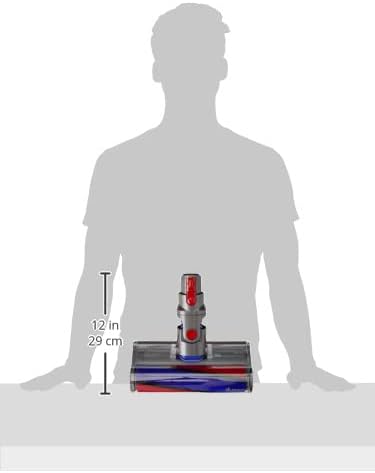
Image: Scale representation of the cleaner head, indicating its approximate dimensions for reference.
Warranty and Support
For warranty information, product registration, or further technical assistance, please visit the official Dyson website or contact Dyson customer support directly. Keep your purchase receipt as proof of purchase.
Dyson Official Website: www.dyson.com