
AIRPLUS AP1902
AIRPLUS 70 Pints Dehumidifier Instruction Manual
Model: AP1902
Brand: AIRPLUS
Introduction
This manual provides detailed instructions for the operation and maintenance of your AIRPLUS 70 Pints Dehumidifier (Model AP1902). Please read this manual thoroughly before use to ensure proper function and safety. This dehumidifier is designed to efficiently remove excess moisture from the air, creating a more comfortable and healthier indoor environment.

Figure 1: Front view of the AIRPLUS 70 Pints Dehumidifier.
Important Safety Instructions
To reduce the risk of fire, electric shock, or injury when using your dehumidifier, follow these basic precautions:
- Always plug the unit into a grounded electrical outlet.
- Do not operate the dehumidifier with a damaged cord or plug.
- Do not block air vents or exhaust openings. Ensure adequate clearance around the unit.
- Keep the unit away from water sources and wet areas.
- Unplug the dehumidifier before cleaning or performing any maintenance.
- Do not allow children to operate or play with the dehumidifier.
- Use only as described in this manual.
Product Features
- Significant Dehumidification Effect: Removes up to 70 pints of water per day (under 90% RH @ 86°F condition). Designed for medium to large rooms, basements, and other damp areas.
- Multifunctional Modes & Intelligent Operation: Features STANDARD, RAINING, DRYING, and SLEEP modes. Intelligent constant humidity automatically adjusts to maintain desired levels. Includes a two-way timing function for scheduled operation.
- Convenient Drainage & Auto Shut Off: Offers continuous drainage with an included hose or manual drainage using the large-capacity 4.1 L water tank. The unit automatically shuts off when the tank is full.
- Widespread Application & Flexible Movements: Compact design suitable for various spaces including living rooms, kitchens, RVs, closets, and bathrooms. Equipped with universal wheels for easy portability.

Figure 2: Automatic humidity detection for intelligent constant humidity.

Figure 3: Control panel displaying various operating modes.
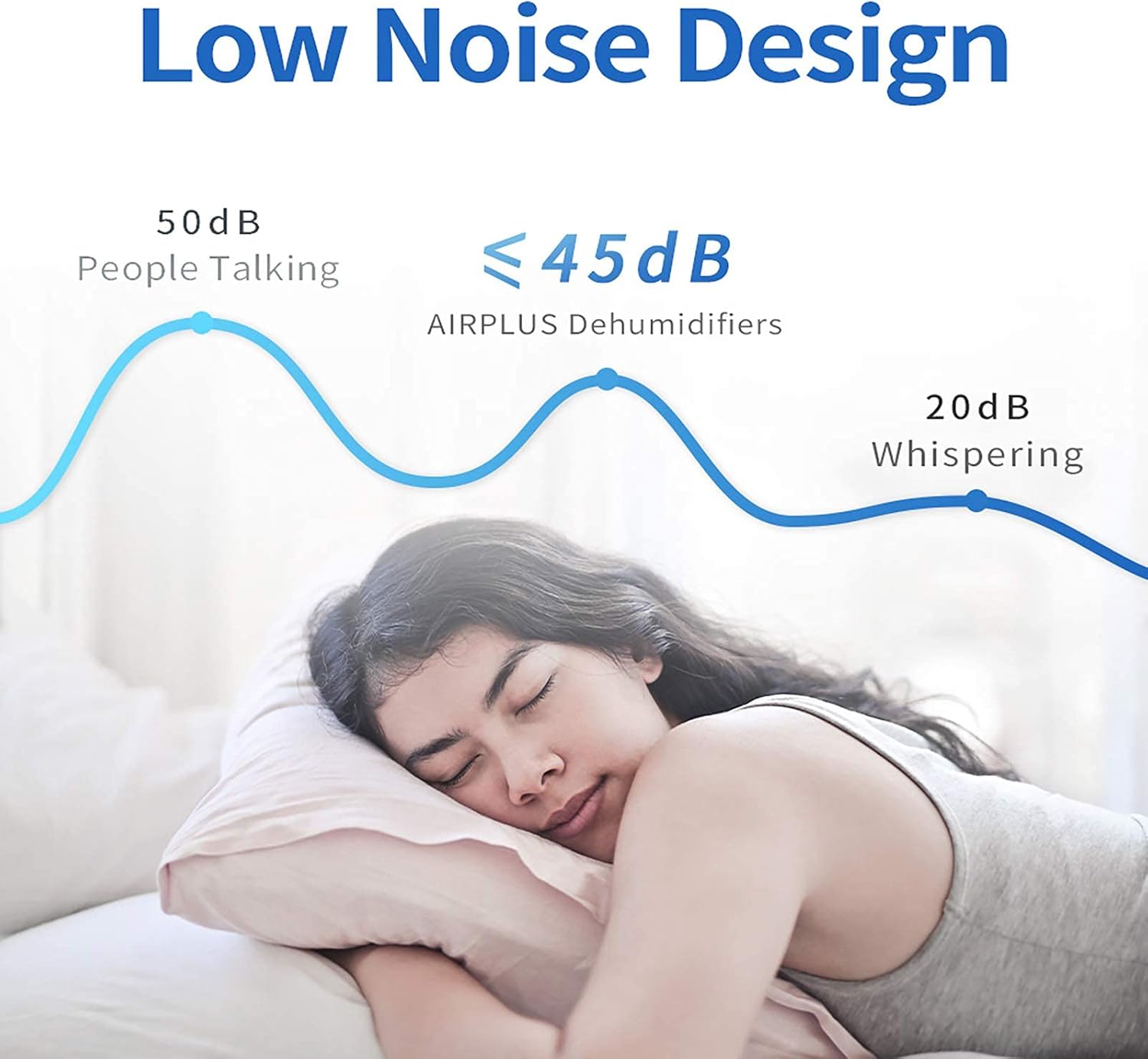
Figure 4: Intelligent two-way timing feature for scheduled operation.

Figure 5: Low noise design for quiet operation.

Figure 6: Large 4.1L water tank for less frequent emptying.

Figure 7: Options for manual or continuous drainage.

Figure 8: Automatic shutdown feature prevents overflow when the tank is full.
Official Product Video
Video 1: Overview of the AIRPLUS 70 Pints Dehumidifier's features and benefits.
Setup Guide
- Unpacking: Carefully remove the dehumidifier and all packaging materials from the box. Retain packaging for future storage or transport.
- Placement: Place the dehumidifier on a firm, level surface in the area where humidity control is desired. Ensure there is at least 8 inches (20 cm) of clear space around all sides of the unit for proper air circulation. Avoid placing near heat sources or in direct sunlight.
- Power Connection: Plug the power cord into a properly grounded 115V/60Hz electrical outlet. The unit will beep once, and the display will light up briefly.
Operating Instructions
Control Panel Overview
The control panel features touch-sensitive buttons and a digital display for easy operation.
- On/Off Button: Powers the unit on or off.
- Mode Button: Cycles through Standard, Raining, Drying, and Sleep modes.
- Humidity Button: Adjusts the desired humidity level.
- Timer Button: Sets the auto-on or auto-off timer.
- Anion Button: Activates or deactivates the Anion function (air purification).
- Full Indicator: Lights up when the water tank is full.
- Defrost Indicator: Lights up when the unit is in defrost mode.
Operating Modes
- Standard Mode: Default mode for general dehumidification.
- Raining Mode: Optimized for high humidity conditions, providing powerful moisture removal.
- Drying Mode: Ideal for drying clothes or quickly reducing humidity in very damp areas.
- Sleep Mode: Operates at a lower fan speed and dims the display for quiet, undisturbed operation during sleep.
Setting Desired Humidity
Press the 'Humidity' button to cycle through desired humidity levels (e.g., 40%, 45%, 50%, etc.). The unit will automatically maintain the set humidity level.
Timer Function
Press the 'Timer' button to set an auto-on or auto-off time (from 1 to 24 hours). The unit will turn on or off automatically after the set time has elapsed.
Maintenance
Emptying the Water Tank
When the water tank is full, the 'Full' indicator will light up, and the unit will automatically shut off. Carefully pull out the water tank from the front of the unit. Empty the collected water and slide the tank back into place until it clicks securely.
Continuous Drainage Setup
For continuous operation without manual emptying, attach a standard garden hose (not included) to the continuous drainage outlet at the back of the unit. Ensure the hose is sloped downwards to allow gravity drainage to a floor drain or suitable container.
Cleaning the Air Filter
The air filter should be cleaned every two weeks or more frequently depending on usage and air quality. A clogged filter reduces efficiency and can cause the unit to malfunction.
- Turn off the dehumidifier and unplug it from the power outlet.
- Remove the filter from the back of the unit.
- Wash the filter with clean water (no hotter than 104°F / 40°C) and a mild detergent.
- Rinse thoroughly and allow the filter to air dry completely before reinserting.
- Reinstall the filter and plug in the dehumidifier.
Troubleshooting Guide
Before contacting customer service, please refer to the following table for common issues and their solutions:
| Problem | Possible Cause | Solution |
|---|---|---|
| Unit does not turn on | No power supply Water tank full or not properly inserted | Check power connection and outlet Empty water tank and ensure it is securely reinserted |
| Dehumidifier not collecting water | Humidity setting too high Room temperature too low Air filter clogged | Lower the desired humidity setting Ensure room temperature is above 41°F (5°C) Clean the air filter |
| Unit is noisy | Unit not on a level surface Air filter clogged | Place the unit on a flat, stable surface Clean the air filter |
| Frost appears on coils | Low room temperature | This is normal. The unit will automatically defrost. Operation will resume once defrosting is complete. |
Product Specifications
- Brand: AIRPLUS
- Model Name: AP1902
- Capacity: 70 Pints per Day
- Floor Area Coverage: 4500 Square Feet
- Tank Volume: 4.1 Liters
- Operation Mode: Continuous
- Special Features: Portable, Automatic Shutoff
- Material: Plastic
- Item Weight: 34.3 pounds
- Package Dimensions: 25.7 x 17.2 x 12.6 inches
Warranty and Support
AIRPLUS products come with a standard manufacturer's warranty. For detailed warranty information, technical support, or service inquiries, please visit the official AIRPLUS website or contact customer service.
Official AIRPLUS Store: Visit the AIRPLUS Store
Related documentsAP1902

Ask a question about this manual
Ask about setup, troubleshooting, compatibility, parts, safety, or missing instructions. Manuals+ will review the question and use this page’s manual context to help answer it.