
Harman Kardon HKAURAS3BLKAM
Harman Kardon Aura Studio 3 User Manual
Model: HKAURAS3BLKAM | Brand: Harman Kardon
Introduction
The Harman Kardon Aura Studio 3 is a Bluetooth wireless speaker designed to deliver exceptional 360-degree sound with an integrated ambient lighting experience. Its distinctive domed design and compact footprint allow it to blend seamlessly into various home décors while providing immersive audio.
This manual provides essential information for setting up, operating, maintaining, and troubleshooting your Aura Studio 3 speaker. Please read it thoroughly before use to ensure optimal performance and longevity of your device.
Package Contents
Upon opening the package, verify that all listed components are present:
- 1x Harman Kardon Aura Studio 3 Speaker
- 1x Power Cable
- 1x Quick Start Guide
- 1x Safety Sheet
- 1x Warranty Card
Setup
1. Placement
Place the Harman Kardon Aura Studio 3 on a stable, flat surface. For optimal 360-degree sound dispersion, ensure there are no obstructions around the speaker. Consider placing it centrally in a room or an open area.
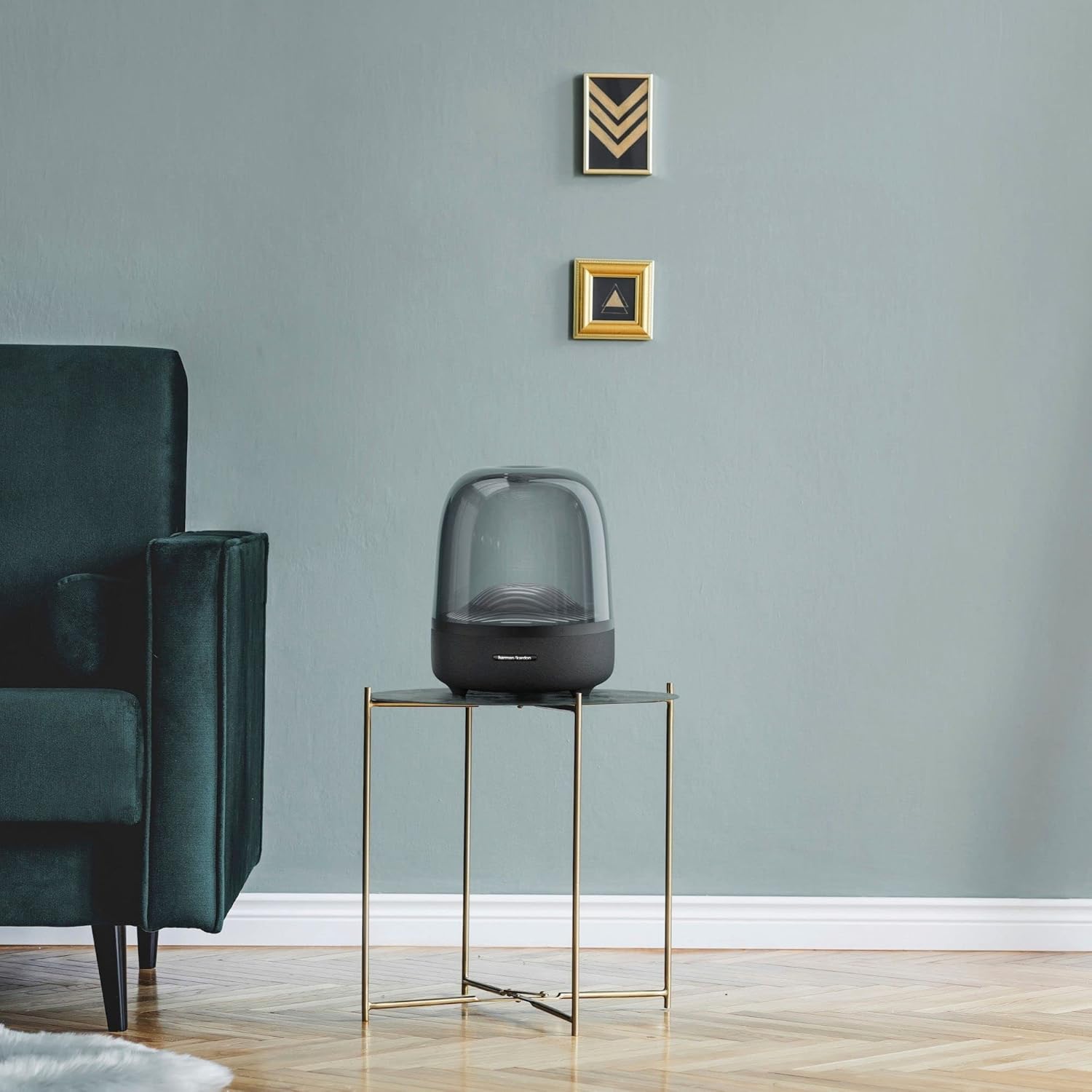
The Harman Kardon Aura Studio 3 blends seamlessly into various home environments, providing both aesthetic appeal and immersive sound.
2. Power Connection
Connect the provided power cable to the power input port on the rear of the speaker. Plug the other end of the power cable into a suitable wall outlet. The speaker requires a corded electric power source for operation.

The main unit of the Harman Kardon Aura Studio 3, ready for power connection.
3. Initial Power On
Once connected to power, press the power button located on the speaker's control panel to turn it on. The ambient lighting will illuminate, indicating the speaker is active.
Operating Instructions
1. Bluetooth Pairing
- Ensure the speaker is powered on.
- The speaker will automatically enter Bluetooth pairing mode when first turned on or if no device is connected. The Bluetooth indicator light will blink.
- On your mobile device (smartphone, tablet, laptop), enable Bluetooth and search for available devices.
- Select "Harman Kardon Aura Studio 3" from the list of devices.
- Once connected, the Bluetooth indicator light will become solid, and a confirmation sound may play.
- The speaker supports wireless streaming via Bluetooth.
The Aura Studio 3 can remember multiple paired devices. To connect to a previously paired device, simply select the speaker from your device's Bluetooth list. If you wish to connect a new device, ensure the current Bluetooth connection is disconnected or press and hold the Bluetooth button on the speaker to enter pairing mode.
2. Audio Playback
After successful Bluetooth pairing, you can play audio from your connected device. Control playback (play/pause, skip tracks) and volume directly from your source device or using the touch-sensitive controls on the speaker.

The touch-sensitive controls and ambient lighting feature of the Aura Studio 3.
3. Ambient Lighting Control
The Aura Studio 3 features integrated ambient lighting that creates a water wave ripple movement. This lighting enhances the visual experience of your music. The lighting can be toggled on or off using the dedicated light button on the speaker's control panel.
Features Overview
- Distinctive, Elegant Design: The unique domed shape and transparent enclosure provide a modern and sophisticated aesthetic.
- Exceptional 360-Degree Sound: Engineered to deliver rich, room-filling audio that disperses evenly in all directions.
- Ambient Lighting: Features a dynamic light show with a water wave ripple effect that visually complements your audio experience.
- Wireless Streaming with Bluetooth: Easily connect your Bluetooth-enabled devices for seamless audio playback.
- Powerful Audio Output: Equipped with a 100W subwoofer and 30W regular speakers for a total of 130W of system power, providing deep bass and clear highs.

The downward-firing subwoofer contributes to the speaker's powerful bass response.
Maintenance
To ensure the longevity and optimal performance of your Harman Kardon Aura Studio 3, follow these maintenance guidelines:
- Cleaning: Use a soft, dry, lint-free cloth to wipe the exterior surfaces of the speaker. Avoid using abrasive cleaners, waxes, or solvents as they may damage the finish.
- Dust Prevention: Regularly dust the speaker, especially the transparent dome, to maintain clarity and prevent dust buildup.
- Liquid Exposure: While the speaker is rated as waterproof, avoid submerging it in water or exposing it to excessive moisture. Ensure all ports are dry before connecting the power cable.
- Storage: When not in use for extended periods, store the speaker in a cool, dry place away from direct sunlight and extreme temperatures.
- Handling: Handle the speaker with care. Avoid dropping it or subjecting it to strong impacts, which could damage internal components or the exterior.
Troubleshooting
If you encounter issues with your Harman Kardon Aura Studio 3, refer to the following common troubleshooting steps:
| Problem | Possible Cause / Solution |
|---|---|
| No Power | Ensure the power cable is securely connected to both the speaker and a working wall outlet. Verify the outlet has power. |
| Cannot Pair via Bluetooth |
|
| No Sound / Low Volume |
|
| Ambient Lighting Not Working | Press the dedicated light button on the speaker to toggle the ambient lighting on/off. If the issue persists, power cycle the speaker. |
For more detailed troubleshooting, please refer to the comprehensive User Guide (PDF) or Troubleshooting Guide (PDF) available online.
Specifications
| Feature | Detail |
|---|---|
| Model Name | Aura Studio 3 |
| Item Model Number | HKAURAS3BLKAM |
| Brand | Harman Kardon |
| Speaker Type | Multimedia |
| Connectivity Technology | Bluetooth, Wired (AUX) |
| Wireless Communication Technology | Bluetooth |
| Power Source | Corded Electric |
| Speaker Maximum Output Power | 25 Watts (RMS) |
| Subwoofer Diameter | 14.18 Centimeters |
| Woofer Diameter | 28.36 Centimeters |
| Signal-to-Noise Ratio | 80 dB |
| Product Dimensions | 10.35"D x 10.63"W x 14.88"H (26.3cm D x 27cm W x 37.8cm H) |
| Item Weight | 7.9 Pounds (3.58 kg) |
| Material | Plastic |
| Color | Black |
| Control Method | Touch |
| Special Feature | Ambient Lighting, 360 Degree Sound |
| Is Waterproof | TRUE |
| Water Resistance Level | Waterproof |

Detailed dimensions of the Aura Studio 3 speaker.
Warranty and Support
The Harman Kardon Aura Studio 3 comes with a Limited Warranty. Please refer to the included Warranty Card in your package for detailed terms and conditions regarding coverage and duration.
For further assistance, technical support, or warranty claims, please visit the official Harman Kardon support website or contact their customer service. You may also find additional resources in the User Guide (PDF) and Troubleshooting Guide (PDF).
Related documentsHKAURAS3BLKAM


Ask a question about this manual
Ask about setup, troubleshooting, compatibility, parts, safety, or missing instructions. Manuals+ will review the question and use this page’s manual context to help answer it.