
Introduction
The Vive Mobility Scooter Basket is designed to provide convenient and accessible storage for your daily essentials while using your Vive mobility scooter. This durable and easy-to-install accessory enhances your independence by keeping items like drinks, books, electronic devices, and purses securely within reach. It features a robust construction and a practical carrying handle for effortless transport on and off your scooter.
Safety Information
Please read and understand all instructions before installing and using the scooter basket. Proper installation and use are crucial for your safety and the longevity of the product.
- Ensure the basket is securely attached to the scooter's tiller post before each use.
- Do not exceed the maximum load capacity of 25 pounds (11.3 kg). Overloading can affect scooter stability.
- Distribute weight evenly within the basket to maintain balance.
- Avoid placing sharp or pointed objects directly into the basket that could damage the mesh material.
- Regularly inspect the basket and its attachment points for any signs of wear or damage. Discontinue use if damage is found.
Package Contents
Your Vive Mobility Scooter Basket package should include the following:
- 1 x Vive Mobility Scooter Basket
Note: The mounting bracket for the basket is typically pre-installed on compatible Vive mobility scooters and is not included with the basket accessory.
Setup and Installation
The Vive Mobility Scooter Basket is designed for quick and easy installation on the existing bracket located on the front tiller post of Vive mobility scooters. Installation typically takes less than 5 minutes.
Installation Steps:
- Attach the Basket by Clipping It: Align the basket's attachment clips with the existing bracket on your scooter's tiller post. Gently push the basket onto the bracket until it clips securely into place.
- Slide Down the Basket: Once clipped, slide the basket downwards on the attachment bracket to ensure it is fully seated and stable.
- Verify Security: Lightly tug on the basket to confirm it is firmly attached and does not wobble.
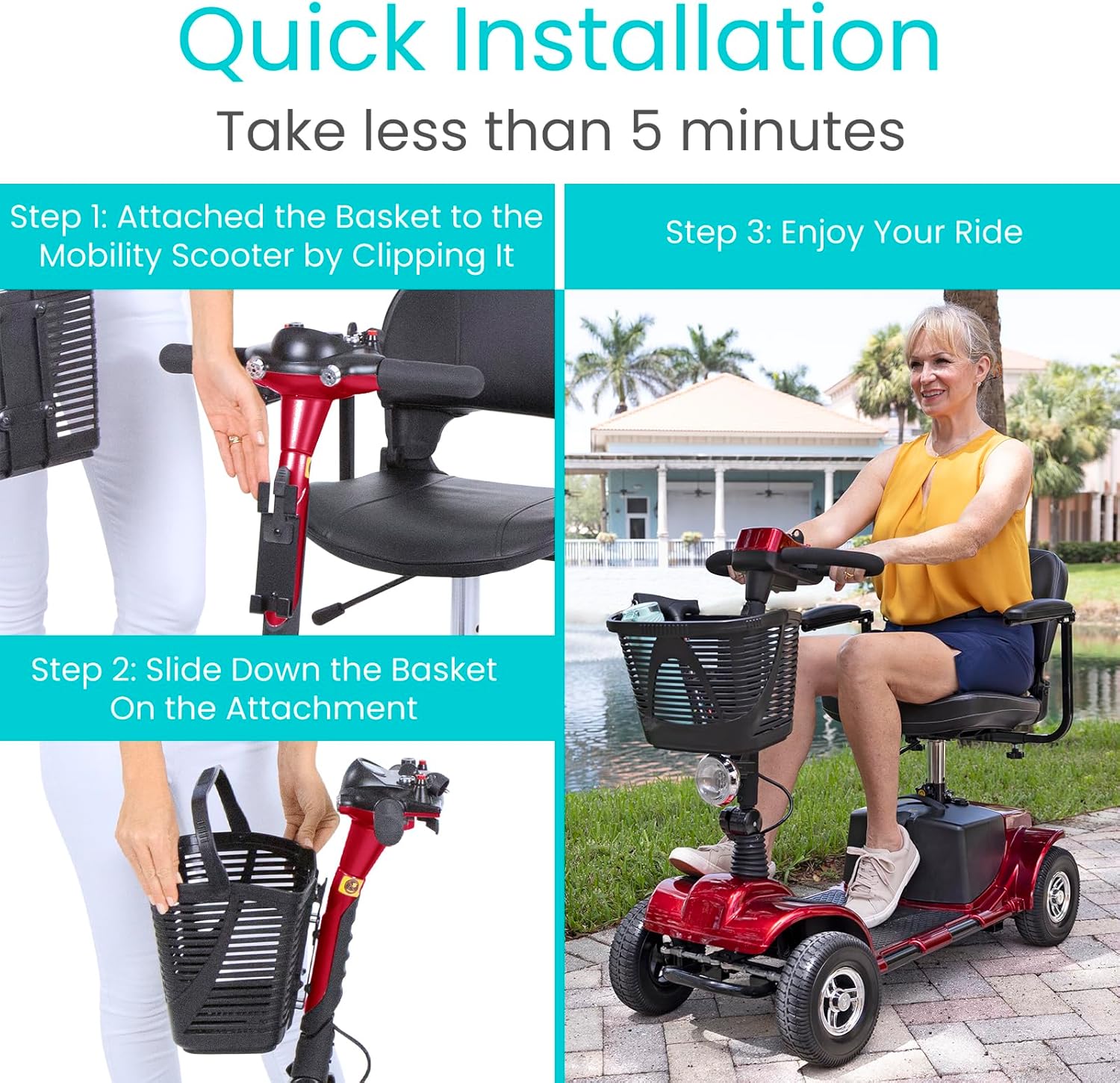
Image Description: A composite image illustrating the two main steps for quick installation: clipping the basket onto the tiller post bracket and then sliding it down for a secure fit. The process is shown to take less than 5 minutes.
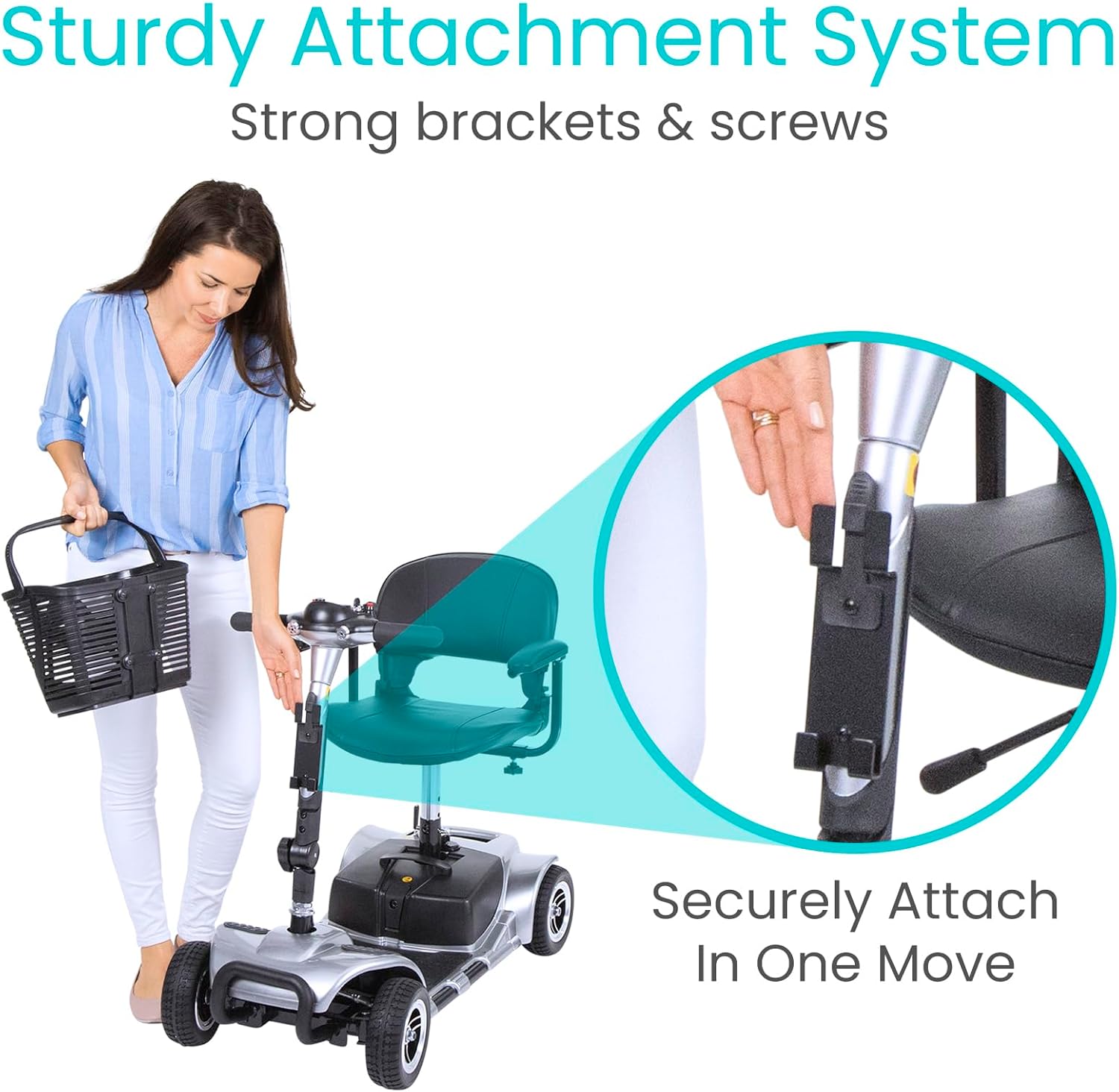
Image Description: A woman is shown standing next to a mobility scooter, holding the basket. An inset circle highlights the sturdy attachment system on the scooter's tiller post, demonstrating how the basket securely attaches in one move using strong brackets and screws.
Installation Video:
Video Description: An official product video demonstrating the installation process of the Vive Mobility Scooter Basket. It shows how to attach the basket to the scooter's tiller post and highlights its compatibility and features.
Operating Instructions
The Vive Mobility Scooter Basket is designed for simple and effective use to carry your everyday essentials.
- Loading the Basket: Place items into the basket, ensuring the weight is distributed evenly and does not exceed the 25-pound capacity.
- Using the Carry Handle: The basket features a convenient carry handle. To remove the basket from the scooter, simply lift it upwards from the attachment bracket. This allows for easy transport of your belongings to and from the scooter, ideal for shopping or errands.
- Compatibility: This basket is specifically designed for use with Vive 3-wheel and 4-wheel mobility scooters. It may not be compatible with other brands.

Image Description: The Vive Mobility Scooter Basket is shown with various items inside, such as a water bottle, a book, and a smartphone, demonstrating its generous 25 lbs capacity for everyday essentials. It also highlights the built-in carry handle and rugged mesh material.

Image Description: A woman is shown easily attaching and detaching the scooter basket from her mobility scooter, emphasizing its advanced portability and ergonomic handle. Insets show the basket being carried, its compatibility with Vive scooters, its waterproof nature, and its ISO 17025 certification.
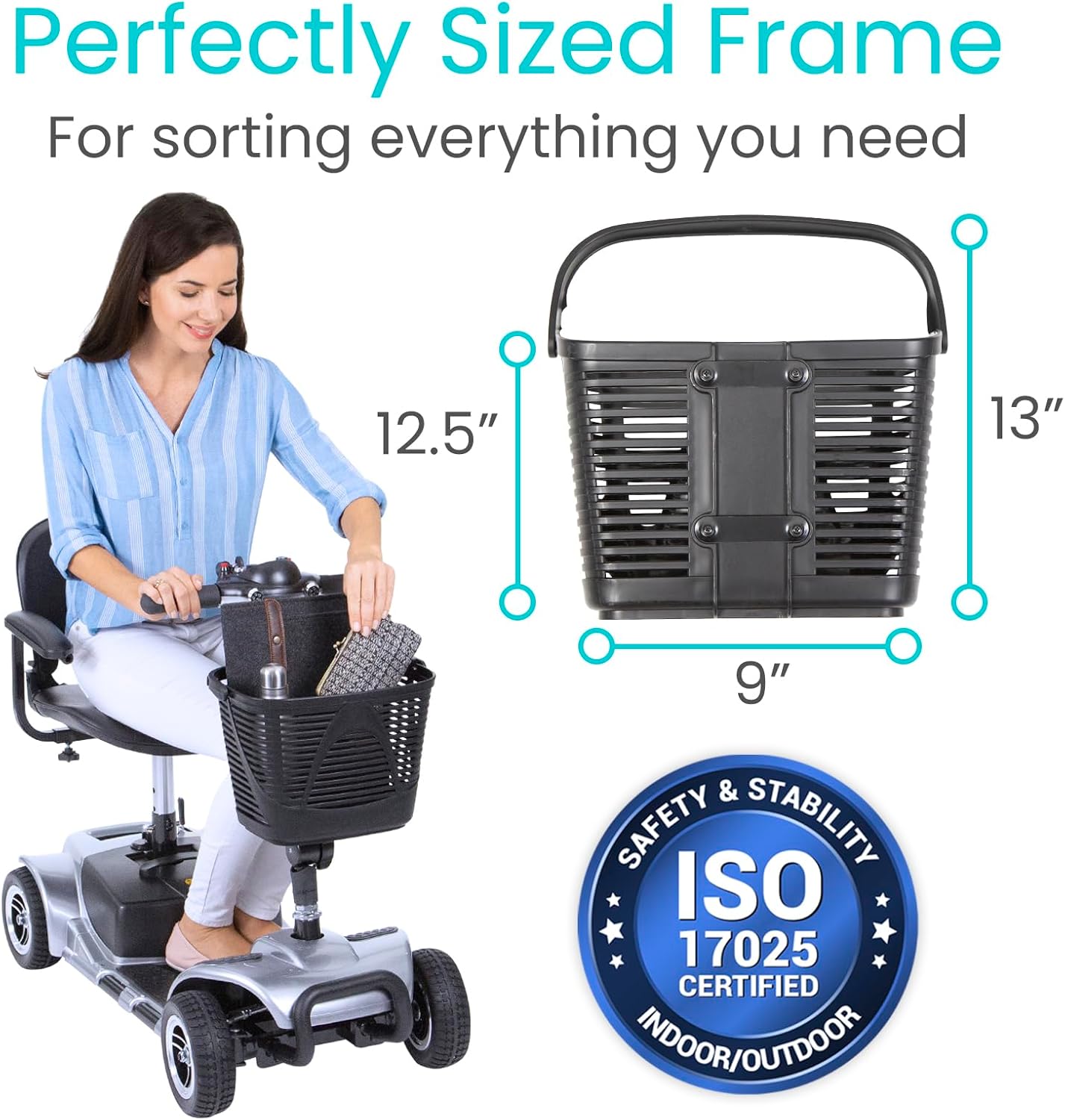
Image Description: A woman is placing items into the scooter basket while seated on a mobility scooter. The image also displays the basket's dimensions (12.5 inches wide, 9 inches deep, 13 inches high) and highlights its ISO 17025 certification for indoor/outdoor use, indicating its perfectly sized frame for sorting belongings.
Maintenance
The Vive Mobility Scooter Basket is constructed from durable, weatherproof mesh composite material, making it easy to maintain.
- Cleaning: To clean the basket, simply wipe it down with a damp cloth and mild soap. Rinse thoroughly and allow it to air dry completely before reattaching to the scooter.
- Storage: When not in use, store the basket in a cool, dry place away from direct sunlight to prolong its lifespan.
- Inspection: Periodically check the basket for any signs of wear, tear, or damage to the mesh or attachment points.

Image Description: A close-up view of the scooter basket's handle and mesh material, emphasizing its durable and sturdy construction. Icons indicate that the basket is water resistant and features a safe attachment mechanism, designed to last a lifetime.
Troubleshooting
If you encounter any issues with your Vive Mobility Scooter Basket, please refer to the following common solutions:
- Basket feels loose after installation: Ensure the basket is fully slid down onto the attachment bracket. Check that the clips are properly engaged. If the bracket itself is loose, consult your scooter's manual for tightening instructions.
- Basket does not fit: This basket is designed exclusively for Vive mobility scooters. Verify that your scooter is a Vive brand model. If it is, double-check the orientation of the basket and the bracket during installation.
- Items falling out: Ensure items are placed securely within the basket and do not exceed its height. Consider using a bag or liner inside the basket for smaller items.
For issues not covered here, please contact Vive customer support.
Specifications
| Feature | Detail |
|---|---|
| Brand | Vive |
| Model Number | MOB1025BSK |
| Color | Black |
| Mounting Type | Handlebar Mount (on tiller post bracket) |
| Load Capacity | 25 Pounds (11.3 kg) |
| Material | Mesh Composite |
| Dimensions (approx.) | 12.5" (W) x 9" (D) x 13" (H) |
| Item Package Dimensions | 16.5 x 16.5 x 16 inches |
| Package Weight | 1.75 Kilograms |
| UPC | 810041981653 |

Image Description: This image illustrates the convenient design of the scooter basket, showing its top-down view and side view with approximate dimensions of 9 inches (width) and 13 inches (height). A woman is shown using the basket on her scooter, highlighting its practical size.
Warranty and Support
Vive stands behind the quality of its products. The Vive Mobility Scooter Basket comes with a 30-day guarantee, allowing you to purchase with confidence.
For any questions, concerns, or support needs, please visit the official Vive Health website or contact their customer service directly.
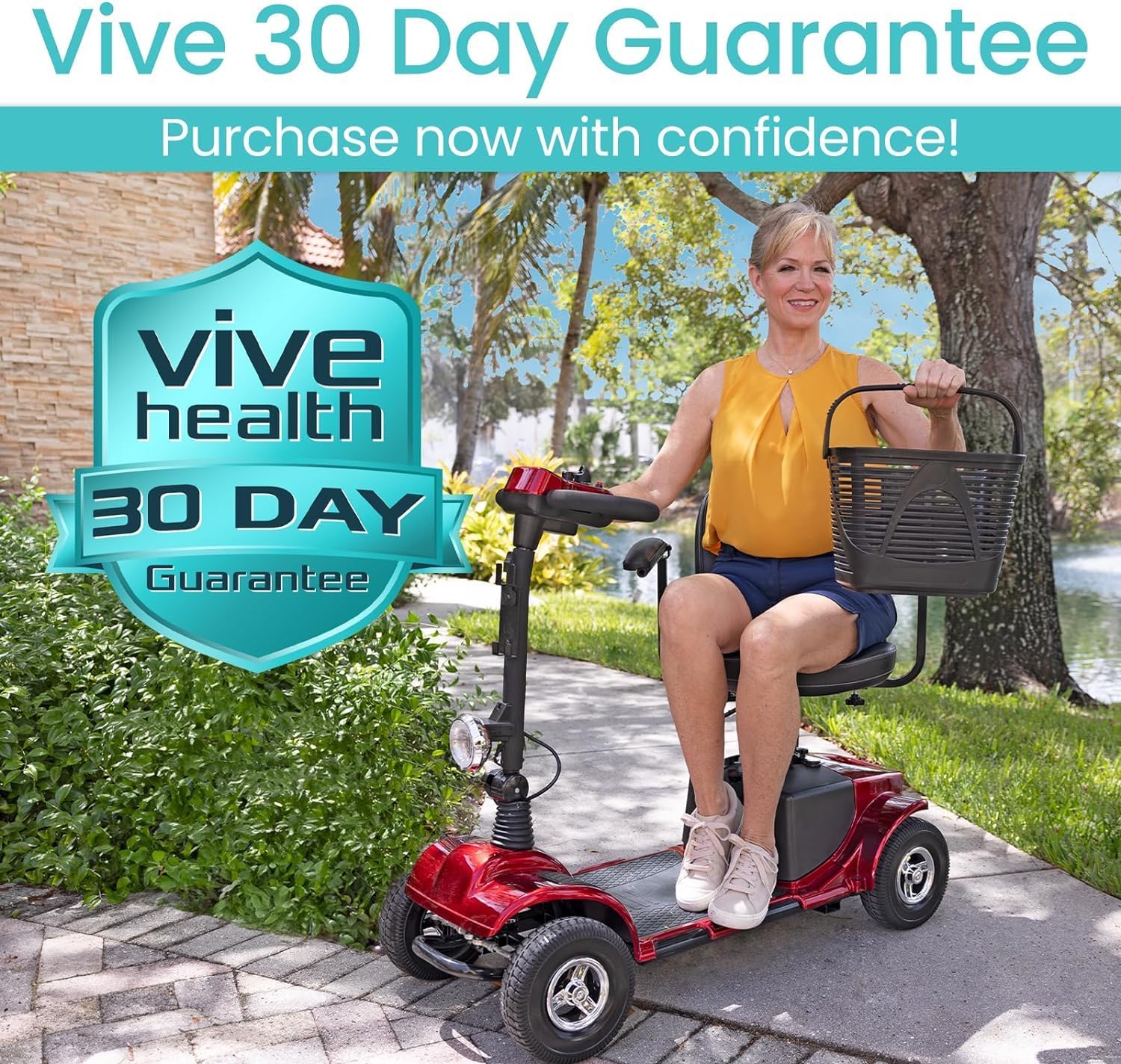
Image Description: A woman is happily riding a red mobility scooter with the Vive basket attached. A prominent graphic overlay displays the "Vive Health 30 Day Guarantee," encouraging customers to purchase with confidence.