
1. Introduction
Thank you for choosing the Morris 12L Silent Dehumidifier. This manual provides essential information for the safe and efficient operation, maintenance, and troubleshooting of your appliance. Please read it thoroughly before use and retain it for future reference.
This dehumidifier is designed to reduce excess humidity in indoor environments, helping to prevent issues such as mold growth, condensation, and musty odors. It also features modes to assist with drying laundry.
2. Safety Instructions
- Ensure the power supply matches the voltage specified on the appliance's rating label.
- Do not operate the dehumidifier with a damaged power cord or plug.
- Always place the unit on a stable, level surface to prevent water spillage.
- Maintain a minimum clearance of 20 cm (8 inches) around the unit for proper airflow.
- Do not insert objects into the air inlet or outlet.
- Unplug the unit before cleaning, maintenance, or when not in use for extended periods.
- Keep the appliance out of reach of children. The child lock function should be activated when children are present.
- Do not use the dehumidifier in areas where flammable gases or liquids are stored.
- Empty the water tank regularly or ensure the continuous drainage hose is properly installed.
3. Product Overview
3.1 Components
Familiarize yourself with the main parts of your dehumidifier:
- Control Panel (Top)
- Air Outlet (Top)
- Air Inlet (Rear)
- Water Tank (Front/Side)
- Continuous Drainage Port (Rear)
- Castor Wheels (Bottom)
- Washable Air Filter (Behind Air Inlet)

Image: Front view of the Morris 12L Silent Dehumidifier, showcasing its compact design and top control panel.
3.2 Key Features
- Silent Operation: Operates at a low noise level of 36dB, suitable for bedrooms and quiet environments.
- Humidity Control: Adjustable humidity settings (Common Mode) and continuous dehumidification.
- Laundry Drying Mode: Dedicated mode to accelerate clothes drying.
- Sleep Mode: Reduces fan speed and dims display for undisturbed rest.
- Auto Shut-Off: Automatically turns off when the water tank is full.
- Auto Restart: Restarts with previous settings after a power interruption.
- LED Display: Clear digital display for settings and current humidity.
- Washable Air Filter: Easy to clean and maintain for optimal performance.
- Child Lock: Prevents accidental changes to settings.
- Portability: Equipped with 360° castor wheels and an inset handle for easy movement.
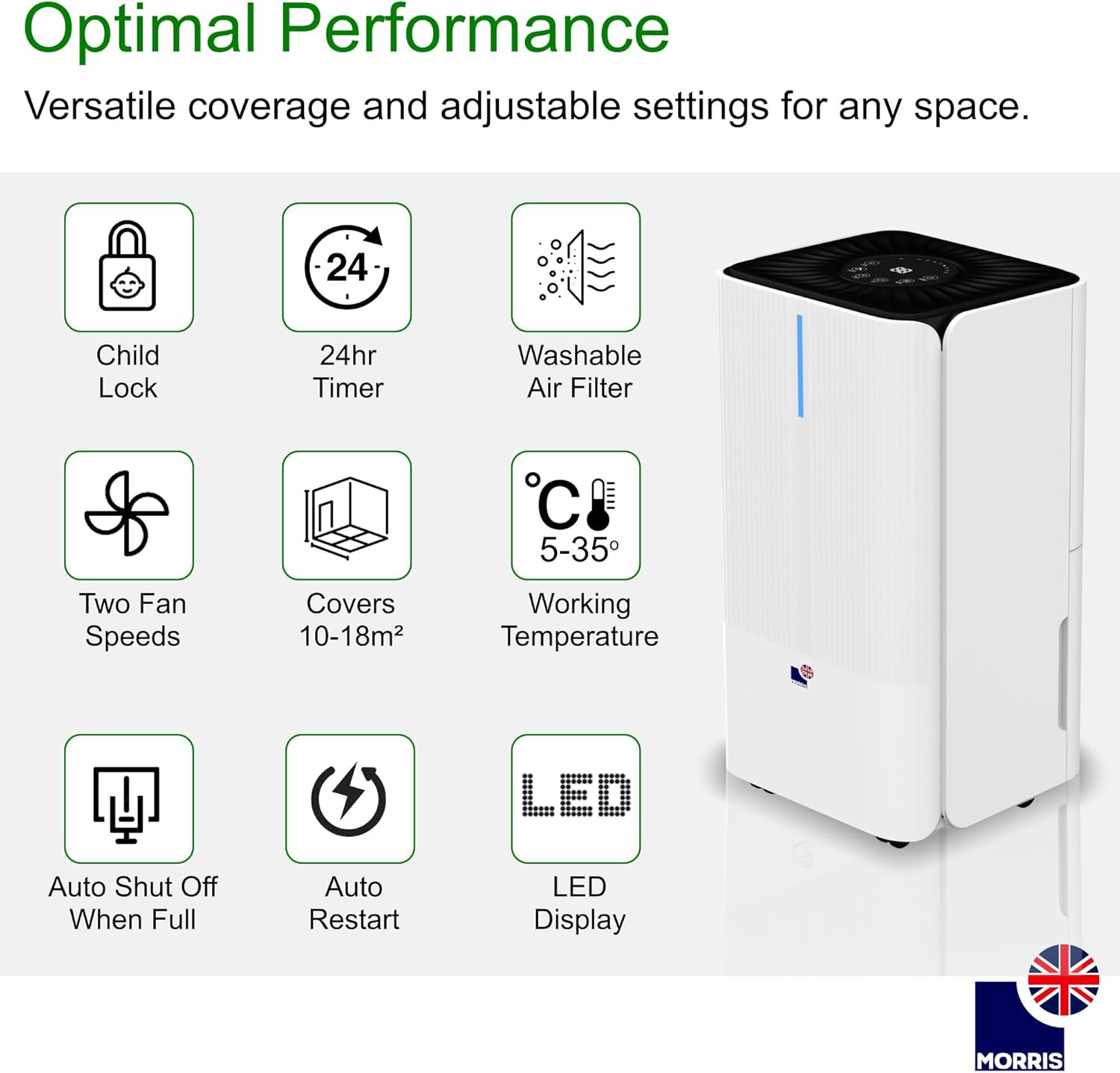
Image: Visual representation of key features including Child Lock, 24hr Timer, Washable Air Filter, Two Fan Speeds, Coverage Area, Working Temperature, Auto Shut Off When Full, Auto Restart, and LED Display.
4. Setup
4.1 Unpacking
Carefully remove the dehumidifier from its packaging. Inspect the unit for any signs of damage. Retain the packaging for future storage or transport.
4.2 Placement
Place the dehumidifier on a firm, level surface in the desired room. Ensure there is at least 20 cm (8 inches) of clear space around all sides of the unit to allow for adequate air circulation. Do not block the air inlet or outlet.
4.3 Power Connection
Plug the power cord into a grounded electrical outlet. The unit will enter standby mode.
4.4 Continuous Drainage Setup (Optional)
For continuous operation without needing to empty the water tank, attach the included drainage hose to the continuous drainage port at the rear of the unit. Ensure the hose is directed downwards to a suitable drain or container, allowing gravity to facilitate water flow.

Image: Illustration of the continuous drainage hose connected to the dehumidifier for uninterrupted operation.
5. Operating Instructions
5.1 Control Panel Overview

Image: Detailed view of the control panel, showing buttons for various functions and the central digital display.
The control panel features the following buttons:
- POWER: Turns the unit on or off.
- MODE: Selects operating modes (Common, Continuous, Laundry, Sleep).
- SET: Adjusts desired humidity level or timer settings.
- TIMER: Sets the auto-on or auto-off timer.
- SPEED: Adjusts fan speed (High/Low).
- LOCK: Activates/deactivates the child lock function.
5.2 Power On/Off
Press the POWER button to turn the dehumidifier on or off.
5.3 Operating Modes
Press the MODE button to cycle through the available operating modes:
- Common Mode: In this mode, you can set your desired humidity level. The dehumidifier will operate until the room humidity reaches the set level, then it will automatically turn off. It will restart if the room humidity rises 3% above the set level.
- Continuous Dehumidification Mode: The unit will operate continuously at high fan speed, regardless of the room's humidity level. This mode requires the continuous drainage hose to be connected, as the water tank will fill rapidly. Humidity setting and fan speed adjustment are ineffective in this mode.
- Laundry Drying Mode: Designed to quickly dry clothes. Place the dehumidifier in the room where clothes are drying. The unit will operate at a high fan speed to remove moisture from the air, accelerating the drying process.
- Sleep Mode: Activates low fan speed and dims the display for quiet operation during sleep. The dehumidifier will turn off when humidity is below or equal to 57% and restart when humidity is above or equal to 63%. The water tank full alarm will not sound in this mode, but a red light will illuminate to indicate a full tank.
5.4 Setting Humidity (Common Mode)
In Common Mode, press the SET button to adjust the desired humidity level. The humidity can typically be set between 30% and 80% in 5% increments. The unit will maintain the set humidity level.
5.5 Fan Speed Adjustment
Press the SPEED button to toggle between high and low fan speeds. This function is available in Common Mode and Laundry Drying Mode.
5.6 Timer Function
Press the TIMER button to set an auto-on or auto-off timer (1-24 hours). Use the SET button to adjust the desired time. The timer indicator will illuminate when active.
5.7 Child Lock
Press and hold the LOCK button for a few seconds to activate or deactivate the child lock. When activated, all other buttons on the control panel will be unresponsive.
5.8 Smart Humidity Indicators
The unit features color-coded LED lights to indicate current humidity levels:
- Red: High Humidity (>65%)
- Green: Optimal Levels (45%-65%)
- Blue: Low Humidity (<45%)

Image: Visual guide to the smart humidity indicators, showing red for high, green for optimal, and blue for low humidity levels.
6. Maintenance
6.1 Emptying the Water Tank
When the water tank is full, the unit will automatically stop operating, and the 'Tank Full' indicator will illuminate (or a red light in Sleep Mode). Carefully pull out the water tank, empty the collected water, and reinsert the tank firmly until it clicks into place. The unit will resume operation.

Image: Illustration of how to remove the water tank for emptying.
6.2 Cleaning the Air Filter
The washable air filter should be cleaned every two weeks or more frequently depending on usage and air quality. To clean:
- Turn off and unplug the dehumidifier.
- Remove the air filter from the rear of the unit.
- Wash the filter with warm, soapy water. Rinse thoroughly.
- Allow the filter to air dry completely before reinserting it into the unit.
6.3 Cleaning the Unit Exterior
Wipe the exterior of the dehumidifier with a soft, damp cloth. Do not use harsh chemicals, abrasive cleaners, or solvents, as these may damage the surface.
6.4 Storage
If storing the unit for an extended period, ensure the water tank is empty and clean, and the air filter is clean and dry. Store the dehumidifier in a cool, dry place, preferably in its original packaging.
7. Troubleshooting
| Problem | Possible Cause | Solution |
|---|---|---|
| Unit does not turn on | No power supply; Power cord not plugged in; Power outage. | Check power outlet; Ensure power cord is securely plugged in; Check circuit breaker. |
| No water collected | Room humidity is too low; Temperature is too low; Air filter is clogged; Water tank is full or not properly inserted; Continuous drainage hose is connected. | Increase desired humidity setting; Ensure room temperature is above 5°C; Clean air filter; Empty and reinsert water tank correctly; Disconnect continuous drainage hose if collecting in tank. |
| Unit is noisy | Unit not on a level surface; Air filter clogged; Fan speed set to high. | Place on a flat, stable surface; Clean air filter; Select low fan speed or Sleep Mode. |
| Water leaks from unit | Water tank not properly inserted; Continuous drainage hose is blocked or improperly installed. | Reinsert water tank correctly; Check continuous drainage hose for blockages or kinks, ensure proper downward slope. |
| Child Lock is active | Buttons are unresponsive. | Press and hold the LOCK button for a few seconds to deactivate. |
8. Specifications
| Feature | Specification |
|---|---|
| Brand | Morris |
| Model Number | MOR12L-DHE |
| Dehumidification Capacity | 12 Liters/day |
| Water Tank Volume | 2 Liters |
| Power Consumption | 200 Watts |
| Noise Level | 36 Decibels |
| Dimensions (L x W x H) | 22 x 25 x 44.5 cm |
| Weight | 10.69 Kilograms |
| Recommended Coverage Area | Up to 25 m² (or 10-18 m² as per some feature bullets) |
| Working Temperature Range | 5°C - 35°C |
| Special Features | Digital Display, Automatic Shut-off, Adjustable Humidity Control, Automatic Defrost, LED Power Indicator, Child Lock, 24hr Timer, Washable Air Filter, 2 Fan Speeds, Auto Restart. |
9. Warranty and Support
Your Morris 12L Silent Dehumidifier comes with a standard manufacturer's warranty. Please refer to the warranty card included with your purchase for specific terms and conditions. For technical support, spare parts, or service inquiries, please contact Morris customer service through their official website or the retailer where the product was purchased.
