
PQWT L6000
PQWT L6000 Outdoor Pipeline Water Leak Detector Instruction Manual
Model: L6000 | Brand: PQWT
Introduction
The PQWT L6000 is an advanced, multi-functional water leak detector designed for precise detection of leaks in various pipeline systems. This includes outdoor water pipes, fire pipes, heating systems, indoor ground water pipes, and underground heating floor pipes. By collecting and analyzing leakage sound signals, the device helps identify the exact location of pressure pipe water leaks.
This manual provides detailed instructions for the proper setup, operation, maintenance, and troubleshooting of your PQWT L6000 detector to ensure optimal performance and accurate leak detection.
Product Overview and Components
The PQWT L6000 system comprises several key components designed for efficient and accurate leak detection. Familiarize yourself with each part before operation.
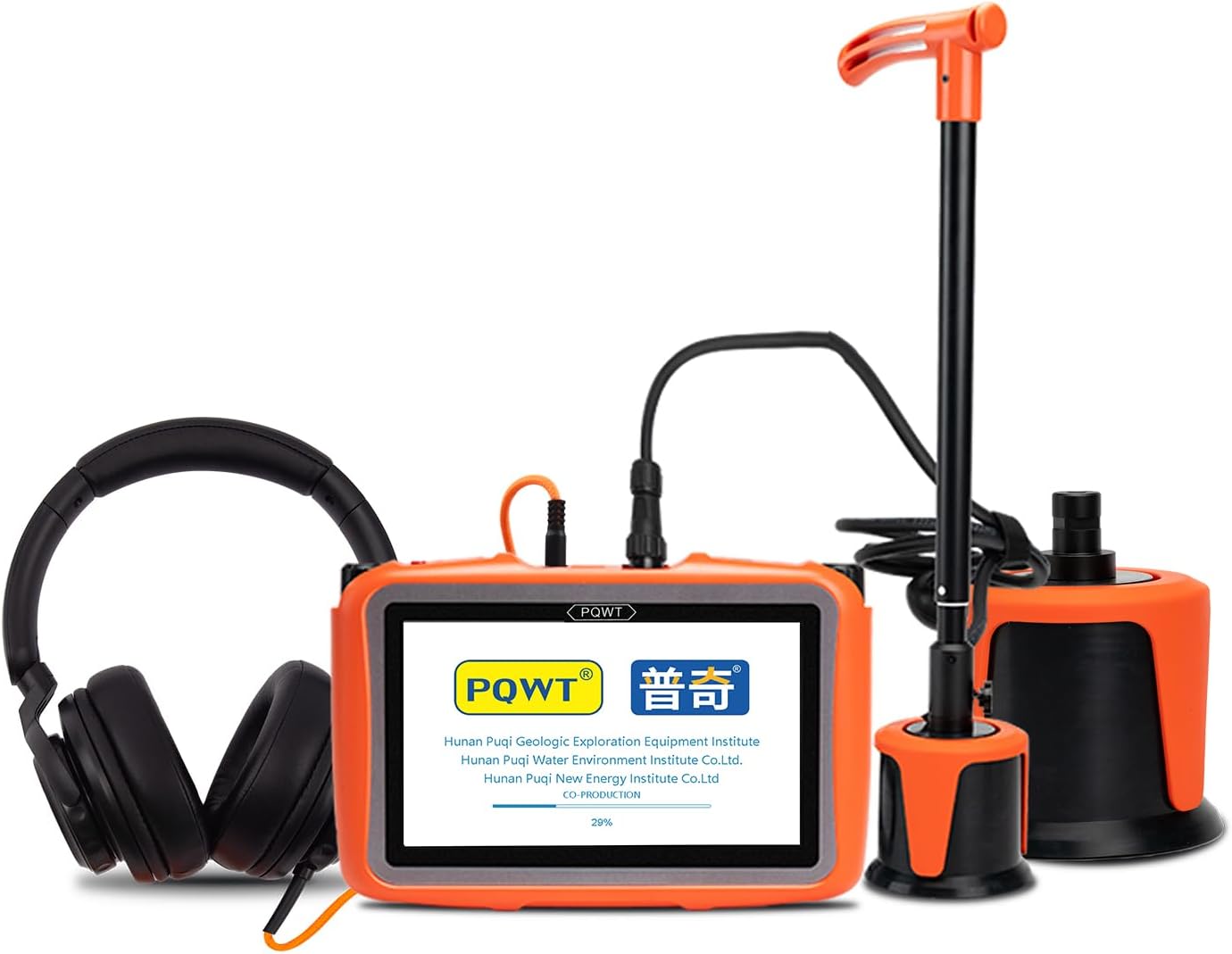
Figure 1: Complete PQWT L6000 Water Leak Detector Kit, including the host machine, headphones, and sensors, stored in a protective case.
Main Components:
- Host Machine: The central processing unit with a 7-inch HD digital touch LCD screen for displaying signals and controls.
- Noise Cancelling Earphone: For listening to amplified leakage sounds.
- Large Sensor: Used for general detection and covering larger areas.
- Middle Sensor: For more precise localization of leaks.
- Telescopic Handle: Attaches to sensors for ergonomic use during detection.
- Sound Pole: Additional accessory for specific detection scenarios.
- 5V 2V Charger and Wire: For charging the host machine.
- Adapter and USB Cable: For power and data transfer.
- Belt: For carrying the host machine.

Figure 2: Detailed view of PQWT L6000 components including the host machine, large and middle sensors, noise-cancelling earphones, telescopic handle, sound pole, and charging accessories.
Host Machine Interface:

Figure 3: Host machine interface with labeled ports and controls. This includes the Right Knob Switch, SD Charge interface, USB Charge interface, Five-core Air Plug, Headphone Jack, Left Knob Switch, Indicator, Reset Key, and Switch Button.
- Switch Button: Powers the device on/off.
- Reset Key: For system reset if needed.
- Indicator: Displays device status (e.g., charging, power on).
- Left/Right Knob Switch: Controls various settings and navigation.
- USB Charge Interface: For charging and data connection.
- SD Charge Interface: (Note: This may refer to a DC charging port or an SD card slot, depending on the specific model variant).
- Five-core Air Plug: Connects sensors to the host machine.
- Headphone Jack: Connects the noise-cancelling earphones.
Setup Instructions
- Charge the Host Machine: Connect the host machine to the 5V 2V charger using the provided USB cable. Ensure the device is fully charged before first use. The indicator light will show charging status.
- Attach Sensor: Select the appropriate sensor (Large or Middle) based on the detection area. Connect the sensor cable to the Five-core Air Plug port on the host machine.
- Connect Earphones: Plug the noise-cancelling earphones into the Headphone Jack on the host machine.
- Assemble Telescopic Handle (if applicable): For ground detection, attach the selected sensor to the telescopic handle. Ensure it is securely fastened.
- Power On: Press and hold the Switch Button to power on the host machine. The device will boot up and display the main interface on the LCD screen.
Ensure all connections are secure to prevent signal interference or damage to the equipment.
Operating Instructions
The PQWT L6000 operates by collecting and analyzing sound signals to identify water leaks. The process involves both listening for abnormal sounds and observing visual signal indicators.
Working Principle:
The Pipeline Water Leak Detector collects leaking sound signals through its sensor. These collected signals are then processed by the host machine and displayed on the screen as a visual spectrum and signal bars. Simultaneously, the amplified sound is output to the earphones. Leakage points are identified by combining "listening to abnormal sounds" and "observing abnormal signal bars." The closer the detector is to the leak, the greater the sound and the higher the columnar signal on the display.
Detection Modes:
- General Detection Mode: Used for initial scanning of a larger area to identify potential leak zones.
- Locating Mode: Used for precise pinpointing of the leak within a suspected area.
Step-by-Step Operation:
- Initial Scan (General Detection Mode):
- Place the sensor on the ground or directly on the pipe at regular intervals along the suspected pipeline route.
- Listen carefully through the earphones for any unusual sounds (hissing, gurgling, dripping).
- Observe the visual spectrum and signal bars on the LCD screen. Higher bars or distinct patterns indicate potential leak activity.
- Mark areas where significant sound or signal anomalies are detected.
- Precise Localization (Locating Mode):
- Switch to Locating Mode on the host machine.
- Focus on the marked areas from the general detection. Move the sensor in smaller increments around these areas.
- The signal bars will increase significantly as you get closer to the leak source. The sound in the earphones will also become louder and clearer.
- The point where the sound and visual signal are strongest is the most probable leak location.
- Confirming the Leak:
- Once a strong signal is identified, re-verify by moving the sensor slightly away and back to confirm the peak.
- The visual spectrum display will provide a clear indication of the leak's intensity and characteristics.

Figure 4: Visual representation of leak detection using the visual spectrum, showing signal intensity increasing near a leaking point in an underground pipe.
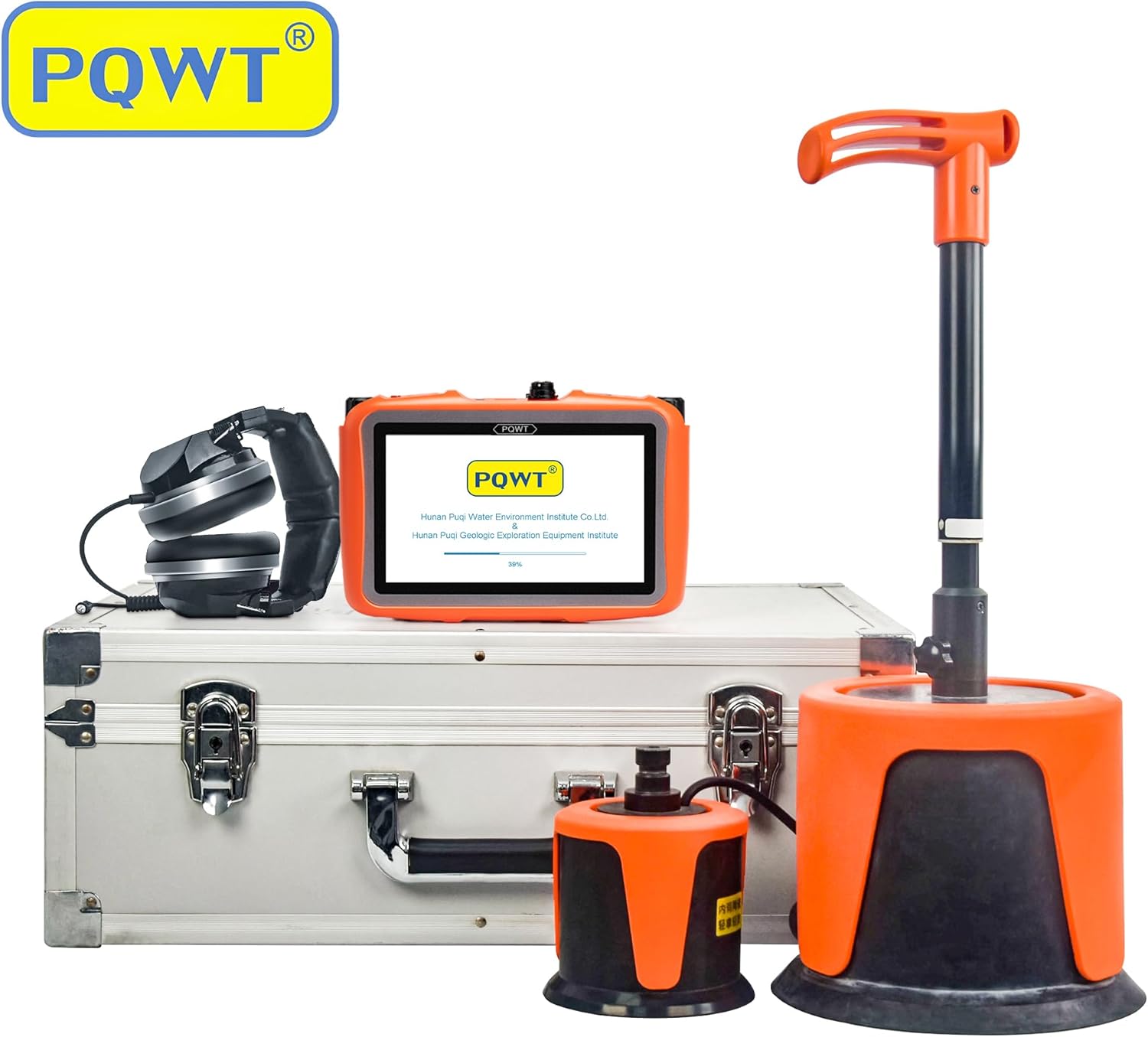
Figure 5: An operator using the PQWT L6000 detector with the telescopic handle and large sensor for outdoor pipeline leak detection.
Tips for Best Results:
- Perform detection during quiet periods (e.g., late night or early morning) to minimize ambient noise interference.
- Ensure the sensor makes good contact with the surface above the pipe.
- Adjust headphone volume to a comfortable level.
- Practice in a known area to familiarize yourself with the device's response.
Maintenance
- Cleaning: Wipe the host machine, sensors, and accessories with a soft, dry cloth after each use. Avoid using abrasive cleaners or solvents.
- Storage: Store the device and its components in the provided carrying case in a cool, dry place, away from direct sunlight and extreme temperatures.
- Battery Care: Recharge the host machine regularly, even if not in frequent use, to maintain battery health. Avoid fully discharging the battery for extended periods.
- Sensor Protection: Handle sensors with care. Avoid dropping them or exposing them to excessive force, which could damage the sensitive acoustic components.
- Cable Inspection: Periodically check all cables for signs of wear, cuts, or damage. Replace damaged cables immediately to ensure proper functionality and safety.
Troubleshooting
| Problem | Possible Cause | Solution |
|---|---|---|
| Device does not power on. | Low battery; Power button not pressed correctly. | Charge the host machine. Press and hold the power button firmly. |
| No sound in earphones. | Earphones not plugged in; Volume too low; Faulty earphones/cable. | Ensure earphones are fully plugged in. Adjust volume. Test with another pair of earphones if available. Check cable connection. |
| Weak or inconsistent signal. | Poor sensor contact; High ambient noise; Sensor cable loose. | Ensure firm contact between sensor and surface. Reduce ambient noise if possible. Check sensor cable connection. |
| Screen unresponsive or frozen. | Software glitch. | Press the Reset Key to restart the device. |
If the problem persists after attempting these solutions, please contact customer support.
Specifications
| Feature | Detail |
|---|---|
| Model Number | L6000 |
| Brand | PQWT |
| Control Method | Touch |
| Maximum Range | 5 Meters |
| Sensor Technology | Acoustic Sensor |
| Voltage | 5 Volts |
| Number of Batteries | 2 Lithium Ion batteries (included) |
| Battery Cell Type | Lithium Ion |
| Product Dimensions | 15.75 x 7.87 x 18.11 inches |
| Item Weight | 17.64 pounds |
| Material | Plastic |
| Usage | Outside; Professional |
| Manufacturer | Hunan Puqi Water Environment Institute Co,Ltd |
Warranty and Support
For warranty information, technical support, or service inquiries, please refer to the documentation included with your purchase or contact PQWT customer service directly.
You can also visit the official PQWT store for more information: PQWT Store
Related documentsL6000


Ask a question about this manual
Ask about setup, troubleshooting, compatibility, parts, safety, or missing instructions. Manuals+ will review the question and use this page’s manual context to help answer it.