
1. Introduction
This manual provides detailed instructions for the safe and efficient operation of your Fenton AV360BT Stereo Amplifier. Please read this manual thoroughly before using the device and retain it for future reference. The AV360BT is a compact Hi-Fi mini amplifier featuring Bluetooth connectivity, an integrated MP3 player with USB/SD inputs, and an FM radio tuner, designed for versatile audio playback.
2. Safety Instructions
- Ensure the amplifier is connected to a power supply that matches the voltage specified on the device.
- Do not expose the unit to rain or moisture to prevent electric shock or fire.
- Avoid placing the unit near heat sources or in direct sunlight.
- Do not open the casing. Refer all servicing to qualified personnel.
- Keep the unit away from children.
- Disconnect the power plug during thunderstorms or when unused for long periods.
3. Package Contents
Verify that all items are present upon unpacking:
- Fenton AV360BT Stereo Amplifier
- Remote Control
- User Manual (this document)
4. Product Features
- 2 x 40W Stereo Amplifier
- Integrated Bluetooth for wireless audio streaming
- MP3 player with USB port and SD/MMC card slot
- Built-in FM radio tuner (87.5 - 108.5 MHz)
- Line input (AUX) for connecting external audio sources
- Bass, Treble, and Master Volume controls
- Output protection circuitry
- Includes remote control for MP3 player functions
5. Controls and Connections
5.1 Front Panel
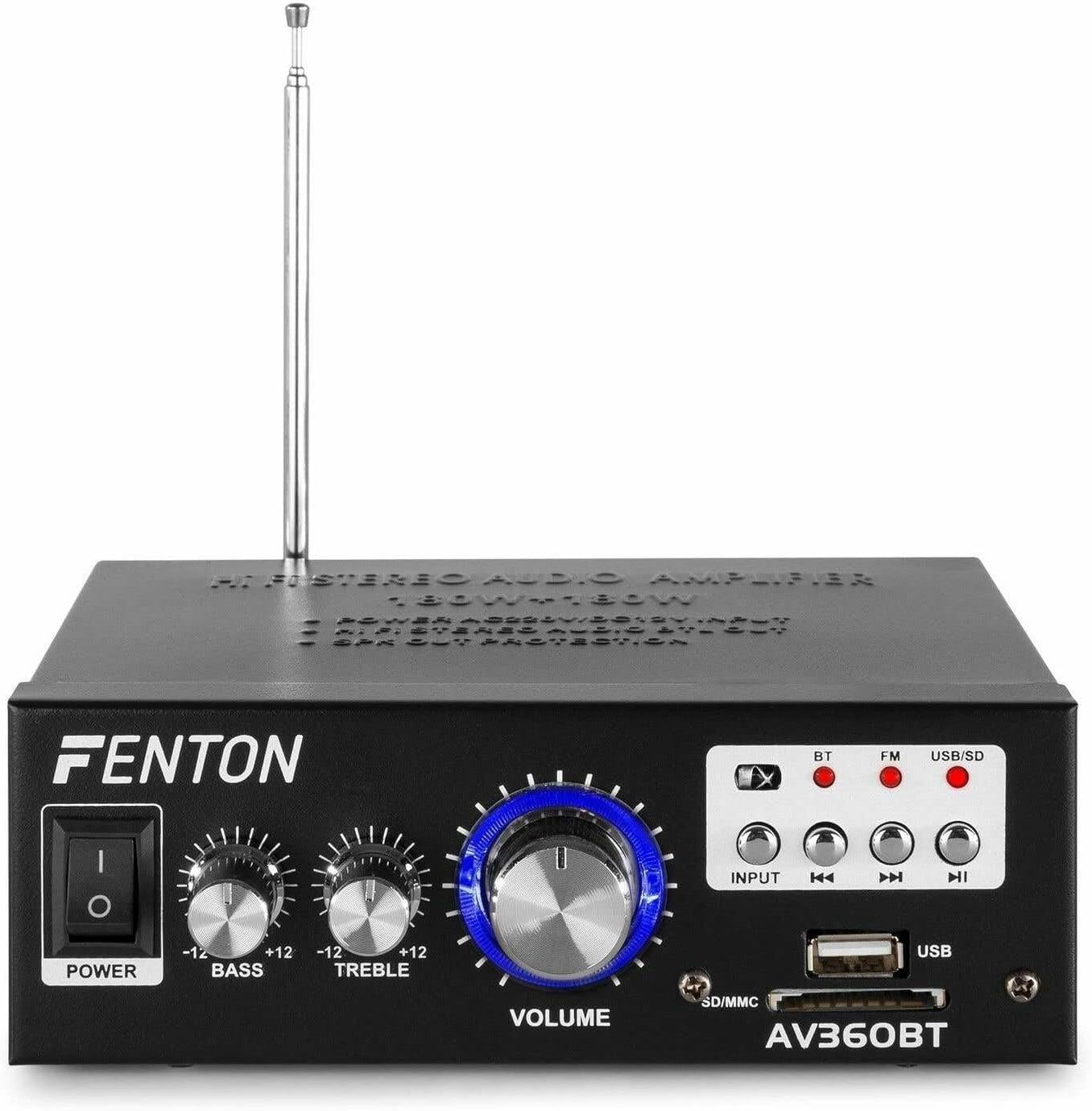
Image: Front view of the Fenton AV360BT amplifier, showing the power switch, bass, treble, and volume knobs, input selection buttons, playback controls, USB port, and SD/MMC card slot.
- POWER Switch: Turns the amplifier on or off.
- BASS Control: Adjusts the low-frequency audio output.
- TREBLE Control: Adjusts the high-frequency audio output.
- VOLUME Control: Adjusts the overall output volume.
- INPUT Button: Selects the audio source (Bluetooth, FM, USB/SD).
- Playback Controls (Previous, Play/Pause, Next): Used for MP3 playback and FM radio tuning.
- USB Port: Connect USB flash drives for MP3 playback.
- SD/MMC Card Slot: Insert SD or MMC cards for MP3 playback.
5.2 Rear Panel

Image: Rear view of the Fenton AV360BT amplifier, displaying the audio input (RCA), speaker connectors, FM antenna, and power input.
- AUDIO INPUT (RCA): Connect external audio devices (e.g., CD player, TV) using RCA cables.
- SPEAKER CONNECTORS: Connect passive speakers (8-16 ohms impedance). Ensure correct polarity (+ to + and - to -).
- ANTENNA: Extend for optimal FM radio reception.
- DC 12V/5A Input: For external 12V DC power supply (if applicable).
- AC Power Input: Connect the supplied AC power cord.
5.3 Remote Control

Image: The remote control for the Fenton AV360BT, showing buttons for power, mode, mute, playback, EQ, volume, repeat, and numeric selection.
The remote control allows for convenient operation of the MP3 player and other functions from a distance. Refer to the button labels for specific functions such as power, mode selection, mute, playback controls, equalizer, volume adjustment, repeat, and direct track selection.
6. Setup
- Placement: Place the amplifier on a stable, flat surface, ensuring adequate ventilation around the unit.
- Speaker Connection: Connect your passive speakers to the SPEAKER CONNECTORS on the rear panel. Ensure the positive (+) terminal of the amplifier connects to the positive (+) terminal of the speaker, and the negative (-) to the negative (-). Incorrect polarity can affect sound quality.
- External Audio Source (Optional): If connecting an external device via RCA, use appropriate cables to connect its audio output to the AUDIO INPUT (RCA) on the amplifier's rear panel.
- Power Connection: Connect the AC power cord to the AC Power Input on the rear panel, then plug it into a suitable wall outlet.
- Antenna: Extend the FM antenna for better radio reception.
7. Operating Instructions
7.1 Power On/Off
Press the POWER switch on the front panel to turn the amplifier on or off.
7.2 Volume, Bass, and Treble Adjustment
Use the VOLUME, BASS, and TREBLE knobs on the front panel to adjust the sound output to your preference.
7.3 Bluetooth Operation
- Turn on the amplifier.
- Press the INPUT button until the Bluetooth (BT) indicator light is illuminated.
- Enable Bluetooth on your smartphone, tablet, or computer.
- Search for available devices and select "AV360BT" from the list.
- Once paired, you can stream audio wirelessly to the amplifier.
7.4 USB/SD MP3 Playback
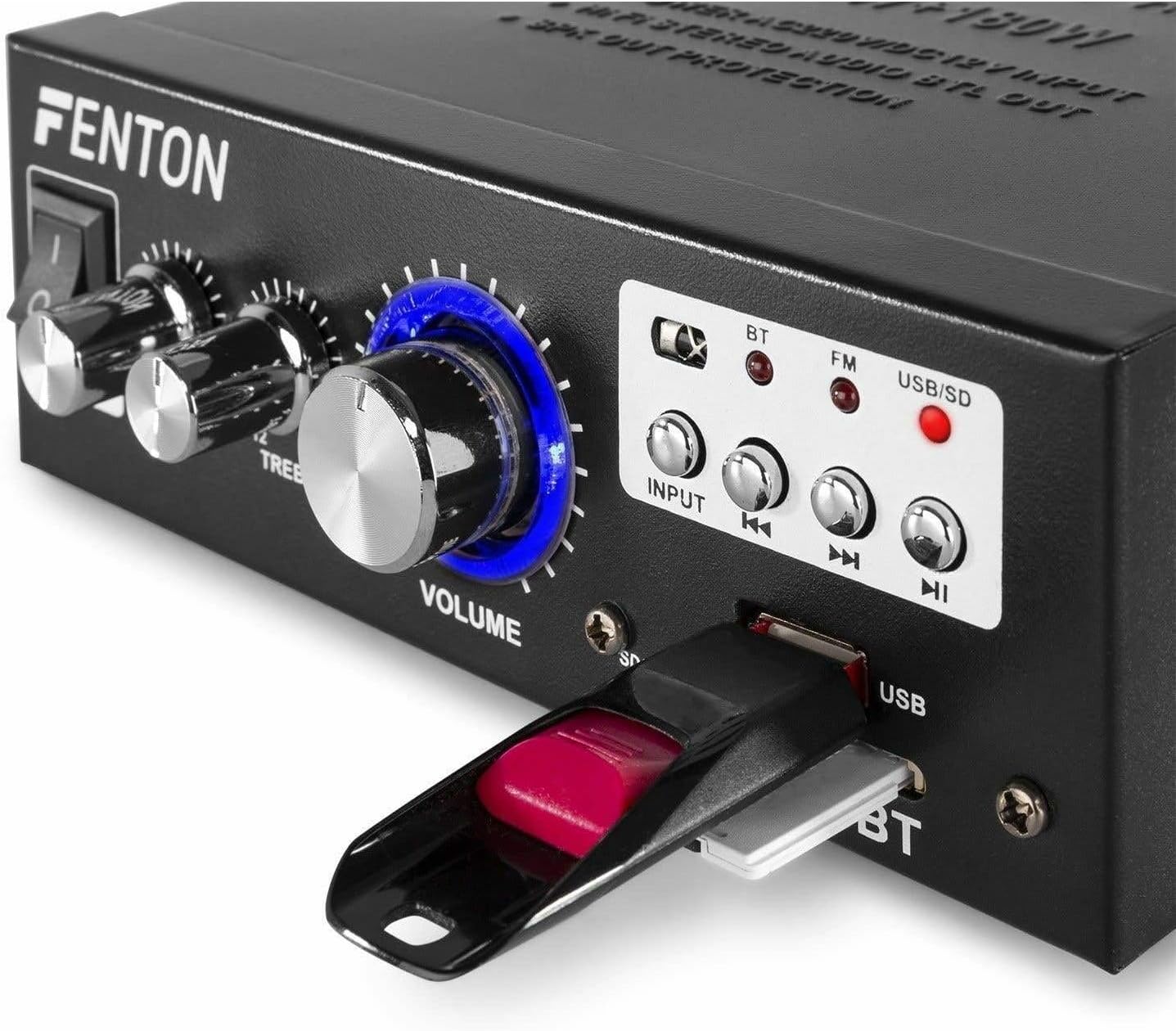
Image: Close-up view of the Fenton AV360BT's front panel, showing a USB flash drive inserted into the USB port and an SD card in the SD/MMC slot.
- Insert a USB flash drive into the USB Port or an SD/MMC card into the SD/MMC Card Slot.
- Press the INPUT button until the USB/SD indicator light is illuminated. The amplifier will automatically detect and begin playing MP3 files.
- Use the Playback Controls (Previous, Play/Pause, Next) on the front panel or remote control to manage playback.
7.5 FM Radio Operation
- Press the INPUT button until the FM indicator light is illuminated.
- Use the Previous and Next buttons to scan for radio stations.
- Ensure the antenna is fully extended for optimal reception.
7.6 AUX Input
When an external device is connected to the RCA AUDIO INPUT, select the AUX input mode using the INPUT button. The amplifier will play audio from the connected device.
8. Maintenance
- Cleaning: Use a soft, dry cloth to clean the exterior of the amplifier. Do not use abrasive cleaners or solvents.
- Storage: Store the unit in a cool, dry place when not in use for extended periods.
- Ventilation: Ensure ventilation openings are not blocked to prevent overheating.
9. Troubleshooting
| Problem | Possible Cause | Solution |
|---|---|---|
| No sound output | Power off; incorrect input selected; speaker connections loose; volume too low. | Ensure power is on; select correct input; check speaker wiring; increase volume. |
| Bluetooth not connecting | Amplifier not in Bluetooth mode; device too far; device already paired with another unit. | Select Bluetooth input; move device closer; disconnect from other devices and try again. |
| Poor FM radio reception | Antenna not extended; weak signal. | Fully extend the FM antenna; try repositioning the unit for better signal. |
| USB/SD playback issues | Unsupported file format; corrupted files; incorrect input selected. | Ensure files are MP3 format; try different USB/SD media; select USB/SD input. |
10. Specifications
| Feature | Specification |
|---|---|
| Output Power | 2 x 40 W (80 W total) |
| Impedance | 8~16 ohms |
| Input Sensitivity (Line) | 0 ~ 2 V / 47 kohm |
| Connection Voltage | 220-240Vac/50Hz // 12Vdc-5A |
| FM Radio Frequency | 87.5 - 108.5 MHz |
| Dimensions (L x W x H) | 145 x 160 x 55 mm |
| Weight | Approx. 950 g |
| Connections | RCA, Bluetooth, USB, SD |
| Compatible Devices | Speakers |
| Power Source (Remote) | 1 non-standard battery (included) |
| Manufacturer | Tronios B.V. |
| Country of Origin | China |
11. Warranty and Support
For warranty information or technical support, please refer to the documentation provided with your purchase or contact your retailer. Keep your proof of purchase for any warranty claims.


