
Introduction
Thank you for purchasing the Ivation 24 Bottle Compressor Wine Cooler Refrigerator. This manual provides essential information for the safe and efficient use of your appliance. Please read it thoroughly before installation and operation, and retain it for future reference.
Important Safety Information
- Read all instructions before using the appliance.
- Do not touch cold surfaces with wet hands.
- Ensure proper grounding for electrical safety.
- Keep ventilation openings clear of obstructions.
- Do not use mechanical devices or other means to accelerate the defrosting process.
- Do not damage the refrigerant circuit.
- This appliance is intended for household use only.
- Keep children away from the appliance.
Setup and Installation
Unpacking
Carefully remove all packaging materials. Ensure all components are present and undamaged. It is recommended to keep the original packaging for future transport or service needs.
Placement
- Place the wine cooler on a flat, stable surface away from direct sunlight and heat sources (e.g., ovens, radiators).
- Allow at least 2 inches of space around the back and sides of the unit for proper ventilation.
- Ensure the unit is level by adjusting the feet.
- After placement, allow the unit to stand upright for at least 3 hours before plugging it in. This allows the compressor fluids to settle.
Electrical Connection
Connect the appliance to a dedicated, grounded 120 Volt AC outlet. Do not use extension cords or adapter plugs.
Door Handle Installation
If the door handle is not pre-installed, align the handle with the pre-drilled holes on the door and secure it using the provided screws. Ensure a snug fit without overtightening.
Operating Instructions
Control Panel Overview
The wine cooler features an easy-touch digital control panel located on the top of the door. This panel allows you to adjust temperature settings and control the interior light.

Image Description: A close-up of the wine cooler's digital control panel, showing a hand pressing the temperature adjustment buttons. The display shows "59" degrees Fahrenheit, along with icons for lock and light.
Setting the Temperature
- The temperature range for this unit is 41°F to 64°F (5°C to 18°C).
- Use the Up (▲) and Down (▼) arrows on the control panel to adjust the desired temperature.
- Once the desired temperature is set, press the Lock button (padlock icon) to lock the settings and prevent accidental changes.
- The bright LCD display allows for easy viewing of the current temperature.
Interior Lighting
Press the Light button (light bulb icon) on the control panel to turn the energy-efficient LED interior light on or off. This soft lighting illuminates your collection without affecting wine quality.

Image Description: The interior of the wine cooler with its soft LED lighting turned on, illuminating bottles of wine on the shelves. This image highlights the visibility of the wine collection.
Adjusting Shelves and Bottle Capacity
The wine cooler is equipped with removable shelves to accommodate various bottle sizes, from standard 750ml Bordeaux bottles to wider Pinot Noir or Champagne bottles. Gently pull out and lift the shelves to rearrange them as needed.

Image Description: A close-up view of the wine cooler's wire shelves, demonstrating how standard 750ml wine bottles fit. The image also shows dimensions for bottle width and length, indicating flexibility for different bottle types.
While designed for 24 bottles, actual capacity may vary depending on bottle shape and size. The bottom rack is often suitable for larger or irregularly shaped bottles.
Security Lock
Your wine cooler includes a built-in lock to secure your collection. Use the provided keys to lock and unlock the door.

Image Description: A close-up of the wine cooler's door lock mechanism, showing two keys inserted. This illustrates the security feature of the appliance.
Compressor Cooling Technology
The compressor technology ensures stable temperatures, unaffected by external heat sources, providing an optimal environment for long-term wine storage and preserving flavor and aroma.

Image Description: An internal view of the wine cooler, highlighting the compressor cooling system at the bottom rear. This image demonstrates the core cooling technology.
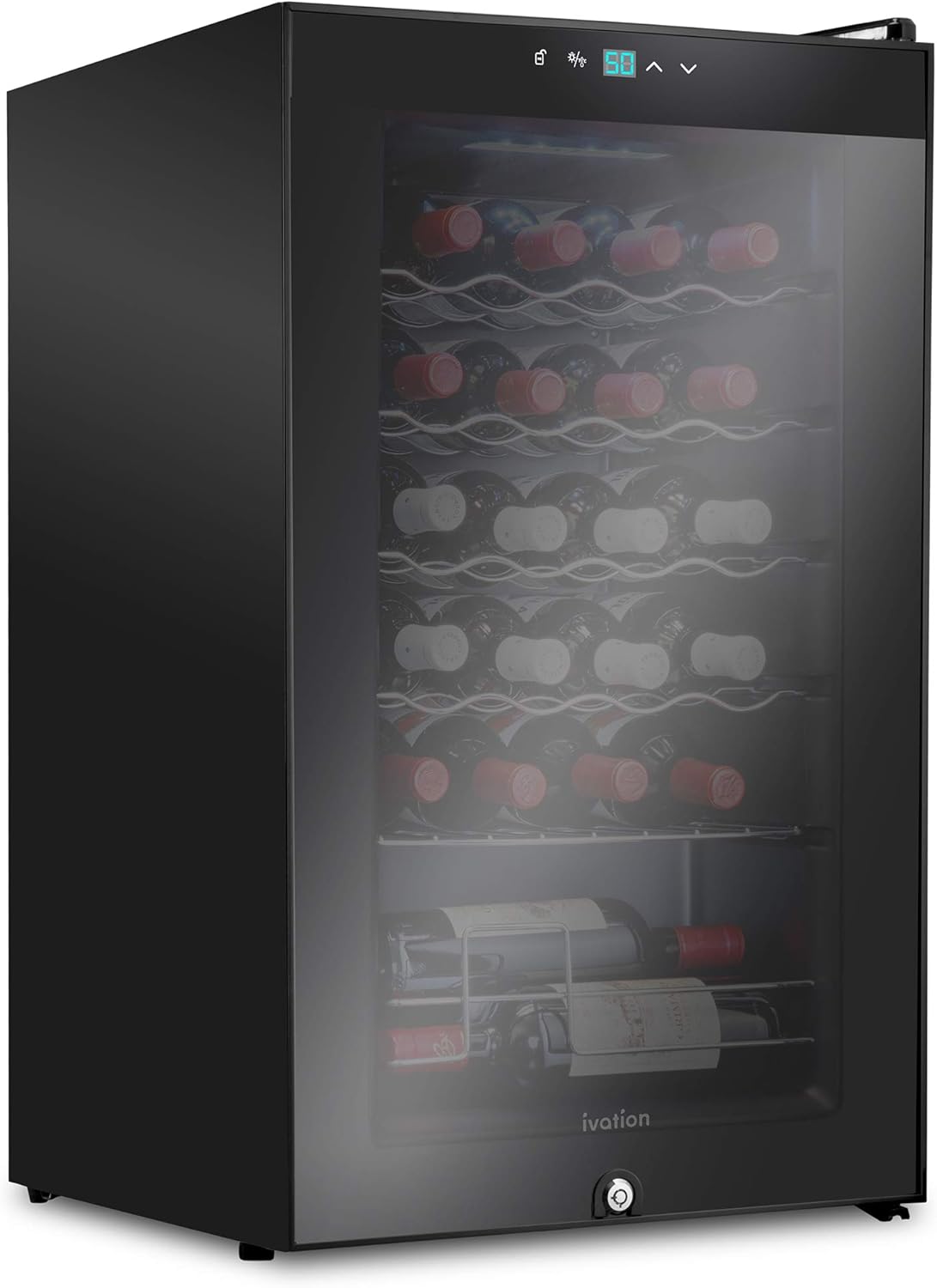
Image Description: An open wine cooler interior showing airflow patterns (indicated by blue arrows) and a digital display set to 59°F. This illustrates the consistent temperature maintenance and internal fan operation.
Video Demonstration: Product Overview
Video Description: A user-generated video providing a review and overview of the Ivation 24 Bottle Wine Cooler Refrigerator, demonstrating its features and operation. This video can help users visualize the product in use.
Maintenance and Care
Cleaning the Interior
- Unplug the appliance before cleaning.
- Clean the interior with a soft cloth, warm water, and a mild detergent.
- Do not use abrasive cleaners or solvents.
- Ensure the interior is completely dry before plugging the unit back in.
Cleaning the Exterior
Wipe the exterior surfaces with a soft, damp cloth. For glass surfaces, use a glass cleaner. Avoid harsh chemicals that may damage the finish.
Defrosting
This wine cooler features an automatic defrost system, minimizing the need for manual defrosting. If excessive frost builds up, unplug the unit and allow it to defrost naturally with the door open, then wipe away any water.
Door Seal Maintenance
Regularly check the door seal for any signs of wear or damage. A tight seal is crucial for maintaining optimal temperature and energy efficiency. Clean the seal with a mild detergent and ensure it is free of debris.
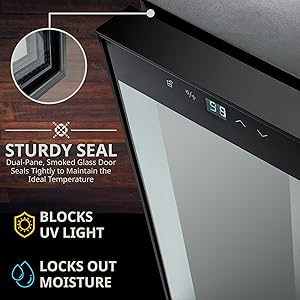
Image Description: A close-up view of the wine cooler's dual-pane, smoked glass door and its sturdy seal, emphasizing its ability to maintain ideal internal temperature and block UV light and moisture.
Troubleshooting Guide
| Problem | Possible Cause | Solution |
|---|---|---|
| Appliance does not operate. | Not plugged in; circuit breaker tripped; power outage. | Ensure plug is secure; check circuit breaker; verify power supply. |
| Temperature is not cold enough. | Door not closed properly; excessive door opening; warm items added; poor ventilation; unit near heat source. | Check door seal; minimize door openings; allow new items to cool; ensure adequate clearance around unit; relocate away from heat. |
| Excessive noise. | Unit not level; loose parts; compressor cycling. | Adjust leveling feet; check for loose components; compressor noise is normal during operation. |
| Vibration. | Unit not level; bottles touching each other or interior walls. | Adjust leveling feet; ensure bottles are spaced correctly. |
| Moisture buildup inside. | High humidity; door not sealed properly; frequent door openings. | Ensure door is closed tightly; minimize door openings; check door gasket for damage. |
If troubleshooting steps do not resolve the issue, please contact customer support.
Product Specifications
| Feature | Detail |
|---|---|
| Brand | Ivation |
| Model Number | IVFWCC241LB |
| Product Dimensions (D x W x H) | 16.93"D x 17.72"W x 29.13"H |
| Item Weight | 47.6 Pounds |
| Capacity | 24 Bottle (750 Milliliters per bottle) |
| Temperature Range | 41°F - 64°F |
| Cooling Method | Compressor |
| Installation Type | Freestanding |
| Defrost System | Automatic |
| Voltage | 120 Volts |
| Annual Energy Consumption | 160 Kilowatt Hours Per Year |
| Number of Shelves | 6 (Wire) |
| Door Material Type | Glass (Double-paned, UV-resistant) |
| Lock Type | Key |
| Refrigerant | R-600A or R-290 |
Warranty Information
This Ivation wine cooler comes with a 1 Limited Year Manufacturer Warranty. Please retain your proof of purchase for warranty claims. The warranty covers defects in materials and workmanship under normal use. It does not cover damage resulting from misuse, accident, alteration, or unauthorized repair.
For detailed warranty terms and conditions, please refer to the documentation included with your product or contact Ivation customer support.
Customer Support
If you have any questions, require technical assistance, or need to make a warranty claim, please contact Ivation customer support. Have your model number (IVFWCC241LB) and proof of purchase ready when contacting support.
For the most up-to-date contact information, please visit the official Ivation website or refer to the contact details provided in your product packaging.


