
1. Introduction
This manual provides essential information for the proper installation, operation, and maintenance of your Hi Tech H5 Cartridge Water Purifier Filter. Designed for faucet mounting, this filter utilizes Nano-KDF technology and Tourmaline to provide purified water directly from your tap.

Image 1.1: Main view of the Hi Tech H5 Cartridge Water Purifier Filter.
2. Product Features
The Hi Tech H5 Water Purifier Filter is engineered to enhance water quality through several key features:
- Instant Purification: Provides purified water immediately upon activation.
- Dual Mode Operation: Allows flexible switching between filtered water and unfiltered tap water.
- Advanced Filtration: Incorporates Nano-KDF technology to inhibit bacterial growth and Tourmaline as a primary filtering material.
- Contaminant Reduction: Designed to reduce rust, parasites, contaminants, worms, residual chlorine, algae, heavy metal ions, dirt, organic pollutants, and improve taste and odor.
- Reusable Cartridge: The ceramic filtering cartridge is designed for easy cleaning and repeated use.
- Universal Fit: Includes three faucet joints to accommodate various tap types.
3. Setup and Installation
The Hi Tech H5 Water Purifier Filter is designed for straightforward installation without the need for specialized tools.
3.1. Unpacking and Inspection
- Carefully remove all components from the packaging.
- Inspect the filter unit and all accessories for any signs of damage. Do not proceed with installation if any damage is observed.
- Ensure all listed components are present: filter unit, ceramic cartridge (pre-installed or separate), and three faucet joints/adapters.

Image 3.1: Included faucet joints and adapters for installation.
3.2. Faucet Attachment
- Remove the existing aerator from your faucet.
- Select the appropriate faucet joint (adapter) that matches your faucet's threading. The filter comes with three different types to ensure compatibility.
- Securely attach the selected faucet joint to your faucet. Hand-tighten only to prevent damage.
- Attach the Hi Tech H5 filter unit to the installed faucet joint. Ensure a snug fit to prevent leaks.
No special tools are required for this installation process.
4. Operating Instructions
The Hi Tech H5 filter allows for easy switching between filtered and unfiltered water.
- To use filtered water: Locate the switch or lever on the side of the filter unit. Move it to the position indicated for filtered water. Turn on your faucet. Water will now flow through the filter cartridge.
- To use unfiltered tap water: Move the switch or lever to the position indicated for tap water. Turn on your faucet. Water will bypass the filter cartridge.
Always ensure the switch is fully engaged in the desired position to prevent leaks or improper water flow.
5. Maintenance
Regular maintenance of your Hi Tech H5 filter is crucial for optimal performance and longevity. The ceramic filtering cartridge is designed to be cleaned and reused.
5.1. Cartridge Cleaning
- Turn off the water supply to the faucet.
- Carefully detach the filter unit from the faucet.
- Open the filter housing to access the ceramic cartridge. Refer to the product diagram for specific opening instructions.
- Remove the ceramic cartridge.
- Under running water, gently scrub the surface of the ceramic cartridge with a soft brush or sponge to remove accumulated dirt and sediment. Do not use harsh detergents or abrasive materials.
- Rinse the cartridge thoroughly until the water runs clear.
- Reinsert the cleaned cartridge into the filter housing, ensuring it is properly seated.
- Close the filter housing securely and reattach the unit to the faucet.
- Turn on the water supply and check for any leaks.
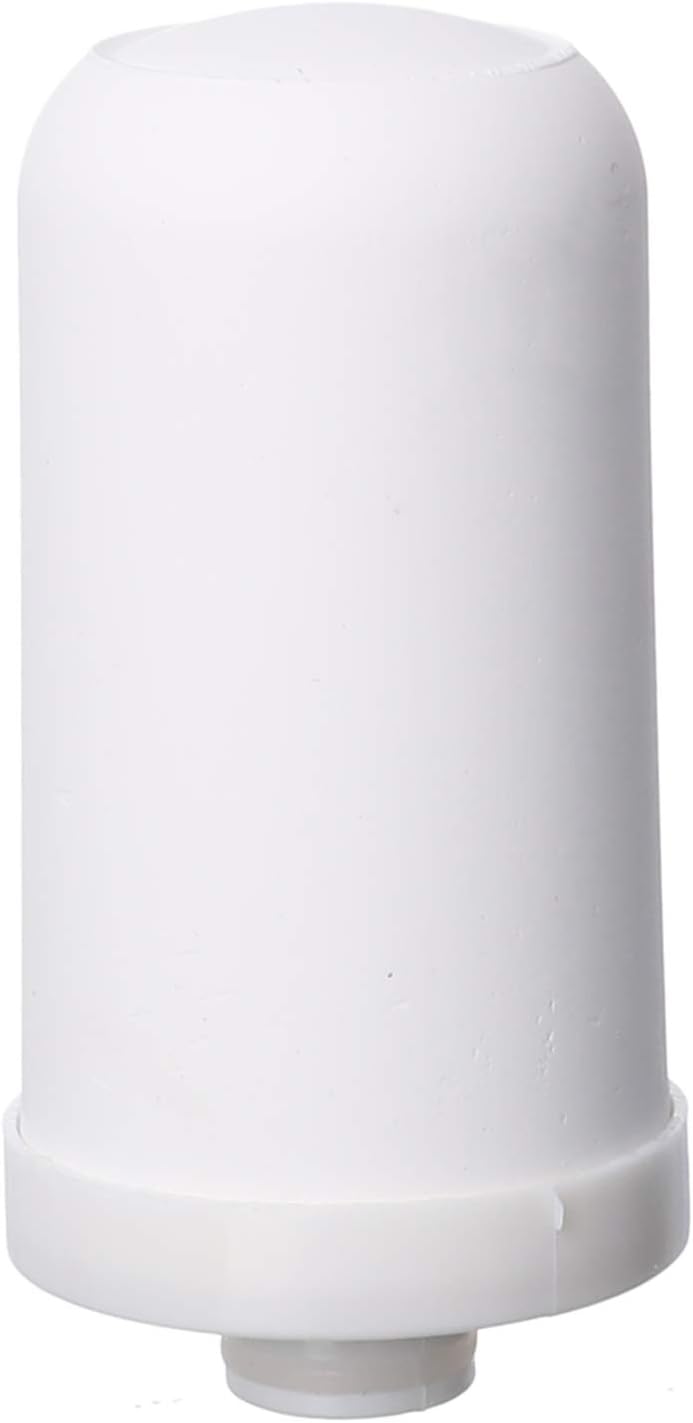
Image 5.1: The ceramic filter cartridge, which can be cleaned and reused.
The frequency of cleaning depends on your water quality and usage. Clean the cartridge when you notice a reduction in water flow or visible discoloration on the cartridge surface.
6. Troubleshooting
If you encounter issues with your Hi Tech H5 Water Purifier Filter, consider the following common solutions:
- Reduced Water Flow: This is often an indication that the ceramic cartridge needs cleaning. Refer to Section 5.1 for cleaning instructions.
- Leaks at Faucet Connection: Ensure the faucet joint and filter unit are securely tightened. Check if the correct adapter was used for your faucet. Replace any worn-out rubber gaskets if present.
- Water Not Purified: Verify that the switch/lever is fully engaged in the 'filtered water' position.
- Unpleasant Taste/Odor Persists: If the cartridge has been cleaned and the issue persists, the cartridge may need replacement, or the source water quality is beyond the filter's capacity.
If problems persist after attempting these steps, please contact your retailer or the manufacturer for further assistance.
7. Specifications
| Feature | Detail |
|---|---|
| Brand | Hi Tech |
| Model Number | H5 |
| Color | White |
| Material | Crystal (Filter Media) |
| Special Features | Chlorine Reduction |
| Item Weight | 234 g |
| Package Dimensions | 22.2 x 12.8 x 6 cm |
| Purification Method | Nano-KDF |
| Installation Type | Countertop (Faucet Mount) |
| Supported Water TDS Level Maximum | 600 PPM |
| Power Source | Manual Operation |
8. Safety Information
Please observe the following safety guidelines:
- Do not use the filter with water that is microbiologically unsafe or of unknown quality without adequate disinfection before or after the system.
- Ensure all connections are tight to prevent leaks and water damage.
- Do not expose the filter unit to extreme temperatures or direct sunlight for prolonged periods.
- Keep out of reach of children.
- Only use genuine replacement parts and cartridges if available.
9. Warranty and Support
For information regarding product warranty, please refer to the documentation provided at the time of purchase or contact your retailer. For technical support or inquiries, please reach out to the Hi Tech customer service department or your product vendor.