
Introduction
The HENEX HC-3208R is a versatile 2D barcode scanner designed for efficient data capture. It offers three connection modes: 2.4G wireless, Bluetooth, and wired USB, providing flexibility for various environments. This manual provides detailed instructions for setup, operation, and maintenance to ensure optimal performance of your device.
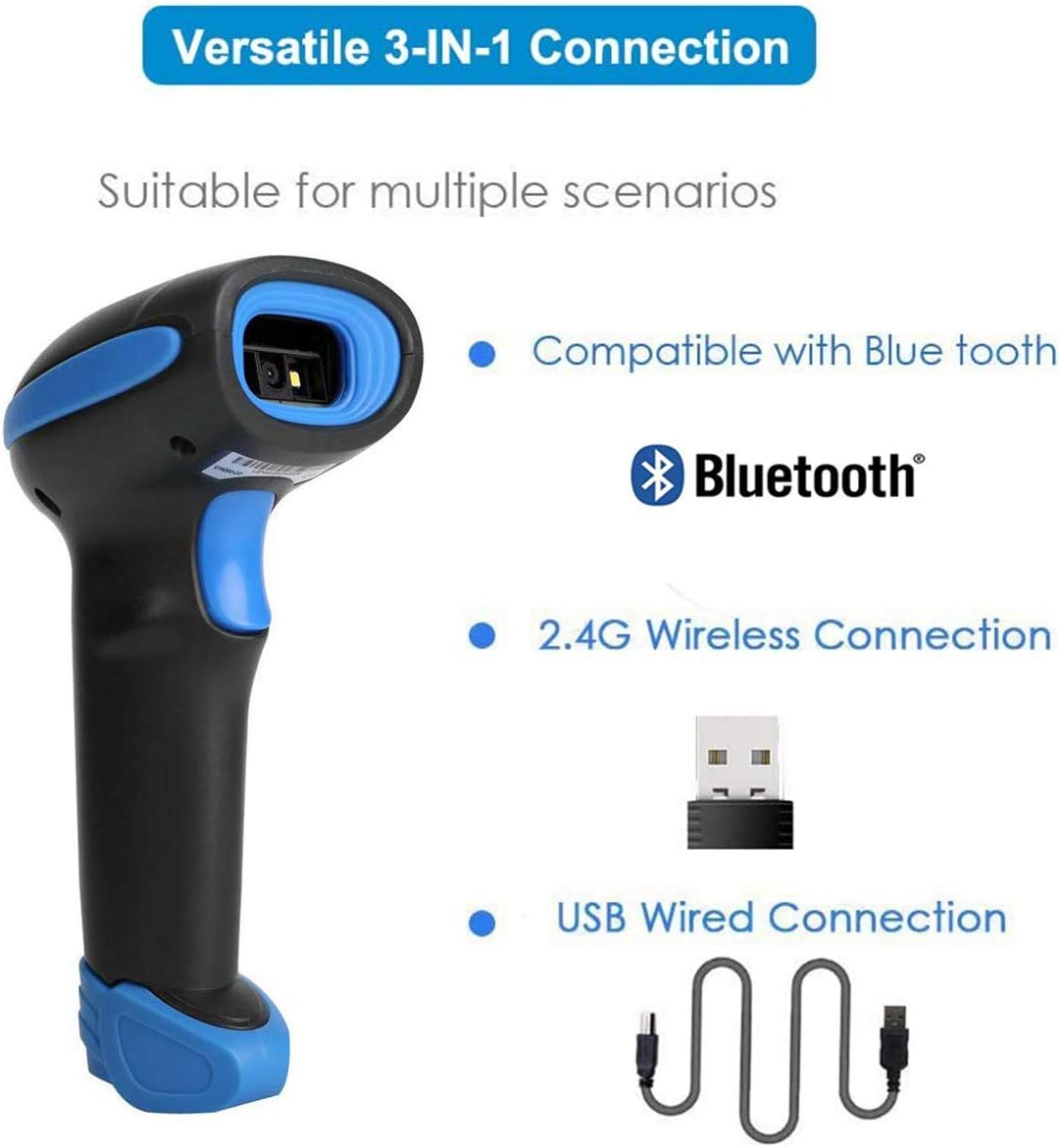
Image: The HENEX HC-3208R barcode scanner highlighting its three connection modes: Bluetooth, 2.4G Wireless, and USB Wired. This illustrates the scanner's versatility for different operational needs.
Key Features
- Multifunctional 3-in-1 Connection: Supports 2.4Ghz wireless, Bluetooth, and USB cable connections. Compatible with Windows XP/7/8/10, Mac OS, Linux, laptops, PCs, POS systems, smartphones, and tablets.
- Two Upload Modes: Features Instant Upload Mode for real-time data transfer and Storage Mode for offline data collection. The internal offline storage can hold up to 150,000 barcodes.
- Excellent Decoding Capability: Accurately reads 1D and 2D barcodes, including QR code, Data Matrix, PDF417, UPC/EAN, Code 128, and more. Capable of scanning barcodes directly from LCD screens.
- Long Battery Life: Equipped with a built-in 2200mAh battery, providing up to 9 hours of continuous scanning and 2 months of standby time.
- Extended Wireless Range: Offers a wireless transmission distance of 80-100 meters indoors via 2.4G and up to 15 meters via Bluetooth, suitable for large working environments.
- Durable Construction: Designed with anti-shock, shatterproof construction, capable of withstanding falls from 2.0 meters (6.56 feet).
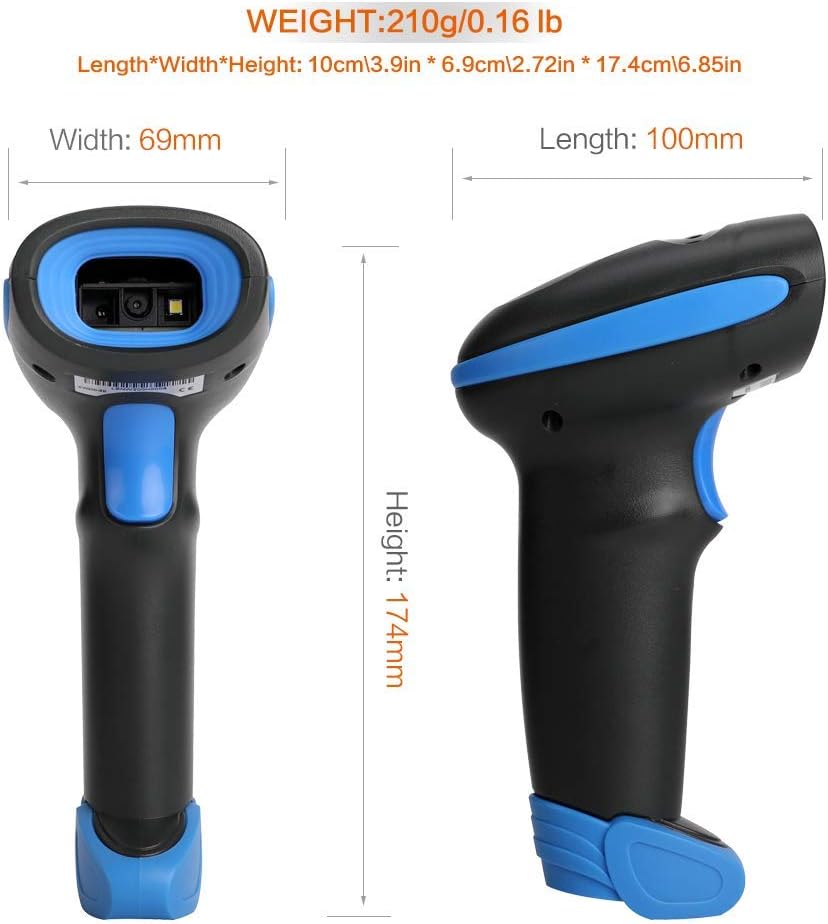
Image: The HENEX HC-3208R barcode scanner demonstrating its robust, anti-shock design, indicating durability against drops.
Setup and Connection
1. 2.4G Wireless Connection
The 2.4G wireless connection mode is the default setting. To use, simply plug the provided USB receiver into your device (e.g., laptop, PC). The scanner will automatically connect and be ready for use.

Image: The barcode scanner alongside its 2.4G wireless receiver, USB cable, and Bluetooth symbol, demonstrating its multi-connection capabilities and ability to scan both 1D and 2D barcodes.
2. Bluetooth Connection
- Ensure Bluetooth is enabled on your host device (e.g., smartphone, tablet).
- Long press the barcode scanning button on the scanner for approximately 8 seconds. The blue indicator light will flash quickly, indicating it has entered pairing mode.
- On your host device, search for Bluetooth devices and select "Barcode scanner HID".
- Once paired, you will hear a beep, and the blue light on the scanner will become solid. The pairing process typically takes about 1 minute. If pairing fails, the scanner will automatically exit pairing mode.
Note: If you encounter difficulties switching to Bluetooth mode, please refer to the official product support for an operation video.
3. Wired Connection
For a wired connection, simply connect the scanner to your device using the provided USB charging cable. The scanner will function immediately and charge simultaneously.
Connection Demonstration Video
Video: A demonstration of setting up the HENEX HC-3208R barcode scanner using wireless, wired, and Bluetooth connections, and scanning various barcode types.
Operating Modes
The scanner supports two primary operating modes for data upload:
- Instant Upload Mode: In this mode, scanned barcodes are immediately transmitted to your connected device. This is ideal for real-time inventory management or point-of-sale operations.
- Storage Mode: When operating out of range or without a connected device, the scanner can store up to 150,000 barcodes internally. Data can then be batch-uploaded to your device when a connection is re-established.

Image: A visual guide explaining the two data upload modes: Instant Upload, where data is sent immediately, and Storage Mode, where data is saved internally for later upload.
Maintenance
Battery Charging
The scanner is equipped with a 2200mAh Lithium-Ion battery. When the battery is low, the scanner will emit five short beeps and cease scanning operations. Connect the scanner to a USB power source using the provided cable for charging. A full charge typically takes 3-4 hours, providing approximately 9 hours of continuous scanning or up to 150 days of standby time.
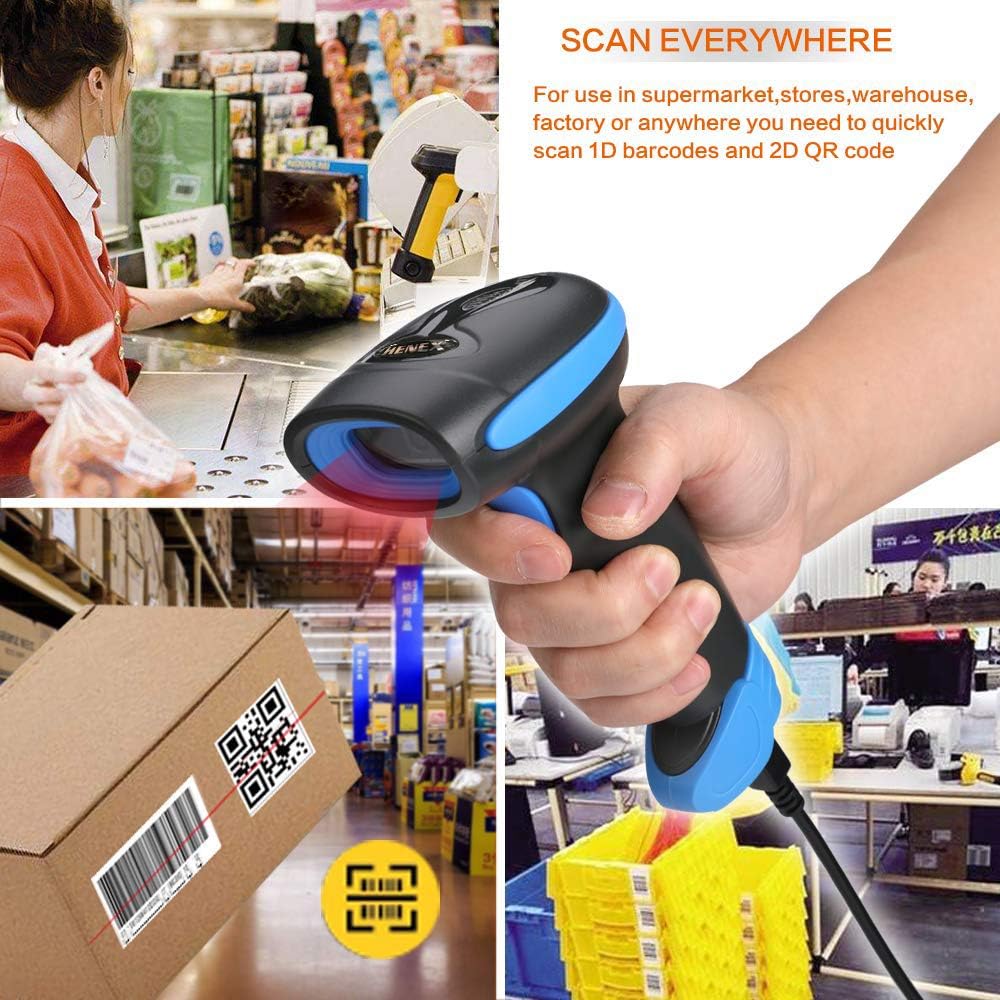
Image: The barcode scanner with an illustration of its 2200mAh battery, detailing its charging time (3-4 hours), continuous scanning duration (30 hours), and standby time (150 days).
Cleaning
To clean the scanner, use a soft, dry cloth. For stubborn dirt, a slightly damp cloth can be used. Avoid using harsh chemicals or abrasive cleaners, as these can damage the device. Ensure the scanner is powered off before cleaning.
Troubleshooting
| Problem | Possible Cause | Solution |
|---|---|---|
| Scanner emits five short beeps and stops scanning. | Low battery. | Connect the scanner to a USB power source using the provided cable to charge the battery. |
| Unable to pair via Bluetooth. | Scanner not in pairing mode, or host device Bluetooth issue. | Long press the scan button for 8 seconds until the blue light flashes quickly. Ensure Bluetooth is enabled on your device and retry pairing. |
| No data transmission in 2.4G wireless mode. | USB receiver not properly connected or scanner not in 2.4G mode. | Ensure the USB receiver is securely plugged into your device. The scanner defaults to 2.4G mode; if not, scan the appropriate configuration barcode from the user manual. |
| Scanner not reading barcodes accurately. | Barcode damage, poor lighting, or incorrect scanner settings. | Ensure the barcode is clear and well-lit. Adjust the scanning angle. Refer to the user manual for advanced settings if needed. |
Specifications
| Feature | Detail |
|---|---|
| Model Number | HC-3208R |
| Product Dimensions | 173mm * 67mm * 94mm (6.81 x 2.64 x 3.7 inches) |
| Item Weight | 350g (6.7 ounces) |
| Battery | 1 Lithium Ion battery (2200mAh), included |
| Charging Time | 3-4 hours |
| Continuous Scanning Time | Up to 9 hours |
| Standby Time | Up to 2 months (150 days) |
| Connectivity Technology | 2.4G Wireless, Bluetooth, USB Wired |
| Compatible Devices | Desktop, Laptop, Smartphone, Tablet (Windows, Mac OS, Linux) |
| Decoding Capability (2D) | QR code, Data Matrix, PDF417, Aztec, Maxicode |
| Decoding Capability (1D) | UPC/EAN/JAN, UPC-A, UPC-E, EAN-8, EAN-13, JAN-8, JAN-13, ISBN/ISSN, Code 39, Codabar (NW7), Code 128, EAN 128, Code 93, etc. |
| Reading Accuracy | ≥5mil |
| Scanning Distance | 40-200mm @ UPC/EAN 13mil PCS=90%; 20-250mm @ QR 20mil PCS=100% |
| Scanning Angle | 65° elevation angle / 30° / 55° |

Image: Technical drawing displaying the length, width, and height of the HENEX HC-3208R barcode scanner in millimeters and inches, along with its weight.
Warranty Information
The HENEX HC-3208R barcode scanner is covered by a standard manufacturer's warranty. For specific details regarding warranty duration, coverage, and claims process, please refer to the warranty card included with your product packaging or visit the official HENEX website. Keep your purchase receipt as proof of purchase for any warranty claims.
Customer Support
Should you require technical assistance, have questions about product functionality, or need to report an issue, please contact HENEX customer support. You can typically find contact information on the product packaging, the official HENEX website, or through the retailer where the product was purchased.
When contacting support, please have your product model (HC-3208R) and purchase details readily available to facilitate a quicker resolution.


