
1. Important Safety Information
Always read and understand all safety warnings, instructions, illustrations, and specifications provided with this power tool. Failure to follow all instructions listed below may result in electric shock, fire, and/or serious injury.
- Keep work area clean and well lit. Cluttered or dark areas invite accidents.
- Do not operate power tools in explosive atmospheres, such as in the presence of flammable liquids, gases, or dust. Power tools create sparks which may ignite the dust or fumes.
- Keep children and bystanders away while operating a power tool. Distractions can cause you to lose control.
- Wear eye protection. Always use safety glasses or goggles.
- Do not overreach. Keep proper footing and balance at all times. This enables better control of the power tool in unexpected situations.
- Dress properly. Do not wear loose clothing or jewelry. Keep your hair and clothing away from moving parts. Loose clothes, jewelry, or long hair can be caught in moving parts.
- Disconnect the plug from the power source and/or remove the battery pack, if detachable, from the power tool before making any adjustments, changing accessories, or storing power tools. Such preventive safety measures reduce the risk of starting the power tool accidentally.
- Store idle power tools out of the reach of children and do not allow persons unfamiliar with the power tool or these instructions to operate the power tool. Power tools are dangerous in the hands of untrained users.
- Maintain power tools and accessories. Check for misalignment or binding of moving parts, breakage of parts, and any other condition that may affect the power tool’s operation. If damaged, have the power tool repaired before use. Many accidents are caused by poorly maintained power tools.
- Use the power tool, accessories, and tool bits, etc. in accordance with these instructions, taking into account the working conditions and the work to be performed. Use of the power tool for operations different from those intended could result in a hazardous situation.
- Recharge only with the charger specified by the manufacturer. A charger that is suitable for one type of battery pack may create a risk of fire when used with another battery pack.
- Use power tools only with specifically designated battery packs. Use of any other battery packs may create a risk of injury and fire.
2. Product Overview and What's Included
The DEWALT DCF008 is an 8V Lithium-Ion cordless screwdriver designed for various fastening applications. It features a compact design, an ergonomic handle, and multiple settings for versatile use.
Package Contents:
- 1x DEWALT DCF008 Cordless Screwdriver
- 33x Short Screw Bits
- 3x Long Screw Bits
- 8x Hex Socket Drivers
- 1x Magnetic Guide
- 1x Charger

Image: The DEWALT DCF008 cordless screwdriver and its 45-piece accessory set, including various screw bits, hex socket drivers, and a magnetic guide, neatly organized within a durable black carrying case.

Image: A visual representation of the DEWALT DCF008 package contents, clearly listing the cordless screwdriver, 33 short screw bits, 3 long screw bits, 8 hex socket drivers, and 1 magnetic guide.
3. Parts Diagram
Familiarize yourself with the components of your DEWALT DCF008 cordless screwdriver:

Image: A detailed diagram of the DEWALT DCF008 cordless screwdriver, highlighting key components such as the Speed Switch, Rotation Lock, Screw Settings Selector, Trigger Switch, and Ergonomic Handle.
- Speed Switch: Controls the operating speed (Speed 1 or Speed 2).
- Rotation Lock: Button to adjust the handle's angle.
- Screw Settings Selector: Adjusts torque settings (1-21) and drill mode.
- Trigger Switch: Activates the screwdriver.
- Ergonomic Handle: Provides comfortable grip and control.
- LED Light: Illuminates the work area.
- LED Switch: Turns the LED light on or off.
- Charging Port: Used to connect the charger.
- Forward/Reverse Switch: Changes the direction of rotation.
4. Setup
4.1 Charging the Battery
The DEWALT DCF008 is powered by an integrated 8V Lithium-Ion battery. Before first use, fully charge the battery. To charge:
- Ensure the screwdriver handle is in the inline (straight) position.
- Locate the charging port on the tool.
- Connect the charger to the charging port.
- Plug the charger into a standard electrical outlet.
- Allow the battery to charge until the charging indicator shows a full charge.

Image: The DEWALT DCF008 cordless screwdriver, its charger, and a selection of screw bits and hex socket drivers, illustrating the complete kit.

Image: The DEWALT DCF008 cordless screwdriver, its charger, and a selection of screw bits and hex socket drivers, illustrating the complete kit.
4.2 Inserting and Removing Bits
To insert a bit:
- Ensure the tool is off and the forward/reverse switch is in the center (locked) position.
- Push the desired screw bit or hex socket driver firmly into the chuck until it clicks into place.
- Pull on the bit to ensure it is securely seated.
To remove a bit, pull the bit firmly out of the chuck.

Image: A close-up view of the DEWALT DCF008's chuck, demonstrating how a screw bit is inserted, with the torque setting ring visible around the chuck.
5. Operating Instructions
5.1 Adjusting the Handle Position
The DEWALT DCF008 features a 3-position rotating handle for optimal access in various work environments. To adjust the handle:
- Locate the rotation lock button near the handle pivot point.
- Press and hold the rotation lock button.
- Adjust the handle to one of the three positions: straight (inline), 20-degree angle, or 33-degree angle.
- Release the button to lock the handle in place.

Image: The DEWALT DCF008 screwdriver demonstrating its 3-position rotating handle, allowing adjustment from a straight configuration to angled positions of 20 and 33 degrees for improved access.

Image: The DEWALT DCF008 cordless screwdriver shown in its fully extended, straight operating position.
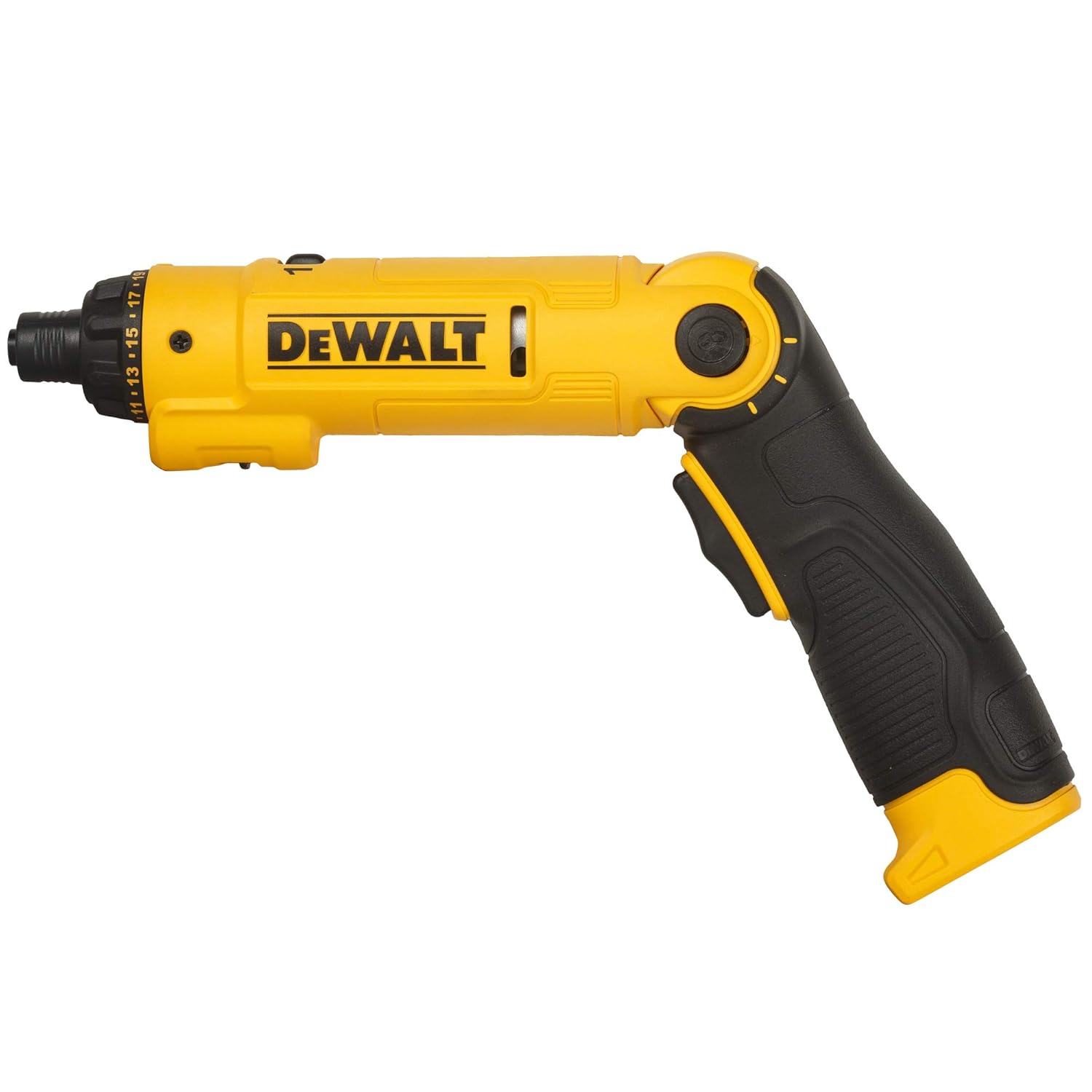
Image: The DEWALT DCF008 cordless screwdriver with its handle adjusted to an angled position, providing an ergonomic grip for various tasks.
5.2 Powering On/Off and Forward/Reverse
To operate the screwdriver:
- Set the forward/reverse switch to the desired direction (forward for tightening, reverse for loosening). The center position locks the tool.
- Press the trigger switch to activate the screwdriver. Release to stop.

Image: A close-up of the DEWALT DCF008's handle, clearly showing the trigger switch for activation and the forward/reverse switch for controlling rotation direction.
5.3 Adjusting Speed Settings
The screwdriver has two speed settings:
- Speed 1: Lower speed for higher torque applications or delicate work.
- Speed 2: Higher speed for faster driving.
To change the speed, slide the speed switch located on the top of the tool to the desired setting (1 or 2).

Image: A close-up of the DEWALT DCF008's upper body, highlighting the speed switch with its '1' and '2' settings, and the adjacent screw settings selector.
5.4 Adjusting Torque Settings (Clutch) and Drill Mode
The torque setting selector allows you to adjust the amount of torque applied, preventing overtightening or stripping screws. There are 21 screw settings and one drill mode.
- Rotate the screw settings selector ring, located near the chuck, to the desired torque setting (1-21). Lower numbers are for smaller screws or softer materials; higher numbers are for larger screws or harder materials.
- For drilling applications, rotate the selector to the drill icon (no clutch engagement).

Image: A collection of various screw bits and hex socket drivers, emphasizing the 21 available screw settings for precise torque control.
5.5 Using the LED Light
The integrated LED light illuminates your work area. To activate or deactivate the LED light, use the LED switch located on the side of the tool.
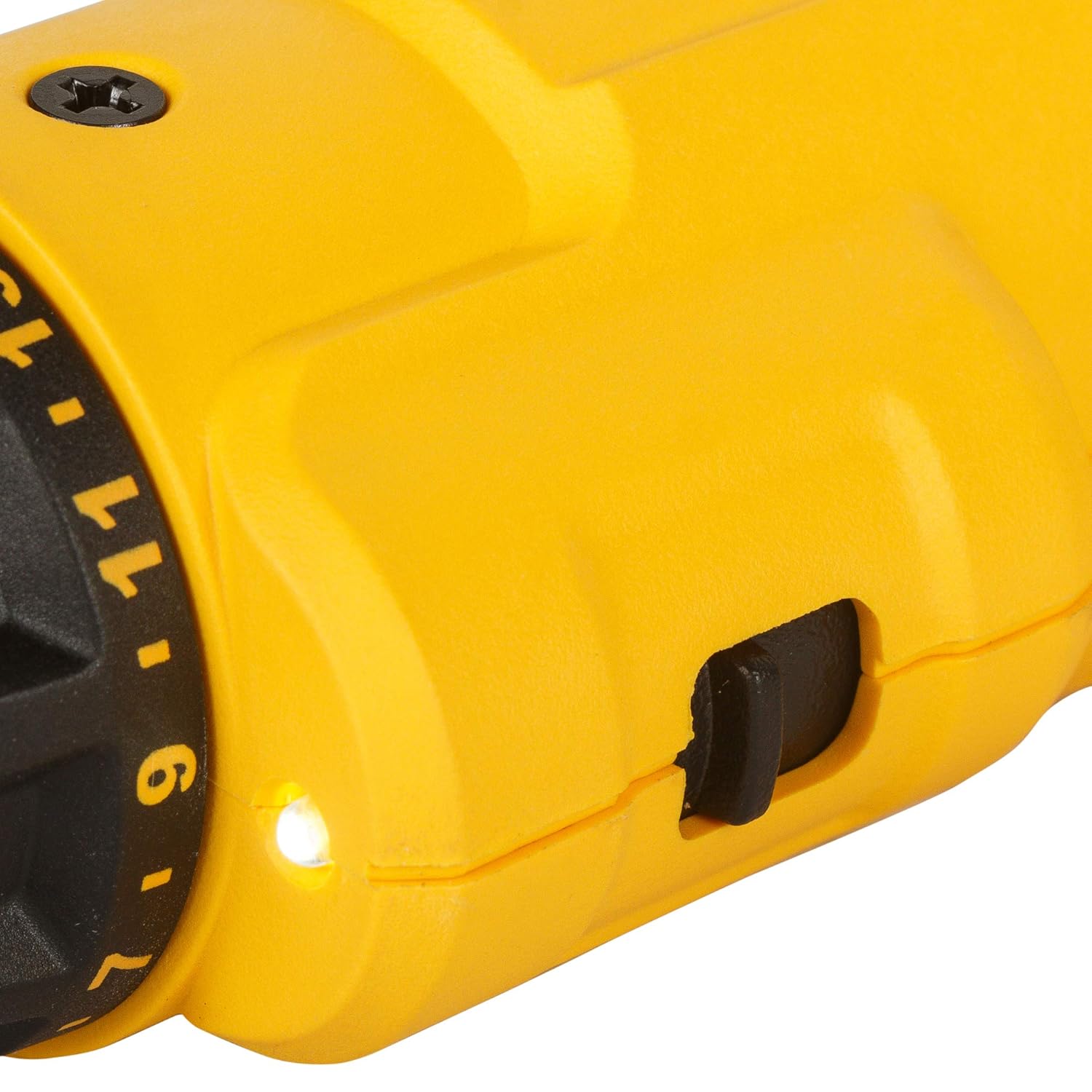
Image: A close-up view of the DEWALT DCF008, highlighting the bright LED light illuminating the work area and the adjacent switch for controlling its operation.
6. Maintenance
Regular maintenance ensures optimal performance and extends the life of your tool.
- Cleaning: Keep the tool clean and free of dust and debris. Use a soft, damp cloth for cleaning. Do not use harsh chemicals or abrasive cleaners.
- Storage: Store the tool and accessories in a dry, secure location, out of reach of children.
- Battery Care: Recharge the battery regularly, even if not in frequent use, to maintain its lifespan. Avoid storing the tool with a completely discharged battery.
- Inspection: Periodically inspect the tool for any signs of damage, loose parts, or wear. If any issues are found, contact customer support for assistance.
7. Troubleshooting
If you encounter issues with your DEWALT DCF008, refer to the following common troubleshooting steps:
| Problem | Possible Cause | Solution |
|---|---|---|
| Tool does not turn on. | Battery is discharged. Forward/Reverse switch is in the locked (center) position. | Charge the battery. Move the switch to forward or reverse. |
| Screws are stripping or not tightening enough. | Torque setting is too low. Incorrect bit size. | Increase the torque setting. Use the correct bit for the screw head. |
| Tool stops unexpectedly during use. | Battery is low. Overload protection activated. | Recharge the battery. Reduce pressure on the tool; allow it to cool down. |
If the problem persists after trying these solutions, please contact DEWALT customer support.
8. Specifications
| Feature | Specification |
|---|---|
| Model Number | DCF008 |
| Voltage | 8 Volts |
| Battery Type | Lithium-Ion |
| Battery Energy Content | 12 Watt Hours |
| Number of Screw Settings | 21 + 1 Drill Mode |
| Handle Positions | 3 (0°, 20°, 33°) |
| Speeds | 2 |
| Item Weight | 500 g |
| Product Dimensions (LxWxH) | 29 x 10 x 10 cm |
9. Warranty and Support
9.1 Warranty Information
This DEWALT DCF008 cordless screwdriver comes with a 1-year warranty provided by the manufacturer from the date of purchase. Please retain your proof of purchase for warranty claims.
9.2 Customer Support
For any warranty-related issues, product feedback, or technical assistance, please contact DEWALT customer care:
- Customer Care Number: 1860-425-1111
- Operating Hours: Monday to Friday, 10 AM to 5 PM (except government holidays)
- Manufacturer: DEWALT (Stanley Black & Decker India Pvt Limited)
10. Product Video Overview
Watch this official product video for a visual overview of the DEWALT DCF008 8V Lithium-Ion Screwdriver's features and operation.
Video: An official product video showcasing the DEWALT DCF008 8V Lithium-Ion Screwdriver. It demonstrates the 3-position button for handle adjustment, the rubber handle design, the 8V battery, LED light, LED switch, 21 screw settings plus drill mode, forward/reverse switch, 2 speeds, and the charging port. The video also shows the screwdriver in various application scenarios, highlighting its compact size and ease of use.


