
Introduction
This manual provides detailed instructions for the setup, operation, and maintenance of your Folgtek 4K Hunting Camera Wildlife Cam, Model T326. This camera is designed for capturing high-quality images and videos of wildlife, for outdoor security, and for monitoring purposes. Please read this manual thoroughly before using the device to ensure proper functionality and longevity.
Product Overview
Key Features
- 32MP High-Quality Photos: Captures detailed still images.
- 4K (2160P) H.264 Video: Records sharp video footage.
- Motion-Activated Night Vision: Equipped with 40pcs no-glowing 940nm infrared LEDs for clear night recording up to 100 feet.
- IP66 Waterproof Design: Suitable for outdoor use in various weather conditions, resistant to rain, snow, ice, dust, and fog.
- Fast Trigger Time: Approximately 0.1 seconds with a recovery time of less than 0.5 seconds.
- Wide Angle Lens: 120° field of view for broader coverage.
- Long Trigger Distance: Detects motion up to 30 meters.
- 2.4-inch LCD Screen: For easy menu navigation and playback.
- Supports up to 128GB Micro TF Card: Provides ample storage for recordings.
Camera Components
Familiarize yourself with the camera's external and internal components:

Figure 1: Internal view of the Folgtek T326 camera, highlighting the 2.4-inch LCD screen, keypad, battery compartment for 8 AA 1.5V batteries, SD card slot, USB port, and DC port.
- Lens: Main camera lens.
- PIR Sensors: Passive Infrared sensors for motion detection.
- Infrared LEDs: For night vision illumination.
- LCD Screen: 2.4-inch display for settings and playback.
- Keypad: Navigation buttons (Up, Down, Left, Right, OK, Menu, Playback).
- Battery Compartment: Holds 8 AA 1.5V batteries.
- SD Card Slot: For Micro TF cards (up to 128GB).
- USB Port: For connecting to a computer.
- DC Port: For external power supply (12V/1A).
- Strap Holes: For mounting the camera with the included strap.
- Tripod Base: 1/4"-20 threaded insert for tripod mounting.
Setup
1. Battery Installation
- Open the camera casing by unlatching the side clips.
- Locate the battery compartment.
- Insert 8 new AA 1.5V alkaline or rechargeable batteries, ensuring correct polarity (+/-).
- Close the battery compartment cover securely.
Note: Using a full set of new batteries is recommended for optimal performance, especially in cold weather.
2. SD Card Installation
- With the camera powered off, locate the Micro TF card slot inside the camera casing.
- Insert a Micro TF card (up to 128GB, Class 10 or higher recommended) into the slot until it clicks into place.
- To remove, press the card gently to release it.
Note: The SD card is not included and must be purchased separately. Format the SD card in the camera's menu before first use.
3. Mounting the Camera
The camera can be mounted using the included strap or a tripod.

Figure 2: The Folgtek T326 camera mounted on a tree, demonstrating typical outdoor placement.
- Strap Mounting: Thread the provided strap through the strap holes on the back of the camera. Secure the camera to a tree or pole at the desired height and angle.
- Tripod Mounting: Use the 1/4"-20 threaded tripod base on the bottom of the camera to attach it to a standard tripod or wall mount.
Ensure the camera is securely mounted and pointed towards the area you wish to monitor. Clear any obstructions from the camera's field of view and PIR sensor range.
Operating Instructions
1. Powering On/Off
- To power on, slide the power switch to the "ON" position. The LCD screen will light up.
- To power off, slide the power switch to the "OFF" position.
2. Mode Selection
The camera typically has three modes: OFF, TEST, and ON (or ARM).
- OFF: Camera is powered down.
- TEST: Allows you to access the menu, view images/videos, and adjust settings. The PIR sensor is active in this mode for testing detection range.
- ON (ARM): The camera is fully operational, recording photos or videos based on your settings when motion is detected. The LCD screen will turn off after a few seconds to conserve power.
3. Menu Navigation and Settings
In TEST mode, press the MENU button to access the settings. Use the UP/DOWN buttons to navigate and OK to select. Press MENU again to exit.
- Mode: Select Photo, Video, or Photo+Video.
- Photo Resolution: Set image resolution (e.g., 32MP, 18MP).
- Video Resolution: Set video resolution (e.g., 4K, 1080P).
- PIR Sensitivity: Adjust motion sensor sensitivity (High, Medium, Low) based on environment.
- Trigger Interval: Set the delay between detections.
- Time Lapse: Enable for continuous recording at set intervals.
- Date/Time: Set current date and time.
- Format SD Card: Erase all data on the SD card.
4. Capturing Images and Videos
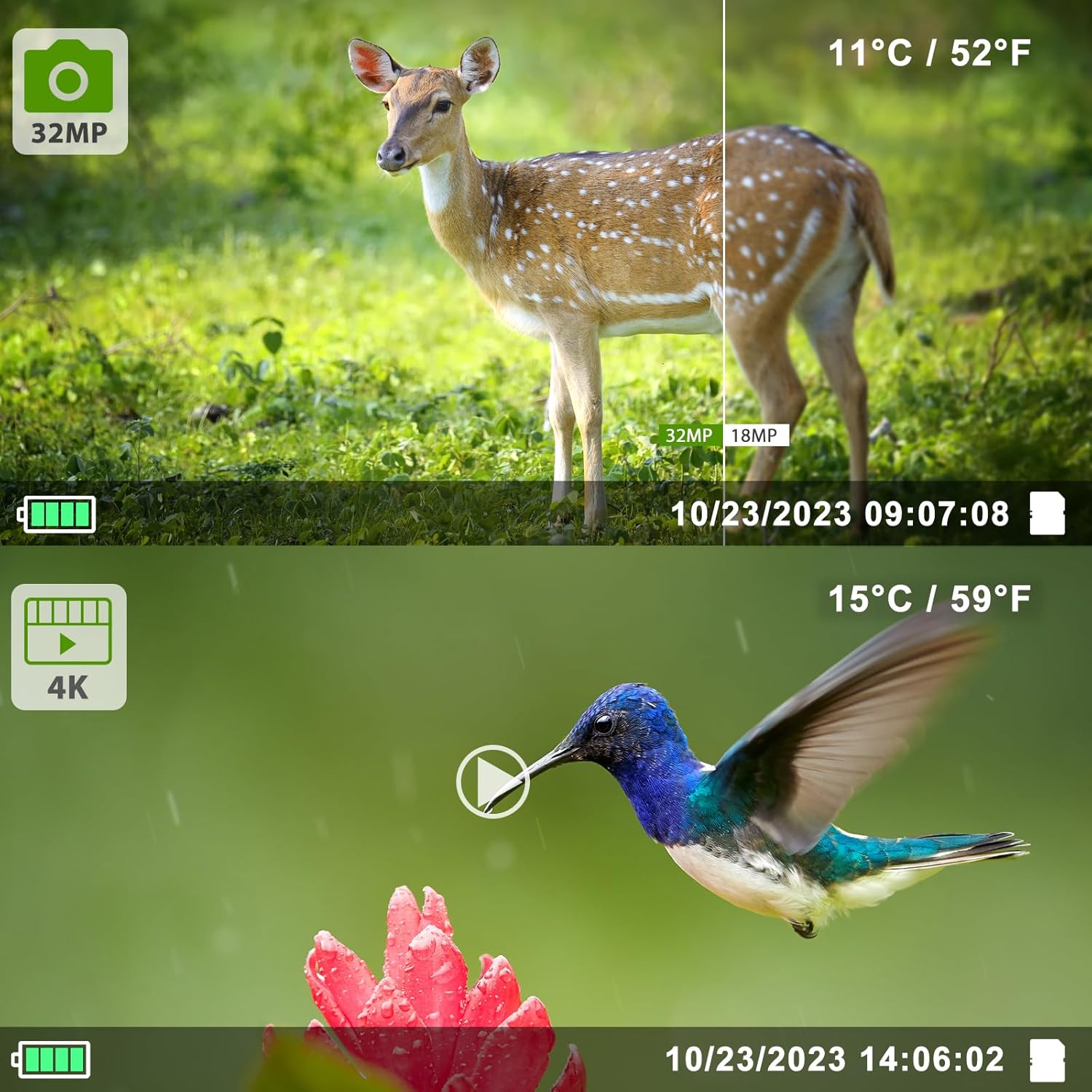
Figure 3: Examples of 32MP photo and 4K video capture quality.
Once settings are configured, switch the camera to the ON position. The camera will automatically begin monitoring for motion. When motion is detected within the 120° wide-angle and 30-meter range, the camera will trigger within 0.1 seconds to capture photos or videos according to your selected mode and resolution.

Figure 4: Night vision capture of a deer, showcasing the effectiveness of the infrared LEDs.
5. Viewing Files
- On Camera: In TEST mode, press the PLAYBACK button to view captured photos and videos on the 2.4-inch LCD screen. Use the UP/DOWN buttons to scroll through files.
- On Computer: Connect the camera to your computer using the provided USB cable, or remove the Micro TF card and insert it into a card reader. The camera/card will appear as a removable disk, allowing you to access and transfer files.
Maintenance
1. Cleaning
- Gently wipe the camera lens and PIR sensors with a soft, lint-free cloth. Avoid abrasive materials or harsh chemicals.
- Clean the camera body with a damp cloth if necessary. Ensure the camera is dry before closing the casing.
2. Battery Care
- Replace all 8 AA batteries when the low battery indicator appears on the screen.
- Remove batteries if the camera will not be used for an extended period to prevent leakage.
3. Waterproofing

Figure 5: The camera's IP66 waterproof design ensures durability in outdoor conditions.
The camera has an IP66 waterproof rating. Ensure the casing is properly closed and latched to maintain its water resistance. Avoid submerging the camera in water.
Troubleshooting
| Problem | Possible Cause | Solution |
|---|---|---|
| Camera does not power on. | Low or dead batteries; incorrect battery polarity. | Replace with new AA batteries, ensuring correct +/- orientation. Check external power supply if used. |
| No photos/videos captured. | SD card full or not inserted; incorrect mode; PIR sensitivity too low; obstructions in front of PIR sensor. | Insert/format SD card. Set camera to ON mode. Increase PIR sensitivity. Clear obstructions. |
| Poor image/video quality. | Dirty lens; low light conditions; incorrect resolution settings. | Clean the lens. Ensure adequate lighting or rely on night vision. Set to higher resolution (32MP/4K). |
| Night vision not working. | Infrared LEDs obstructed; low battery power affecting IR performance. | Ensure IR LEDs are clear. Replace batteries. |
| Camera triggers too often/not enough. | PIR sensitivity set too high/low; trigger interval too short/long. | Adjust PIR sensitivity and trigger interval in the settings menu. |
Specifications
| Feature | Detail |
|---|---|
| Model Number | T326 |
| Effective Still Resolution | 32 MP |
| Video Capture Resolution | 4K/2160P (H.264) |
| Frame Rate | 30fps |
| Viewing Angle | 120 degrees |
| Trigger Time | 0.1 seconds |
| Trigger Distance | Up to 30 meters |
| Night Vision Range | 100 feet |
| Infrared LEDs | 40pcs 940nm No-Glow IR LEDs |
| Waterproof Rating | IP66 |
| Screen Size | 2.4 inches |
| Storage | Micro TF card, up to 128 GB |
| Power Source | 8x AA 1.5V Batteries or 12V/1A DC external power |
| Connectivity | USB |
| Dimensions | 4 x 3 x 2 inches (approximate) |
| Material | Plastic |
Warranty and Support
For warranty information or technical support, please refer to the product packaging or contact Folgtek customer service directly. Specific warranty terms and support contact details are not provided within this manual.
You may also visit the official Folgtek store for additional resources: Folgtek Store on Amazon.


