
Introduction
The SENTRY HPXBT960B Mini True Wireless Earbuds provide a convenient and cable-free audio experience. Designed for comfort and ease of use, these earbuds connect wirelessly to your devices via Bluetooth, offering integrated controls and a portable charging case for extended listening.
Safety Information
- Hearing Protection: Avoid listening at high volume levels for extended periods to prevent hearing damage.
- Driving Safety: Do not use earbuds while driving or operating machinery where the inability to hear ambient sounds could pose a danger.
- Water Exposure: These earbuds are not waterproof. Avoid exposure to water or excessive moisture.
- Children: Keep earbuds and small parts away from children to prevent choking hazards.
- Disposal: Dispose of the product and its battery responsibly according to local regulations.
Package Contents
- SENTRY HPXBT960B Mini True Wireless Earbuds (Left & Right)
- Portable Charging Case
- USB Charging Cable
- Extra Silicone Earpads (S/M/L)
- Optional Silicone Ear Hooks
Product Overview
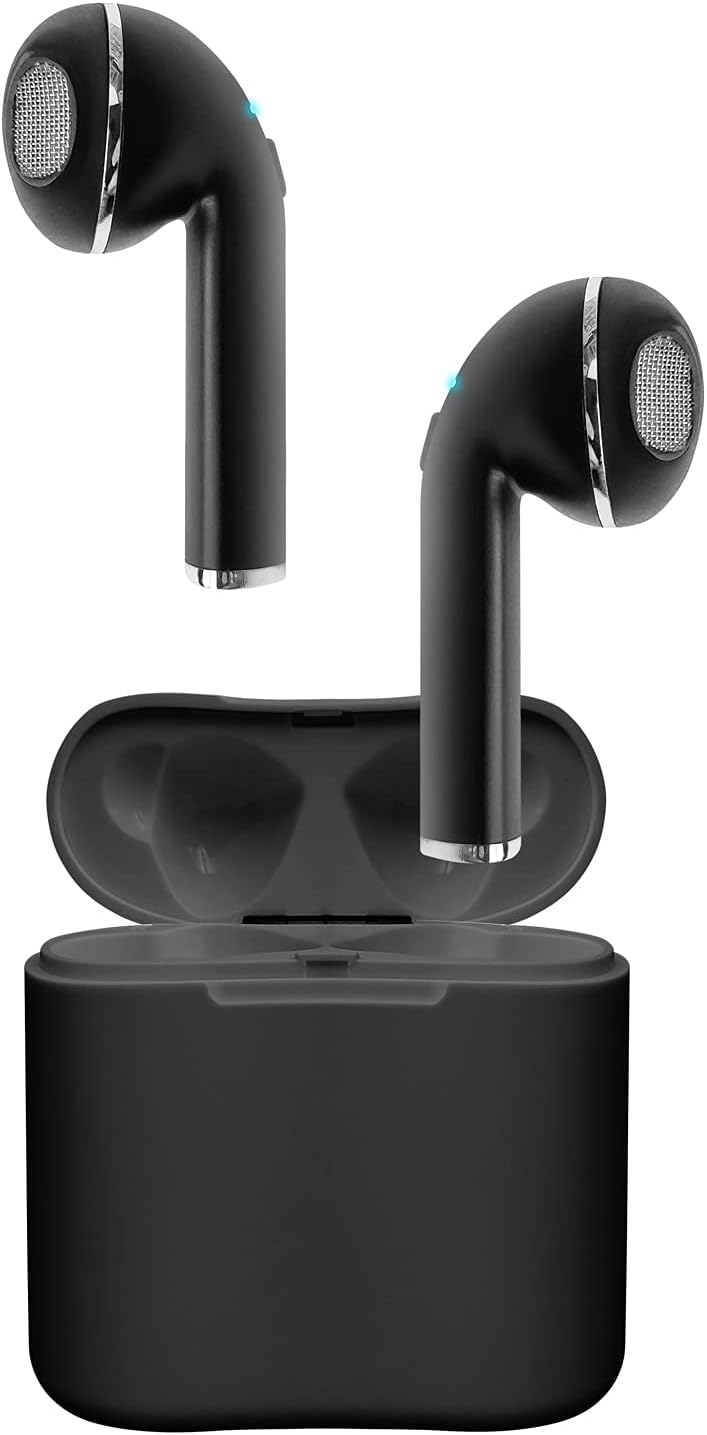
Image: The SENTRY HPXBT960B Mini True Wireless Earbuds in black, resting inside their open charging case. The earbuds feature a sleek design with visible ear tips and charging contacts.
The earbuds are designed for a comfortable in-ear fit. Each earbud features a touch-sensitive control area and a built-in microphone for hands-free communication. The portable charging case protects the earbuds and recharges them on the go.
Setup
1. Charging the Earbuds and Case
- Place the earbuds into the charging case. Ensure the charging contacts align.
- Connect the USB charging cable to the charging port on the case and to a power source.
- The indicator lights on the case and earbuds will show charging status. A full charge for the earbuds provides approximately 4 hours of playback at 50% volume. The charging case holds enough power for up to 2 full recharges, extending total playtime to about 12 hours.
2. Pairing with Your Device
- Ensure the earbuds are charged.
- Open the charging case. The earbuds will automatically enter pairing mode (indicated by flashing LED lights).
- On your Bluetooth-enabled device (e.g., smartphone, tablet), go to the Bluetooth settings.
- Search for available devices and select "HPXBT960B" (or similar name) from the list.
- Once connected, the earbud indicator lights will stop flashing or show a solid light. You are now ready to use your earbuds.
Video: Official product video demonstrating the setup and features of the Sentry HPXBT960B Mini True Wireless Earbuds, including pairing and charging.
Operating Instructions
Touch Controls
The HPXBT960B earbuds feature touch controls for easy operation. Specific functions may vary slightly by device, but common controls include:
- Play/Pause: Single tap on either earbud.
- Next Track: Double tap on the right earbud.
- Previous Track: Double tap on the left earbud.
- Answer/End Call: Single tap on either earbud during an incoming call or active call.
- Reject Call: Press and hold either earbud for 2 seconds during an incoming call.
- Activate Voice Assistant: Triple tap on either earbud.
Making and Receiving Calls
With the integrated microphone, you can make and receive calls hands-free. Ensure your earbuds are connected to your phone via Bluetooth. Audio will automatically route through the earbuds during a call.
Maintenance
- Cleaning: Use a soft, dry, lint-free cloth to clean the earbuds and charging case. Do not use abrasive cleaners or solvents.
- Storage: When not in use, store the earbuds in their charging case to protect them and keep them charged. Store in a cool, dry place away from direct sunlight and extreme temperatures.
- Battery Care: To prolong battery life, avoid fully discharging the earbuds and charging case frequently. Charge them regularly, even if not in constant use.
Troubleshooting
| Problem | Possible Solution |
|---|---|
| Earbuds not turning on | Ensure earbuds and charging case are fully charged. |
| No sound from earbuds | Check if earbuds are paired correctly. Adjust volume on both the earbuds and your connected device. |
| Poor sound quality or disconnections | Ensure your device is within the 10-meter Bluetooth range. Avoid obstacles between the earbuds and your device. Check for interference from other wireless devices. |
| Earbuds not pairing with device | Turn off Bluetooth on your device, then turn it back on. Forget the device in your Bluetooth settings and attempt to re-pair. Ensure no other devices are currently connected to the earbuds. |
Specifications
- Model: HPXBT960B
- Brand: SENTRY
- Connectivity Technology: Bluetooth 4.0
- Wireless Range: Up to 10 meters (30 feet)
- Earbud Battery Capacity: 35 mAh (Lithium-ion)
- Charging Case Battery Capacity: 200 mAh (Lithium-ion)
- Earbud Playtime: Up to 4 hours (at 50% volume)
- Total Playtime (with case): Up to 12 hours
- Microphone: Integrated
- Control Method: Touch
- Earpads: Extra Silicone Earpads (S/M/L), Optional Silicone Ear Hooks
- Weight: 3.2 ounces (total product weight)
- Color: Black
- Material: Plastic
- Product Dimensions: 1 x 1 x 1 inches (per earbud, approximate)
Warranty & Support
SENTRY products are manufactured with quality and care. For information regarding the product warranty, please refer to the documentation included with your purchase or visit the official SENTRY website.
For further assistance, troubleshooting, or to contact customer support, please visit the SENTRY Store on Amazon or consult the manufacturer's official support channels.