
1. Product Overview
The Aqualin Misting Timer is an automatic irrigation computer designed for garden watering. It features a robust ball valve, allowing it to operate effectively even with water containing impurities. This timer is suitable for various watering applications, including those with low or zero water pressure, such as rain barrels or gravity-fed systems. Its user-friendly design and waterproof construction ensure reliable performance in outdoor environments.
Key Features:
- Strong Ball Valve: Equipped with an 8mm inner diameter ball valve, capable of handling water with minor impurities.
- Low Pressure Operation: Functions effectively with 0 water pressure, ideal for gravity-fed systems.
- Standard Compatibility: Fits all standard 3/4" taps or faucets.
- User-Friendly: Simple operation with intuitive dial controls.
- Waterproof Design: Features a protective cover; ensure it is tightened for outdoor use.
- Short-Term Irrigation: Maximum run time of 15 minutes per cycle.

Image 1.1: Aqualin Misting Timer main unit with dials and tap connector.
2. Safety Information
- Read all instructions before use.
- Do not immerse the unit in water.
- Ensure the protective cover is securely fastened when used outdoors to prevent water ingress to the battery compartment.
- Use only specified battery types (AAA, 3V).
- Remove batteries if the unit will not be used for an extended period.
- Protect the unit from freezing temperatures to prevent damage.
3. Package Contents
Please check the package for the following items:
- Aqualin Misting Timer Unit
- User Manual (this document)
Note: Batteries are not included and must be purchased separately.
4. Product Components

Image 4.1: Labeled diagram of the Aqualin Misting Timer.
- 3/4" Tap Fitting: Connects to your water tap.
- Protection Cover: Transparent cover protecting the dials and battery compartment.
- Yellow LED Light: Indicates operation status.
- Frequency Dial: Sets the interval between watering cycles.
- Run Time Dial: Sets the duration of each watering cycle.
- Battery Case: Houses the batteries.
- Hose Connection: Connects to your garden hose.
- Ball Valve (Internal): Controls water flow. Shown in open and closed modes.
5. Setup Instructions
5.1. Battery Installation
- Carefully unscrew the transparent protection cover.
- Locate the battery case at the bottom of the unit.
- Insert two (2) AAA batteries, ensuring correct polarity (+/-).
- Securely reattach the protection cover by screwing it back on. Ensure it is tight to prevent water entry.

Image 5.1: View of the battery compartment with the protective cover removed.
5.2. Connecting to Water Source
- Screw the 3/4" tap fitting of the timer onto your outdoor water tap or faucet. Hand-tighten only.
- Ensure a secure connection to prevent leaks.
5.3. Connecting Garden Hose
- Attach your garden hose to the hose connection at the bottom of the timer.
- Ensure the hose is securely fastened.
6. Operating Instructions
The Aqualin Misting Timer operates using two rotary dials: one for Frequency and one for Run Time. These dials allow you to customize your watering schedule.

Image 6.1: Close-up view of the Frequency and Run Time dials.
6.1. Setting the Frequency (Watering Interval)
The Frequency dial determines how often the timer will activate a watering cycle.
- Rotate the left dial (Frequency) to select your desired interval.
- Available settings include: Reset, 30 seconds, 1 minute, 2 minutes, 3 minutes, 4 minutes, 5 minutes, 8 minutes, 10 minutes, 15 minutes, 30 minutes, 60 minutes.
- Setting to 'Reset' will stop all automatic watering.
6.2. Setting the Run Time (Watering Duration)
The Run Time dial determines how long the water will flow during each cycle.
- Rotate the right dial (Run Time) to select your desired duration.
- Available settings include: OFF, 5 seconds, 10 seconds, 20 seconds, 30 seconds, 40 seconds, 1 minute, 2 minutes, 5 minutes, 10 minutes, 15 minutes.
- Setting to 'OFF' will stop all watering.
6.3. Programming Your Watering Schedule
To set an automatic watering schedule:
- Turn on your water tap fully.
- Set the Frequency dial to your desired interval (e.g., 30 minutes).
- Set the Run Time dial to your desired duration (e.g., 5 minutes).
- The timer will now activate water flow for the set Run Time, then pause for the set Frequency, repeating the cycle.
- The yellow LED light will indicate when the timer is actively watering.
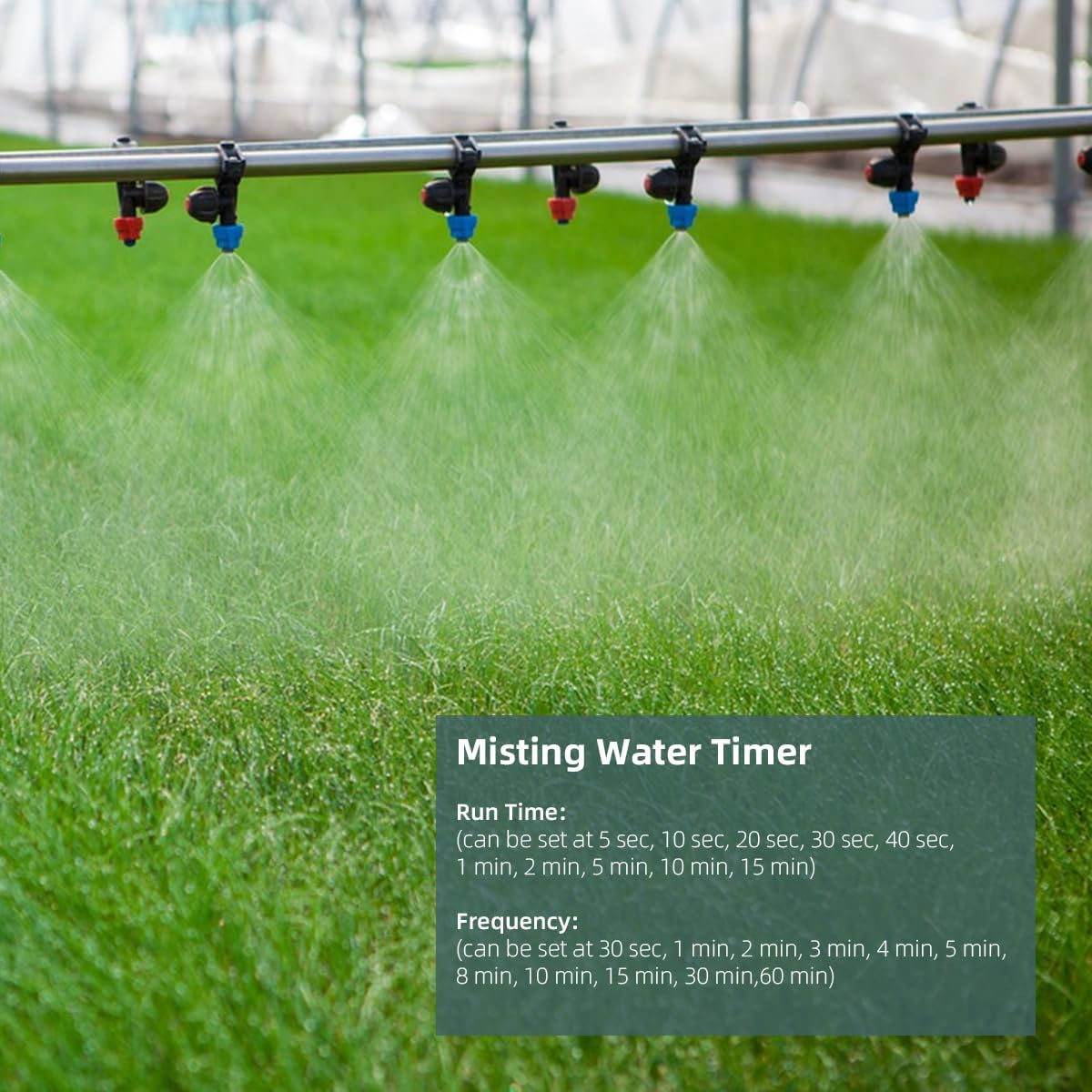
Image 6.2: The Aqualin Misting Timer connected to a misting system in a garden setting.
6.4. Manual Operation
To manually turn the water on or off:
- To turn water ON manually, set the Run Time dial to any duration other than 'OFF'. The water will flow for the selected duration.
- To turn water OFF manually, set the Run Time dial to 'OFF' or the Frequency dial to 'Reset'.
7. Maintenance
7.1. Cleaning
Periodically clean the exterior of the timer with a soft, damp cloth. Do not use abrasive cleaners or solvents. Ensure no water enters the battery compartment.
7.2. Battery Replacement
Replace batteries when the unit stops functioning or the LED indicator (if present and functional) suggests low power. Follow the battery installation steps in Section 5.1.
7.3. Winter Storage
Before the first frost, disconnect the timer from the tap and hose. Remove the batteries. Store the unit in a dry, frost-free location to prevent damage from freezing water.
8. Troubleshooting
| Problem | Possible Cause | Solution |
|---|---|---|
| No water flow | Tap is off Run Time dial set to 'OFF' Frequency dial set to 'Reset' Batteries are dead or incorrectly installed Hose kinked or blocked Internal blockage due to impurities | Turn on tap Set Run Time to a duration Set Frequency to an interval Check/replace batteries Inspect hose for obstructions Disconnect and flush the timer to clear debris |
| Timer not activating at set intervals | Incorrect Frequency setting Low batteries | Adjust Frequency dial Replace batteries |
| Water leaks from connections | Loose connections Damaged O-rings/washers | Tighten connections (hand-tighten only) Check and replace O-rings/washers if damaged |
| Water enters battery compartment | Protective cover not securely tightened | Ensure cover is tightly screwed on. Dry compartment thoroughly and replace batteries if corroded. |
9. Specifications
| Feature | Specification |
|---|---|
| Brand | Aqualin |
| Model | Misting Timer |
| Display Type | Analog |
| Dimensions (L x W x H) | 16.9 x 11.4 x 9.6 cm |
| Item Weight | 260 grams |
| Power Source | 2 x AAA Batteries (3 Volt) |
| Material | Plastic |
| Tap Connection | 3/4" Thread |
| Ball Valve Inner Size | 8 mm |
| Run Time Settings | OFF, 5s, 10s, 20s, 30s, 40s, 1m, 2m, 5m, 10m, 15m |
| Frequency Settings | Reset, 30s, 1m, 2m, 3m, 4m, 5m, 8m, 10m, 15m, 30m, 60m |
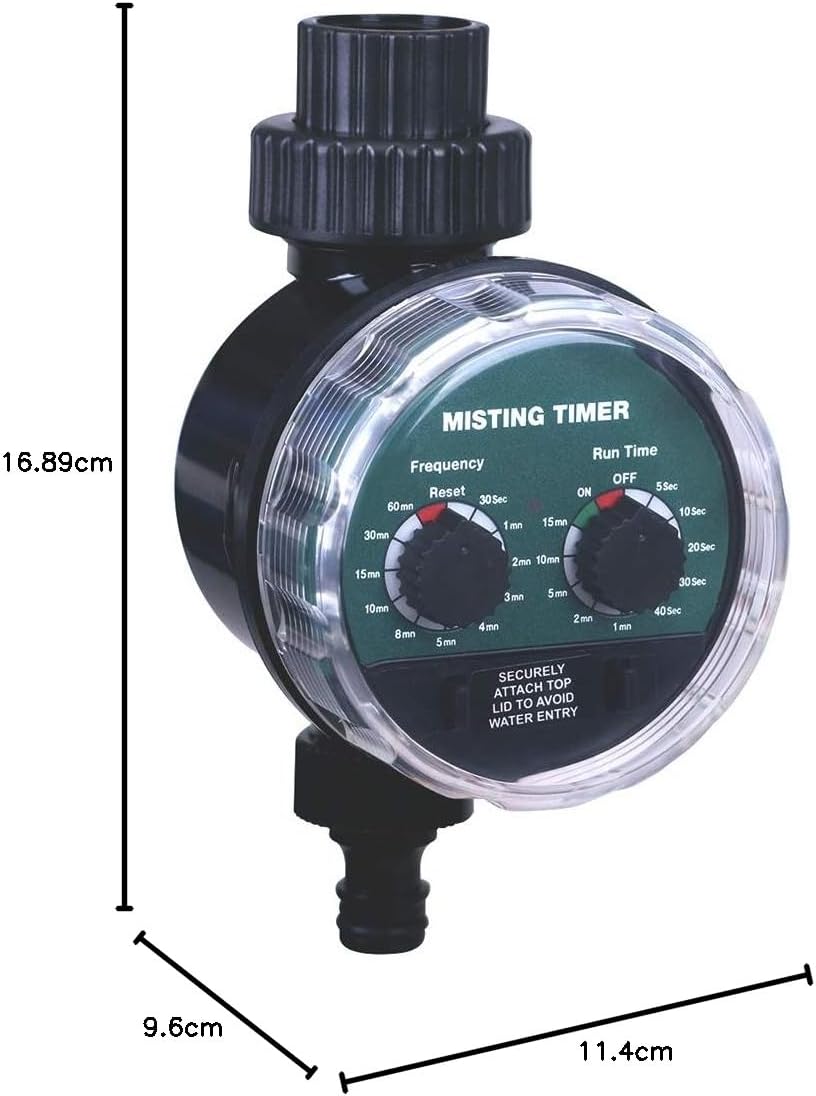
Image 9.1: Product dimensions of the Aqualin Misting Timer.
10. Warranty and Support
For warranty information or technical support, please refer to the retailer's return policy or contact Aqualin customer service through their official channels. Keep your purchase receipt as proof of purchase.