
1. Product Overview
This manual provides instructions for the installation and maintenance of the UpStart Components 954-04249A Lower Drive Belt. This belt is designed as a replacement part for MTD 13AX771S004 (2012) 42" Lawn Tractors and is compatible with the 754-04249 belt. Each package contains two replacement belts.

Image 1.1: UpStart Components 954-04249A Lower Drive Belt (2-Pack).
The belt dimensions are approximately 5/8" x 70.9". It is constructed from quality material for durability and performance in lawn tractor applications.
2. Safety Information
Always prioritize safety when performing maintenance or repairs on machinery. Failure to follow safety precautions can result in serious injury.
- Disconnect Power: Before beginning any work, ensure the lawn tractor's engine is off, the spark plug wire is disconnected, and the parking brake is engaged to prevent accidental starting.
- Wear Protective Gear: Always wear appropriate personal protective equipment, including work gloves to protect your hands from sharp edges and pinch points, and safety glasses to protect your eyes.
- Allow Cooling: If the tractor has been recently operated, allow sufficient time for the engine and exhaust components to cool down to prevent burns.
- Secure the Tractor: If lifting the tractor, ensure it is securely supported on jack stands or ramps to prevent it from falling.
- Read Tractor Manual: Refer to your specific MTD lawn tractor's owner's manual for additional safety guidelines and detailed instructions on accessing the drive belt.
3. Installation Instructions
Replacing the lower drive belt requires careful attention to detail. It is recommended to consult your MTD lawn tractor's service manual for model-specific diagrams and procedures.
- Preparation: Ensure the tractor is on a flat, stable surface. Disconnect the spark plug wire and engage the parking brake.
- Access the Belt: Depending on your MTD model, you may need to remove the cutting deck, footrest, or other components to gain access to the lower drive belt. Refer to your tractor's manual for specific access steps.
- Document Current Routing: Before removing the old belt, take photos or draw a diagram of the existing belt routing around all pulleys. This will be crucial for correct installation of the new belt.
- Remove Old Belt: Carefully release any tensioners or idler pulleys and remove the worn or broken drive belt from the pulleys.
- Inspect Pulleys: While the belt is off, inspect all pulleys for wear, damage, or excessive play. Replace any damaged pulleys as needed.
- Install New Belt: Route the new UpStart Components 954-04249A drive belt exactly as the old one was routed, using your diagram or photos as a guide. Ensure the belt is seated correctly in all pulley grooves.
- Tension and Reassemble: Re-engage any tensioners or idler pulleys. Double-check that the belt is properly aligned and tensioned. Reinstall any components removed to access the belt.
- Test Operation: Reconnect the spark plug wire. Start the engine and slowly engage the drive system to ensure the new belt operates smoothly without slipping or unusual noises.
Note: Always wear work gloves during installation to protect your hands.

Image 3.1: Close-up of the drive belt material.
4. Operation
Once the new drive belt is correctly installed, the lawn tractor's drive system should function as intended. The belt transmits power from the engine to the transmission, enabling the tractor to move.
- Ensure the belt is free from obstructions and is not rubbing against any components during operation.
- Listen for any unusual noises, such as squealing or grinding, which could indicate improper installation or a faulty component.
- If the tractor experiences a loss of drive power or inconsistent movement, refer to the troubleshooting section.
5. Maintenance
Regular inspection of your drive belt can extend its lifespan and prevent unexpected failures.
- Visual Inspection: Periodically inspect the drive belt for signs of wear, such as cracks, fraying, glazing, or missing chunks.
- Tension Check: Ensure the belt maintains proper tension. A loose belt can slip, causing loss of power, while an overly tight belt can put undue stress on bearings.
- Cleanliness: Keep the belt and pulleys free from dirt, grass clippings, oil, and other debris that can cause premature wear or slippage.
- Replacement Schedule: While there isn't a fixed replacement schedule, consider replacing the belt if it shows significant signs of wear or if performance degrades.
6. Troubleshooting
If you encounter issues with your lawn tractor's drive system after belt replacement, consider the following:
- Loss of Drive Power:
- Check if the belt is properly seated on all pulleys.
- Verify that the belt tension is correct.
- Inspect the belt for breakage or severe wear.
- Squealing Noise:
- Often indicates a loose belt or a glazed belt surface.
- Ensure pulleys are clean and free of debris.
- Vibration or Jerking:
- Could be due to an incorrectly routed belt or a damaged pulley.
- Inspect the belt for uneven wear or damage.
If troubleshooting steps do not resolve the issue, it is recommended to consult a qualified service technician or refer to your tractor's official service manual.
7. Specifications
| Feature | Detail |
|---|---|
| Product Name | UpStart Components 954-04249A Lower Drive Belt |
| Part Number | 954-04249A |
| Compatible Part Numbers | 754-04249, 954-04249 |
| Quantity | 2-Pack |
| Dimensions | 5/8" (width) x 70.9" (length) |
| Compatible Devices | MTD 13AX771S004 (2012) 42" Lawn Tractor, Bolens 954-04249A |
| Manufacturer | UpStart Components |
| Item Model Number | LM-954-04249-2PK-DL30 |
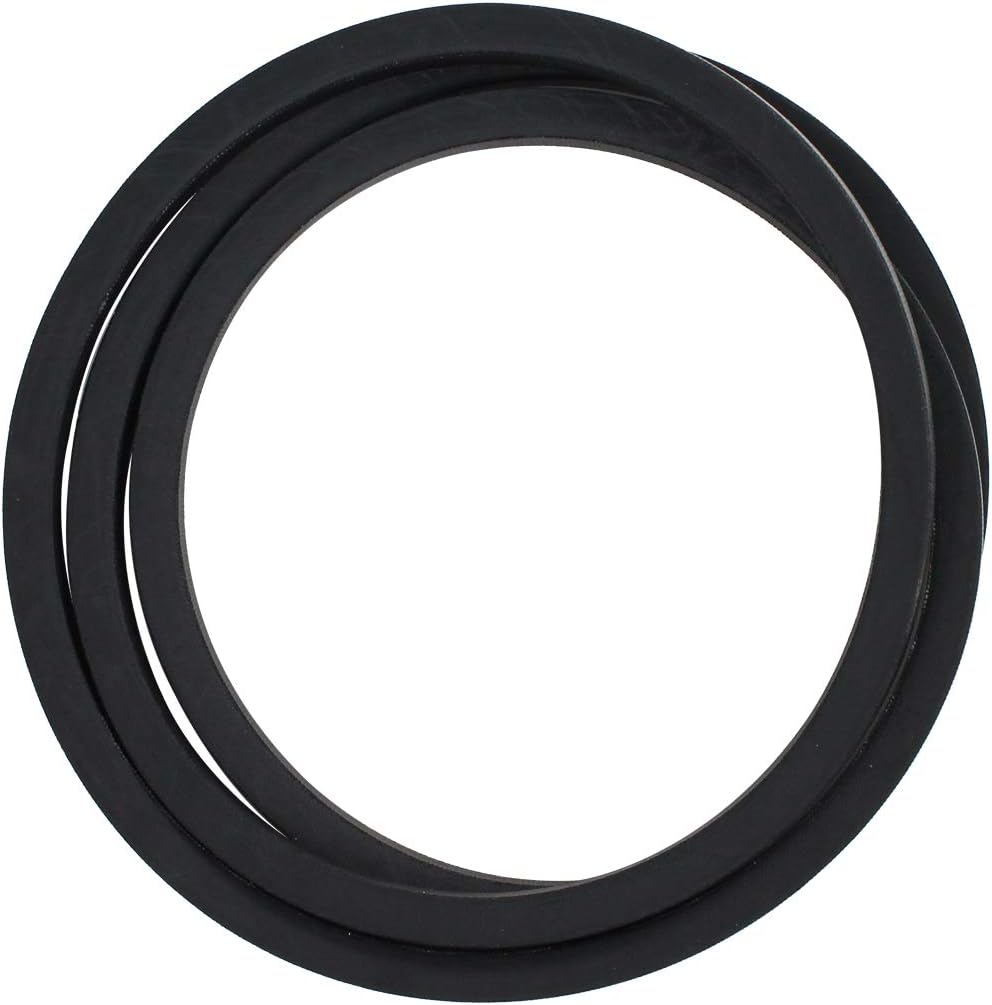
Image 7.1: Overhead view of the drive belt.
8. Warranty and Support
This product is an UpStart Components Brand replacement part. Any warranties for this product are offered solely by UpStart Components. This product is not affiliated with any original equipment manufacturers (OEMs) and is not covered under any warranties offered by the original manufacturers.
For support, warranty claims, or further inquiries regarding this product, please contact UpStart Components directly through their official channels.