
HEWLETT PACKARD 685183-001
HPE HP 685183-001 Mini SAS Cable DL360E User Manual
Model: 685183-001
Introduction
This manual provides instructions for the proper installation and use of the HPE HP 685183-001 Mini SAS Cable, designed for DL360E servers. Please read this manual carefully before installation to ensure correct setup and operation.
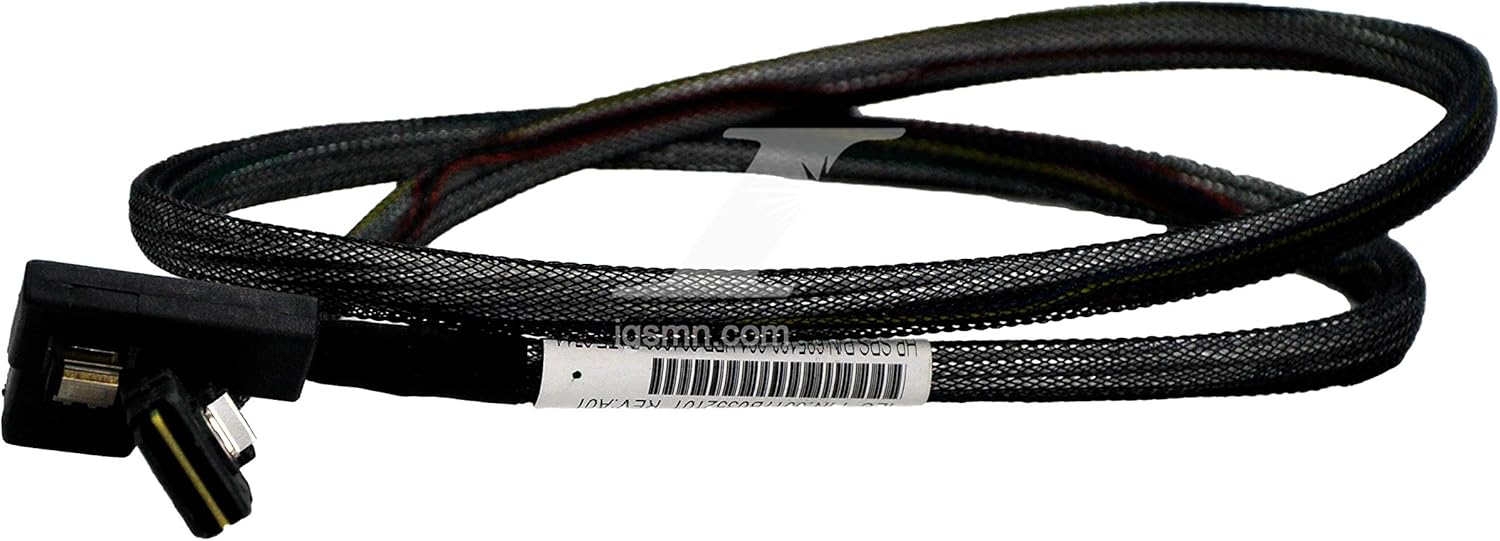
Image: The HPE HP 685183-001 Mini SAS Cable, featuring a black braided exterior and two male Mini SAS connectors at each end. The cable is coiled, illustrating its typical appearance and flexibility.
Safety Information
Always handle electronic components with care. Ensure power is disconnected from the system before installing or removing cables to prevent electrical shock or damage to components. Observe proper electrostatic discharge (ESD) precautions when working inside a server chassis.
Setup and Installation
Follow these steps to properly install the Mini SAS cable:
- Preparation: Power down the server and disconnect all power cables. Open the server chassis according to the server's service manual.
- Identify Ports: Locate the Mini SAS ports on your server's motherboard or RAID controller and the corresponding ports on your storage backplane or drive cage. These ports are typically labeled for easy identification.
- Connect Cable: Gently insert one end of the HPE HP 685183-001 Mini SAS cable into the Mini SAS port on the motherboard/controller. Ensure it clicks securely into place, indicating a proper connection.
- Route Cable: Carefully route the cable to avoid obstructing airflow, interfering with other components, or being pinched by chassis parts.
- Connect Second End: Connect the other end of the Mini SAS cable to the corresponding port on the storage backplane or drive cage, ensuring a secure connection.
- Secure Chassis: Close the server chassis and reconnect all power cables.
- Power On: Power on the server and verify that the connected storage devices are recognized by the system's BIOS/UEFI or operating system.
Operating Instructions
Once installed, the HPE HP 685183-001 Mini SAS cable operates passively, facilitating high-speed data transfer between your server's controller and storage devices. No specific user interaction is required for its operation beyond proper installation.
Maintenance
The HPE HP 685183-001 Mini SAS cable requires minimal maintenance. Periodically inspect the cable for any signs of physical damage, such as cuts, kinks, or frayed shielding. Ensure connectors remain securely seated. Do not bend the cable sharply or apply excessive force to the connectors, as this can damage internal wiring or the connectors themselves.
Troubleshooting
- Storage Devices Not Detected:
- Verify that both ends of the Mini SAS cable are securely connected to their respective ports.
- Ensure the server is powered off before checking connections to prevent damage.
- Check the server's BIOS/UEFI or RAID controller settings to confirm storage device detection and configuration.
- If possible, test with a known working Mini SAS cable to rule out cable failure as the cause.
- Intermittent Connectivity:
- Ensure the cable is not pinched or bent excessively, which can disrupt signal integrity.
- Check for any loose connections at either end of the cable.
- Inspect the cable and connectors for any visible physical damage.
Specifications
| Feature | Detail |
|---|---|
| Brand | HEWLETT PACKARD (HPE) |
| Model Number | 685183-001 |
| Connector Type | Mini SAS |
| Connector Gender | Male-to-Male |
| Cable Shape | Round |
| Unit Count | 1.0 Count |
| ASIN | B085VHKKRF |
| First Available Date | April 2, 2020 |
Warranty and Support
Specific warranty information for the HPE HP 685183-001 Mini SAS Cable is typically provided at the point of purchase or through the official HPE documentation accompanying your server system. For technical support or warranty claims, please refer to the official Hewlett Packard Enterprise (HPE) support channels or contact your product vendor directly.
Ask a question about this manual
Ask about setup, troubleshooting, compatibility, parts, safety, or missing instructions. Manuals+ will review the question and use this page’s manual context to help answer it.