
1. Introduction
Thank you for choosing the Klarstein Whirlwind Mobile 4-in-1 Evaporative Air Cooler. This versatile appliance combines the functions of a fan, air cooler, humidifier, and features a silent night mode, providing a comfortable indoor environment. This manual provides essential information for the safe and efficient operation, maintenance, and troubleshooting of your device. Please read it thoroughly before use and keep it for future reference.

Image: The Klarstein Whirlwind Air Cooler in a modern living room, illustrating its powerful airflow (1695 m³/h), quiet operation (50 dB min, 65 dB max), and humidification performance (approx. 1.1 L/h).
It is important to understand that this device is an evaporative air cooler, not an air conditioner. While it provides cooling through water evaporation and air circulation, it does not lower the room temperature as significantly as a traditional air conditioner. Its primary function is to provide a refreshing breeze and increase air humidity.

Image: A comparison table detailing the cooling effect on the body and room, noise level, mobility, ease of setup, energy consumption, and humidity effect for different cooling devices.
2. Safety Instructions
- Read all instructions before using the appliance.
- Ensure the power supply voltage matches the rating label on the appliance.
- Do not operate the appliance with a damaged cord or plug. Contact qualified service personnel for repairs.
- Keep the appliance away from heat sources, direct sunlight, and flammable materials.
- Do not immerse the appliance, cord, or plug in water or other liquids.
- Always unplug the appliance before cleaning, filling, or performing maintenance.
- Do not allow children to operate the appliance without supervision.
- Place the appliance on a stable, level surface to prevent tipping.
- Do not block the air inlets or outlets.
- Only use clean water in the water tank.
- Do not move the appliance when the water tank is full.
3. Package Contents
Carefully unpack the box and ensure all items are present and undamaged. If any items are missing or damaged, contact your retailer.
- 1 x Evaporative Air Cooler Unit
- 1 x Remote Control
- 2 x Ice Packs
- 1 x Multilingual Instruction Manual

Image: The Klarstein Whirlwind Air Cooler with its dimensions (90 cm H x 41 cm W x 27 cm D) and a list of included accessories: air cooler, remote control, 2 ice packs, and multilingual manual.
4. Product Overview
The Klarstein Whirlwind is designed for ease of use and portability, featuring a sleek tower design with integrated castor wheels for easy movement between rooms.
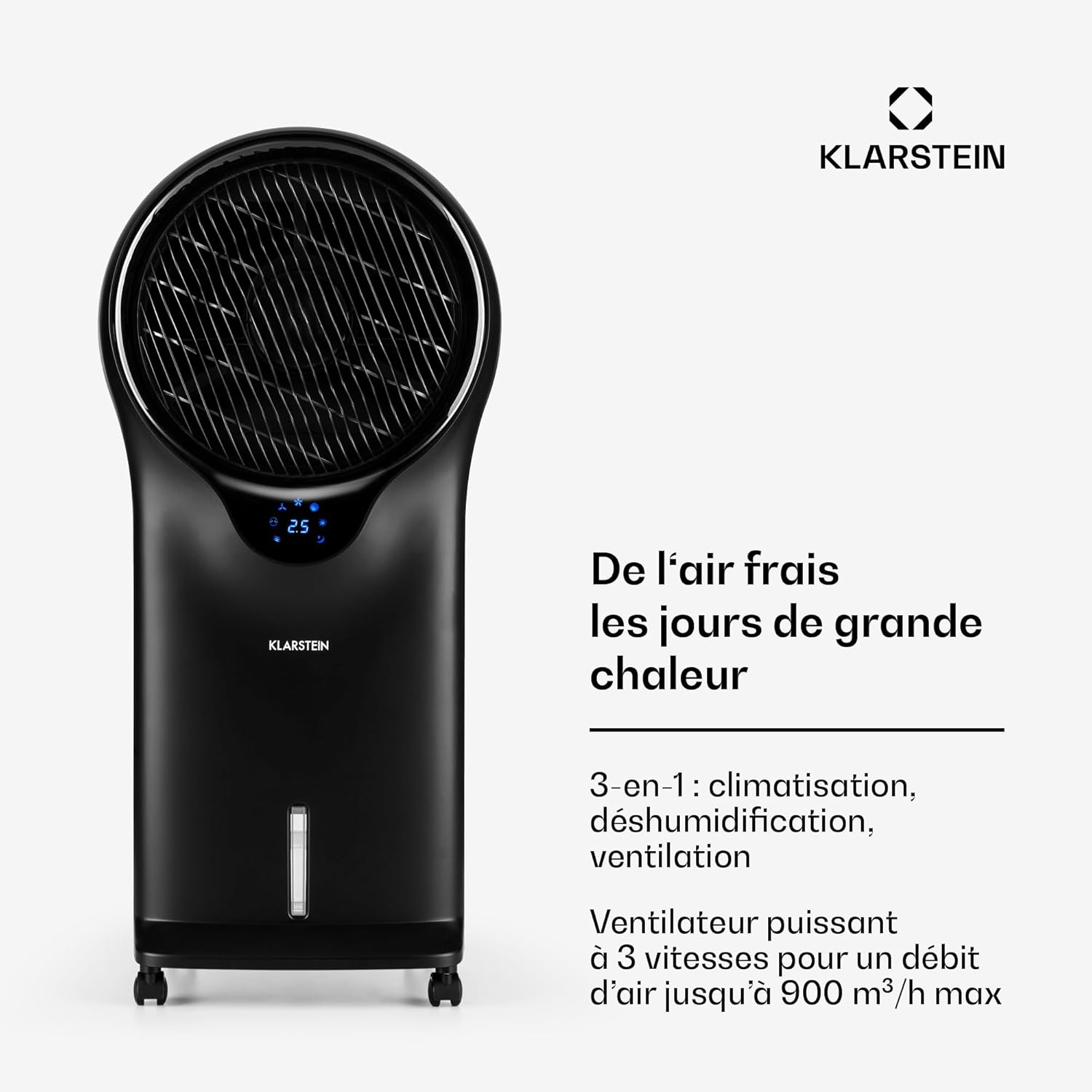
Image: Front view of the Klarstein Whirlwind Mobile 4-in-1 Evaporative Air Cooler, showcasing its modern design and digital display.
Control Panel
The control panel is located on the top of the unit, providing easy access to all functions.

Image: Detailed view of the control panel buttons: ON/SPEED, COOLER/HUMIDIFIER, MODE, TIMER, SWING, and OFF.
Remote Control
All functions can also be controlled conveniently using the included remote control.
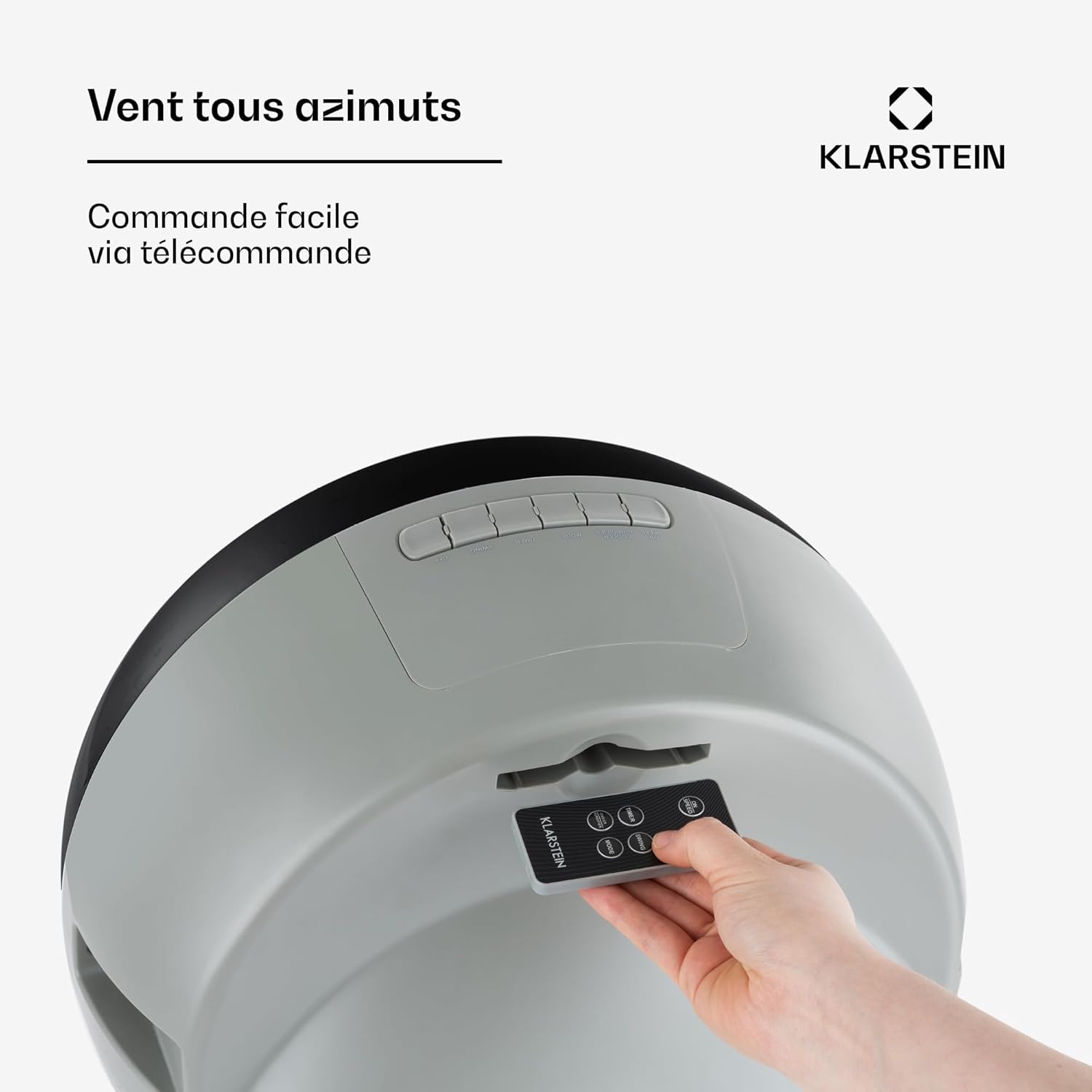
Image: The compact remote control for operating the air cooler from a distance.
Mobility
Equipped with integrated castor wheels, the unit can be easily moved between different rooms, such as the living room, kitchen, or bedroom.

Image: Close-up of the durable castor wheels, highlighting the unit's portability.
5. Setup
5.1 Placement
- Place the air cooler on a firm, level surface.
- Ensure there is adequate space around the unit for proper airflow (at least 20 cm from walls or furniture).
- Avoid placing the unit in direct sunlight or near heat sources.
5.2 Filling the Water Tank and Adding Ice Packs
- Pull out the water tank from the bottom rear of the unit.
- Fill the tank with clean water up to the 'MAX' level indicator. Do not overfill.
- For enhanced cooling, place the included ice packs in a freezer until frozen.
- Once frozen, place the ice packs into the designated compartment within the water tank.
- Carefully slide the water tank back into the unit until it clicks into place. Ensure it is securely closed to prevent leaks.

Image: The removable 5.5-liter water tank and two ice packs, ready for insertion to enhance cooling.

Image: A close-up view of the water tank, showing the process of filling it with water.
5.3 Power Connection
- Plug the power cord into a suitable electrical outlet (220V).
6. Operating Instructions
The Klarstein Whirlwind offers multiple functions and modes for personalized comfort.
6.1 Power On/Off and Fan Speed
- Press the ON/SPEED button to turn the unit on. The fan will start at low speed.
- Press the ON/SPEED button repeatedly to cycle through the three fan speeds: Low, Medium, High.
- Press the OFF button to turn the unit off.
6.2 Cooler/Humidifier Function
- Press the COOLER/HUMIDIFIER button to activate the evaporative cooling and humidification function. The water pump will start, circulating water over the cooling pads.
- Press the button again to deactivate this function.
6.3 Operating Modes
Press the MODE button to select from the following wind modes:
- Normal Mode: Provides a constant airflow at the selected speed.
- Nature Mode: Simulates a natural breeze by varying the fan speed intermittently.
- Night Mode: Operates at a lower, quieter speed with reduced airflow, ideal for sleeping. The fan speed will gradually decrease over time.

Image: A visual representation of the air cooler's airflow, demonstrating its ability to circulate air effectively.
6.4 Timer Function
Press the TIMER button to set an automatic shut-off time. Each press increases the timer by 0.5 hours, up to a maximum of 7.5 hours. The display will show the set time.

Image: An icon representing the timer function, indicating a maximum setting of 7.5 hours.
6.5 Oscillation (Swing) Function
Press the SWING button to activate the oscillation function, which distributes air across a wider area. The internal louvers will move from side to side. Press again to stop oscillation.

Image: A graphic depicting the 360-degree oscillation feature, ensuring wide air distribution.
7. Maintenance
Regular cleaning and maintenance will ensure optimal performance and extend the lifespan of your air cooler. Always unplug the unit before cleaning.
7.1 Cleaning the Exterior
- Wipe the exterior surfaces with a soft, damp cloth.
- Do not use abrasive cleaners or solvents, as these may damage the finish.
7.2 Cleaning the Water Tank
- Pull out the water tank from the unit.
- Empty any remaining water.
- Clean the inside of the tank with a mild detergent and a soft brush or cloth.
- Rinse thoroughly with clean water and dry before reinserting.
- Clean the water tank regularly (at least once a week) to prevent mold and bacteria growth.
7.3 Cleaning the Air Filter
The air filter should be cleaned every two weeks or more frequently depending on usage and air quality.
- Locate the air filter panel at the rear of the unit.
- Remove the filter by gently pulling it out.
- Rinse the filter under running water to remove dust and debris. For stubborn dirt, use a soft brush.
- Allow the filter to air dry completely before reinserting it into the unit.

Image: A diagram illustrating the process of removing and cleaning the air filter for optimal performance.
7.4 Storage
- Before storing, ensure the water tank is empty and clean, and the unit is dry.
- Store the appliance in a cool, dry place, away from direct sunlight and extreme temperatures.
8. Troubleshooting
If you encounter any issues with your Klarstein Whirlwind Air Cooler, please refer to the table below for common problems and solutions.
| Problem | Possible Cause | Solution |
|---|---|---|
| Unit does not turn on | No power supply; Power cord not plugged in; Power button not pressed. | Check power outlet; Ensure power cord is securely plugged in; Press the ON/SPEED button. |
| No cool air / Weak cooling effect | Water tank empty; Cooler/Humidifier function not activated; Ice packs not frozen or used; Air filter dirty. | Fill water tank; Activate COOLER/HUMIDIFIER function; Freeze and insert ice packs; Clean air filter. |
| Unusual noise | Unit not on a level surface; Obstruction in fan; Water pump issue. | Place on a level surface; Check for and remove obstructions (unplug first); Contact customer support if pump noise persists. |
| Water leakage | Water tank overfilled; Water tank not properly closed. | Do not overfill past 'MAX' line; Ensure water tank is securely pushed in and closed. |
9. Specifications
| Feature | Specification |
|---|---|
| Brand | KLARSTEIN |
| Model Name | Whirlwind |
| Model Number | ACO4-6200-zufd |
| Type | 4-in-1 Evaporative Air Cooler (Fan, Humidifier, Air Cooler, Night Mode) |
| Material | Plastic |
| Color | Black |
| Power Consumption | 110 Watts |
| Voltage | 220 Volts |
| Airflow Rate | 1695 m³/h |
| Water Tank Capacity | 5.5 Liters |
| Number of Speeds | 3 |
| Noise Level | 65 Decibels (max) |
| Timer Function | Up to 7.5 hours |
| Dimensions (D x W x H) | 27 cm x 41 cm x 90 cm |
| Item Weight | 9 Kilograms |
| Controls | Touch Panel, Remote Control |
10. Warranty and Support
Your Klarstein Whirlwind Mobile 4-in-1 Evaporative Air Cooler comes with a manufacturer's warranty. Please refer to the warranty card included in your package for specific terms and conditions, including the warranty period and coverage details.
For technical support, service, or spare parts, please contact your retailer or visit the official Klarstein website. Ensure you have your model number (ACO4-6200-zufd) and purchase date available when contacting support.
Manufacturer: KLARSTEIN


