
Introduction
This manual provides detailed instructions for the WYYHAA Bluetooth FM Transmitter Car Adapter. This device allows you to stream audio wirelessly from your mobile devices to your car's FM radio, make hands-free calls, and charge your devices while driving. It features Bluetooth 5.0 for stable connections, multiple music playback options, and real-time voltage monitoring for enhanced safety.
Safety Information
Please read and understand all safety instructions before using this product. Failure to follow these instructions may result in injury or damage to the device.
- Voltage Monitoring: The device features an LED dot matrix screen for real-time monitoring of your car battery voltage. If the voltage drops below 12.0V, the car battery may need replacement. Operating with a battery below this threshold can pose a risk of short circuit and fire.
- Operating Temperature: Avoid exposing the device to extreme temperatures, direct sunlight, or high humidity.
- Cleaning: Do not use harsh chemicals or abrasive cleaners on the device. Use a soft, dry cloth for cleaning.
- Disassembly: Do not attempt to disassemble or modify the device. This will void the warranty and may cause damage or injury.
Product Overview
Familiarize yourself with the components and controls of your WYYHAA Bluetooth FM Transmitter.

The WYYHAA Bluetooth FM Transmitter, shown with its included remote control. The transmitter features a large display, control buttons, and dual USB charging ports, designed to plug into a car's cigarette lighter socket.

Detailed diagram of the WYYHAA Bluetooth FM Transmitter's controls and ports, including the microphone, USB1/U-disk port, USB2 (2.4A) charging port, LCD display, TF card slot, audio input/output, power contact, CH activation, previous/private talking shift button, next/private talking shift button, mode shift (hands-free/USB/TF card), and the answer/play/volume adjustment/confirm button/Siri.
Key Components:
- LCD Display: Shows FM frequency, track information, and car voltage.
- Multi-function Knob: For volume adjustment, answering/ending calls, and menu navigation.
- FM Button: To adjust FM frequency.
- Mode Button: To switch between playback sources (Bluetooth, USB, TF Card).
- Previous/Next Track Buttons: For music navigation.
- USB1 Port (U-Disk): For music playback from a USB flash drive.
- USB2 Port (2.4A): For charging devices.
- TF Card Slot: For music playback from a Micro SD card.
- Microphone: For hands-free calling.
- Remote Control: Provides convenient access to functions.
Setup Instructions
- Plug In: Insert the WYYHAA Bluetooth FM Transmitter into your car's 12V/24V cigarette lighter socket. The device will power on automatically, and the LED display will light up, showing the car battery voltage for a few seconds, then the FM frequency.
- Tune FM Frequency:
- Find an unused FM frequency on your car radio. This should be a frequency with no strong broadcast signal, typically producing a slight static sound.
- Press the 'FM' button on the transmitter. The frequency display will flash.
- Rotate the multi-function knob to adjust the transmitter's frequency to match the empty frequency on your car radio.
- Once matched, the static sound should disappear, indicating a clear connection.
- Pair Bluetooth:
- On your mobile device, enable Bluetooth and search for available devices.
- Select the device named "WYYHAA" (or similar, check device display if available) from the list.
- Once paired, the transmitter's display will show a Bluetooth icon, and you will hear a confirmation tone.
Operating Instructions
Hands-Free Calling

An image highlighting the hands-free calling feature of the WYYHAA Bluetooth FM Transmitter, showing a phone call interface and indicating CVC noise reduction and a built-in high-sensitivity microphone for clear communication.
- Answer Call: Short press the multi-function knob.
- End Call: Short press the multi-function knob during a call.
- Reject Call: Long press the multi-function knob.
- Redial Last Number: Double press the multi-function knob.
- Private Call: During a call, long press the 'Next' button to switch the call between the transmitter and your phone.
- Voice Assistant (Siri/Google Assistant): Short press the multi-function knob to activate your phone's voice assistant.

Illustration demonstrating the voice control capabilities of the WYYHAA Bluetooth FM Transmitter, compatible with Android and iOS systems for hands-free commands like calling and navigation.
Music Playback

An illustration detailing the four music playback modes supported by the WYYHAA Bluetooth FM Transmitter: USB Disk, Bluetooth Connection, TF Card (up to 32GB), and 3.5mm Audio Cable input.
- Bluetooth Streaming: After successful Bluetooth pairing, open your music player on your mobile device and start playback. Audio will be transmitted to your car radio.
- USB Disk Playback: Insert a USB flash drive (U-Disk) containing MP3/WMA audio files into the USB1 port. The device will automatically detect and play the music.
- TF Card Playback: Insert a TF (Micro SD) card (up to 32GB) containing MP3/WMA audio files into the TF card slot. The device will automatically detect and play the music.
- AUX Input: Connect an audio device via a 3.5mm audio cable to the AUX input port.
- Switching Modes: Press the 'MODE' button to cycle through Bluetooth, USB Disk, TF Card, and AUX input modes.
- Play/Pause: Short press the multi-function knob.
- Next/Previous Track: Use the 'Next' and 'Previous' track buttons.
- Volume Adjustment: Rotate the multi-function knob to adjust the volume.

Screenshots from the WYYHAA Bluetooth FM Transmitter's display showing options for 'Play mode' (Loop all, Single cycle, Directory loop) and 'Sound effect' (nature, Popularity, Rock), accessible by pressing the knob during playback.
Charging Devices
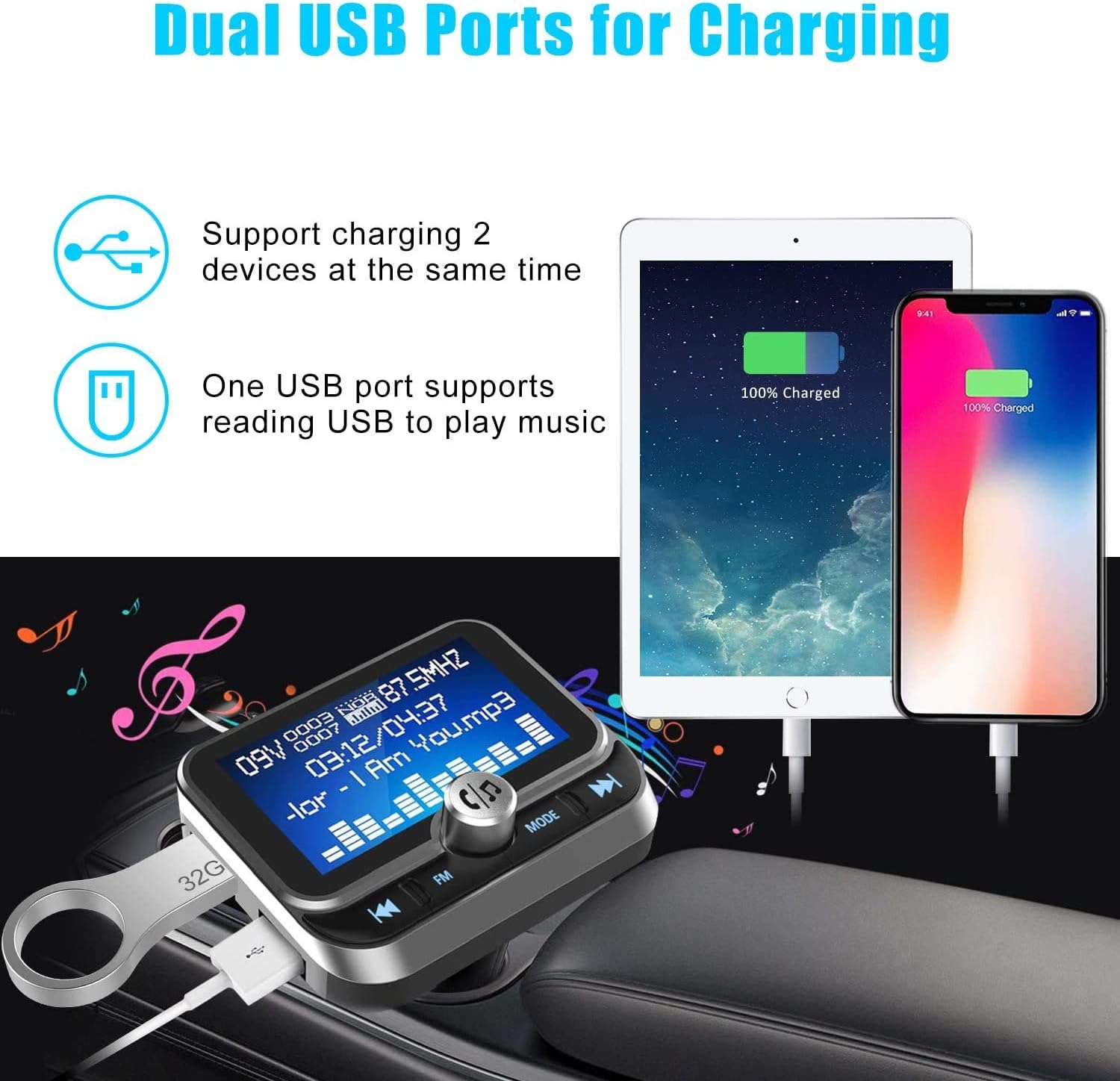
The WYYHAA Bluetooth FM Transmitter featuring dual USB ports, capable of charging two devices simultaneously. One port also supports USB disk music playback.
The device is equipped with two USB ports:
- USB1: Primarily for U-Disk music playback, but can also provide charging.
- USB2 (2.4A): Dedicated charging port for mobile phones, tablets, MP3/MP4 players, digital cameras, and other USB-powered devices.
You can charge two devices simultaneously using these ports.
Remote Control Operation
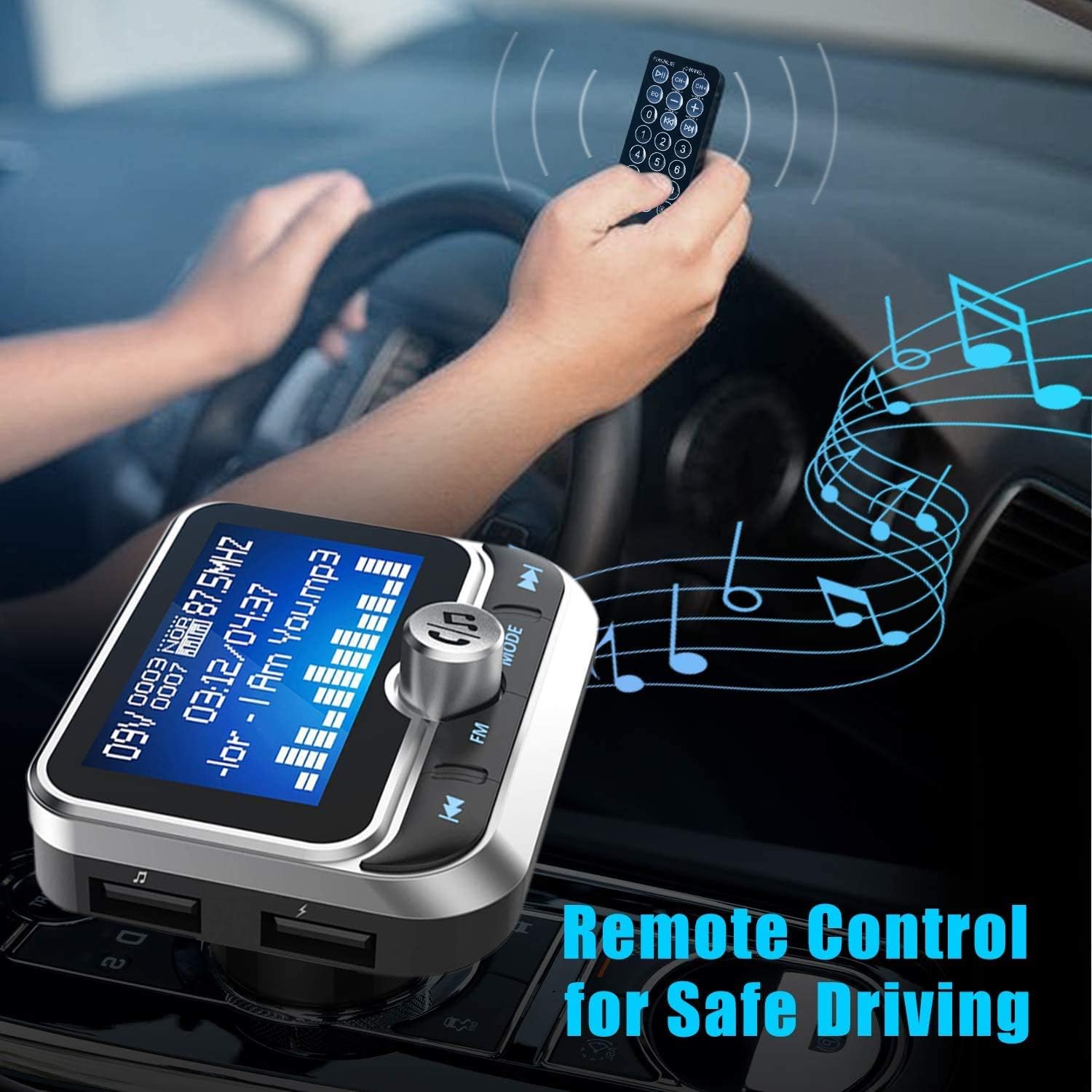
A user operating the remote control for the WYYHAA Bluetooth FM Transmitter while driving, emphasizing safe operation by keeping hands on the wheel. The remote allows control of music and calls.
The included remote control provides convenient access to various functions, allowing for safer operation while driving. Refer to the remote control's button layout for specific functions such as play/pause, track navigation, volume, and call management.
Maintenance
- Cleaning: Wipe the device with a soft, dry cloth. Do not use liquid or aerosol cleaners.
- Storage: When not in use for extended periods, store the device in a cool, dry place away from direct sunlight.
- Battery: The remote control uses a CR2 battery. Replace it when the remote's functionality diminishes.
Troubleshooting
If you encounter issues with your WYYHAA Bluetooth FM Transmitter, refer to the following common solutions:
| Problem | Solution |
|---|---|
| Static noise or poor sound quality |
|
| Low volume output |
|
| Bluetooth pairing issues or unstable connection |
|
| Others cannot hear my voice during calls |
|
| Device does not turn off with vehicle ignition |
|
| Only plays MP3 files from USB/TF card |
|
Specifications

A diagram illustrating the real-time battery voltage monitoring feature of the WYYHAA Bluetooth FM Transmitter, showing normal and unusual voltage ranges for both 12V and 24V car systems.
| Feature | Detail |
|---|---|
| Brand | WYYHAA |
| Connectivity Technology | Bluetooth, USB |
| Bluetooth Version | 5.0 |
| Power Source | Battery Powered, Corded Electric (Car Cigarette Lighter) |
| Material | Acrylonitrile Butadiene Styrene (ABS) |
| Special Features | Bluetooth FM Transmitter, Hands-Free Calls, Voltage Detection, Dual USB Ports, TF Card/U-Disk Support |
| USB Ports | 2 (One for U-Disk/Charging, One 2.4A for Charging) |
| Supported Audio Formats | MP3, WMA (for USB/TF Card) |
| TF Card Support | Up to 32GB |
| Display | LED Dot Matrix Screen (1.8 inches) |
| Item Weight | 4.6 ounces |
| Package Dimensions | 4.96 x 3.46 x 2.24 inches |
| Batteries | 1 CR2 battery required (included for remote) |
Warranty and Support
Specific warranty information for this product is not provided in the available documentation. For warranty details, technical support, or further assistance, please contact the manufacturer, SHEN ZHEN LEADINWAY TECHNOLOGY CO., LTD, or the retailer from whom you purchased the product.