
1. Important Safety Instructions
Please read all instructions carefully before using this industrial floor fan. Failure to follow these instructions may result in electric shock, fire, or serious personal injury.
- Always unplug the fan from the power outlet before cleaning, servicing, or moving it.
- Do not operate the fan with a damaged cord or plug. If the cord or plug is damaged, contact qualified service personnel for repair or replacement.
- Do not run the power cord under carpeting or cover it with throw rugs, runners, or similar coverings. Arrange the cord away from traffic areas where it will not be tripped over.
- This fan is intended for industrial use. Do not use it outdoors or in wet locations.
- Do not insert fingers or any other objects through the grille when the fan is operating.
- Ensure the fan is placed on a stable, level surface to prevent it from tipping over.
- Keep children and pets away from the fan during operation.
- Do not use the fan near flammable materials or gases.
- Do not attempt to repair or disassemble the fan yourself. Refer all servicing to qualified service personnel.
2. Product Overview
The HJM VIS680 is a robust industrial floor fan designed for powerful air circulation in various settings. It features a durable construction with aluminum blades and an adjustable mast for versatile positioning.
Key Features:
- 60cm grille diameter for wide air distribution.
- 3 speed settings to control airflow intensity.
- 3 durable aluminum blades.
- Powerful 160W motor with 1350 RPM.
- High airflow capacity of 190m³/min.
- 1.3m height-adjustable mast for optimal positioning.
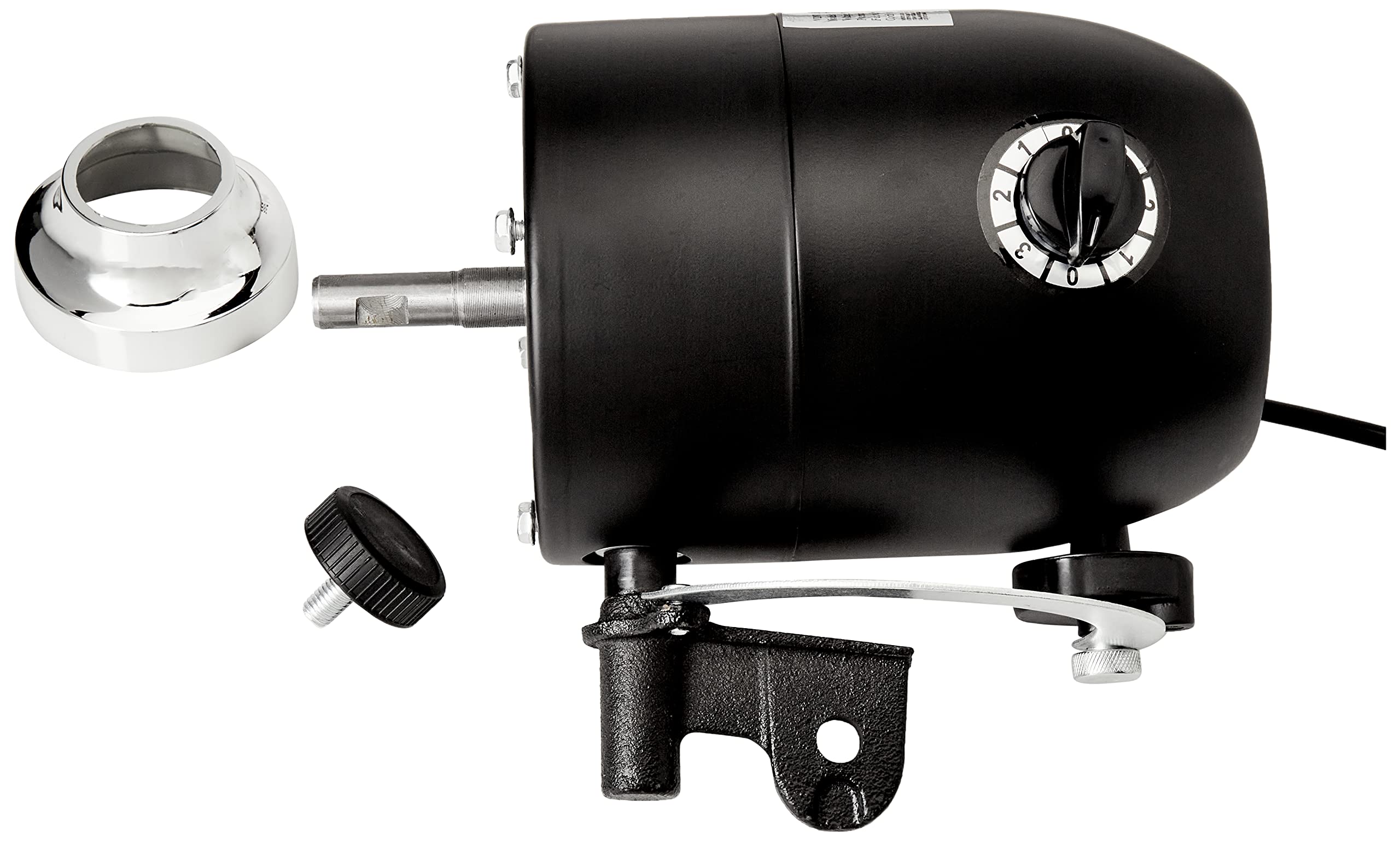
Figure 2.1: Front view of the HJM VIS680 Industrial Floor Fan, showing the protective grille, fan blades, and adjustable stand.
3. Assembly and Setup
The HJM VIS680 fan requires minimal assembly. Follow these steps to set up your fan:
- Carefully remove all components from the packaging.
- Attach the fan head to the adjustable mast. Ensure all securing screws or knobs are tightened firmly.
- Attach the mast to the base. Ensure the base provides stable support and all connections are secure.
- Place the fan on a firm, level surface where it will not be easily knocked over.
- Ensure there is adequate space around the fan for proper air circulation and to prevent obstruction of the air intake and exhaust.
4. Operation
Operating your HJM VIS680 industrial floor fan is straightforward:
- Connect to Power: Plug the fan's power cord into a suitable 230V AC, 50Hz electrical outlet.
- Adjust Height and Angle: Loosen the adjustment knob on the mast to set the desired height. Tighten the knob securely once the height is set. The fan head can also be tilted to direct airflow.
- Select Speed: Use the rotary switch located on the fan motor housing to select the desired speed setting. The switch typically has positions for OFF (0), Speed 1 (low), Speed 2 (medium), and Speed 3 (high).

Figure 4.1: Close-up of the rotary speed selector dial, showing settings 0, 1, 2, and 3.
To turn off the fan, rotate the switch to the '0' position and unplug it from the power outlet when not in use for extended periods.
5. Maintenance
Regular maintenance ensures optimal performance and longevity of your fan.
Cleaning:
- Always unplug the fan before cleaning.
- Use a soft, damp cloth to wipe the exterior surfaces of the fan. Do not use abrasive cleaners or solvents.
- To clean the fan blades, you may need to remove the front grille. Refer to the assembly instructions for safe removal and reattachment.
- Ensure all parts are completely dry before plugging the fan back in.
Storage:
When not in use, store the fan in a cool, dry place, protected from dust and moisture. If possible, store it in its original packaging.
6. Troubleshooting
If you encounter issues with your HJM VIS680 fan, refer to the following troubleshooting guide:
| Problem | Possible Cause | Solution |
|---|---|---|
| Fan does not turn on. | No power supply. Speed switch is off. | Check if the fan is properly plugged into a working outlet. Turn the speed switch to position 1, 2, or 3. |
| Reduced airflow. | Grille or blades are dirty. Fan is on a low speed setting. | Unplug the fan and clean the grille and blades. Increase the speed setting. |
| Unusual noise or vibration. | Loose parts. Fan not on a stable surface. Obstruction in blades. | Unplug the fan and check for any loose screws or components. Place the fan on a stable, level surface. Unplug and check for any foreign objects caught in the blades. |
If the problem persists after attempting these solutions, contact customer support.
7. Specifications
Technical specifications for the HJM VIS680 Industrial Floor Fan:
- Model: VIS680
- Brand: HJM
- Grid Diameter: 60 cm (600mm)
- Number of Speeds: 3
- Blades: 3, Aluminum
- RPM: 1350 R/MIN
- Airflow: 190 m³/min
- Mast Height: 1.3m, Adjustable
- Power: 160W
- Voltage: 230V AC
- Frequency: 50Hz
- Product Weight: 4.1 kg
- Package Dimensions: 67.4 x 64.2 x 9 cm
- Manufacturer Product ID: 8425120099680

Figure 7.1: Product label displaying model, dimensions, voltage, frequency, power, and RPM.
8. Warranty and Support
This HJM product is covered by a manufacturer's warranty. Please refer to the warranty card included with your purchase for specific terms and conditions.
For technical support, service, or warranty claims, please contact your retailer or the manufacturer directly. Keep your proof of purchase for warranty validation.
Manufacturer: HJM
Contact Information: Please refer to the product packaging or the manufacturer's official website for the most current contact details.

