
1. Product Overview
The Hom-io Omni Alarm Radio Signal Repeater is a plug-and-play device designed to extend the range and reliability of your Hom-io alarm system. It receives alarm messages, status updates, and accessory control signals from your alarm accessories and efficiently repeats them to the main control panel, ensuring comprehensive coverage throughout your property.
Key Features:
- Plug and play device for easy installation and immediate use.
- Receives alarm messages, status, and accessory control signals, then repeats them to the control panel.
- Three-color LED indicator to display current alarm status and arming/disarming.
- Replaceable plug for greater power supply flexibility.
- Ability to extend with up to 40 accessories and 10 remote controls for a customized system.
2. Safety Information
- Read all instructions carefully before use.
- Do not expose the device to moisture or extreme temperatures.
- Ensure the power source matches the device's requirements.
- Keep out of reach of children.
- Do not attempt to disassemble or repair the device yourself. Contact qualified personnel for service.
3. Package Contents
Verify that all items are present in the package:
- Hom-io Omni Alarm Radio Signal Repeater (Extender)
- Power Adapter (replaceable plug)
- Lithium Battery (3.7V 650mAh)
- User Manual
4. Device Components
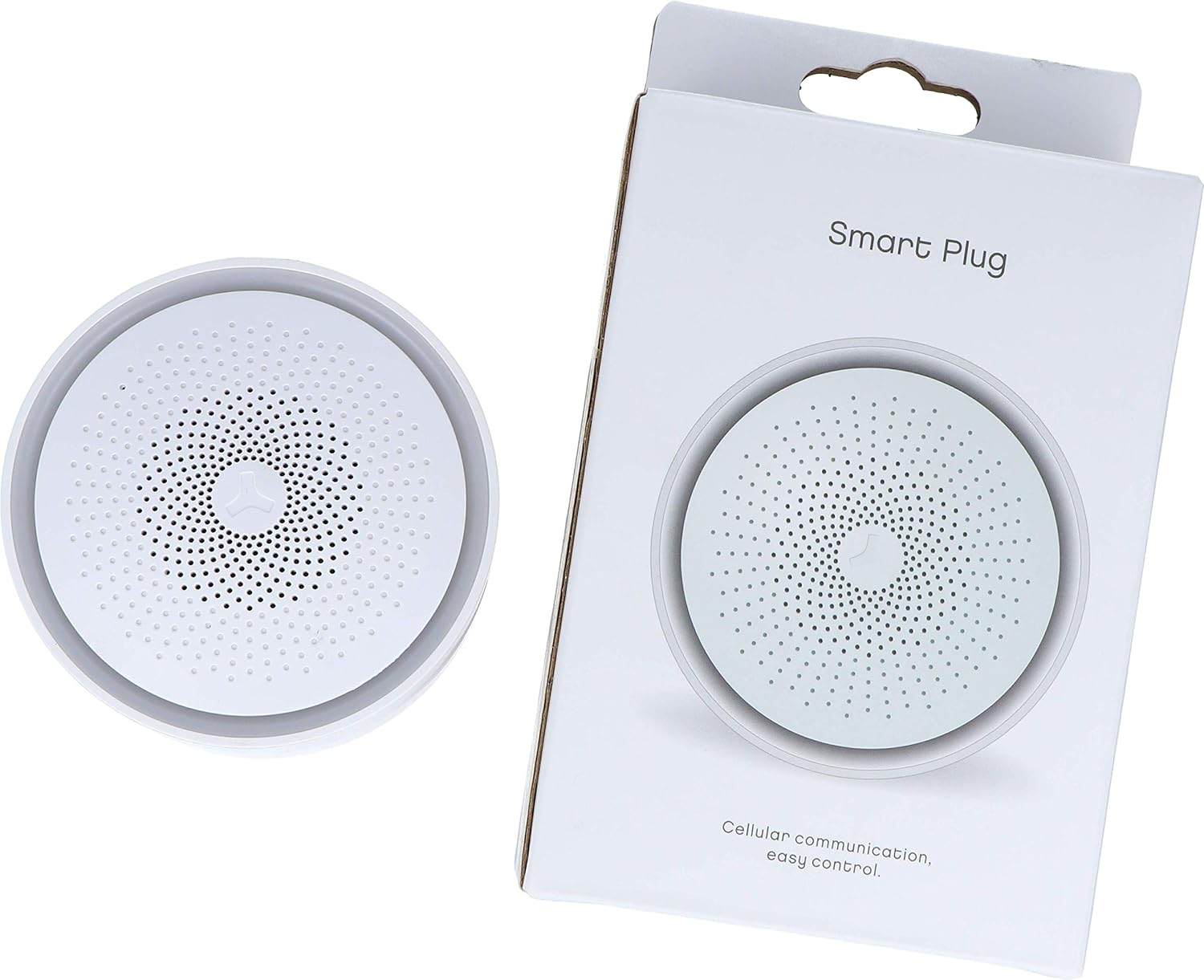
The Hom-io Omni Alarm Radio Signal Repeater features a compact design with an integrated LED indicator and a replaceable power plug for versatile installation.

LED Indicator:
The device includes a three-color LED indicator that provides visual feedback on the current status of the alarm system, including arming, disarming, and alarm events. A single touch can toggle the LED indicator on or off.
5. Setup
5.1 Powering the Repeater
- Insert the provided lithium battery (3.7V 650mAh) into the designated battery compartment.
- Attach the appropriate replaceable power plug to the repeater.
- Plug the repeater into a standard AC power outlet. The device will power on automatically.
5.2 Pairing with the Alarm System
The Hom-io Omni Alarm Radio Signal Repeater is designed for plug-and-play functionality. It automatically receives and repeats signals from compatible Hom-io alarm accessories to your main control panel. For specific pairing instructions with your Hom-io alarm panel or new accessories, refer to the main alarm system's user manual.
6. Operation
6.1 LED Indicator Status
The three-color LED indicator provides visual cues for the repeater's status:
- Green: System armed or normal operation.
- Red: Alarm triggered or system fault.
- Blue: System disarmed or standby mode.
To toggle the LED indicator on or off, gently press the designated button on the device (refer to your main alarm system manual for exact location if not immediately apparent).
6.2 System Expansion
The repeater supports the expansion of your Hom-io alarm system. It can effectively extend the signal range for up to 40 additional accessories (e.g., motion sensors, door/window contacts) and 10 remote controls. Follow the pairing instructions provided with your new accessories and remote controls to integrate them into your system via the repeater.
7. Maintenance
7.1 Battery Information
The repeater is equipped with a 3.7V/650mAh lithium battery, providing approximately 3 to 5 hours of backup power in case of an AC power outage. Ensure the battery is properly installed and charged for continuous operation.
7.2 Cleaning
To clean the device, use a soft, dry cloth. Do not use liquid cleaners or abrasive materials, as they may damage the device.
8. Troubleshooting
- No Power: Ensure the power adapter is securely plugged into a working AC outlet and the battery is correctly installed and charged.
- No Signal Repetition: Verify that the repeater is within range of both the alarm accessories and the main control panel. Check for any obstructions that might interfere with radio signals.
- LED Indicator Not Working: Press the LED toggle button to ensure it hasn't been turned off. If the issue persists, check power supply.
- Interference: Keep the repeater away from large metal objects, thick walls, or other electronic devices that may cause signal interference.
9. Specifications
| Specification | Detail |
|---|---|
| Model Number | HOM-Omni-EXT |
| Manufacturer | Melchioni |
| Product Dimensions (L x W x H) | 4.2 x 8 x 8 cm; 180 grams |
| Power Source Type | AC Powered (with battery backup) |
| Battery Type | Lithium (3.7V 650mAh) |
| Battery Life (Backup) | 3-5 hours |
| Max. Accessories Supported | 40 |
| Max. Remote Controls Supported | 10 |
| Country of Origin | China |
10. Warranty and Support
For warranty information and technical support, please refer to the documentation provided with your complete Hom-io alarm system or visit the official Hom-io website. Keep your purchase receipt as proof of purchase.