
DAYTEE LC01
Daytech Senior Alert System User Manual
Model: LC01 | Brand: DAYTEE
1. Introduction and Product Overview
The Daytech Senior Alert System is a reliable wireless emergency call system designed to provide peace of mind for caregivers and assistance for individuals who may need help at home. This system is ideal for the elderly, patients, pregnant women, and those with disabilities, allowing them to easily signal for assistance without needing to shout.

Image: The Daytech Senior Alert System, featuring two receivers, two wearable call buttons, and a doorbell button.

Image: Illustrates the target users for the emergency call button, including the elderly, pregnant women, disabled individuals, and sick patients.
2. Package Contents
Please check the package to ensure all components are present:
- Receiver(s)
- Call Button(s)
- Doorbell Button (if included in your specific package)
- Batteries (3 AAA batteries required for receiver, included. Call buttons typically use coin cell batteries, also included.)
3. Product Features
- SOS Functionality: Emergency call button sends a distress signal to the receiver.
- Adjustable Volume: 5 levels of volume (0-110dB) to ensure the alert is heard.
- Multiple Ringtones: 55 selectable ringtones, allowing different tones for different transmitters.
- Extended Wireless Range: Up to 150 meters (492 feet) transmission distance in open areas. Walls and obstacles may affect range.
- Portable and Mountable: Call buttons can be worn around the neck, carried in a pocket, or mounted on a wall.
- Waterproof Call Button: IP55 rated, suitable for use in bathrooms or wet environments.
- Expandable System: Receiver can be paired with up to 55 transmitters; one transmitter can be paired with multiple receivers.
- LED Indicator: Visual alert on the receiver.
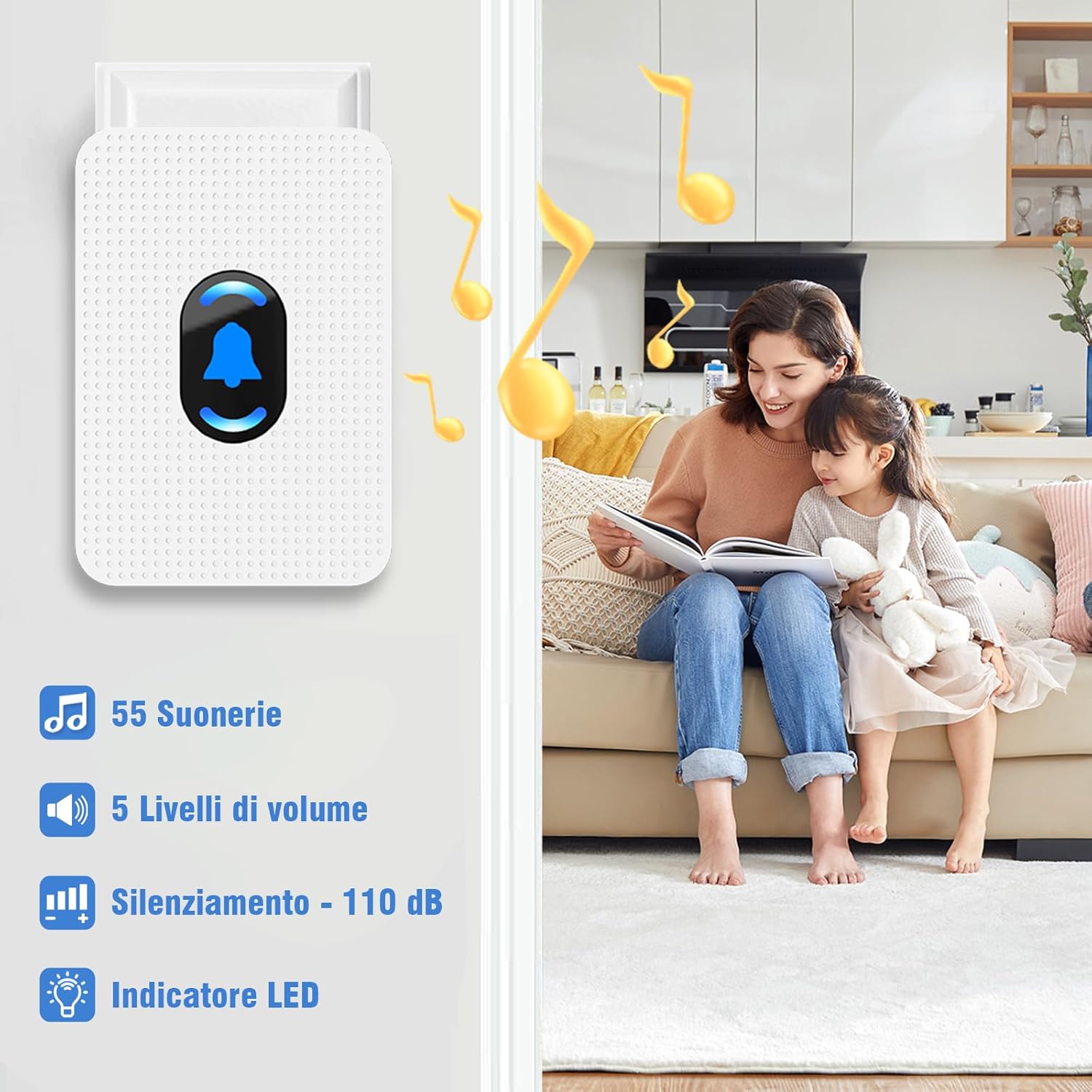
Image: Key features of the receiver, including ringtone selection, volume control, and LED indicator.
4. Setup and Installation
4.1 Receiver Setup
- Plug the receiver into a standard electrical outlet in a central location within your home.
- Ensure the outlet is easily accessible and not obstructed.
4.2 Call Button Pairing
To pair a call button with the receiver:

Image: Step-by-step guide for pairing the call button with the receiver.
- Select Melody: On the receiver, press the 'up' or 'down' buttons to cycle through and select your desired melody.
- Enter Pairing Mode: Press and hold the volume button on the receiver until it makes a "Ding" sound and the receiver's LED indicator flashes.
- Initiate Pairing: Quickly press the call button you wish to pair. The receiver will make a "Ding-Ding" sound and its LED will flash.
- Confirm Pairing: Press the call button again to confirm. If the receiver sounds, pairing is complete.
4.3 Call Button Placement
The call buttons are versatile and can be placed in various locations:
- Wearable: Use the included lanyard to wear the button around the neck.
- Portable: Keep the button in a pocket for easy access.
- Wall-Mounted: Mount the button next to a toilet, bedside, or in other critical areas using adhesive or screws. The IP55 waterproof rating makes it suitable for bathrooms.

Image: Examples of call button placement, including wearable and wall-mounted options in different rooms.

Image: Illustration of the 150-meter wireless transmission range, demonstrating signal reach across multiple rooms and floors.
5. Operating Instructions
5.1 Sending an Alert
To send an alert, simply press the call button. The button will transmit a signal to the paired receiver(s).

Image: Demonstrates the ease of sending an alert by pressing the panic button, and how the receiver signals for help.
5.2 Receiving an Alert
When a call button is pressed, the receiver will:
- Sound the selected melody at the set volume level.
- Flash its LED indicator.
This alerts the caregiver to check on the individual who initiated the call.
5.3 Adjusting Volume and Ringtones
Use the dedicated buttons on the side of the receiver to adjust the volume (5 levels) and cycle through the 55 available ringtones. You can set different ringtones for different call buttons if you have multiple transmitters.
6. Maintenance
6.1 Battery Replacement
The receiver uses 3 AAA batteries (included) as a backup power source. The call buttons use coin cell batteries. If a call button stops responding or its range decreases, it may be time to replace its battery.

Image: Instructions for replacing the battery inside the call button.
6.2 Cleaning
Wipe the receiver and call buttons with a soft, dry cloth. Do not use abrasive cleaners or immerse the receiver in water. The call button is IP55 waterproof, meaning it can withstand splashes but should not be submerged.
7. Troubleshooting
| Problem | Possible Cause | Solution |
|---|---|---|
| Receiver does not sound when button is pressed. | Button not paired; button battery low/dead; receiver unplugged; out of range. | Re-pair the button (see Section 4.2); Replace button battery; Ensure receiver is plugged in; Move button closer to receiver. |
| Alert sound is too low or too loud. | Volume setting is incorrect. | Adjust the volume using the buttons on the receiver. |
| System range is shorter than expected. | Obstacles (walls, metal objects); interference; low button battery. | Relocate receiver to a more central position; avoid placing near large metal objects; replace button battery. |
| Receiver LED flashes but no sound. | Volume set to minimum (0dB). | Increase the volume on the receiver. |
8. Specifications
| Feature | Detail |
|---|---|
| Brand | DAYTEE |
| Model Number | LC01 |
| Product Dimensions | 10 x 7.5 x 9 cm |
| Item Weight | 360 grams |
| Power Source | Battery Powered (Receiver: 3 AAA batteries included) |
| Max Range | 150 Meters (Wireless) |
| Noise Level | 110 dB (Max) |
| Control Method | Touch |
| Waterproof Rating (Button) | IP55 |
| UPC | 729530768821 |
9. Warranty and Support
DAYTEE offers comprehensive customer support for this product:
- 24-Hour Online Service: Assistance is available around the clock.
- 30-Day Return Policy: Hassle-free returns within 30 days of purchase.
- Lifetime After-Sales Support: Free lifetime support for your product.
For any inquiries or assistance, please contact DAYTEE customer service through the platform where you purchased the product.
Ask a question about this manual
Ask about setup, troubleshooting, compatibility, parts, safety, or missing instructions. Manuals+ will review the question and use this page’s manual context to help answer it.