1. Introduction
This manual provides detailed instructions for the safe operation, installation, and maintenance of your TOSOT Portable Air Conditioner. Please read this manual thoroughly before using the appliance and retain it for future reference.
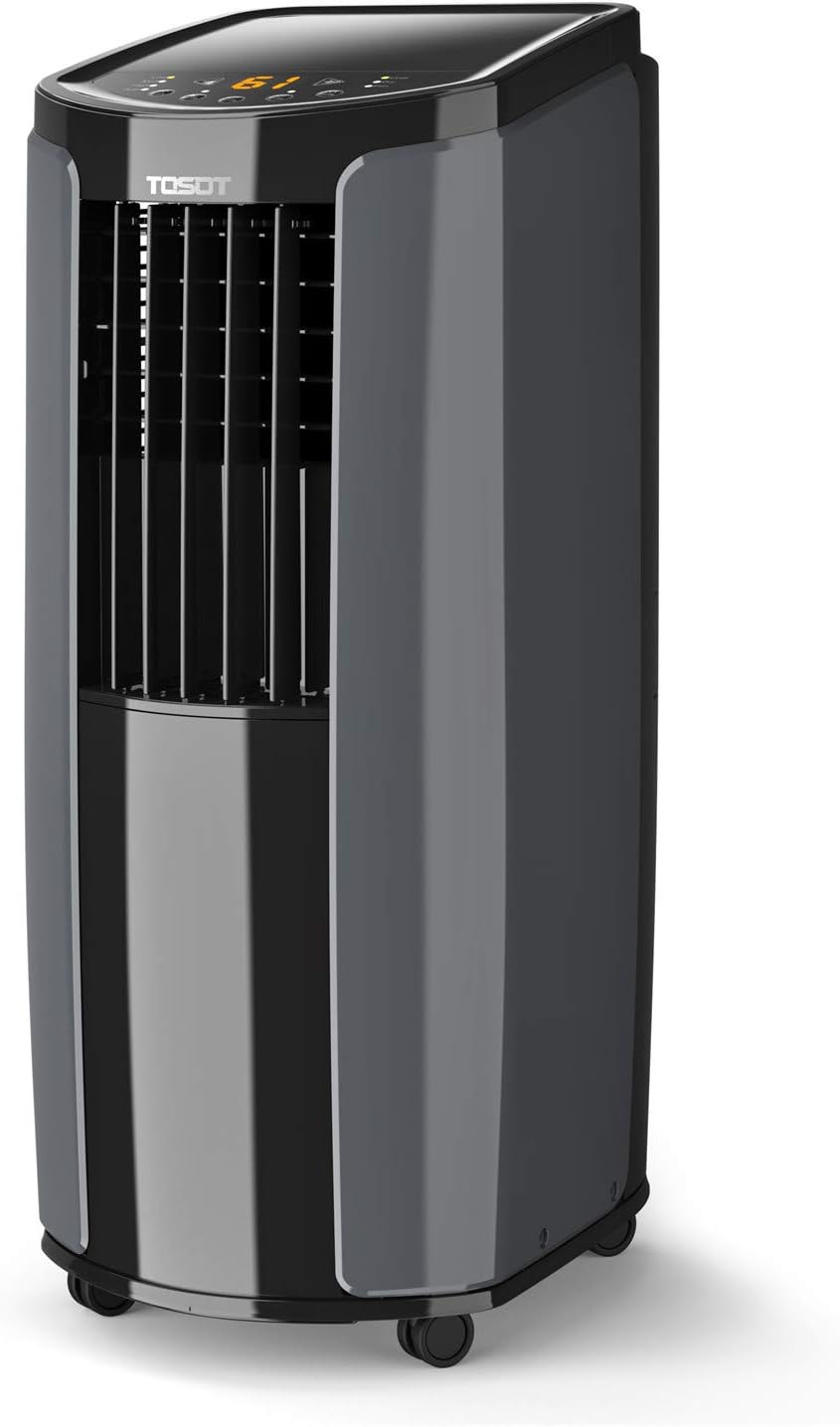
Image 1.1: Front view of the TOSOT Portable Air Conditioner.
2. Product Features
- Powerful Cooling: Designed to cool spaces up to 400 square feet with an ASHRAE-rated 10,000 BTUs (6,000 BTU 2017 DOE Standard), suitable for home offices, bedrooms, or living rooms.
- Multi-functional Operation: Functions as a portable air conditioner, a fan, and a dehumidifier. The dehumidifier can remove up to 2.5 pints (1.2L) of water per hour, enhancing cooling efficiency.
- Quiet Operation & Sleep Mode: Features a lower noise mode for undisturbed sleep. The sleep function adjusts temperature for optimal comfort, and night mode can shut off control panel lights.
- Easy Installation: Compatible with both horizontal and vertical sliding windows. Detailed instructions in this manual facilitate setup in 15 minutes or less.
- X-Fan Technology: When activated, the X-Fan continues to spin at a slow, silent speed to dry residual water within the machine and the air exhaust hose, preventing mold and odors.

Image 2.1: The unit's dehumidification capability, removing up to 60 pints per day.
3. Package Contents
Verify that all components are present and undamaged upon unpacking. If any items are missing or damaged, contact customer support.
- 1x TOSOT Portable Air Conditioner Unit
- 1x Adjustable Window Installation Kit
- 1x Remote Control
- 1x Exhaust Hose
- 1x Hose Adapter
- 1x Drain Hose
- User Manual (this document)

Image 3.1: All components included in the accessory kit for installation.
4. Setup and Installation
Follow these steps for proper setup and installation of your portable air conditioner.
4.1 Choosing a Location
- Place the unit on a flat, stable surface.
- Ensure there is at least 20 inches (50 cm) of space around the unit for proper airflow.
- Position the unit near a window for exhaust hose installation.
- Ensure the power outlet is easily accessible and matches the unit's voltage (115 Volts).

Image 4.1: The unit features casters for easy movement and positioning.
4.2 Window Kit Installation
- Assemble the adjustable window installation kit according to your window type (horizontal or vertical sliding).
- Attach the exhaust hose to the unit and then to the window kit adapter.
- Secure the window kit in the open window, ensuring a tight seal to prevent air leakage.
- Extend the exhaust hose to the window kit, ensuring it is not kinked or bent sharply.
Note: For detailed visual instructions, refer to the diagrams provided in the separate quick start guide or online resources.
5. Operating Instructions
Your TOSOT Portable Air Conditioner offers multiple modes and settings for optimal comfort.
5.1 Control Panel and Remote Control
The unit can be operated using the control panel on top of the unit or the included remote control.

Image 5.1: The unit's control panel and remote control for convenient operation.

Image 5.2: The unit features a built-in storage slot for the remote control.
5.2 Operating Modes
- Cool Mode: Provides powerful cooling. Set your desired temperature using the temperature adjustment buttons.
- Fan Mode: Circulates air without cooling. Choose from low, medium, or high fan speeds.
- Dry (Dehumidifier) Mode: Removes excess moisture from the air. The unit will automatically manage dehumidification. Ensure the drain hose is properly connected for continuous drainage.
5.3 Special Functions
- Sleep Function: Activates a quiet operation mode and gradually adjusts the temperature for comfortable sleep.
- Timer Function: Set a specific time for the unit to turn on or off automatically.
- X-Fan Function: After turning off the unit in Cool or Dry mode, the fan will continue to run for a short period to dry internal components and the exhaust hose, preventing mold and odors.
6. Maintenance
Regular maintenance ensures optimal performance and longevity of your air conditioner.
6.1 Cleaning the Air Filter
The air filter should be cleaned every two weeks or more frequently depending on usage and air quality.
- Turn off and unplug the unit.
- Locate and remove the air filter from the back or side of the unit.
- Wash the filter with warm, soapy water. Rinse thoroughly.
- Allow the filter to air dry completely before reinserting it into the unit. Do not use a dryer or direct sunlight.
6.2 Draining Water
The unit has a self-evaporative system, but in high humidity conditions, the internal water tank may fill up. The unit will display an error code (e.g., "FL" for full tank) when drainage is required.
- Turn off and unplug the unit.
- Place a shallow pan or tray under the drain port at the bottom rear of the unit.
- Remove the drain plug to allow water to flow out.
- Once drained, replace the drain plug securely.
For continuous drainage in dehumidifier mode, connect the provided drain hose to the continuous drain port.
7. Troubleshooting
Refer to this section for common issues and their solutions. If the problem persists, contact customer support.
| Problem | Possible Cause | Solution |
|---|---|---|
| Unit does not turn on. | No power, power cord unplugged, circuit breaker tripped. | Ensure unit is plugged in, check power outlet, reset circuit breaker. |
| Unit is not cooling effectively. | Dirty air filter, exhaust hose blocked/kinked, room too large, windows/doors open. | Clean air filter, ensure exhaust hose is clear and straight, close windows/doors, check room size against unit capacity. |
| Water leakage. | Drain plug loose, continuous drain hose not connected properly, unit not level. | Tighten drain plug, ensure drain hose is secure, place unit on a level surface. |
| Unit is noisy. | Unit not on a level surface, fan obstruction. | Place unit on a level surface, check for obstructions around fan. |
| "FL" error code displayed. | Internal water tank is full. | Drain the water from the unit as per maintenance instructions. |
8. Specifications
| Feature | Detail |
|---|---|
| Model Number | GPC06AK-A3NNA1C |
| Cooling Power (ASHRAE) | 10,000 BTU |
| Cooling Power (SACC/DOE) | 6,000 BTU |
| Coverage Area | Up to 400 Square Feet |
| Dehumidification Capacity | 60 Pints / 2.5 pints per hour (1.2L/hour) |
| Noise Level | 49 dB |
| Voltage | 115 Volts |
| Amperage | 12.5 amps |
| Product Dimensions (D x W x H) | 11.8"D x 15.4"W x 30.4"H |
| Item Weight | 65 pounds |
| Cable Length | 6 Feet |
| Manufacturer | Gree Electric Appliances, Inc. of Zhuhai |

Image 8.1: Dimensions of the TOSOT Portable Air Conditioner.
9. Warranty and Support
9.1 Warranty Information
This TOSOT Portable Air Conditioner comes with a 1 Year Warranty from the date of purchase. This warranty covers defects in materials and workmanship under normal use. Please retain your proof of purchase for warranty claims.
The warranty does not cover damage resulting from:
- Improper installation or operation.
- Accident, abuse, misuse, or unauthorized modification.
- Damage caused by power surges or lightning.
- Normal wear and tear.
9.2 Customer Support
For technical assistance, warranty service, or general inquiries, please visit the official TOSOT website or contact their customer support. Refer to the product packaging or the TOSOT brand store on Amazon for the most current contact information.


