
1. Introduction
Thank you for choosing the TEKFUN 10-inch LCD Writing Tablet. This device is designed to provide a paperless and mess-free platform for drawing, writing, and learning. Its pressure-sensitive screen allows for easy creation of lines with the included stylus or any suitable object, and content can be cleared with a single button press. This manual provides essential information for setup, operation, maintenance, and troubleshooting to ensure optimal use of your device.
2. Product Overview & What's in the Box
The TEKFUN LCD Writing Tablet features a durable, lightweight design with an eye-protection colorful screen. It is ideal for various activities and environments.

Figure 1: TEKFUN 10-inch LCD Writing Tablet with stylus.
Package Contents:
- 1 x TEKFUN 10-inch LCD Writing Tablet
- 1 x Stylus
3. Setup
Before first use, please follow these steps:
- Unlock the Erase Function: Locate the lock switch on the side of the tablet. Slide the switch to the 'unlocked' position (usually indicated by an unlocked padlock icon or an arrow pointing away from the lock). This enables the erase button.
- Attach the Stylus: The stylus can be stored in the designated holder at the top of the tablet. A tether may be included to prevent loss.

Figure 2: Stylus storage and battery compartment.
4. Operating Instructions
- Writing and Drawing: Use the included stylus or any non-abrasive object to write or draw directly on the screen. The screen is pressure-sensitive, allowing for varying line thickness based on pressure applied.
- Erasing Content: To clear the screen, ensure the lock switch is in the 'unlocked' position. Press the erase button located at the bottom center of the tablet. The screen will clear instantly.
- Locking Content: To prevent accidental erasure of your drawing or notes, slide the lock switch to the 'locked' position (usually indicated by a locked padlock icon or an arrow pointing towards the lock). While locked, the erase button will be inactive.

Figure 3: Demonstrating drawing on the tablet.
5. Features
- Eye-Protection Screen: The colorful LCD screen is designed to be gentle on the eyes, providing a comfortable drawing experience without glare or blue light.
- Mess-Free Operation: Eliminates the need for paper, pens, or crayons, ensuring a clean environment and reducing waste.
- Long-Lasting Battery: The built-in battery offers an extended lifespan, supporting approximately 100,000 writing and drawing cycles. The battery is replaceable for continuous use.
- Lightweight and Portable: Weighing only 5.3 ounces and with compact dimensions, the tablet is easy to carry in bags, making it suitable for travel, car rides, and various outdoor or indoor settings.
- Durable Design: Constructed from high-quality plastic, the tablet is designed to be waterproof and anti-fall, providing resilience against accidental drops and liquid spills.
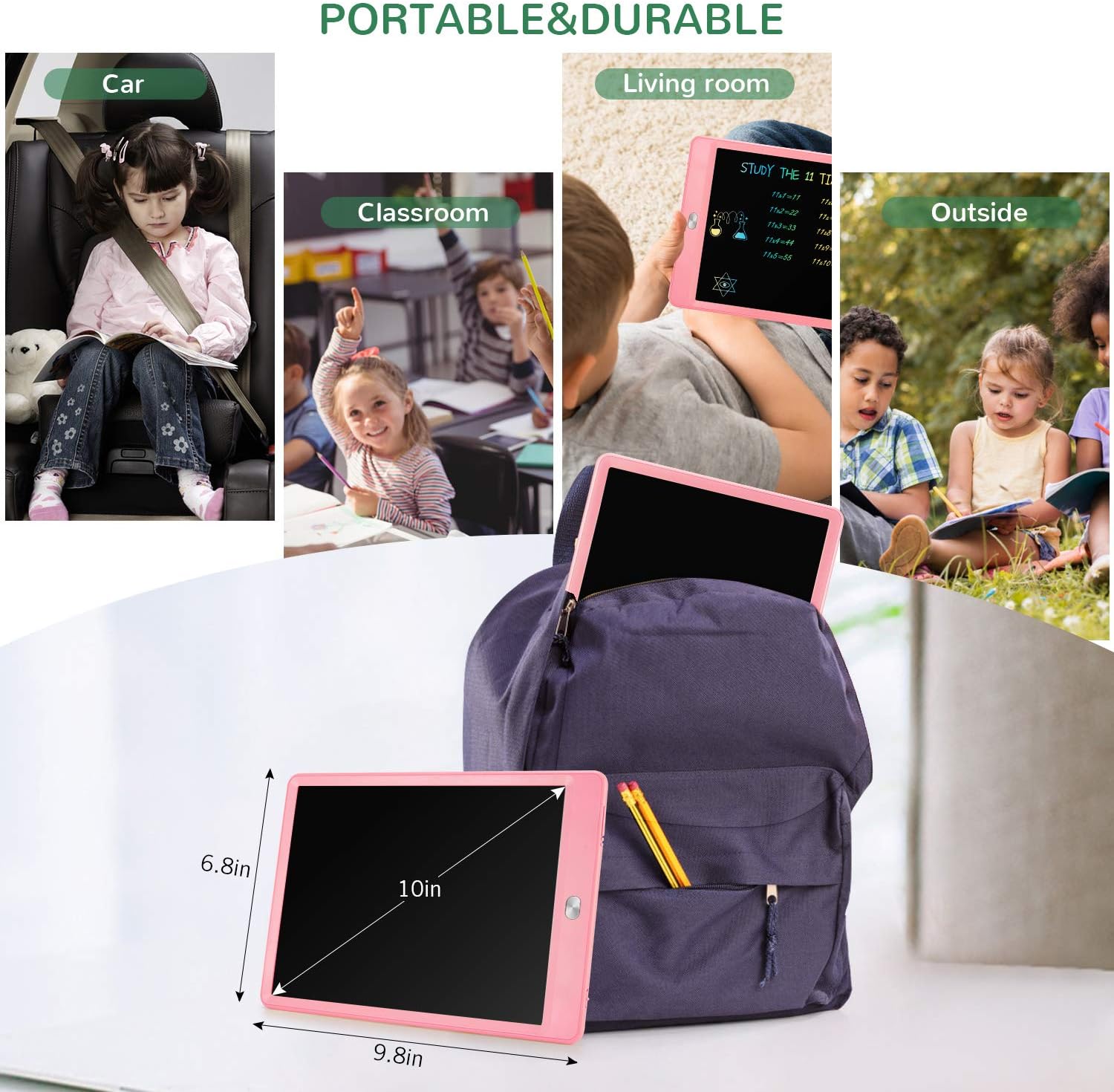
Figure 4: Portability and versatility of the tablet.
6. Maintenance
- Cleaning: Use a soft, dry cloth to clean the screen and body of the tablet. Avoid using abrasive cleaners or solvents.
- Battery Replacement: The tablet uses a CR2025 coin cell battery. To replace, locate the battery compartment on the side/back of the tablet, open it, and insert a new battery with the correct polarity.
- Storage: Store the tablet in a cool, dry place away from direct sunlight and extreme temperatures. Ensure the stylus is securely stored to prevent loss.
7. Troubleshooting
- Screen does not clear:
- Check if the erase lock switch on the side of the tablet is in the 'locked' position. Slide it to 'unlocked' and try pressing the erase button again.
- The battery may be low or depleted. Replace the CR2025 coin cell battery.
- Lines are faint or not appearing:
- Ensure you are applying sufficient pressure with the stylus.
- The battery may be low or depleted. Replace the CR2025 coin cell battery.
8. Specifications
| Feature | Detail |
|---|---|
| Brand | TEKFUN |
| Model Number | 0 |
| Screen Size | 10 Inches |
| Screen Resolution | 1024 x 600 |
| Item Weight | 5.3 ounces |
| Product Dimensions | 6.8 x 6.8 x 9.8 inches |
| Material | Plastic |
| Color | Pink |
| Battery Type | CR2025 Coin Cell (replaceable) |
9. Safety Information
- Small Parts Warning: The stylus and battery are small parts and may pose a choking hazard. Keep out of reach of small children.
- Battery Safety: Do not ingest the battery. Keep new and used batteries away from children. If the battery compartment does not close securely, stop using the product and keep it away from children. If you think batteries might have been swallowed or placed inside any part of the body, seek immediate medical attention.
- Avoid exposing the tablet to extreme temperatures or direct sunlight for prolonged periods.
- Do not use sharp objects other than the stylus to write on the screen, as this may cause damage.
10. Warranty and Support
For warranty information or technical support, please contact TEKFUN customer service through the retailer where the product was purchased or visit the official TEKFUN website. Please retain your proof of purchase for any warranty claims.