
Introduction
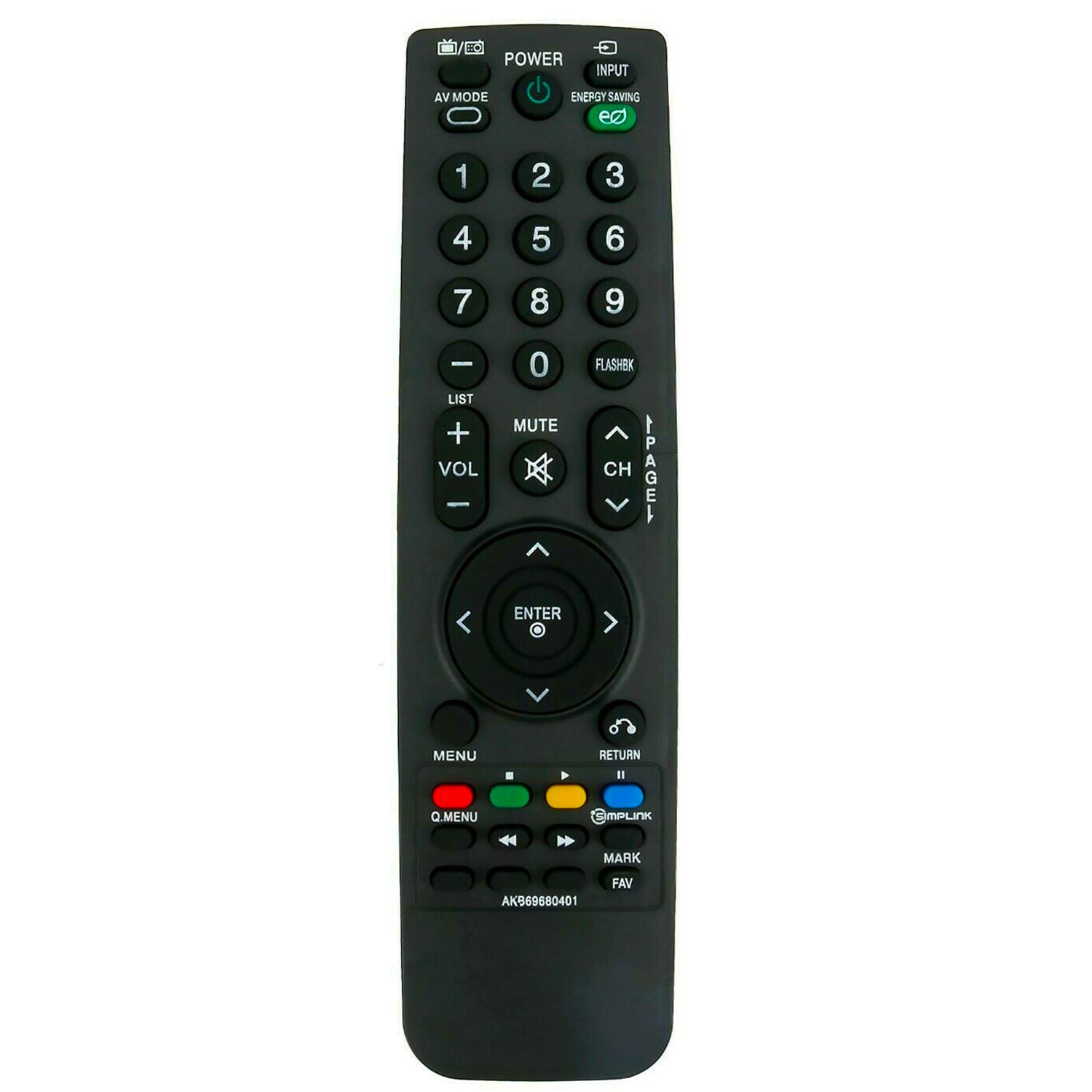
This manual provides instructions for the ALLIMITY AKB69680401 Replacement Remote Control, designed for use with various LG LCD TV models. This remote control functions as a direct replacement and requires no programming. Simply insert batteries to begin operation.
Setup
Battery Installation
The remote control requires two AAA batteries for operation. Follow these steps to install the batteries:
- Locate the battery compartment on the back of the remote control.
- Slide the battery compartment cover downwards and lift it off.
- Insert two new AAA batteries, ensuring the positive (+) and negative (-) terminals align correctly with the markings inside the compartment.
- Replace the battery compartment cover by sliding it back into place until it clicks securely.

Once batteries are installed, the remote control is ready for use without any additional programming.
Operating Instructions
To operate your LG LCD TV with the ALLIMITY AKB69680401 remote control:
- Aiming the Remote: Point the remote control directly towards the infrared (IR) sensor on your television. Ensure there are no obstacles between the remote and the TV sensor that could block the signal.
- Button Functions: The remote features standard buttons for power, input selection, volume control, channel navigation, menu access, and numerical input. Press the corresponding button for the desired function.
- Infrared Technology: This remote uses infrared technology, which requires a clear line of sight to the TV's sensor.
Compatibility
This replacement remote control is compatible with the following LG LCD TV models:
- 19LH20, 22LH20, 26LH20, 32LH20, 37LH20, 42LH20
- 19LU55, 22LU55, 26LU55
- 32LF11, 37LF11, 42LF11, 47LF11
- 32LH30, 37LH30, 42LH30, 47LH30
- 47LF21, 32CL20
- 22LH200C
- 19LH20-UA, 22LH20-UA, 26LH20-UA, 32LH20-UA, 37LH20-UA, 42LH20-UA
- 19LU55-UA, 22LU55-UA, 26LU55-UA
- 32LF11-UA, 37LF11-UA, 42LF11-UA, 47LF11-UA
- 32LH30-UA, 37LH30-UA, 42LH30-UA, 47LH30-UA
- 47LF21-UA, 32CL20-UA
- 22LH200C-UA
If your specific model is not listed, please contact ALLIMITY customer support for assistance in verifying compatibility.
Specifications
| Model Number | AKB69680401 |
| Brand | ALLIMITY |
| Material | Plastic |
| Connectivity Technology | Infrared (IR) |
| Power Source | 2 x AAA Batteries (not included) |
| Maximum Range | 10 Meters |
| Color | Black |
| Controller Type | Button Control |
| Button Quantity | 20 |
| Item Weight | 0.07 Kilograms |
Troubleshooting
- Remote Not Responding:
- Ensure new batteries are correctly installed with proper polarity.
- Check if the batteries are depleted and replace them if necessary.
- Verify there are no obstructions between the remote control and the TV's infrared sensor.
- Confirm that the remote is pointed directly at the TV's sensor.
- Partial Functionality: If some buttons work but others do not, ensure the remote is compatible with your specific TV model. Refer to the Compatibility section.
If issues persist after following these steps, please contact ALLIMITY customer support for further assistance.
Maintenance
To ensure the longevity and proper functioning of your remote control:
- Cleaning: Wipe the remote control with a soft, dry cloth. Do not use abrasive cleaners, solvents, or harsh chemicals.
- Storage: Store the remote in a dry place, away from direct sunlight and extreme temperatures.
- Battery Care: Remove batteries if the remote control will not be used for an extended period to prevent leakage.
- Avoid Drops: Protect the remote from physical impact, as drops can damage internal components.
Support
For any questions, compatibility inquiries, or technical support regarding your ALLIMITY AKB69680401 Replacement Remote Control, please contact the seller or ALLIMITY customer service via email. Provide your product model number and a detailed description of your issue for prompt assistance.