
Tonic Studios 3561e
Tonic Studios Tim Holtz Deckle Edge Paper Trimmer (Model 3561e) - Instruction Manual
Model: 3561e
Introduction
This manual provides detailed instructions for the safe and effective use of your Tim Holtz Deckle Edge Paper Trimmer by Tonic Studios. This guillotine-style paper cutter is designed to create a unique distressed, torn edge effect on various paper crafts, including cardstock, scrapbooking paper, and DIY invitations. Please read this manual thoroughly before operation and retain it for future reference.
Safety Information
- Sharp Blade: The trimmer features a pre-sharpened blade. Always handle with extreme care to prevent injury.
- Paper Guard: Utilize the integrated paper guard to secure paper and protect fingers during cutting.
- Stable Surface: Always operate the trimmer on a stable, flat surface. The rubber feet on the base provide a secure grip.
- Children: Keep out of reach of children. This is not a toy.
- Cleaning: Refer to the maintenance section for proper cleaning procedures. Do not immerse the product in water.
Product Overview
The Tim Holtz Deckle Edge Paper Trimmer is a compact and portable tool designed for precision cutting with a unique distressed edge. Key components include:
- Guillotine Blade: For creating the deckle edge.
- Swing-Style Arm: The cutting mechanism.
- Comfort Grip Handle: For ease of operation.
- Measuring Board: Features 6-inch rulers (imperial and metric) and a 0.25-inch gridded pattern.
- Paper Guard: Secures paper and protects fingers.
- Rubber Feet: For stability during use.
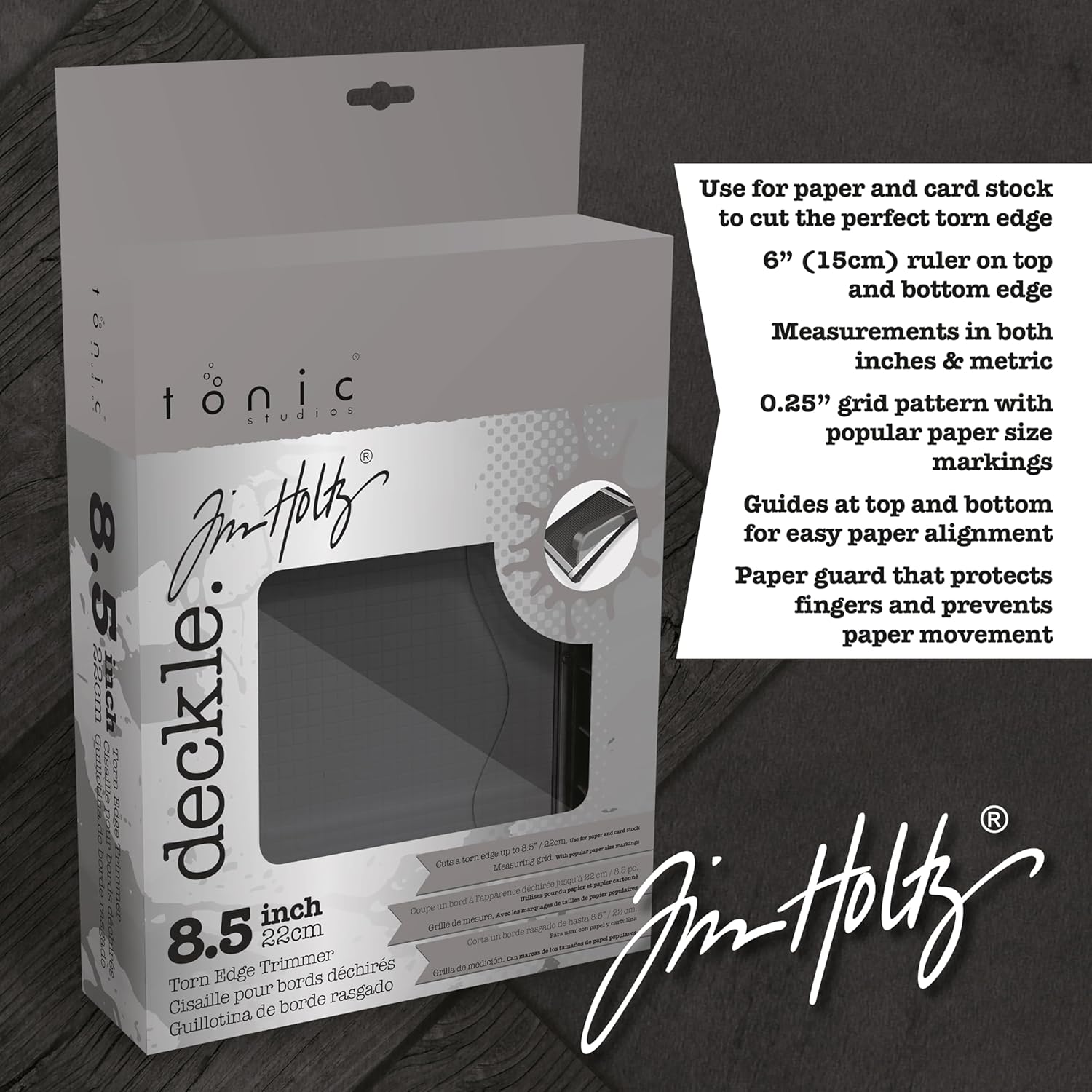
Image: Overview of the Tim Holtz Deckle Edge Paper Trimmer, highlighting its rulers and grid lines for precise paper placement.
Setup
- Unpack: Carefully remove the paper trimmer from its packaging.
- Placement: Place the trimmer on a flat, stable, and non-slip surface. Ensure the rubber feet are making full contact with the surface for maximum stability.
- Inspect: Before first use, inspect the blade and cutting surface for any damage or debris.
Operating Instructions
Follow these steps to achieve a perfect deckle edge on your paper crafts:
- Prepare Paper: Ensure your paper or cardstock is flat and free of creases. The trimmer is suitable for cardstock, scrapbooking paper, watercolor paper, and fibrous card. It is recommended to cut one sheet at a time for optimal results and to prevent shredding, especially with thicker materials.
- Align Paper: Lift the swing-style arm. Place your paper onto the measuring board. Use the integrated 6-inch rulers (imperial and metric) and the 0.25-inch gridded pattern to align your paper precisely to the desired cutting length. The cutting length is 8.5 inches, suitable for A4 or US letter size paper horizontally.
- Secure Paper: Gently lower the transparent paper guard over your paper. Apply even pressure to the paper guard to hold the paper firmly in place and prevent it from shifting during the cut. This also protects your fingers.
- Execute Cut: While maintaining firm pressure on the paper guard, bring the swing-style arm down with a smooth, even motion. Apply consistent pressure throughout the cut. The unique blade design will create the distressed deckle edge.
- Remove Paper: Once the cut is complete, lift the swing-style arm and remove your newly cut paper.
Video: Demonstration of using the Tim Holtz Deckle Edge Trimmer to create a distressed edge on cardstock. This video illustrates the paper placement and cutting motion.

Image: A close-up view of the paper being cut, demonstrating the unique torn edge effect produced by the trimmer's blade.
Maintenance
- Blade Cleaning: The blade can be cleaned with a damp cloth. Ensure to dry thoroughly before next use to prevent rust or damage.
- General Cleaning: Wipe down the measuring board and other surfaces with a soft, dry cloth to remove paper dust and debris.
- Storage: Store the trimmer in a cool, dry place away from direct sunlight and moisture.
- Avoid Immersion: Do not immerse the entire product in water.
Troubleshooting
| Issue | Possible Cause | Solution |
|---|---|---|
| Uneven or Shredded Cut |
|
|
| Paper Shifts During Cut |
|
|
Specifications
- Brand: Tonic Studios
- Model Number: 3561e
- Cutting Length: 8.5 inches (22cm)
- Cutting Width: 6 inches (15cm)
- Overall Dimensions: Approximately 11.25 inches (L) x 8.5 inches (W)
- Material: Plastic
- Weight: 1.54 Pounds
- Special Features: Paper Guard, Imperial & Metric Rulers, 0.25-inch Grid Pattern, Rubber Feet
- Recommended Use: Crafting, Paper

Image: A diagram illustrating the key dimensions and features of the paper trimmer, including cutting length and width.
Warranty and Support
This product is manufactured by TONIC STUDIOS USA INC. For any product-related inquiries or support, please refer to the official Tonic Studios website or contact their customer service. The manufacturer warranty description states "Not applicable." for this product. Please check with your retailer for their return policy, which is typically 30 days for refunds/replacements.
Visit the official Tonic Studios Store for more information and products.
Ask a question about this manual
Ask about setup, troubleshooting, compatibility, parts, safety, or missing instructions. Manuals+ will review the question and use this page’s manual context to help answer it.