
1. Introduction and Overview
The APC Back-UPS BE850G2 is an Uninterruptible Power Supply (UPS) designed to provide guaranteed power and surge protection for your electronic devices. It safeguards your equipment from damaging power surges, spikes, and provides temporary battery power during outages or unsafe voltage fluctuations, ensuring your data is protected and your devices remain connected.
Key Features:
- 850VA / 450W battery backup power supply
- 9 Outlets (NEMA 5-15R): 6 UPS Battery Backup & Surge Protector Outlets; 3 outlets with Surge Protection only
- 2 USB Charger Ports (2.4A shared) for cell phones, portable electronics
- 5' Power Cord, right-angle 3-prong wall plug (NEMA 5-15P), wall-mountable
- PowerChute UPS management via dedicated data port (Windows 10, 22H2 Pro, 11 Pro. For Mac OS, use native "Energy Saver" Settings)
- Replaceable Battery: Easily replace the battery back up with a genuine APC replacement battery, model RBC17 (sold separately)

Figure 1.1: Front view of the APC Back-UPS BE850G2 unit, showcasing its compact design and multiple power outlets.
Video 1.1: An overview of the value an APC UPS provides in a smart home environment, highlighting its role in maintaining network connectivity during power interruptions.
2. Setup Instructions
Before using your APC Back-UPS BE850G2, it is essential to properly connect the internal battery and plug the unit into a power source.
2.1 Connecting the Internal Battery
- Lay the UPS unit on its side to access the battery compartment.
- Slide off the battery cover.
- Carefully pull out the battery. You will notice a red cable that needs to be connected.
- Connect the red cable firmly into its corresponding terminal on the battery. Ensure a secure connection to prevent beeping or inconsistent performance.
- Slide the battery back into the compartment with the wires on the bottom.
- Replace the battery cover until it clicks securely into place.
Video 2.1: Step-by-step guide on how to connect the internal battery for APC BE Series UPS units, ensuring proper functionality.
2.2 Initial Power-Up
- Plug the UPS power cord into a standard wall outlet.
- Press the power button on the front of the UPS. The power indicator light should illuminate green, indicating the unit is powered on and ready.
- Allow the unit to charge for at least 24 hours before connecting critical devices to ensure full battery capacity.
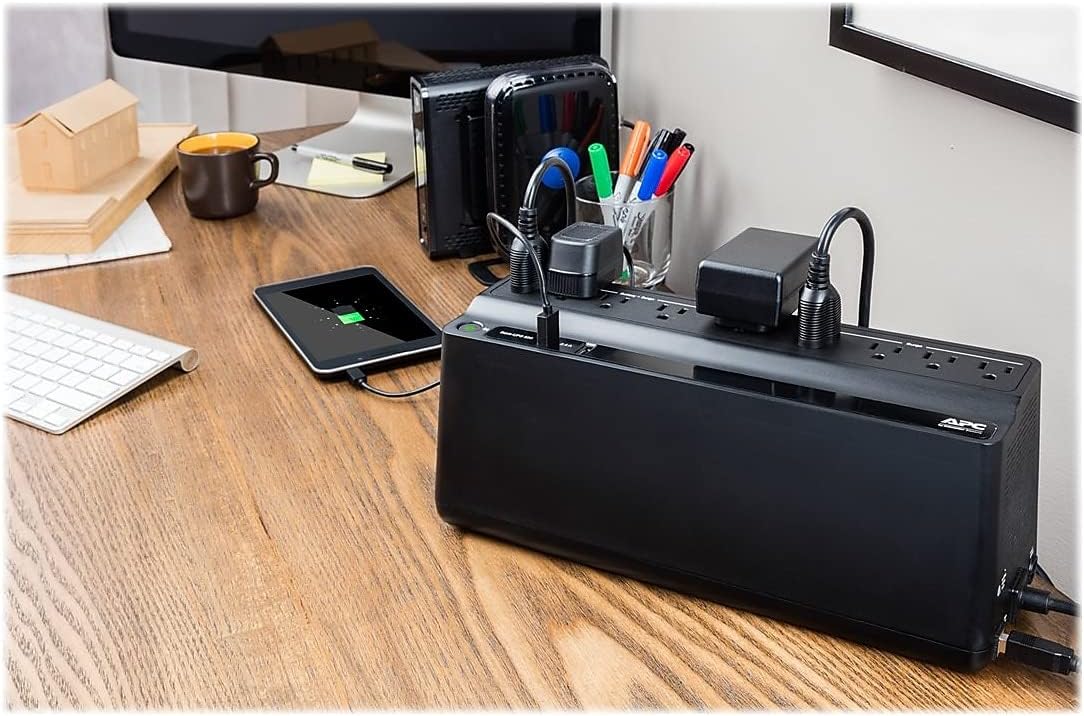
Figure 2.1: The APC Back-UPS BE850G2 integrated into a typical desktop setup, providing power to a computer, monitor, and other peripherals.
3. Operating Instructions
The APC Back-UPS BE850G2 is designed for simple operation. Understanding its outlets and indicators is key to effective use.
3.1 Understanding the Outlets
- Battery Backup & Surge Protection Outlets (6): These outlets provide both battery power during outages and protection against surges and spikes. Connect critical devices such as computers, monitors, routers, and external hard drives to these outlets.
- Surge Protection Only Outlets (3): These outlets provide protection against surges and spikes but do not offer battery backup power. Connect non-critical devices like printers, scanners, or lamps to these outlets.
- USB Charger Ports (2): Two 2.4A shared USB ports are available for charging mobile devices like smartphones and tablets.
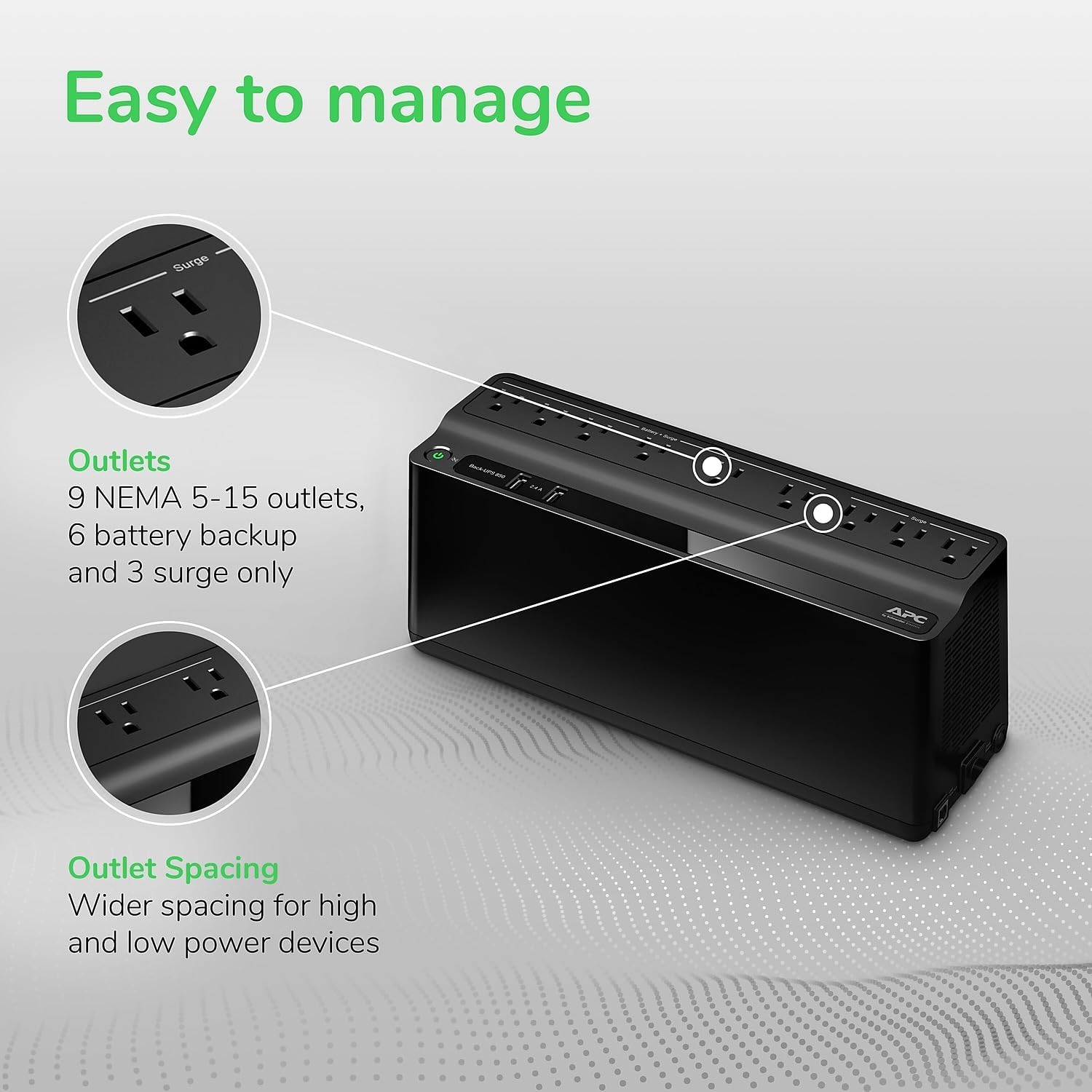
Figure 3.1: A close-up view of the top panel of the UPS, clearly labeling the battery backup and surge-only outlets for proper device connection.
3.2 PowerChute Software (Optional)
For advanced management and monitoring of your UPS, install the PowerChute software. This software allows for automatic shutdown of your computer during extended power outages, energy monitoring, and customizable settings. Connect your computer to the UPS via the dedicated data port (USB cable included).
4. Maintenance
Regular maintenance ensures the longevity and optimal performance of your APC Back-UPS BE850G2.
4.1 Battery Replacement
The internal battery (model RBC17) is user-replaceable. APC recommends replacing the battery every 3-5 years, or when the UPS indicates a battery fault. Refer to the detailed instructions in the full User Manual (PDF) for safe battery replacement procedures.
4.2 Cleaning
Periodically clean the exterior of the UPS with a dry cloth. Ensure the ventilation grilles are free from dust and debris to maintain proper airflow and prevent overheating.
5. Troubleshooting
This section addresses common issues you might encounter with your APC Back-UPS BE850G2.
- UPS is beeping continuously: This usually indicates the UPS is running on battery power due to a power outage or low battery. Save your work and shut down your devices if the outage is prolonged.
- Power light is off or blinking: Check if the UPS is properly plugged into a working wall outlet. If the battery is old, it might need replacement.
- Devices are not receiving power: Ensure devices are plugged into the correct outlets (battery backup vs. surge-only). Check the circuit breaker on the back of the unit.
- UPS does not provide expected runtime: Battery capacity may have degraded over time. Consider replacing the battery (RBC17). Ensure the total load connected to the battery backup outlets does not exceed the unit's capacity (450W).
For more detailed troubleshooting steps, please refer to the comprehensive User Manual (PDF) available on the APC website or via the provided document links.
6. Specifications
| Feature | Detail |
|---|---|
| Model Number | BE850G2 |
| Capacity | 850VA / 450W |
| Product Dimensions | 12.87 x 4.13 x 5.47 inches |
| Item Weight | 9 pounds |
| Battery Type | Sealed Lead Acid (RBC17) |
| Output Voltage | 850 Volts |
| Color | Black |
| Country of Origin | Philippines |
7. Warranty and Support
Your APC Back-UPS BE850G2 comes with a comprehensive warranty and support to ensure your peace of mind.
7.1 Warranty Information
This product is backed by a 3-year warranty. Additionally, it includes a $75,000 Equipment Protection Policy, providing coverage for connected equipment in the event of damage due to power events while properly connected to the UPS.
7.2 Customer Support
For technical assistance, troubleshooting, or warranty claims, please visit the official APC by Schneider Electric support website or refer to the contact information provided in your product packaging. You can also find additional resources and downloadable manuals, including the full User Manual (PDF), at the following link: APC User Manual (PDF).


