
1. Product Overview
This WOSTOKE Android Autoradio is a car navigation stereo system designed for Hyundai Sonata models from 2010 to 2014. It features a 9-inch IPS touch screen, Bluetooth, and WiFi connectivity, offering a range of functions including navigation, video playback, music, and steering wheel control integration. The system is built on a powerful Android platform, allowing for expanded capabilities beyond standard OEM equipment.
2. Included Components
The package includes the following items:
- 1x Car Android Head Unit with Mask
- 1x GPS Antenna
- 1x Power Cable (Plug & Play)
- 2x USB Port Cables
- 1x RCA Expand Cable
- 1x RCA Connector for Reverse Camera
- 1x Install Kit (GIFT)
- 1x External Mic (GIFT)
- 1x AHD 720 Reverse Camera (GIFT)
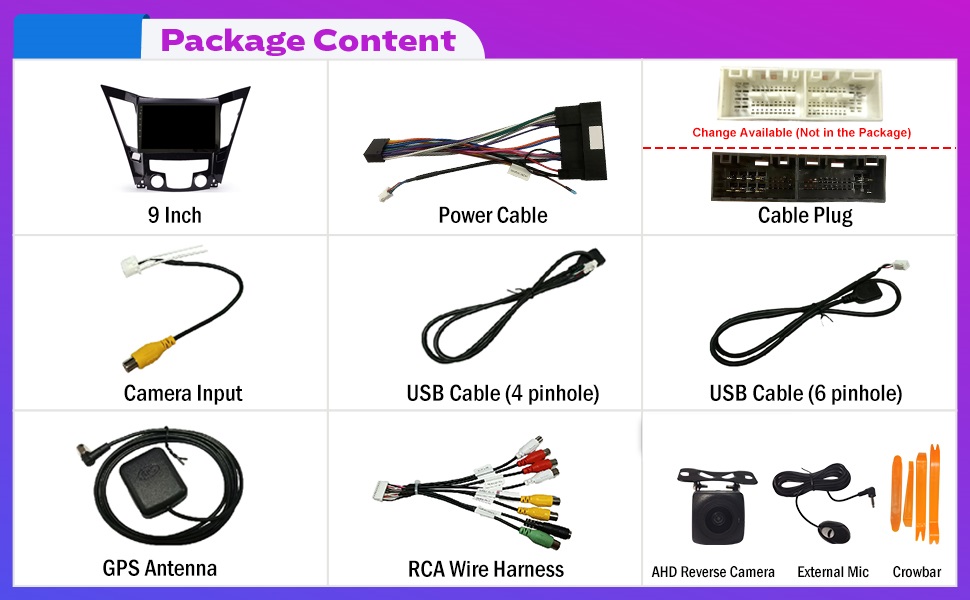
Image: A visual representation of all components included in the Wostoke Android Autoradio package, laid out neatly on a white background.
3. Important Installation Note
CANBUS Requirement: If your vehicle has an original amplifier or a large colorful screen/factory navigation system, it likely has an amplifier. In such cases, a separate CANBUS unit must be purchased and installed to ensure proper sound functionality. Failure to install a CANBUS may result in no audio output from the system.
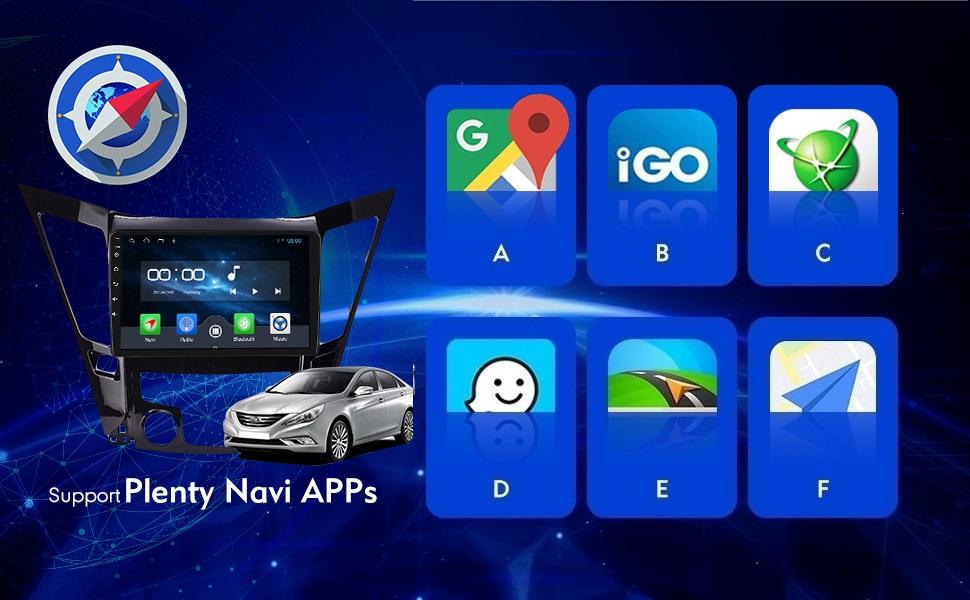
Image: A graphic highlighting the importance of purchasing a separate CANBUS unit if the car has an original amplifier or factory navigation to ensure sound functionality.
4. Operating Instructions
4.1. GPS Navigation
The system supports real-time satellite GPS navigation without requiring a network connection. With WiFi connected, you can use online navigation services. The device comes with North America map type pre-installed.

Image: The Wostoke Android Autoradio display showing a GPS navigation map interface, with various map application icons below.
4.2. WiFi Connectivity
Utilize the built-in WiFi to browse the internet, access online navigation, stream videos, and download applications directly to the head unit.

Image: The Wostoke Android Autoradio display showing various application icons, indicating WiFi connectivity for browsing and app usage.
4.3. Bluetooth Functionality
The integrated Bluetooth allows for wireless music streaming, hands-free calling, and navigation audio output. Pair your smartphone to the head unit for seamless connectivity.

Image: The Wostoke Android Autoradio display showing a Bluetooth call interface and icons for music streaming and hands-free calling.
Video: Demonstrates how to wirelessly connect a smartphone to the head unit for CarPlay functionality via Bluetooth.
4.4. Steering Wheel Control (SWC)
The system supports your car's original steering wheel controls, allowing you to quickly switch functions such as volume, track, and mode without taking your hands off the wheel.

Image: The Wostoke Android Autoradio display showing the steering wheel control learning interface, with icons representing various functions.
4.5. Car Reverser Camera Support
The head unit supports car reverser camera input, displaying the rear view on the screen when reversing your vehicle for enhanced safety.

Image: The Wostoke Android Autoradio display showing a rear-view camera feed with parking guidelines, indicating support for a car reverser camera.
4.6. FM Radio
Listen to your favorite FM radio stations. You can easily tune and save preferred stations for quick access.

Image: The Wostoke Android Autoradio display showing the FM radio interface with frequency tuning and preset buttons.
4.7. Mirror Link (Wireless CarPlay/Android Auto)
The system supports Mirror Link functionality. For iOS devices, this is wireless. For Android devices, a wired connection is required to display your phone screen on the head unit.
Video: A detailed demonstration of Wireless CarPlay and Android Auto operating instructions, showing how to connect and use these features.
Video: Illustrates the connection process for CarPlay and Android Auto, highlighting the steps to link your smartphone to the head unit.
5. Product Specifications
- Operating System: Android
- Display Size: 9 Inches
- Resolution: 1024 x 600
- Screen Type: 2.5D IPS Touch Screen
- Connectivity Technology: USB, Bluetooth, WiFi
- Map Type: North America
- Mounting Type: Panel Mount
- Audio Output Mode: Stereo
- Item Weight: 3.79 pounds
- Product Dimensions: 6.69 x 15.75 x 22.05 inches
- Vehicle Service Type: Car (Specifically for Hyundai Sonata 2010-2014)

Image: The Wostoke Android Autoradio display highlighting its 2.5D IPS screen, 9-inch multi-touch capability, and HD LCD display.
6. Troubleshooting
No Sound After Installation
If you experience no sound after installing the head unit, it is highly probable that your vehicle has an original amplifier. In such cases, a separate CANBUS unit is required for proper audio functionality. Please ensure you have purchased and correctly installed the appropriate CANBUS for your vehicle model.
Steering Wheel Controls Not Working
Ensure that the steering wheel control wiring is correctly connected. Access the "Steering Wheel Learning" settings within the Car Settings menu to program the buttons. Follow the on-screen prompts to bind each steering wheel button to its corresponding function on the head unit.
Difficulty with Wireless Connectivity (CarPlay/Android Auto)
For wireless CarPlay or Android Auto, ensure your phone's Bluetooth is enabled and paired with the head unit. Also, verify that your phone's personal hotspot is active and the head unit is connected to it. Some systems may require specific apps on your phone for mirroring; refer to the app's instructions for setup.
7. Warranty and Support
The WOSTOKE Android Autoradio comes with a one-year warranty covering non-human damage. For any questions, technical assistance, or warranty claims, please contact the seller directly for support. Your consultation is always welcomed.