1. Introduction
This manual provides essential information for the safe and effective operation of your Holy Stone HS700E 4K UHD Drone. Please read this manual thoroughly before operating the drone to ensure proper usage and to prevent damage or injury. The HS700E features a 4K EIS camera, GPS+GLONASS positioning, brushless motors, and intelligent flight modes for an enhanced flying experience.
Always prioritize safety. Ensure you are familiar with local drone regulations and fly in open, clear environments away from obstacles, people, and electromagnetic interference.
2. What's in the Box (Setup)
Upon unboxing your Holy Stone HS700E drone, verify that all components are present and in good condition. The standard package includes:
- Holy Stone HS700E Drone
- Remote Controller
- Flight Battery
- USB Charging Cable
- Spare Propellers
- Carrying Case
- User Manual

Image: Holy Stone HS700E drone, remote controller, battery, charging cable, spare propellers, and carrying case.
Battery Charging
Before first use, fully charge the flight battery using the provided USB charging cable. Connect the cable to a compatible USB power adapter (not included). Charging typically takes several hours. Refer to the owner's manual for specific amperage recommendations for your charger to avoid overcharging.
3. Key Features
The Holy Stone HS700E drone is equipped with advanced features designed for stable flight and high-quality aerial photography.
4K EIS Anti-Shake Camera
The integrated 4K camera features Electronic Image Stabilization (EIS) to reduce shake and blur, resulting in clearer photos and smoother video footage. The camera offers a 130° Field of View (FOV) and can be adjusted 90° for optimal shot composition.
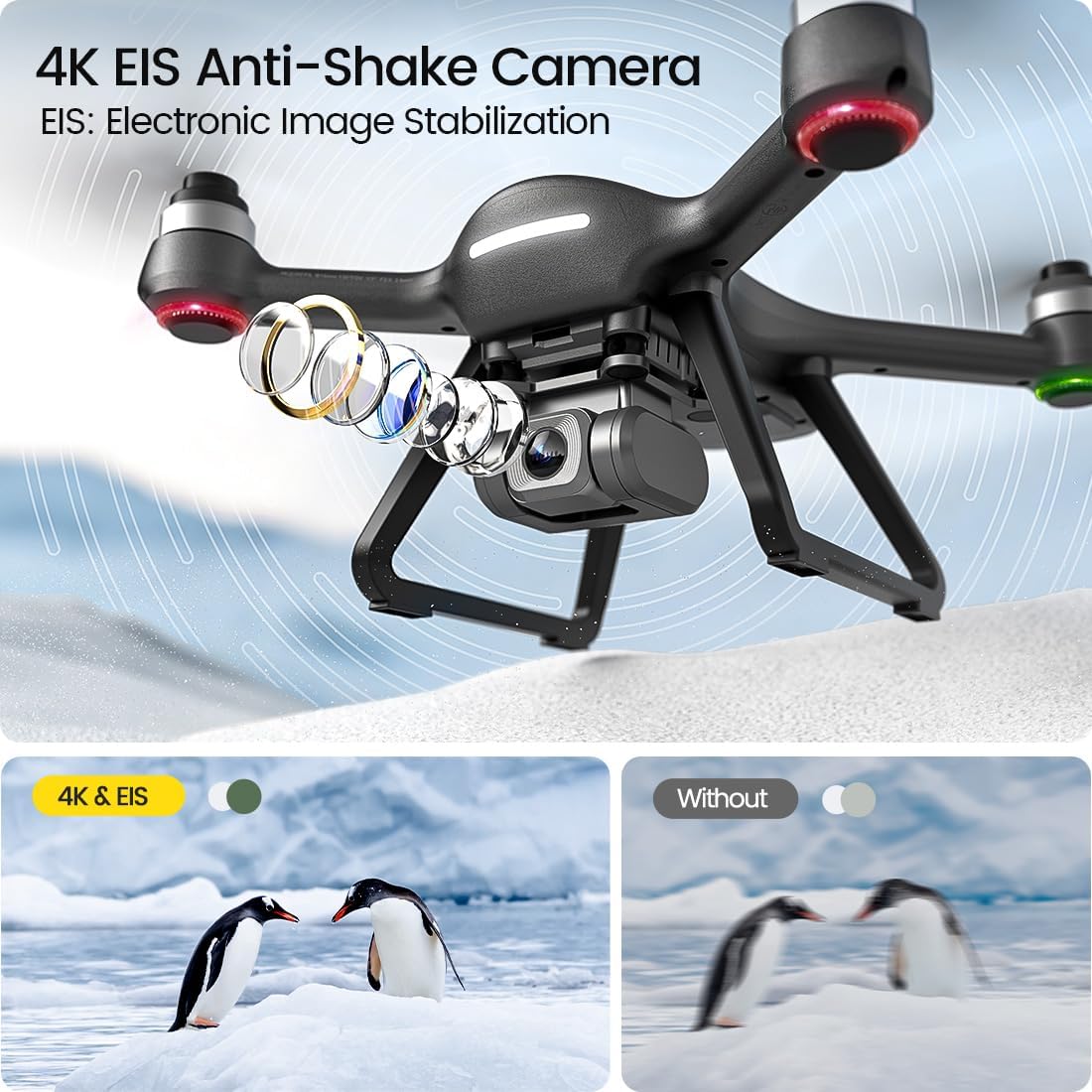
Image: Visual representation of the 4K EIS Anti-Shake Camera technology.
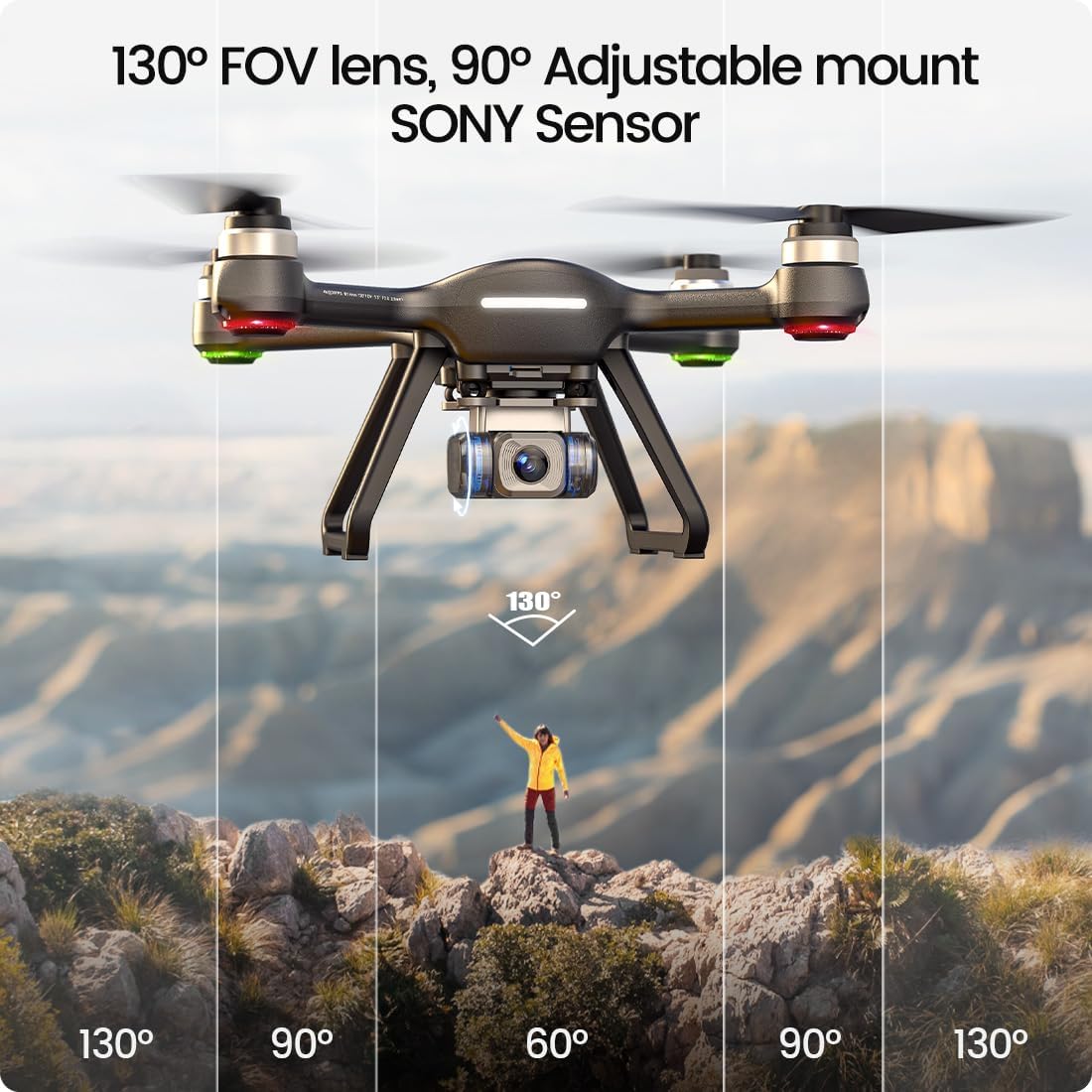
Image: The drone's camera with its 130-degree field of view and 90-degree adjustable mount.
GPS + GLONASS Positioning
Dual-satellite positioning systems (GPS and GLONASS) enhance hover accuracy and overall flight stability. This reliable positioning system is crucial for features like Return-to-Home.
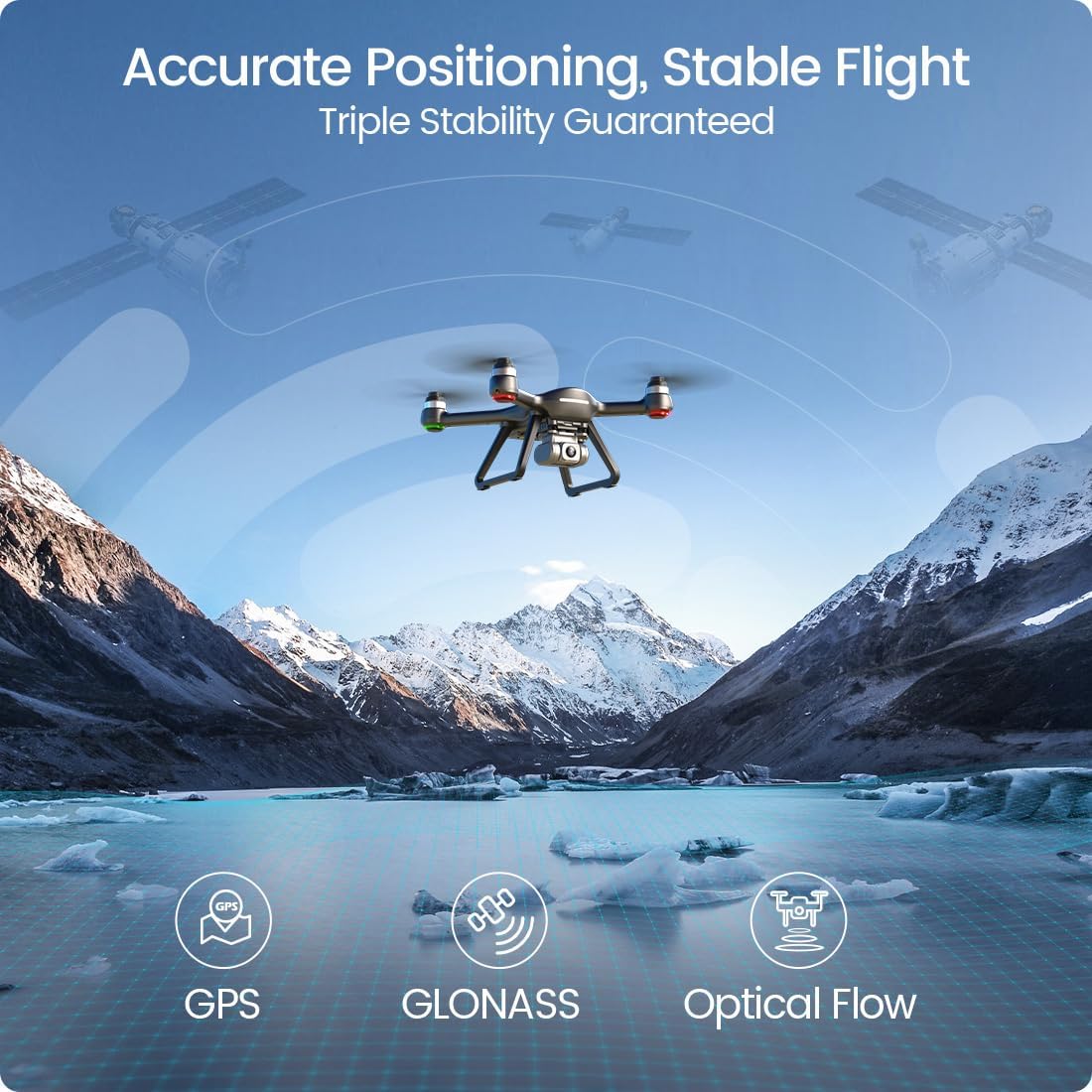
Image: Drone utilizing GPS, GLONASS, and Optical Flow for stable flight over a scenic landscape.
5GHz FPV Transmission
The 5GHz FPV (First Person View) transmission system provides a steady and clear live video feed to your connected smartphone, allowing for real-time monitoring and precise control during flight.
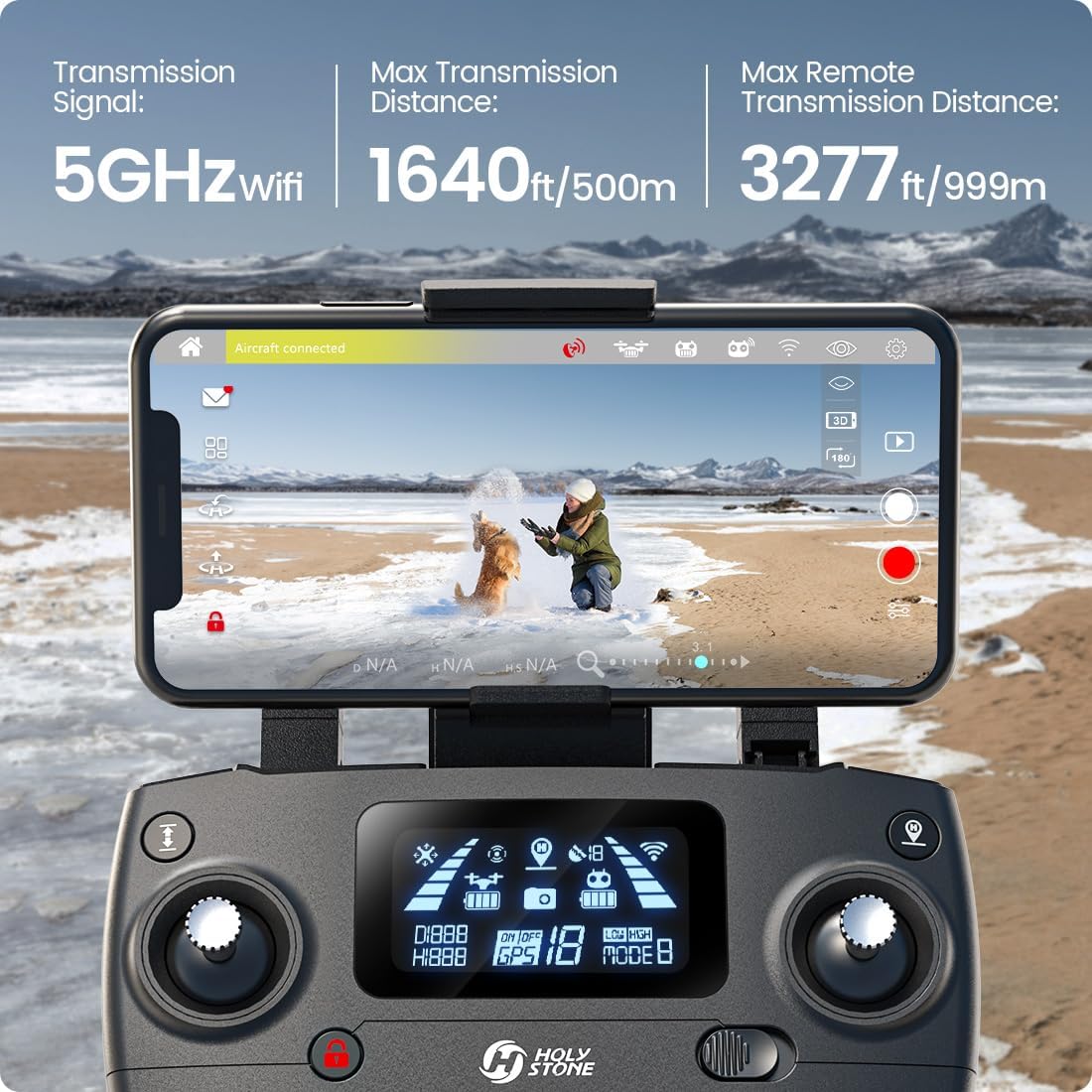
Image: A user's hands holding the remote controller with a smartphone showing the drone's live 5GHz FPV feed.
Brushless Motors
The HS700E is equipped with efficient brushless motors, which offer reduced noise, increased durability, and improved power compared to brushed motors. This contributes to a more reliable and enjoyable flight experience.
4. Operating Instructions
This section outlines the basic steps for operating your drone and utilizing its intelligent flight features.
Pre-Flight Checklist
- Ensure the drone and remote controller batteries are fully charged.
- Attach propellers securely.
- Find an open outdoor area, clear of obstacles, people, and animals.
- Power on the remote controller, then the drone.
- Connect your smartphone to the drone's Wi-Fi network and open the Ophelia app.
- Perform compass calibration as instructed by the app or manual.
- Wait for sufficient GPS satellite lock (indicated by solid GPS signal icon).
Basic Flight Controls
The remote controller allows for precise manipulation of the drone. Familiarize yourself with the joystick functions and button layout before attempting flight.
- Altitude Hold: Maintains the drone's current altitude, simplifying flight control.
- Headless Mode: Orients the drone's flight direction relative to the pilot, regardless of the drone's front-facing direction. Useful for beginners.
Intelligent Flight Modes (via Ophelia App)
The Ophelia app unlocks several intelligent flight modes:
- Follow Me: The drone automatically follows the remote controller or your smartphone, capturing dynamic footage as you move.
- Point of Interest: Set a central point, and the drone will orbit around it at a specified radius and altitude, ideal for capturing panoramic shots.
- Trajectory Flight: Draw a desired flight path on your smartphone screen, and the drone will autonomously follow the route.
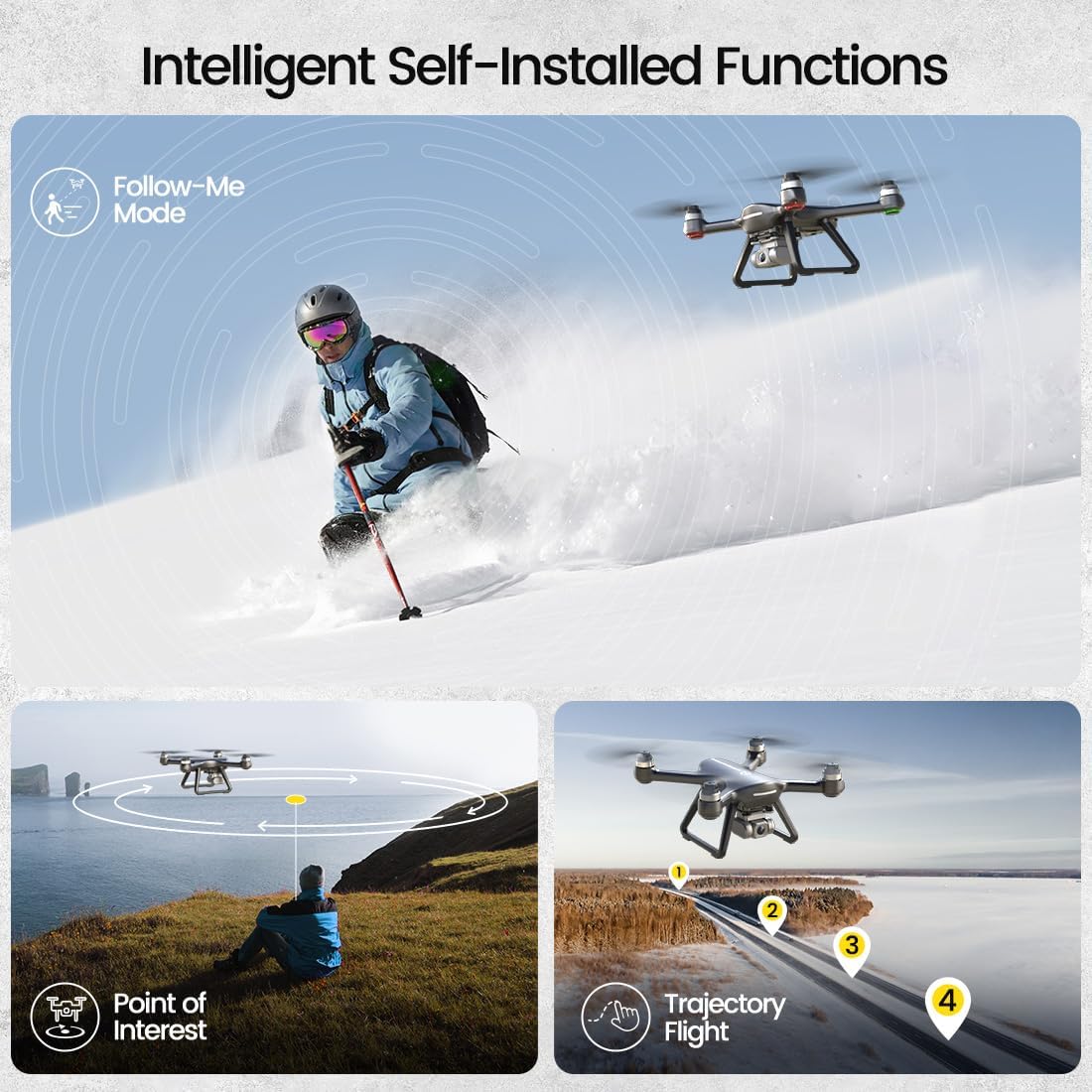
Image: Illustrations of the drone performing Follow-Me, Point of Interest, and Trajectory Flight functions.
Smart Return Home (RTH)
The Return-to-Home function ensures the drone safely returns to its takeoff point. RTH can be activated manually, or automatically triggered in cases of low battery or loss of signal.
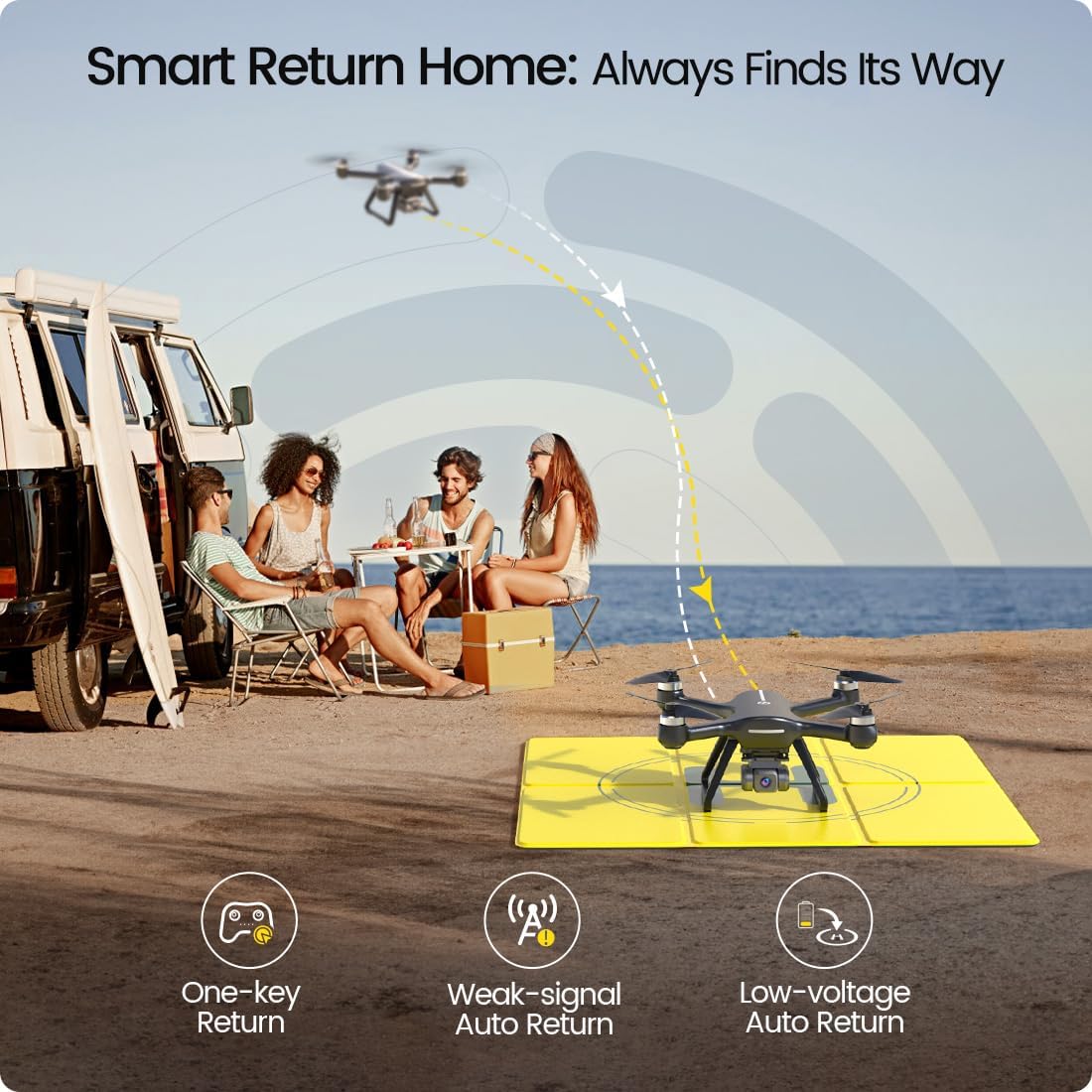
Image: Diagram showing the drone's Smart Return Home feature, activated by one-key, weak signal, or low battery.
5. Maintenance
Regular maintenance helps prolong the life and performance of your Holy Stone HS700E drone.
- Battery Care: Store batteries in a cool, dry place. Do not overcharge or over-discharge. If not used for extended periods, charge them to about 50-60% capacity.
- Propeller Inspection: Regularly check propellers for cracks, bends, or damage. Replace any damaged propellers immediately. The HS700E propellers are designed for easy, tool-free replacement.
- Cleaning: Gently wipe the drone body and camera lens with a soft, dry cloth after each flight to remove dust and debris. Avoid using harsh chemicals.
- Storage: When not in use, store the drone and its components in the provided carrying case to protect them from physical damage and environmental factors.
6. Troubleshooting
If you encounter issues with your Holy Stone HS700E drone, refer to the following common troubleshooting tips:
- Drone Not Responding: Ensure both the drone and remote controller are powered on and properly paired. Check battery levels.
- Unstable Flight/Drifting: Perform compass calibration in an open area away from magnetic interference. Check for damaged propellers.
- No FPV Feed: Verify your smartphone is connected to the drone's 5GHz Wi-Fi network. Ensure the Ophelia app is open and updated.
- GPS Signal Issues: Fly in an open outdoor area with a clear view of the sky. Avoid areas with tall buildings or dense foliage that can obstruct satellite signals.
- Drone Crashes Unexpectedly: Avoid flying near strong electromagnetic currents or other Wi-Fi interference sources. Always ensure sufficient battery charge before flight.
For persistent issues or advanced troubleshooting, consult the full user manual available on the Holy Stone website or contact Holy Stone customer support.
7. Specifications
Detailed technical specifications for the Holy Stone HS700E drone:
| Feature | Specification |
|---|---|
| Brand | Holy Stone |
| Model Name | HS700E |
| Video Capture Resolution | 4K |
| Connectivity Technology | Wi-Fi (5GHz FPV) |
| Special Features | Auto Follow, Auto-Landing, Integrated GPS, Long Distance Control |
| Age Range (Description) | Adult |
| Item Weight | 1.16 pounds (18.51 Ounces) |
| Battery Capacity | 2800 mAh (Lithium Polymer) |
| Product Dimensions | 14.96"L x 9.06"W x 4.92"H |
| Material | Plastic |
| Skill Level | All |
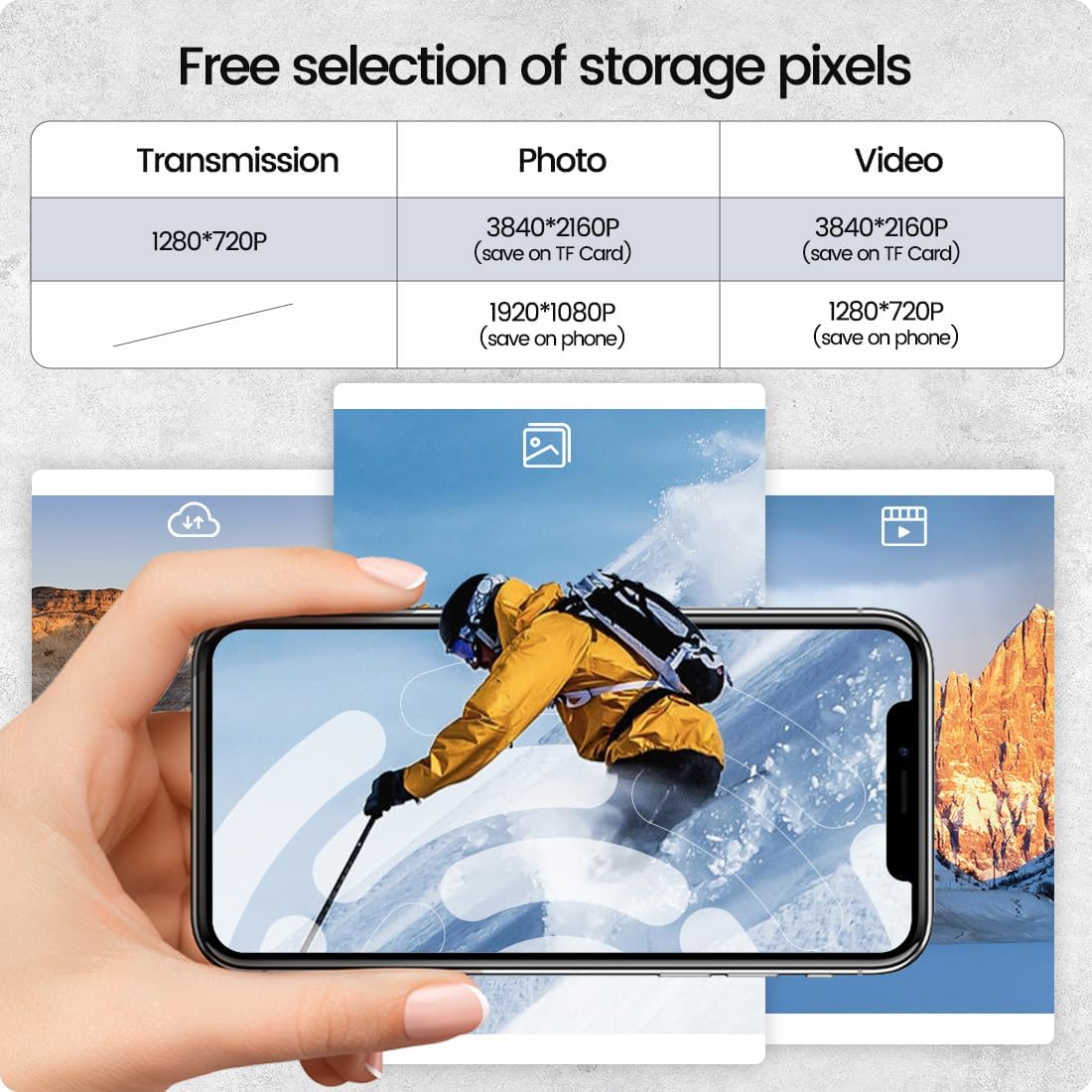
Image: Dimensions of the Holy Stone HS700E drone (14.96"L x 9.06"W x 4.92"H).
8. Warranty and Support
Holy Stone is committed to providing excellent customer service. If you have any questions, require technical assistance, or need to address warranty concerns, please contact our dedicated after-sales support team.
Refer to the official Holy Stone website or the contact information provided in your product packaging for the most up-to-date support channels.


